How to Unhide Folders in Windows 7
Open Start .. Search for Folder Options.. Click Folder Options.
Steps
1
Open Start .
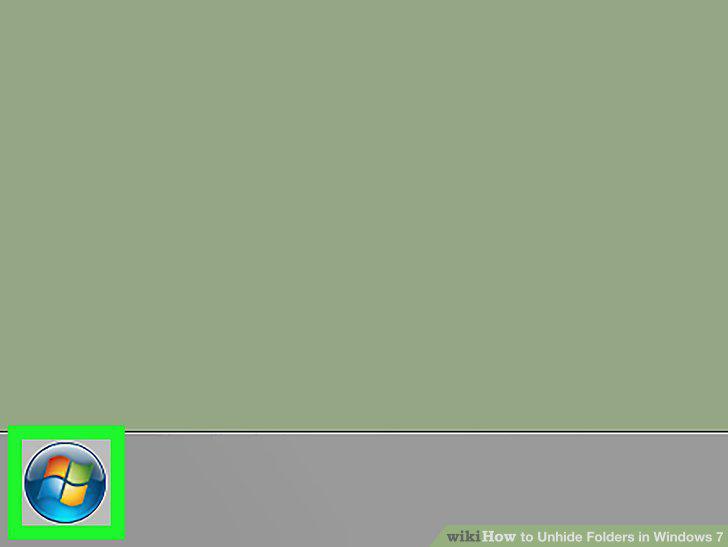
Open Start .
2
Search for Folder Options.
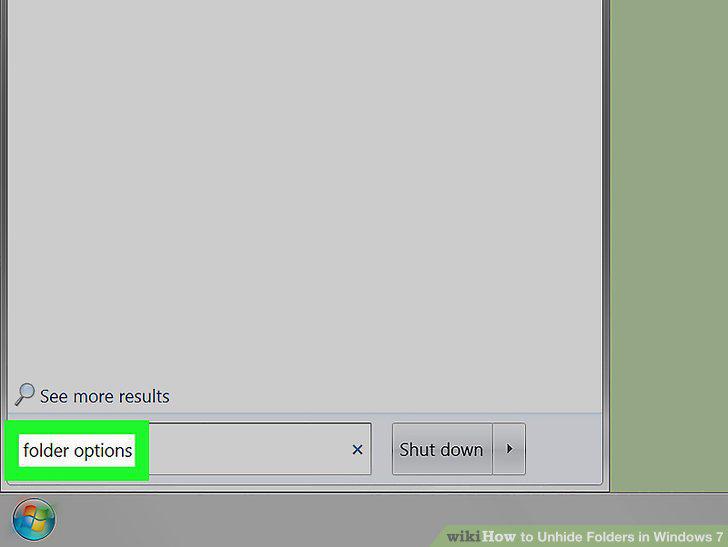
Search for Folder Options.
3
Click Folder Options.
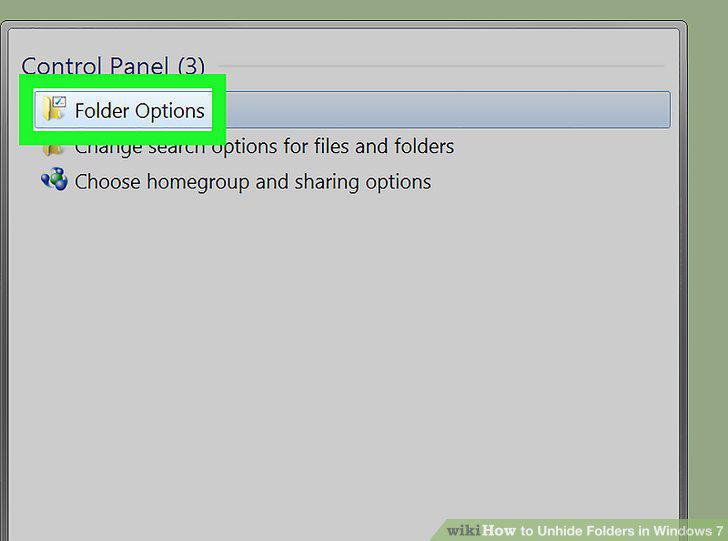
Click Folder Options.
4
Click the View tab.
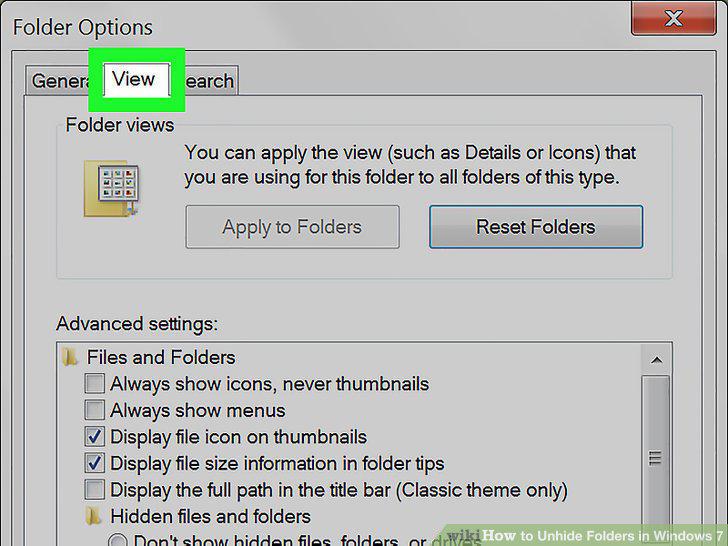
Click the View tab.
5
Expand the "Files and Folders" item if necessary.
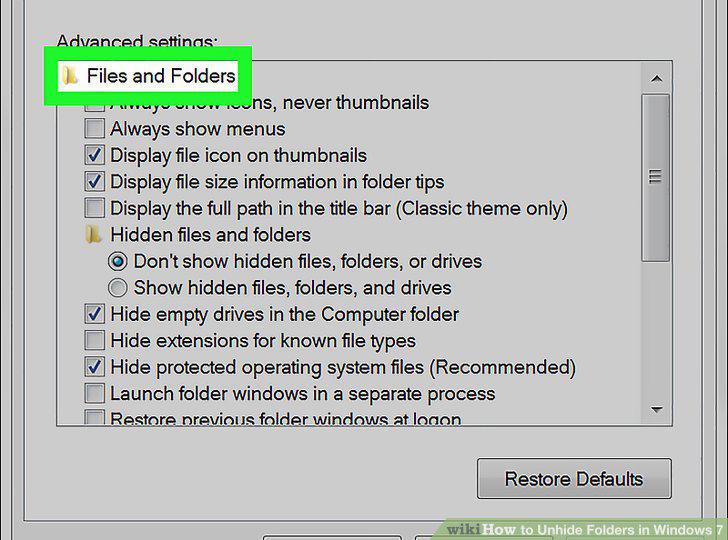
Expand the "Files and Folders" item if necessary.
6
Check the "Show hidden files, folders, and drives" box.
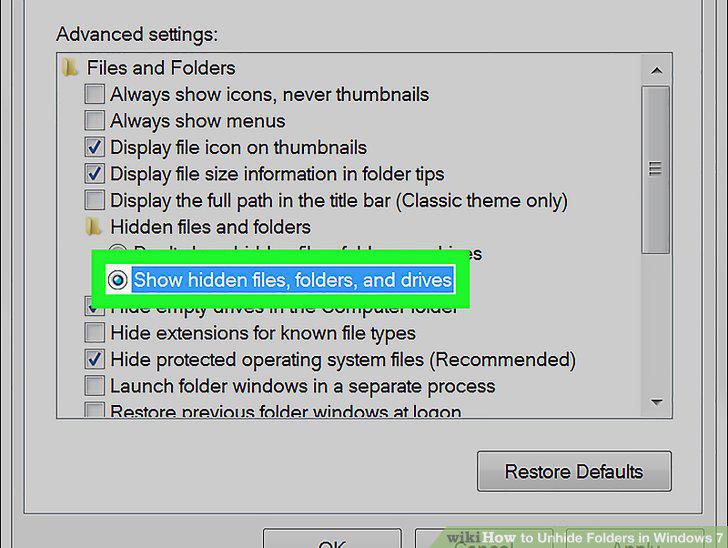
Check the "Show hidden files, folders, and drives" box.
7
Show hidden system files if necessary.
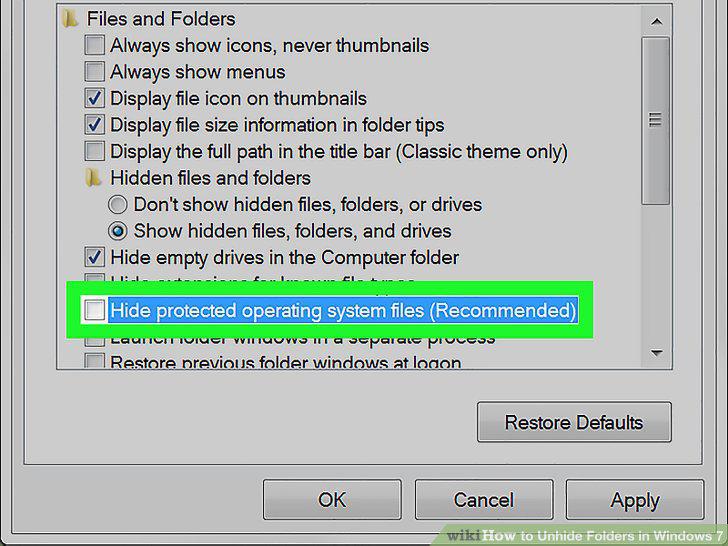
Show hidden system files if necessary.
8
Click Apply.
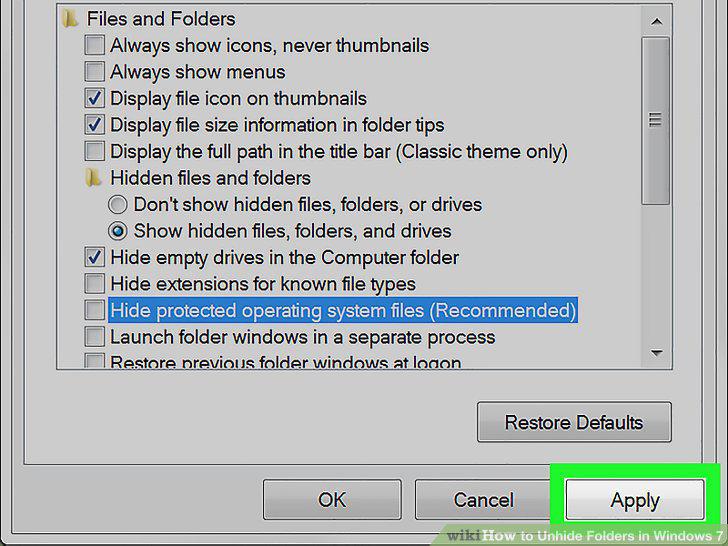
Click Apply.
9
Click OK.
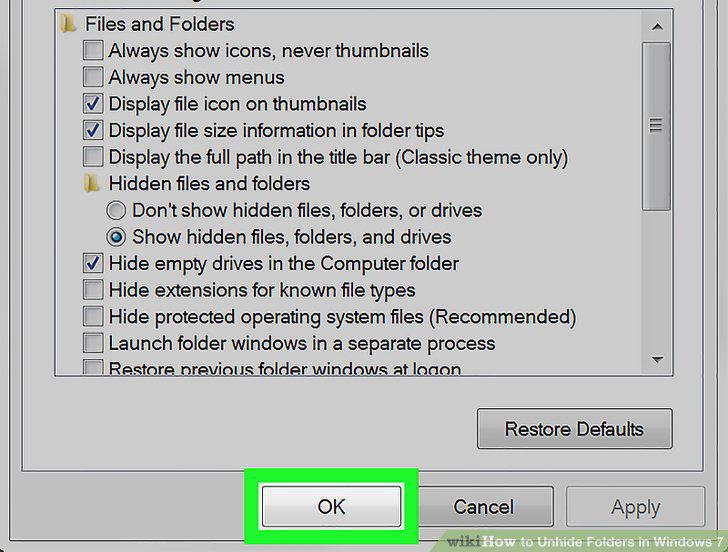
Click OK.
Comments (0)
No comments yet. Be the first to share your thoughts!