How to Embed Documents in Excel
Open your Excel project.. Click the cell you want to insert the object.. Click the Insert tab.
Steps
1
Open your Excel project.
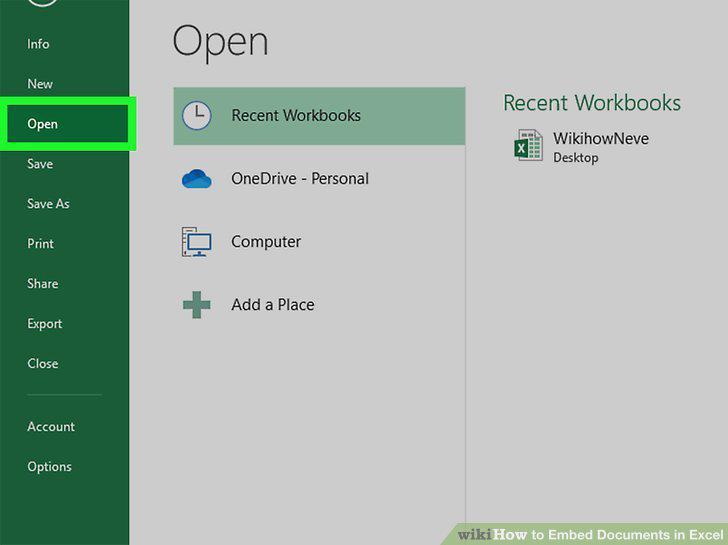
Open your Excel project.
2
Click the cell you want to insert the object.
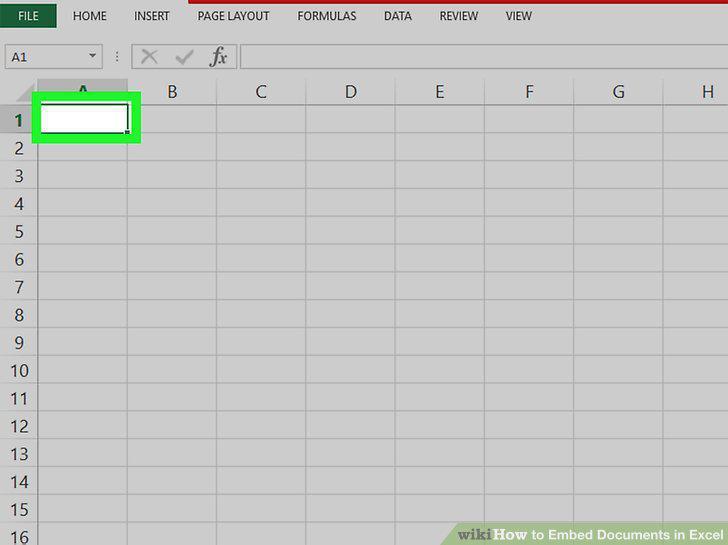
Click the cell you want to insert the object.
3
Click the Insert tab.
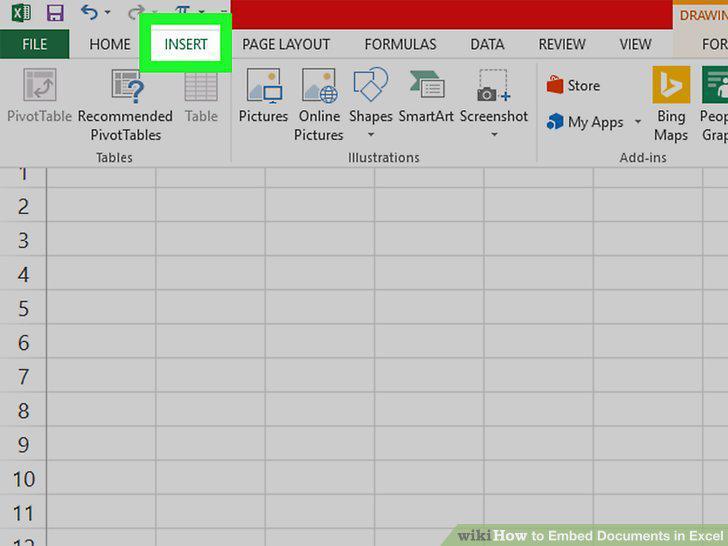
Click the Insert tab.
4
Click the icon that looks like a program window on a sheet of paper.
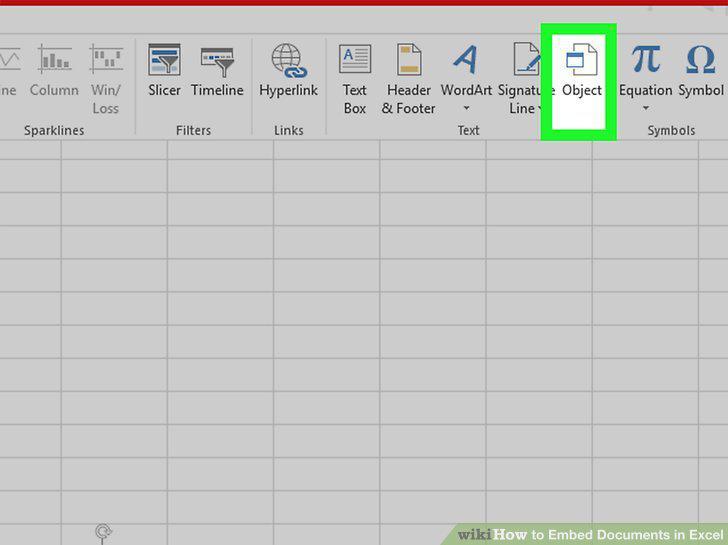
Click the icon that looks like a program window on a sheet of paper.
5
Click the Create from File tab.
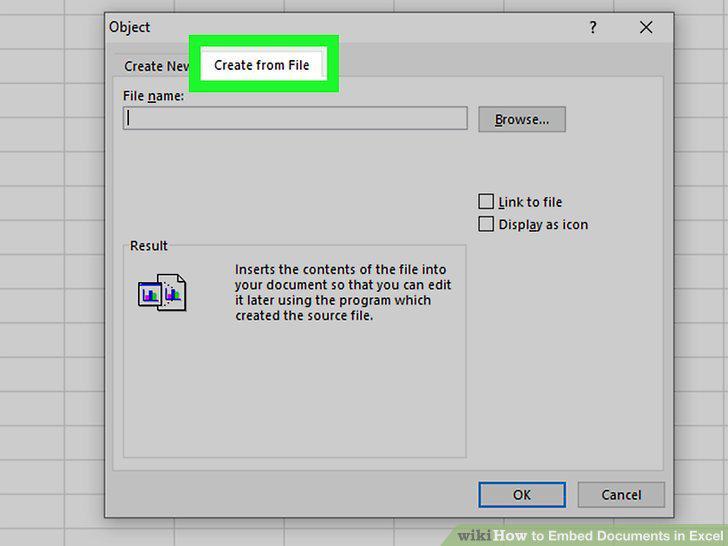
Click the Create from File tab.
6
Click Browse.
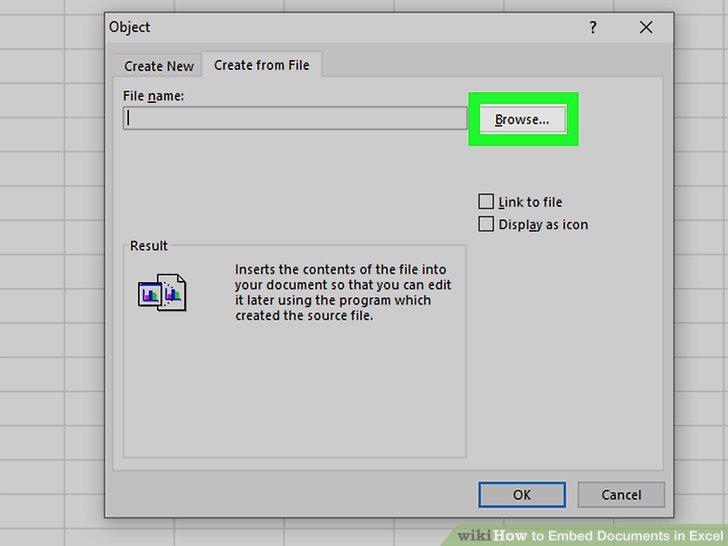
Click Browse.
7
Navigate to and double-click your file.
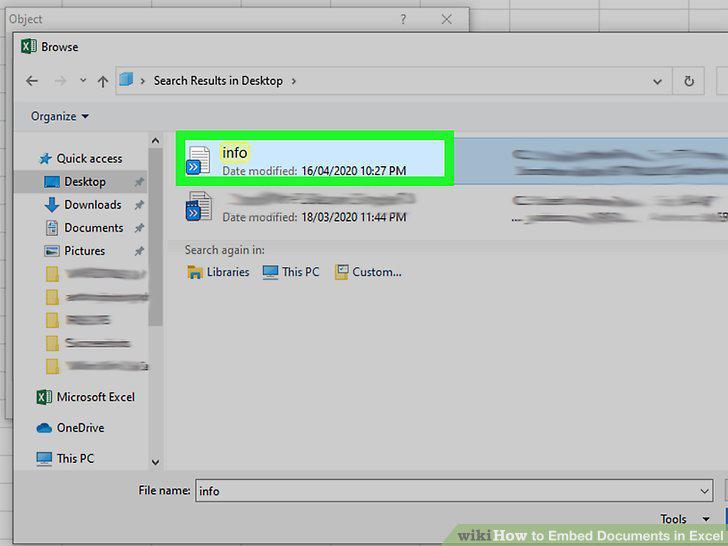
Navigate to and double-click your file.
8
Choose how to display your embedded document.
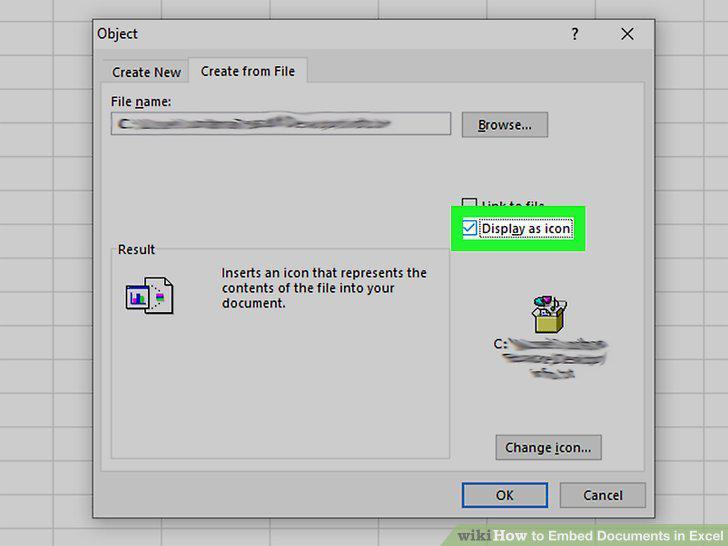
Choose how to display your embedded document.
9
Click OK.
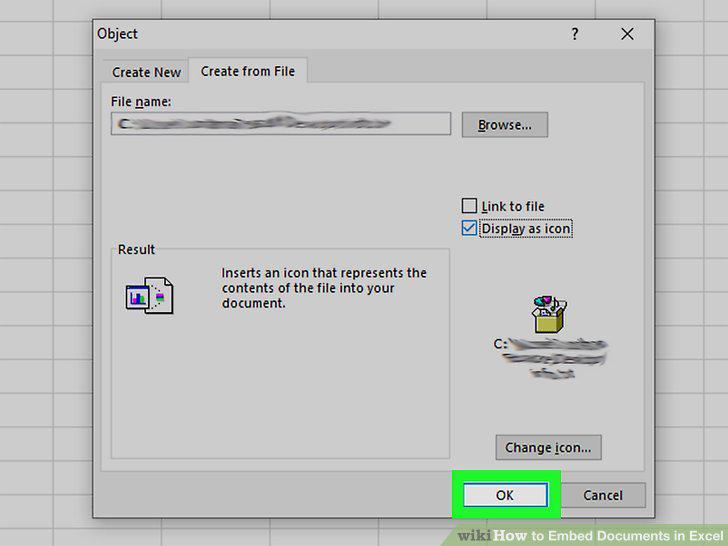
Click OK.
Comments (0)
No comments yet. Be the first to share your thoughts!