How to Connect to WiFi on Windows 8
Make sure your computer supports Wi-Fi.. Open the Charms bar.. Click Settings .
Steps
1
Make sure your computer supports Wi-Fi.
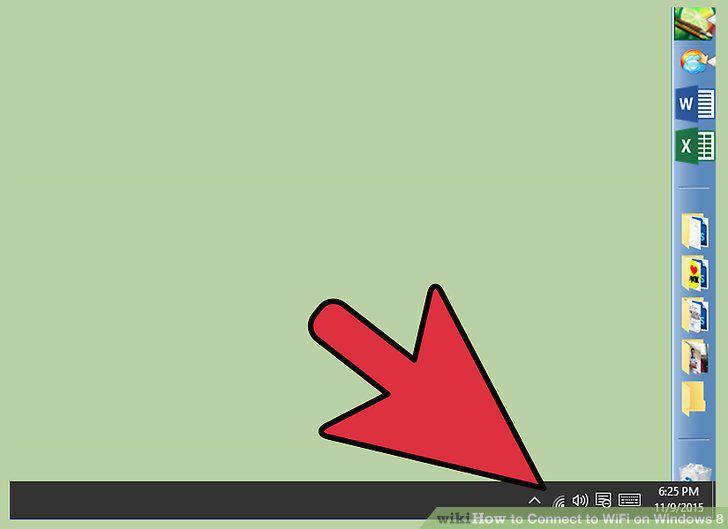
Make sure your computer supports Wi-Fi.
2
Open the Charms bar.
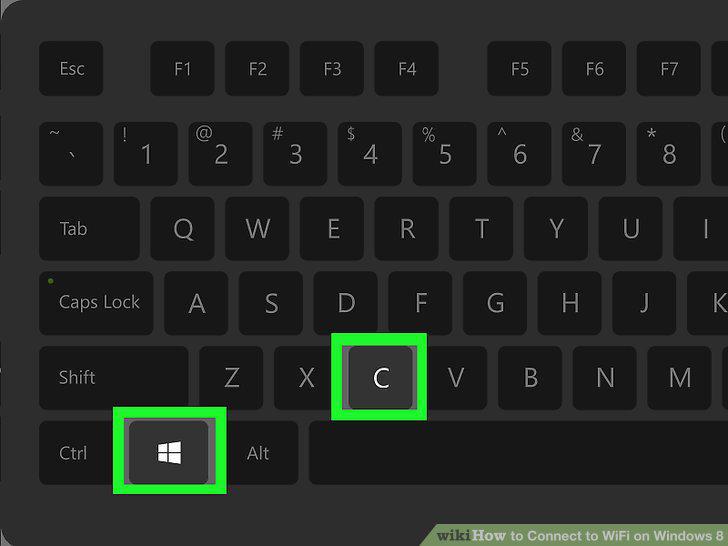
Open the Charms bar.
3
Click Settings .
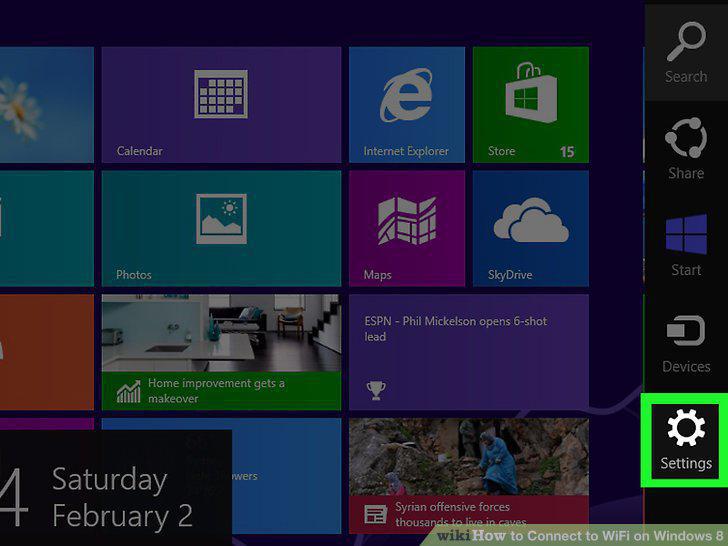
Click Settings .
4
Click the Wi-Fi icon.
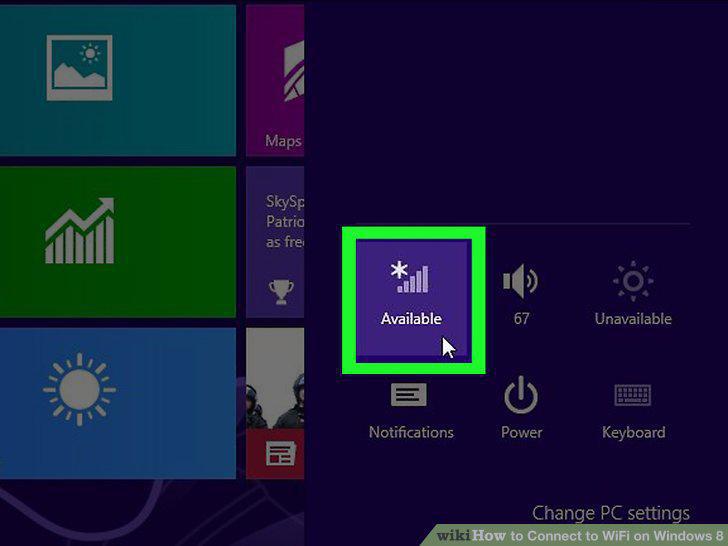
Click the Wi-Fi icon.
5
Select a network.
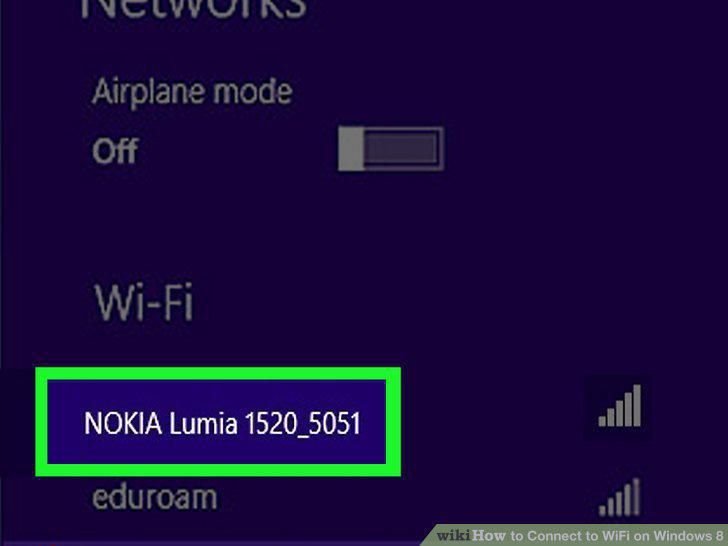
Select a network.
6
Click Connect.
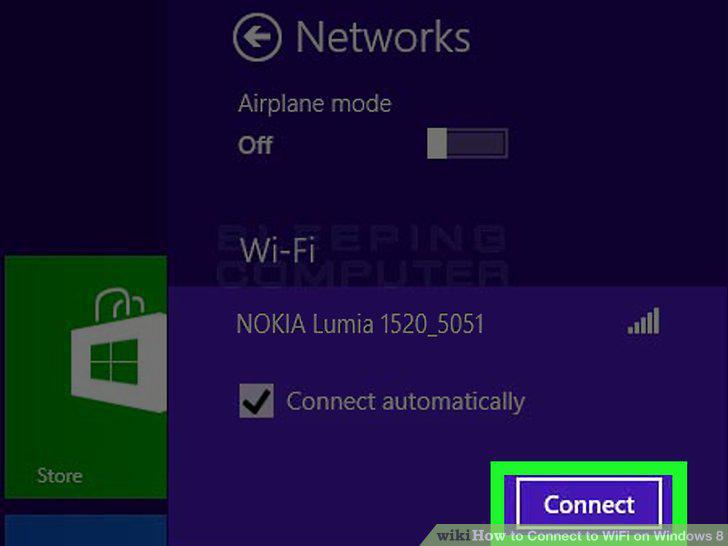
Click Connect.
7
Type in the network's password.
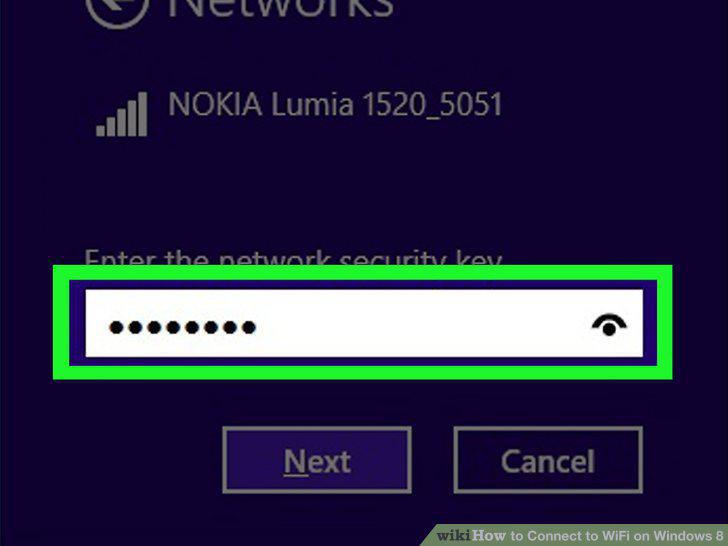
Type in the network's password.
8
Click Next.
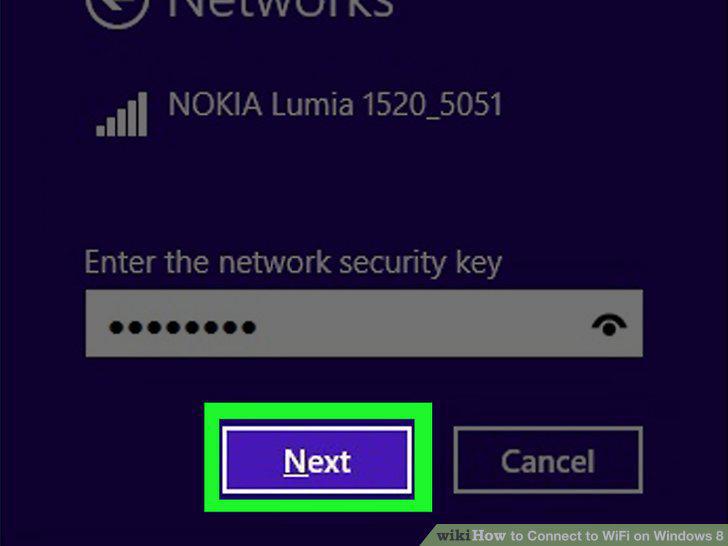
Click Next.
9
Select a sharing option.
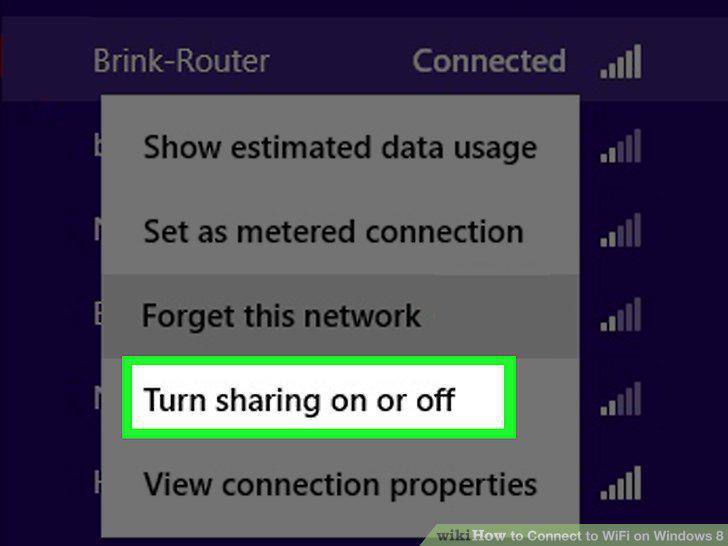
Select a sharing option.
10
Test your connection.

Test your connection.
Comments (0)
No comments yet. Be the first to share your thoughts!