How to See Your YouTube Music Search History on iPhone or iPad
Open the YT Music app on your iPhone or iPad.. Tap the icon at the top.. Scroll down to view your recent searches.
Steps
1
Open the YT Music app on your iPhone or iPad.
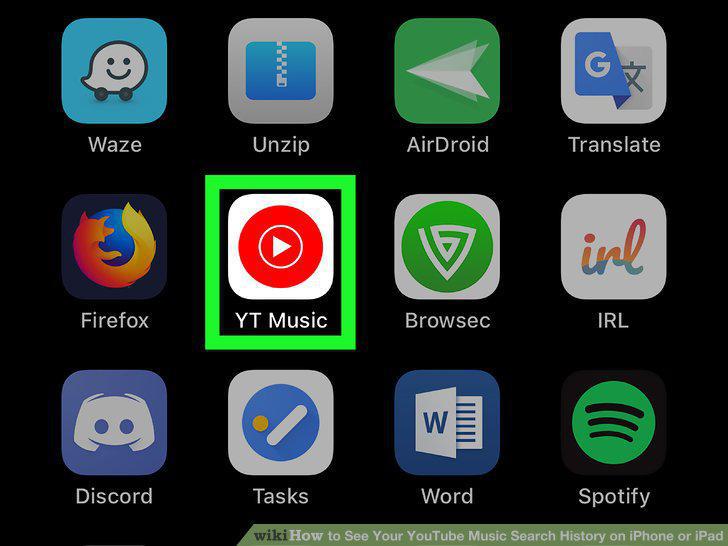
Open the YT Music app on your iPhone or iPad.
2
Tap the icon at the top.
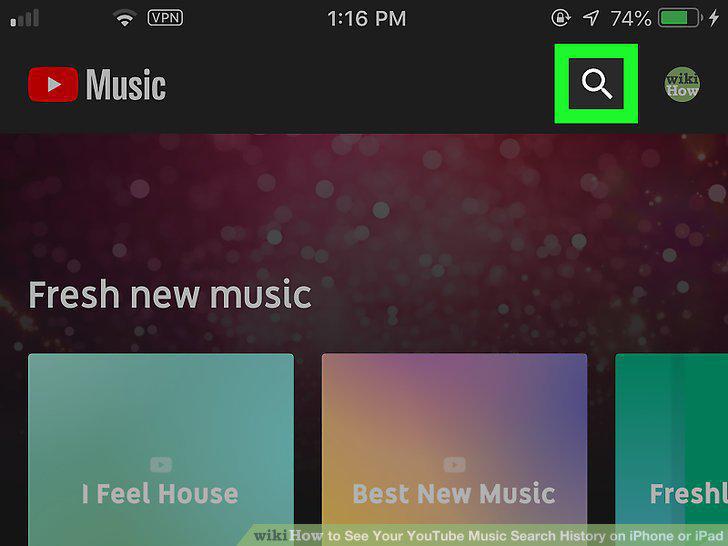
Tap the icon at the top.
3
Scroll down to view your recent searches.
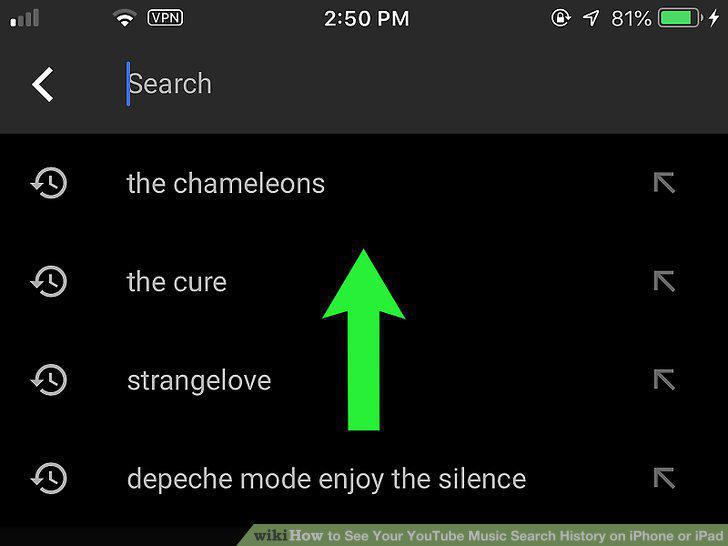
Scroll down to view your recent searches.
4
Tap your profile picture on the top-right.
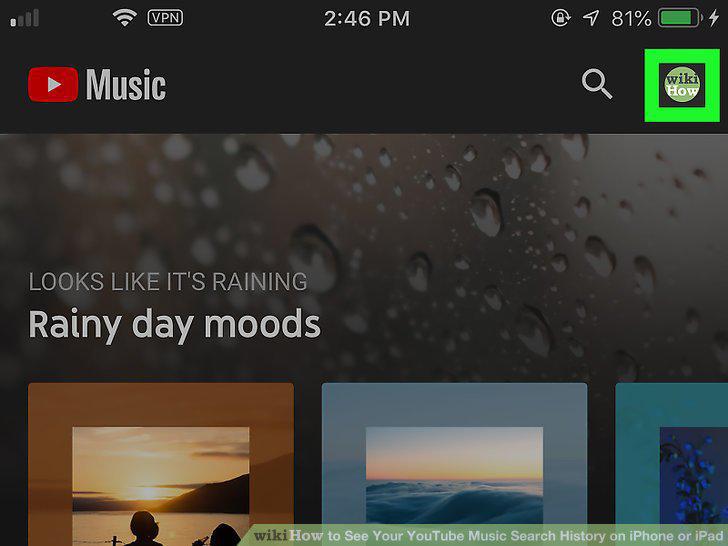
Tap your profile picture on the top-right.
5
Tap Settings on the menu.
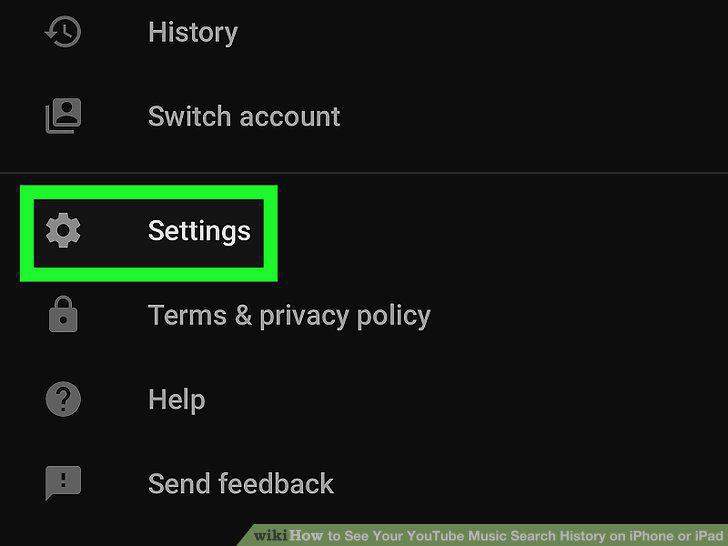
Tap Settings on the menu.
6
Tap Privacy & location in Settings.
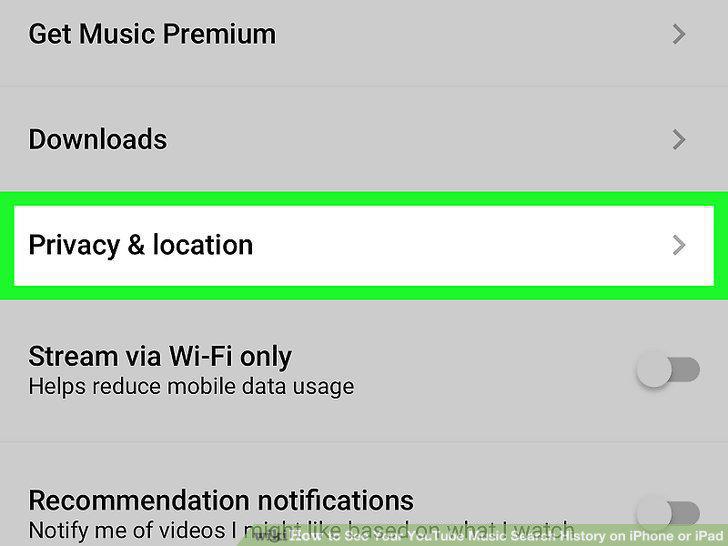
Tap Privacy & location in Settings.
7
Tap Manage search history.
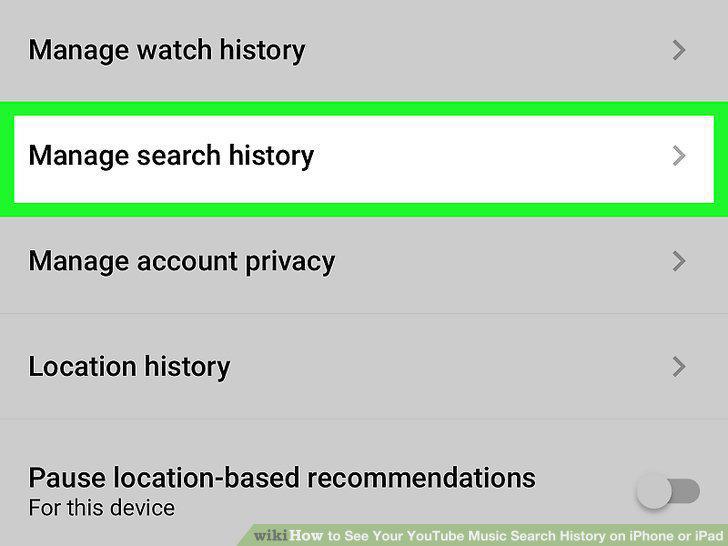
Tap Manage search history.
8
Scroll down and find the YouTube Music heading.
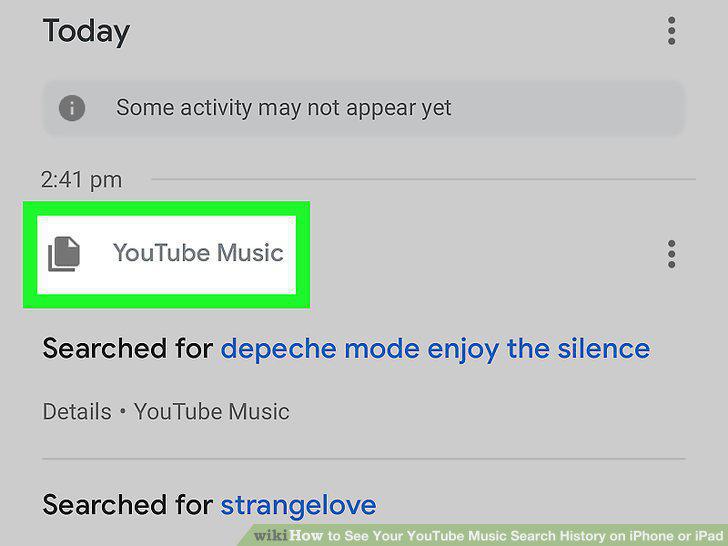
Scroll down and find the YouTube Music heading.
Comments (0)
No comments yet. Be the first to share your thoughts!