How to Clear the Record of USB Plug in Equipment
Disconnect all USB drives and peripherals from the PC.. Go to http://www.nirsoft.net/utils/usb_devices_view.html.. Scroll down and click Download USBDeview.
Steps
1
Disconnect all USB drives and peripherals from the PC.
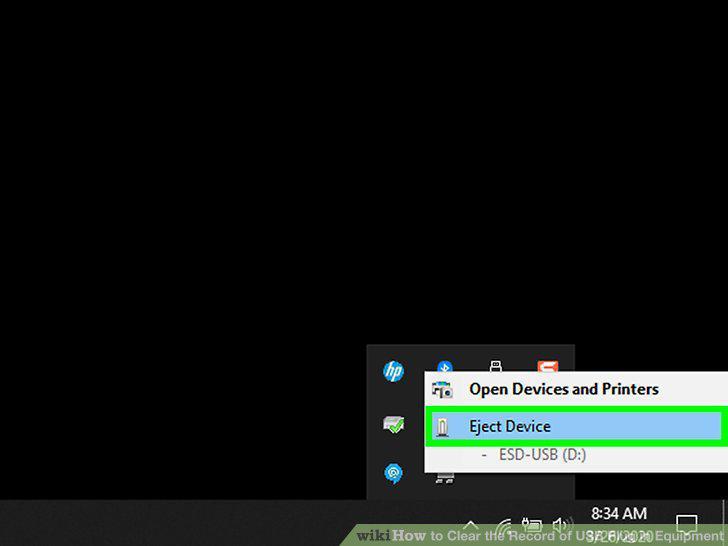
Disconnect all USB drives and peripherals from the PC.
2
Go to http://www.nirsoft.net/utils/usb_devices_view.html.
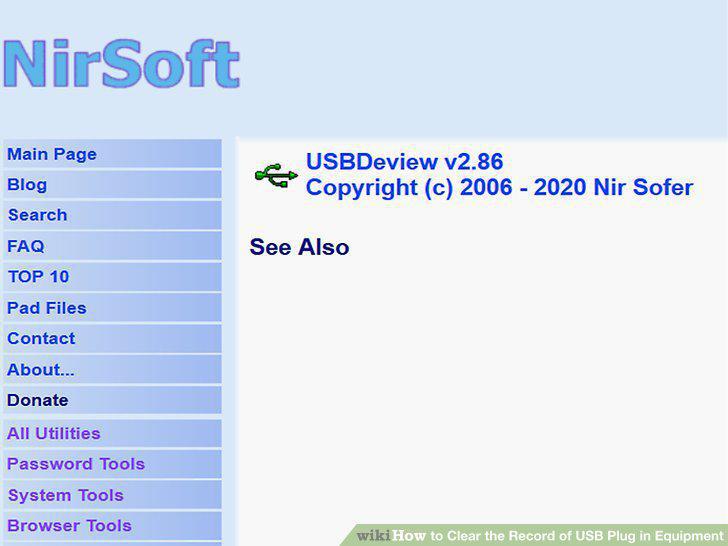
Go to http://www.nirsoft.net/utils/usb_devices_view.html.
3
Scroll down and click Download USBDeview.
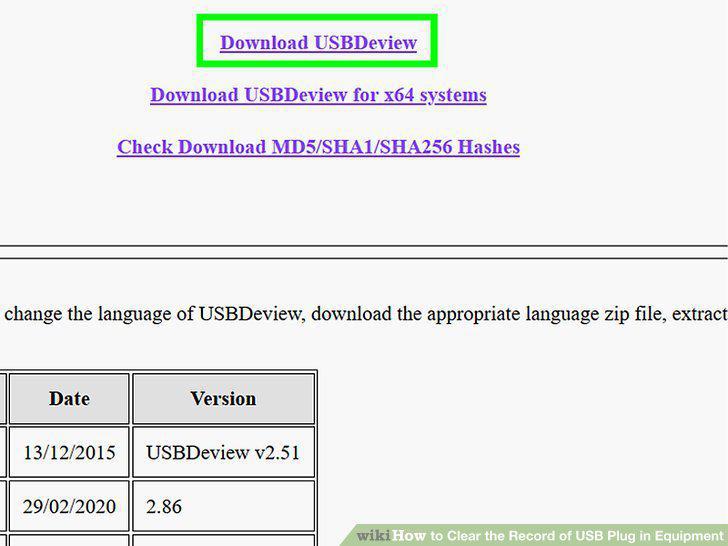
Scroll down and click Download USBDeview.
4
Extract the ZIP file.
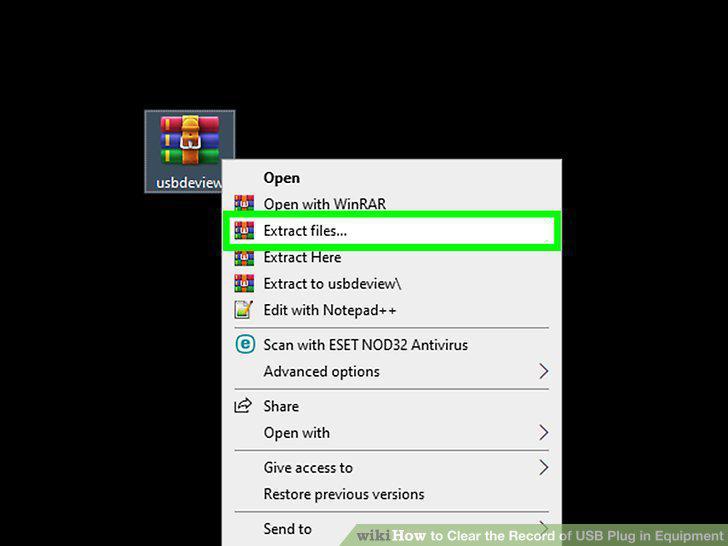
Extract the ZIP file.
5
Double-click USBDeview.exe.
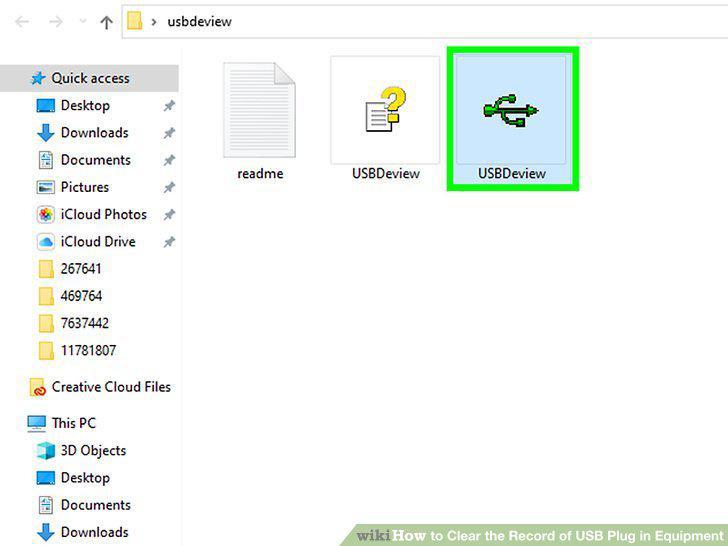
Double-click USBDeview.exe.
6
Click the Options menu.
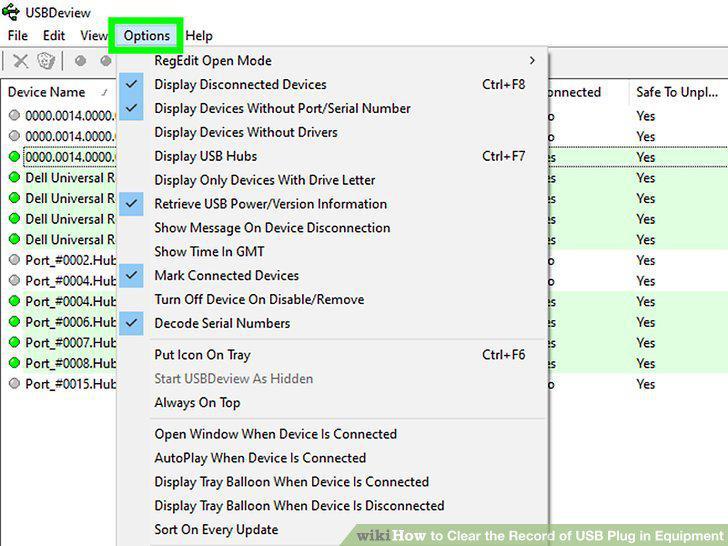
Click the Options menu.
7
Locate a USB entry you'd like to remove.
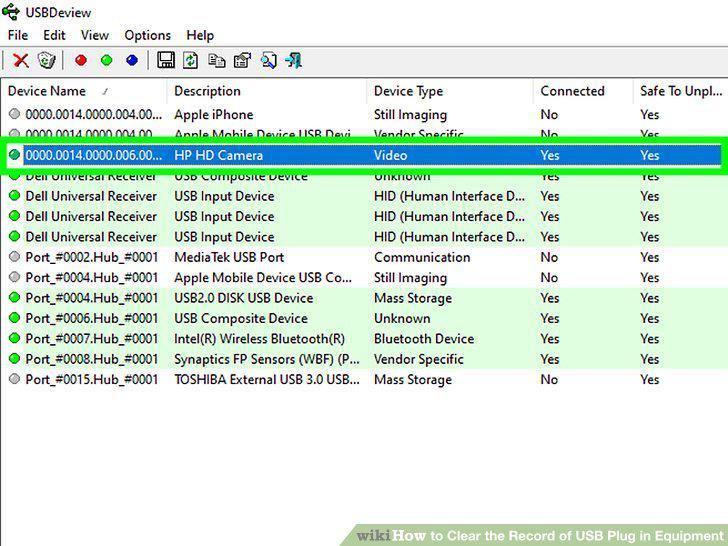
Locate a USB entry you'd like to remove.
8
Right-click the USB device and select Uninstall Selected Devices.
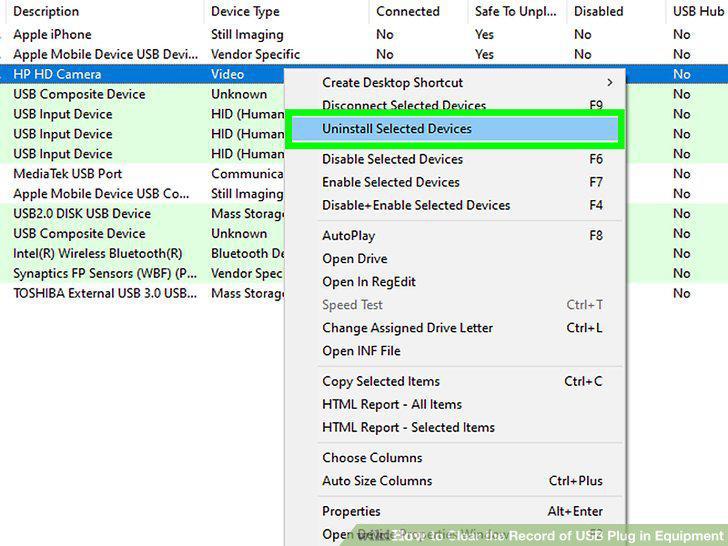
Right-click the USB device and select Uninstall Selected Devices.
9
Click Yes to confirm.
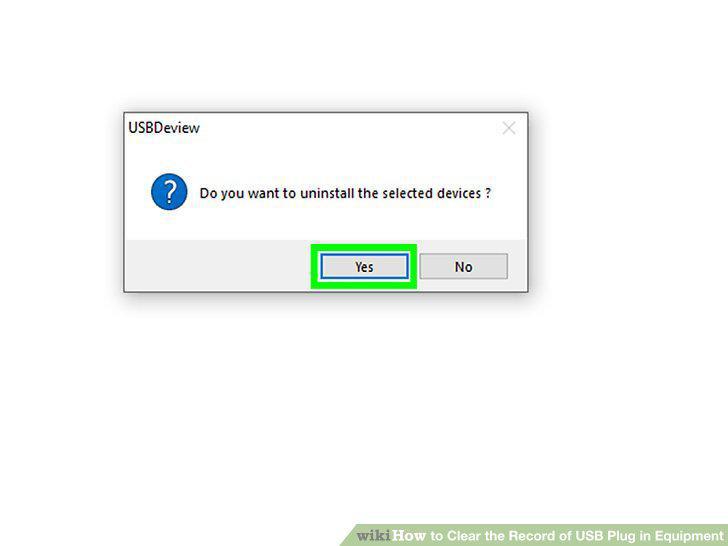
Click Yes to confirm.
10
Click the Refresh icon or press the F5 key.
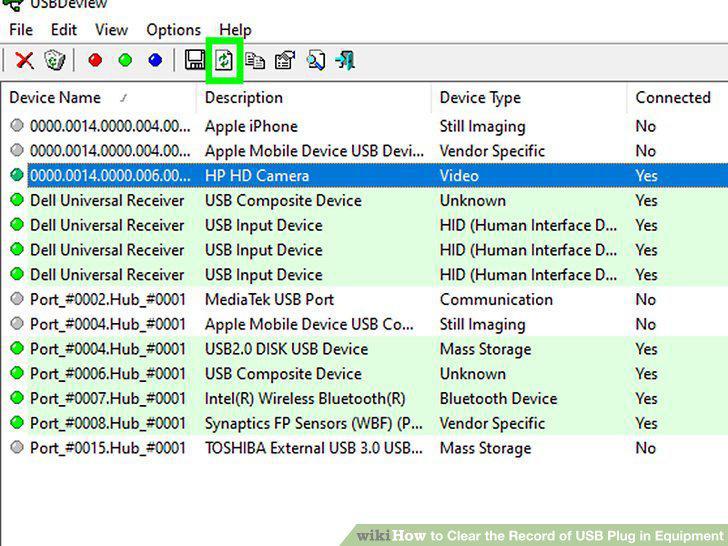
Click the Refresh icon or press the F5 key.
Comments (0)
No comments yet. Be the first to share your thoughts!