How to Fix a Cyclic Redundancy Check Error
Access the CHKDSK utility.. Decide on a basic versus an advanced scan.. Reboot the computer to begin the scan.
Steps
1
Access the CHKDSK utility.
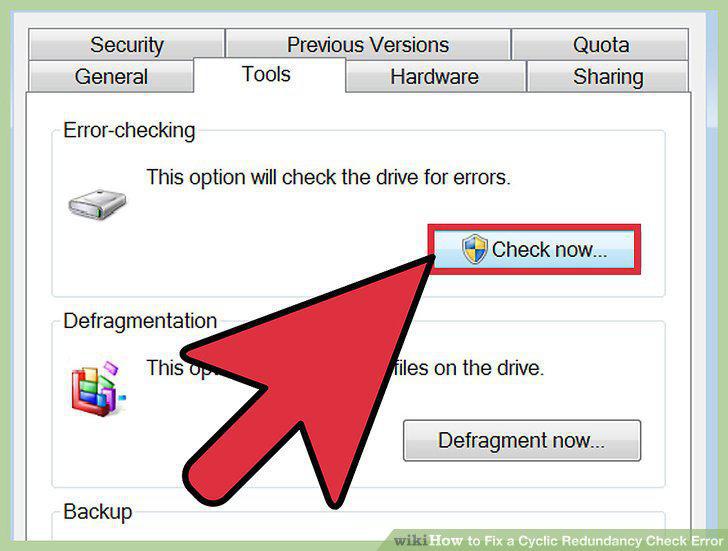
Access the CHKDSK utility.
2
Decide on a basic versus an advanced scan.
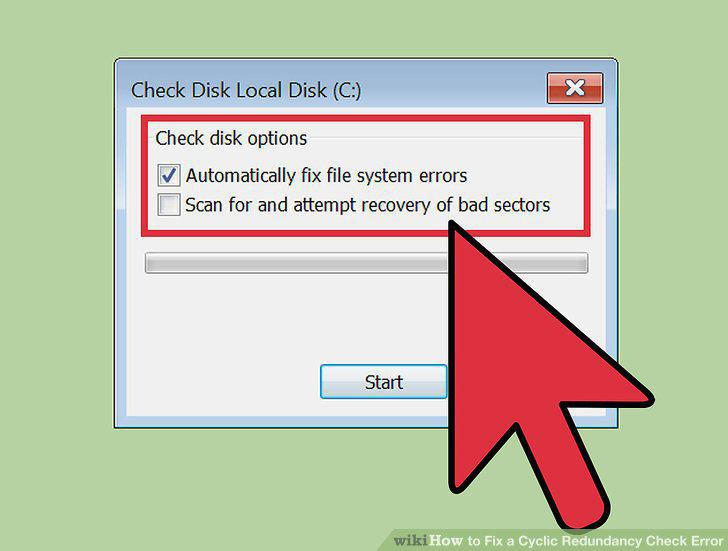
Decide on a basic versus an advanced scan.
3
Reboot the computer to begin the scan.
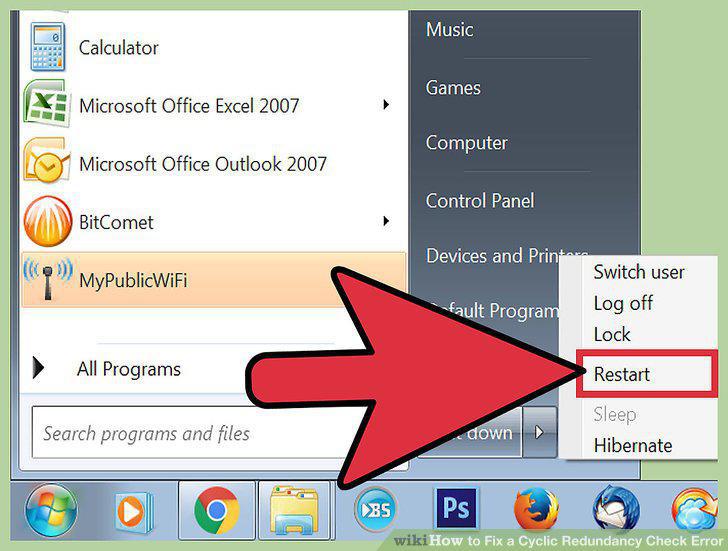
Reboot the computer to begin the scan.
4
Use the alternate CHKDSK utility access.
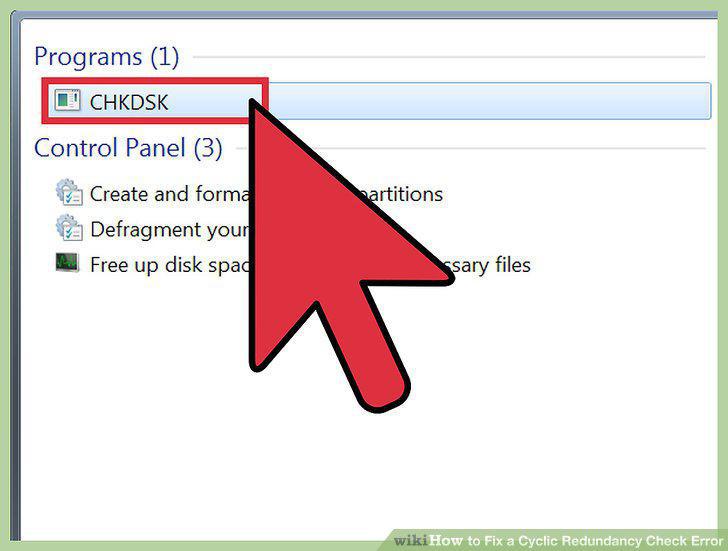
Use the alternate CHKDSK utility access.
5
Open the command prompt.
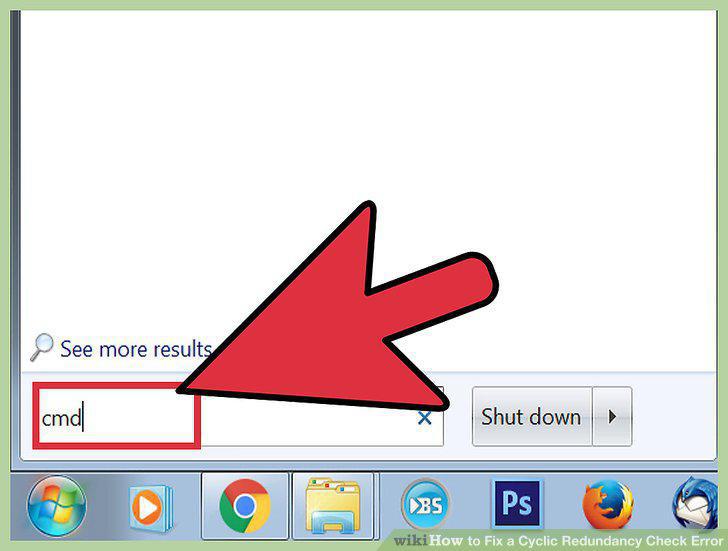
Open the command prompt.
6
Type "chkdsk /f x:
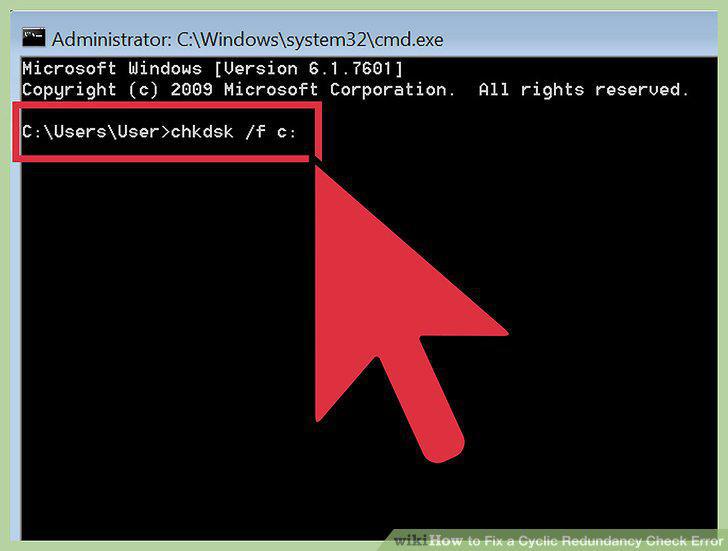
Type "chkdsk /f x:
7
Wait for the scan to complete.
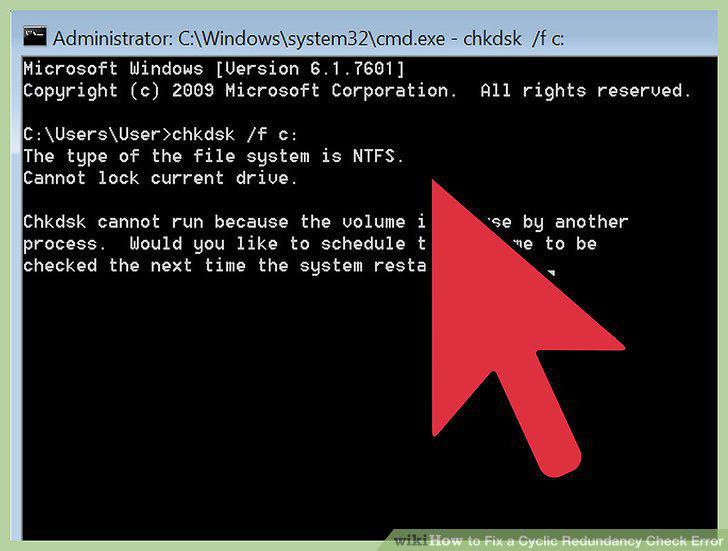
Wait for the scan to complete.
8
Install a free disk utility.
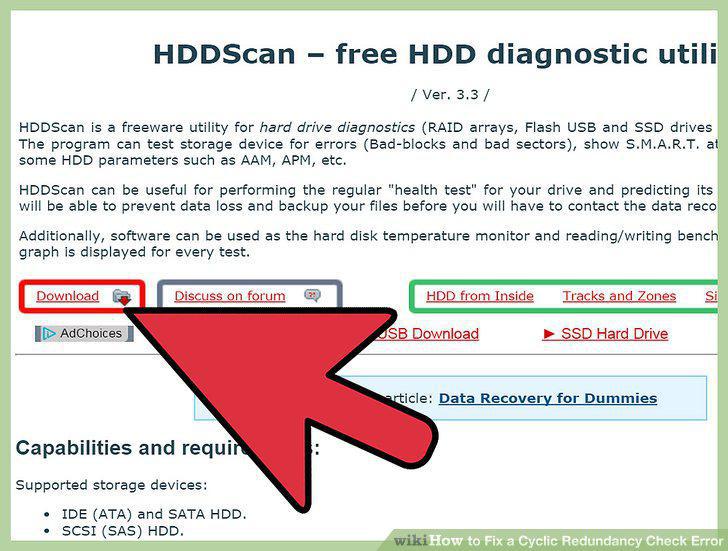
Install a free disk utility.
9
Open the utility and run the scan.
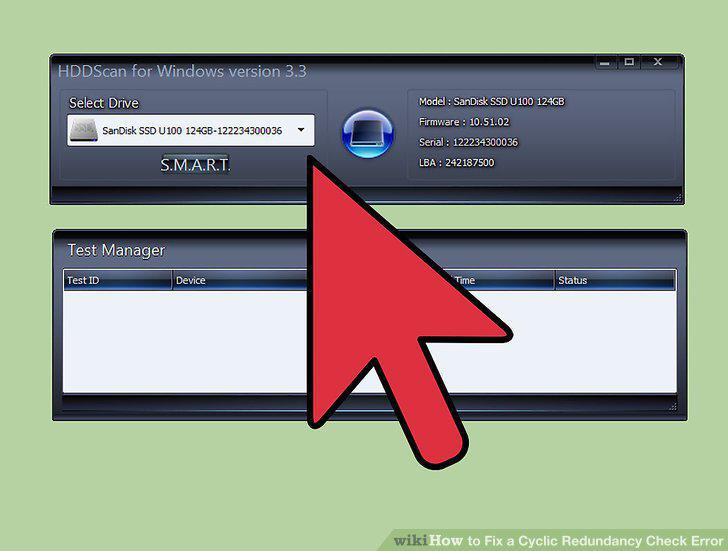
Open the utility and run the scan.
10
Repair all the issues.
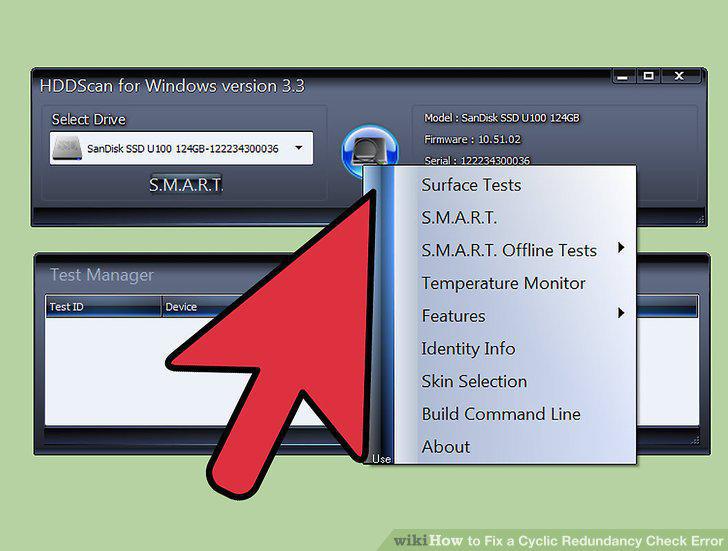
Repair all the issues.
11
Rescan your computer.
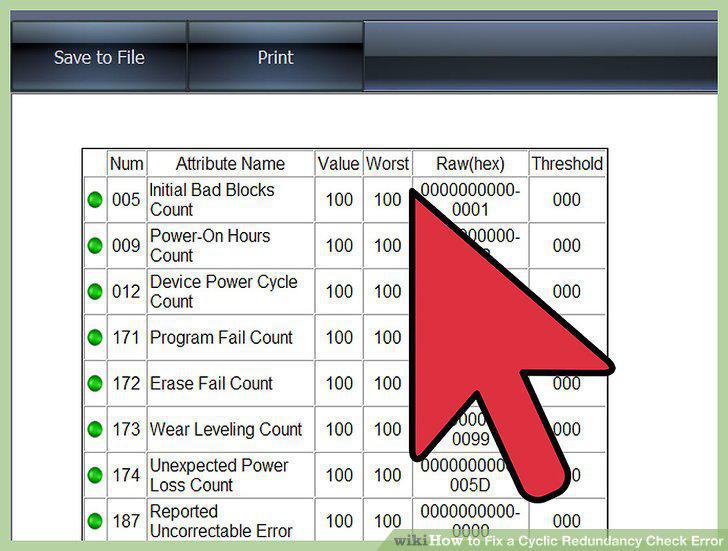
Rescan your computer.
Comments (0)
No comments yet. Be the first to share your thoughts!