How to Change the Group Admin on WhatsApp on Android
Open WhatsApp Messenger.. Tap the CHATS tab.. Tap on a group chat conversation.
Steps
1
Open WhatsApp Messenger.
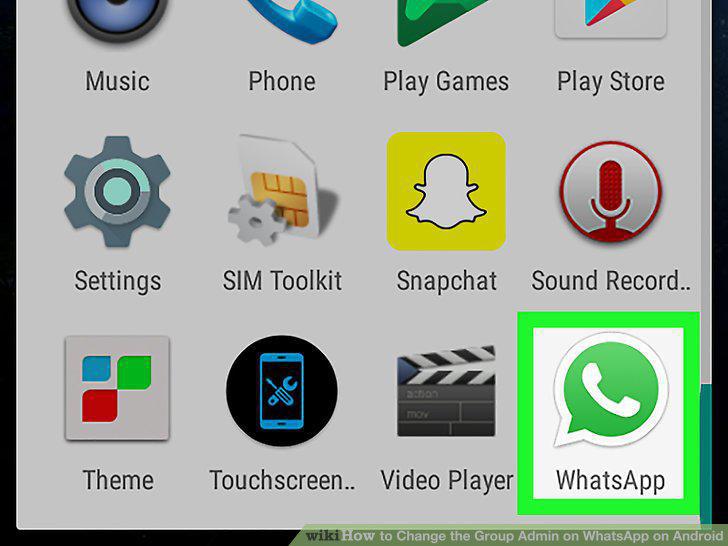
Open WhatsApp Messenger.
2
Tap the CHATS tab.
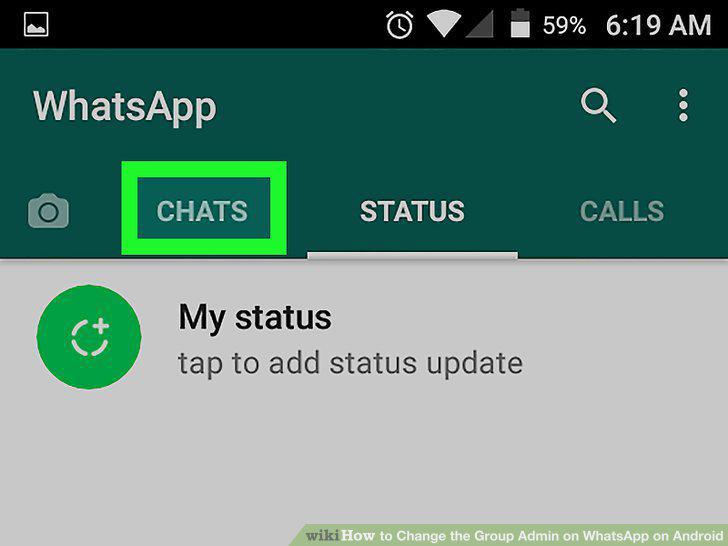
Tap the CHATS tab.
3
Tap on a group chat conversation.
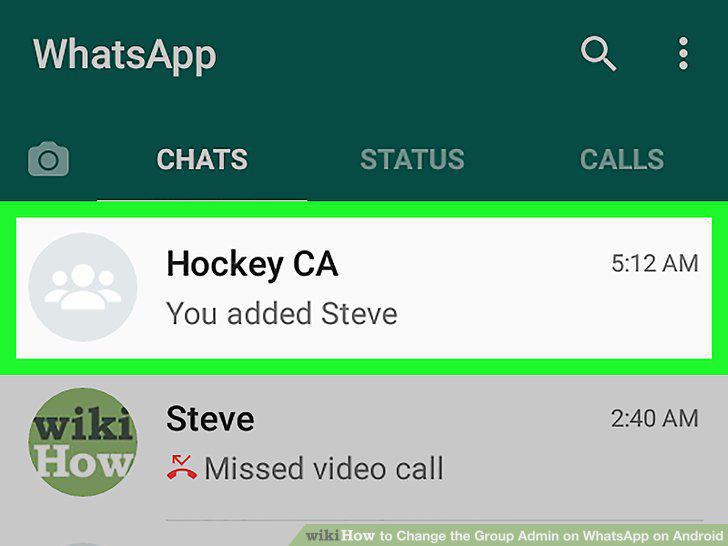
Tap on a group chat conversation.
4
Tap the three vertical dots icon.
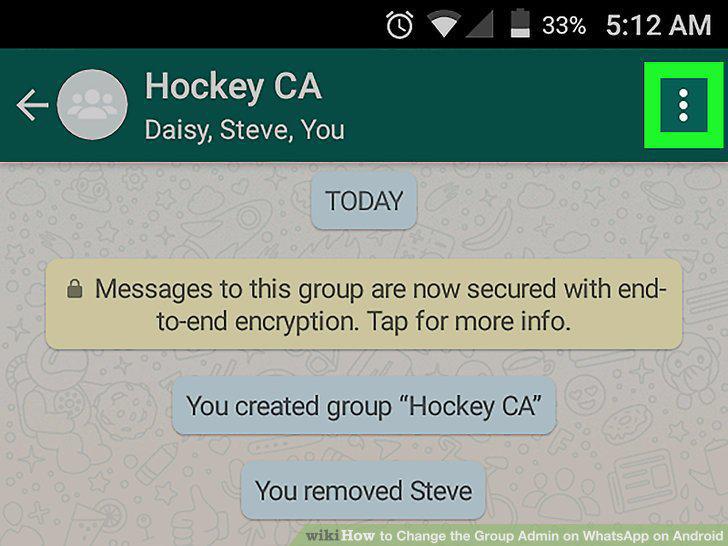
Tap the three vertical dots icon.
5
Tap Group info.
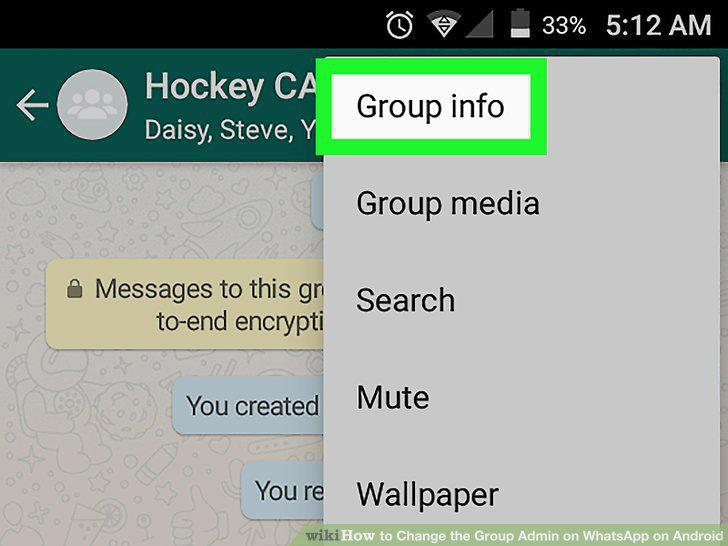
Tap Group info.
6
Scroll down to the Participants section.
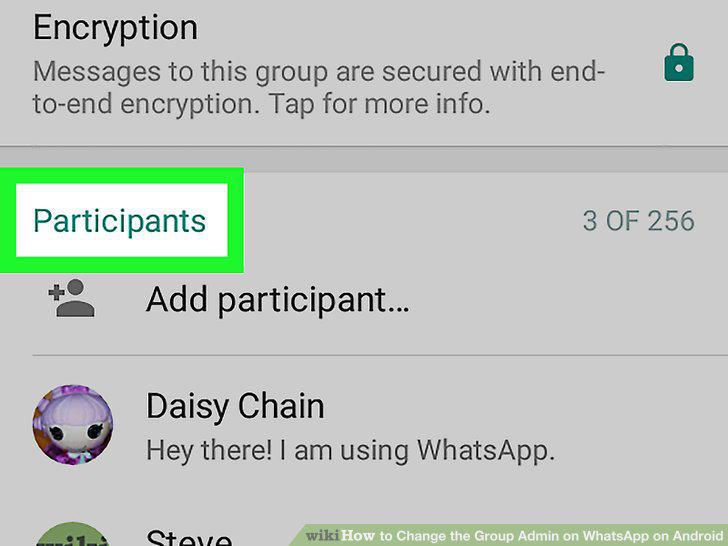
Scroll down to the Participants section.
7
Tap and hold on a participant.
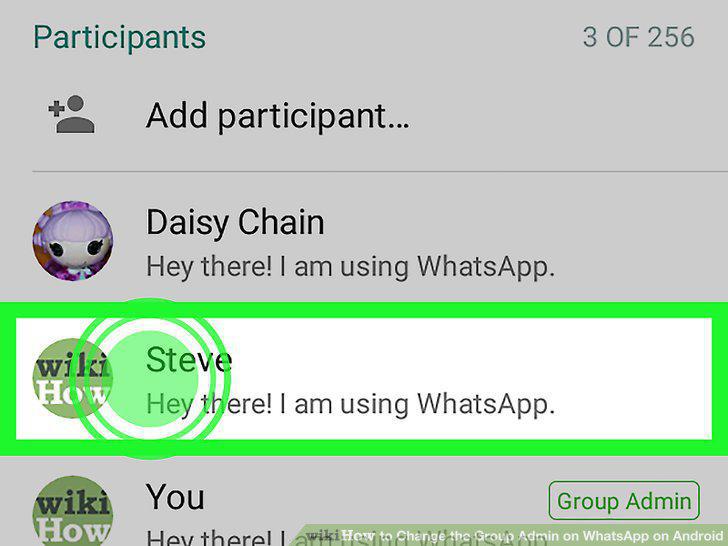
Tap and hold on a participant.
8
Tap Make group admin.
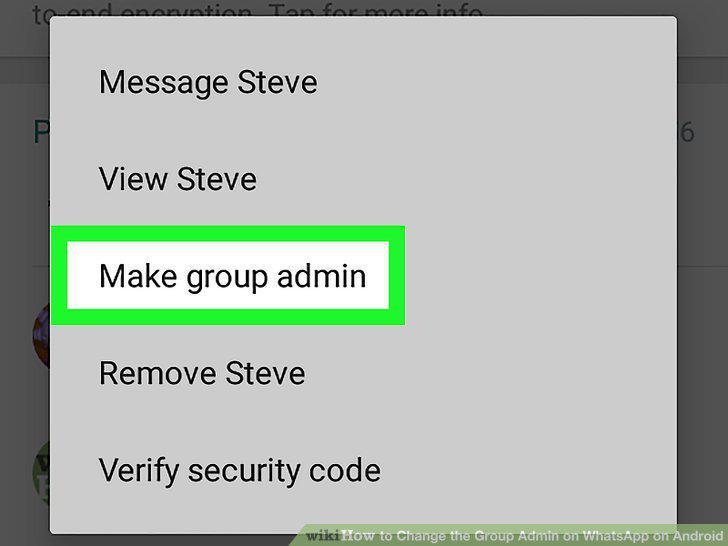
Tap Make group admin.
Comments (0)
No comments yet. Be the first to share your thoughts!