How to Change Scrolling Speed on a Mac
Click the Apple menu.. Click "System Preferences.". Click the "Mouse" option.
Steps
1
Click the Apple menu.
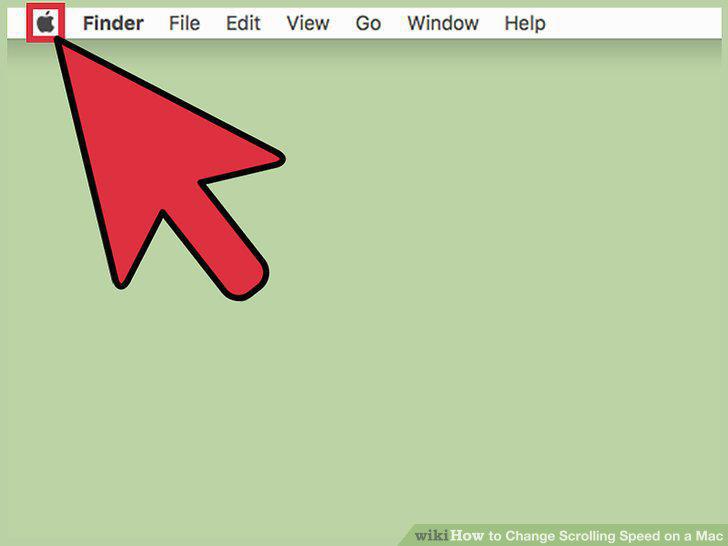
Click the Apple menu.
2
Click "System Preferences."
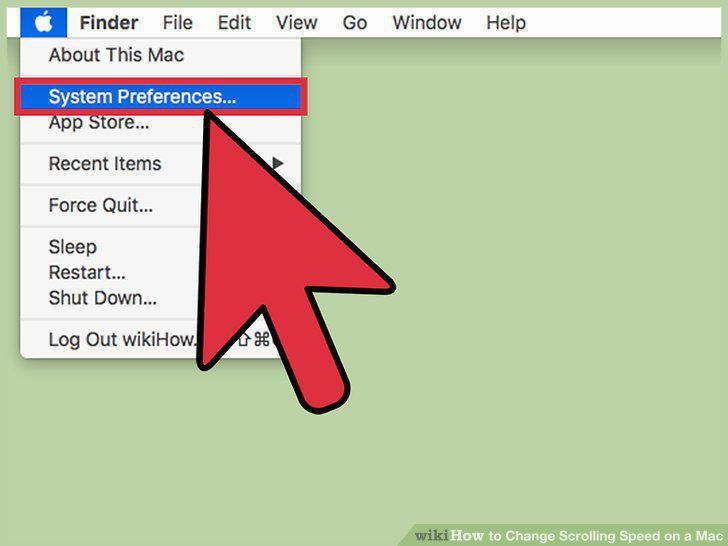
Click "System Preferences."
3
Click the "Mouse" option.
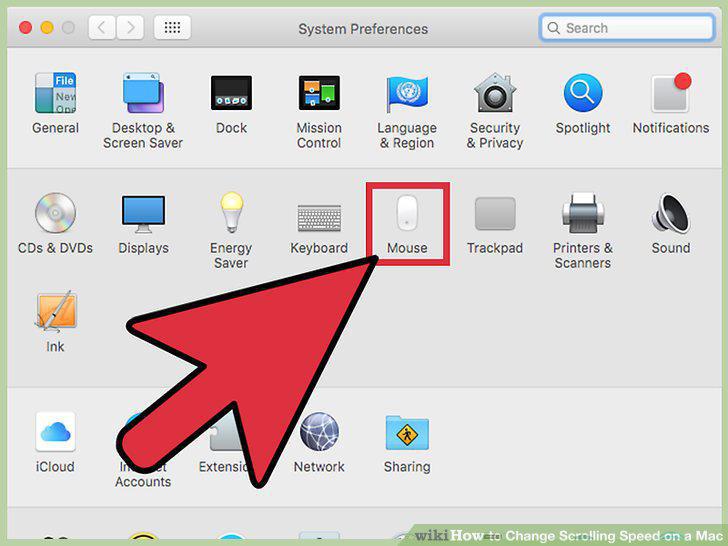
Click the "Mouse" option.
4
Click and drag the "Scrolling speed" slider.
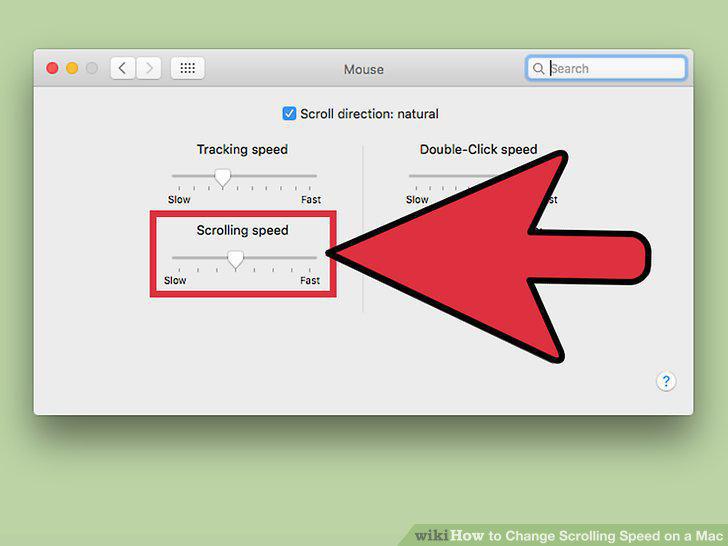
Click and drag the "Scrolling speed" slider.
5
Click the Apple menu.
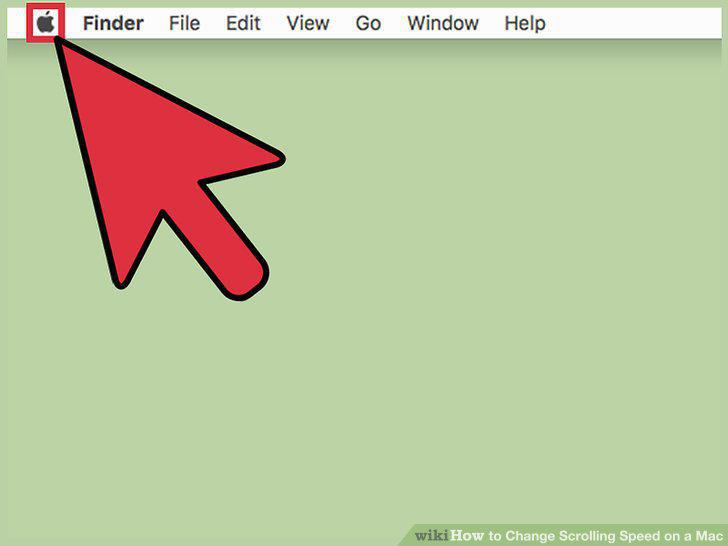
Click the Apple menu.
6
Click "System Preferences."
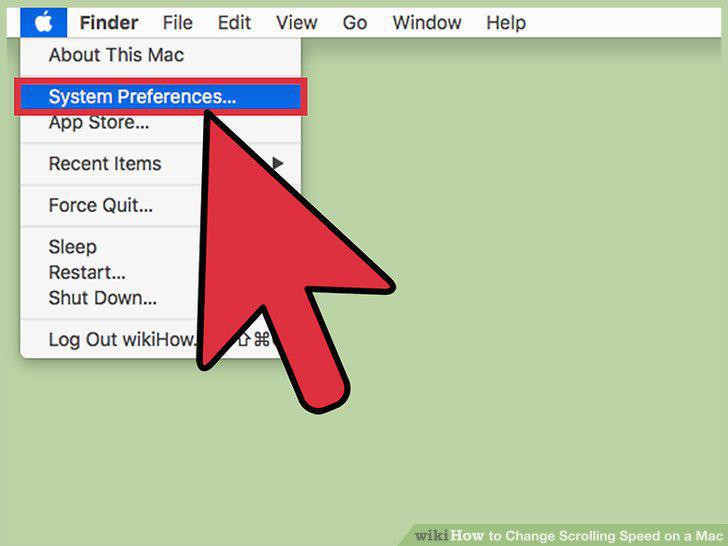
Click "System Preferences."
7
Click the "Accessibility" option.
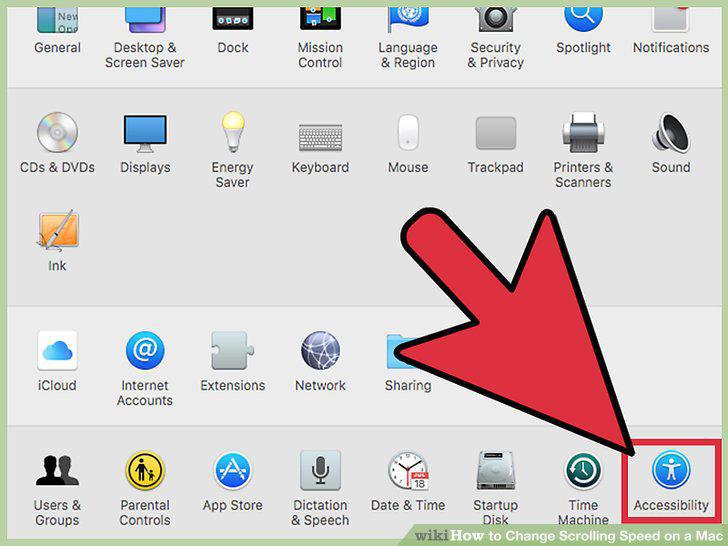
Click the "Accessibility" option.
8
Click "Mouse & Trackpad."
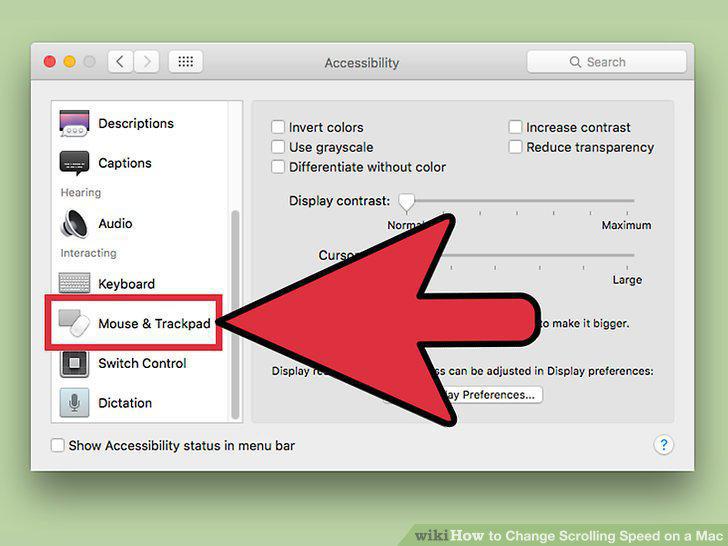
Click "Mouse & Trackpad."
9
Click the "Trackpad Options" button.
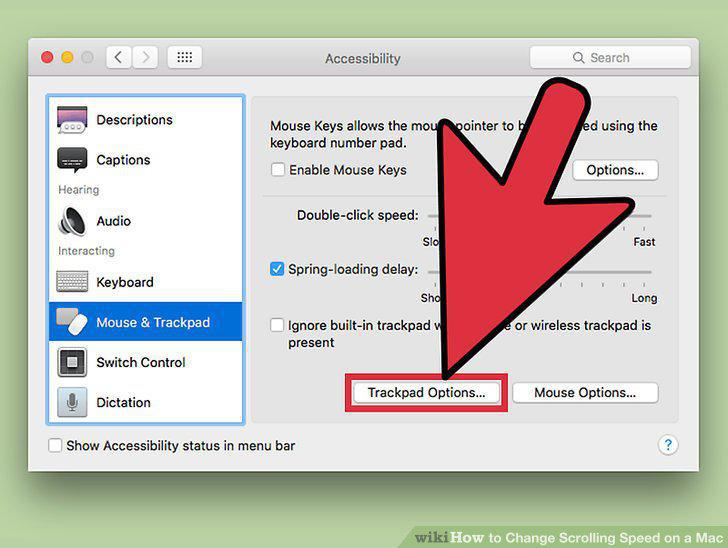
Click the "Trackpad Options" button.
10
Click and drag the "Scrolling speed" slider.
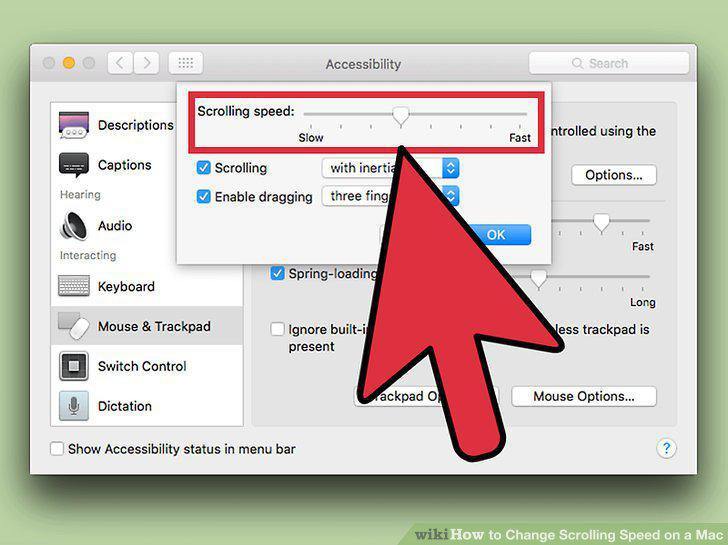
Click and drag the "Scrolling speed" slider.
11
Click the "with inertia" menu to change acceleration.
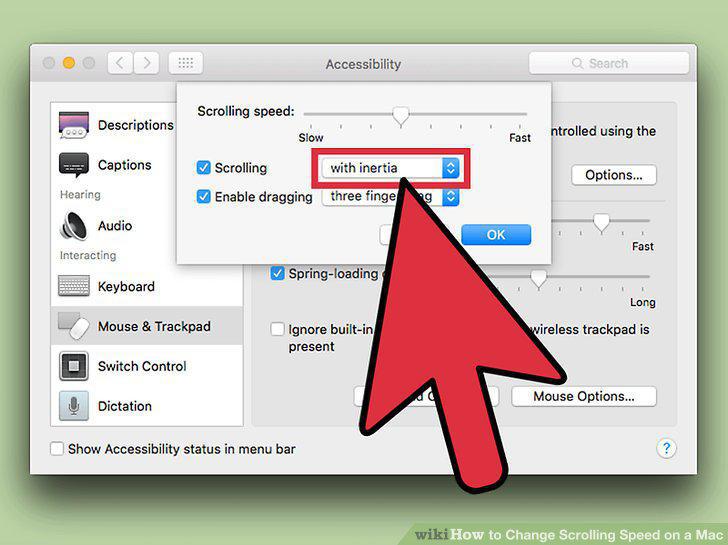
Click the "with inertia" menu to change acceleration.
Comments (0)
No comments yet. Be the first to share your thoughts!