How to Format an M2 Ssd
Right-click the Windows menu .. Click Disk Management.. Right-click the Unallocated area and select New Simple Volume.
Steps
1
Right-click the Windows menu .
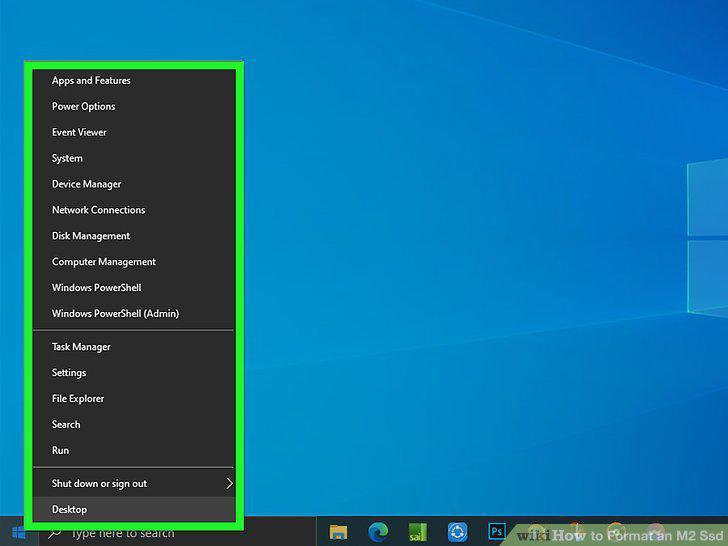
Right-click the Windows menu .
2
Click Disk Management.
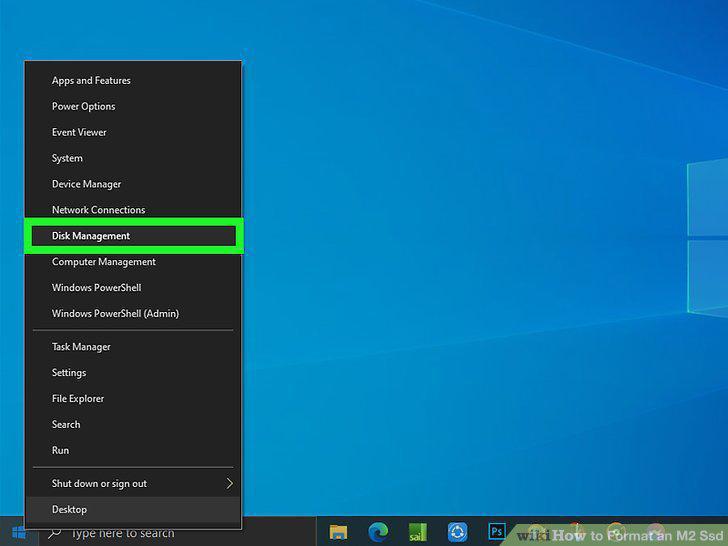
Click Disk Management.
3
Right-click the Unallocated area and select New Simple Volume.
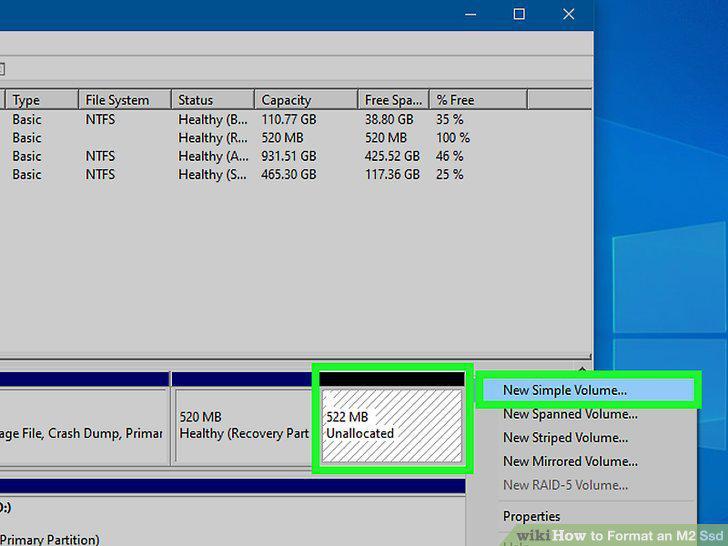
Right-click the Unallocated area and select New Simple Volume.
4
Click Next on the welcome screen.
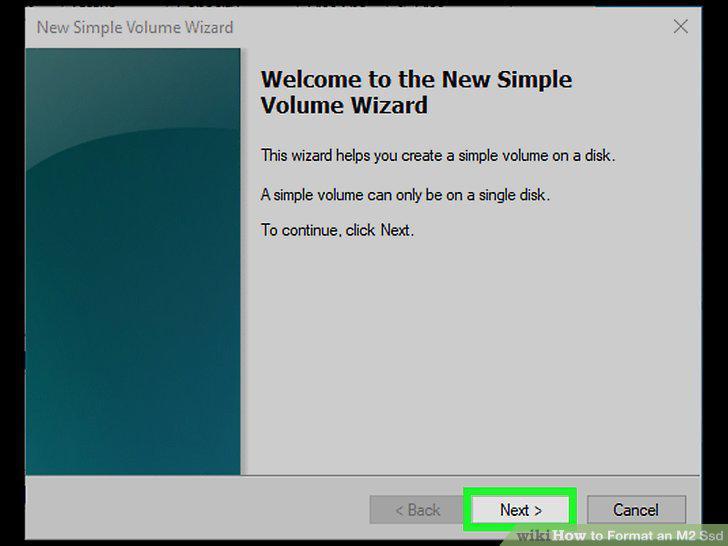
Click Next on the welcome screen.
5
Specify the volume size (if different) and click Next.
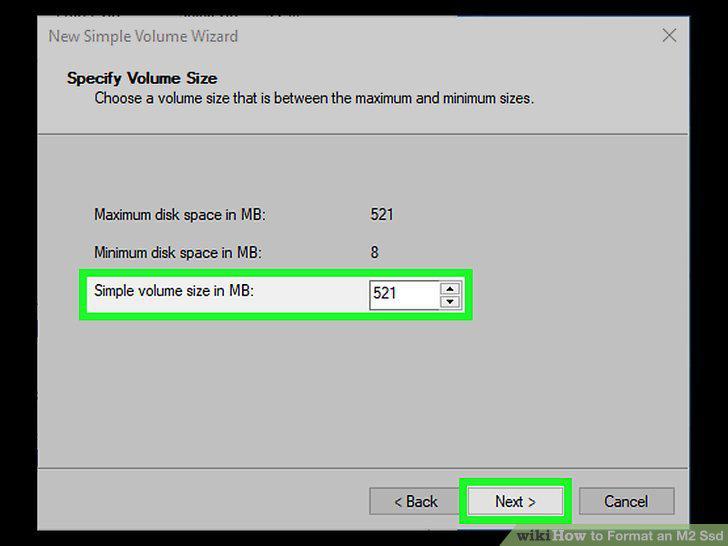
Specify the volume size (if different) and click Next.
6
Select a drive letter and click Next.
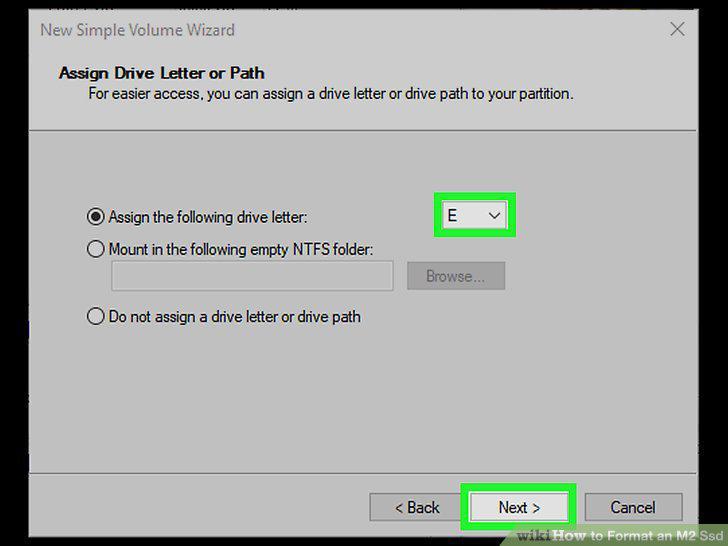
Select a drive letter and click Next.
7
Click Next.
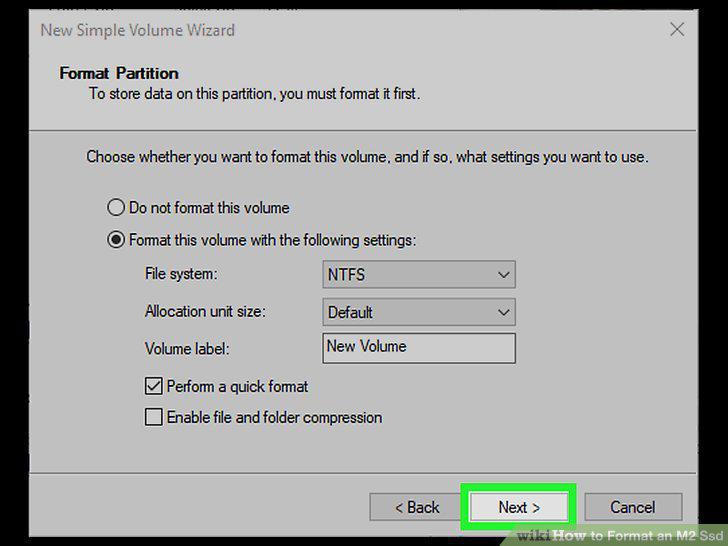
Click Next.
8
Click Finish.
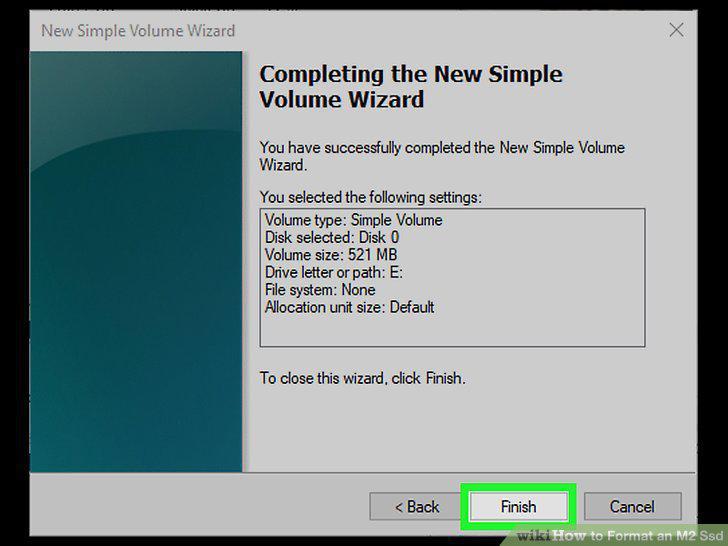
Click Finish.
9
Boot your Mac into Recovery.

Boot your Mac into Recovery.
10
Click Disk Utility.
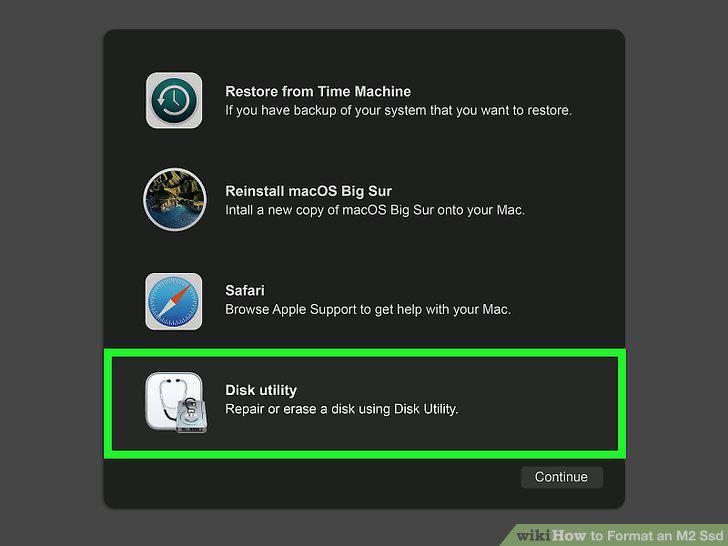
Click Disk Utility.
11
Select your new M.2 SSD in the left panel.
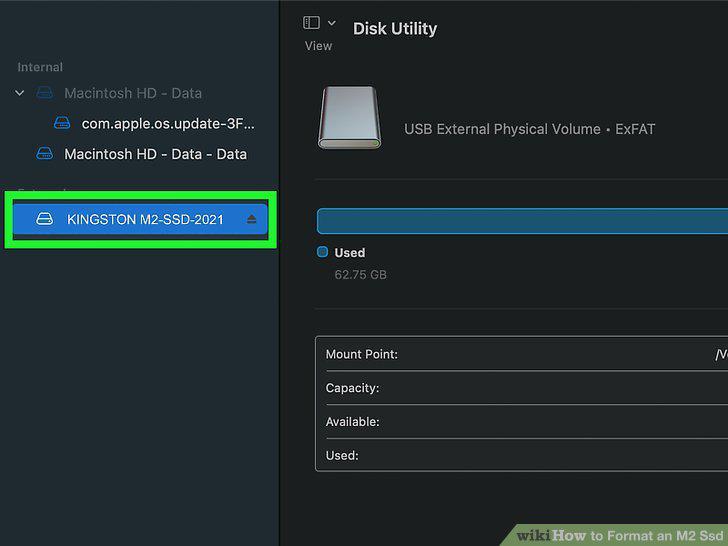
Select your new M.2 SSD in the left panel.
12
Click the Erase button.
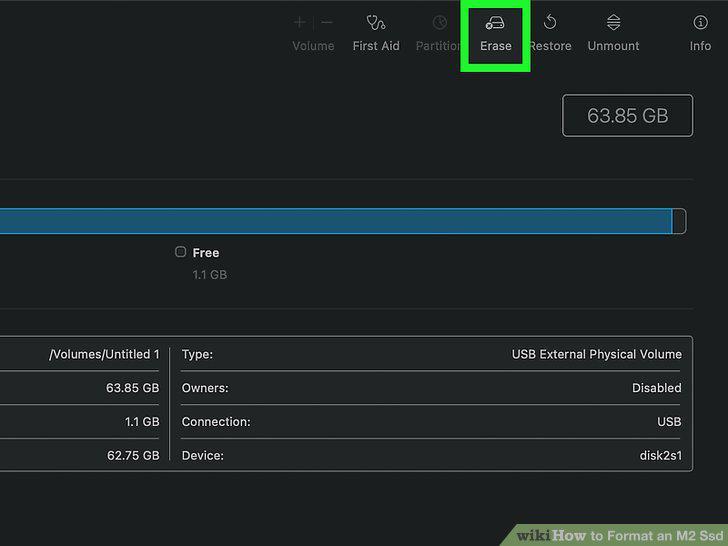
Click the Erase button.
13
Enter a name for the drive.
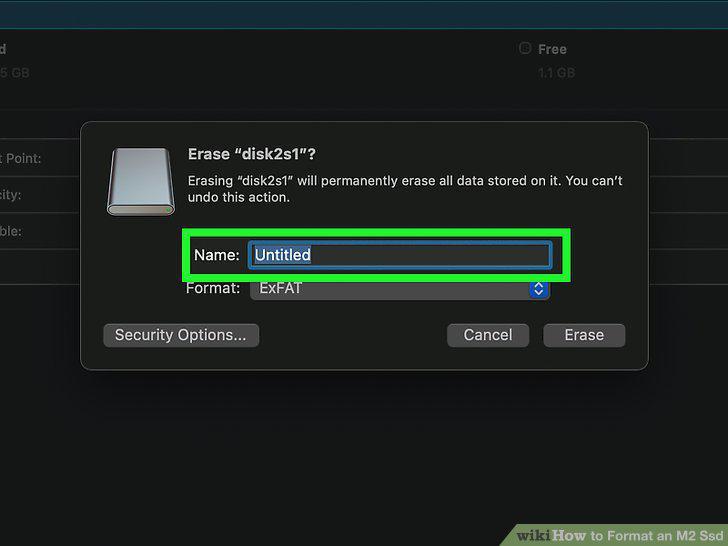
Enter a name for the drive.
14
Select a format.
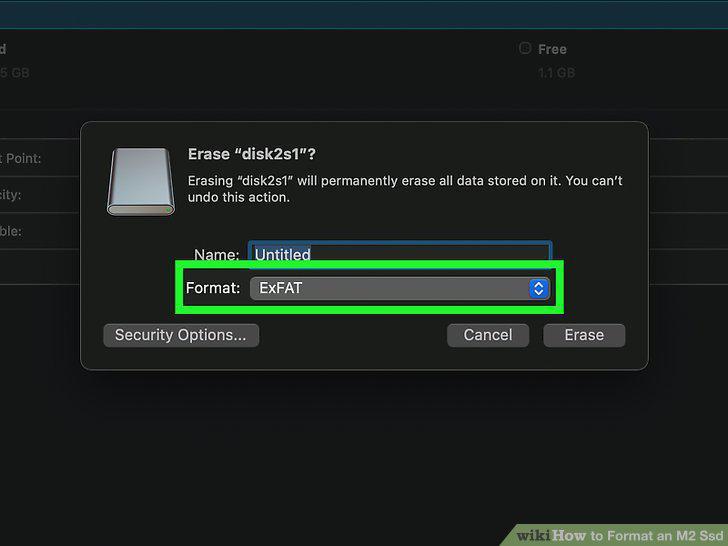
Select a format.
15
Click Erase to start the format.
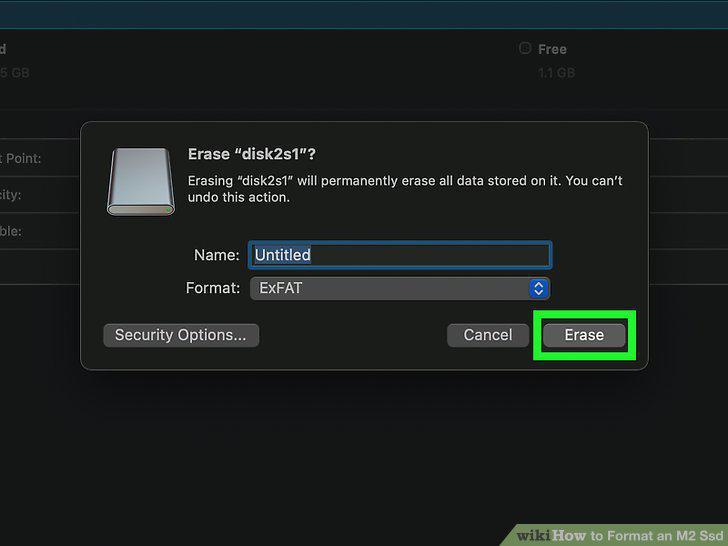
Click Erase to start the format.
Comments (0)
No comments yet. Be the first to share your thoughts!