How to Remove Email Accounts from a Mac
Click on the Apple menu.. Click on System Preferences.. Click on Internet Accounts.
Steps
1
Click on the Apple menu.
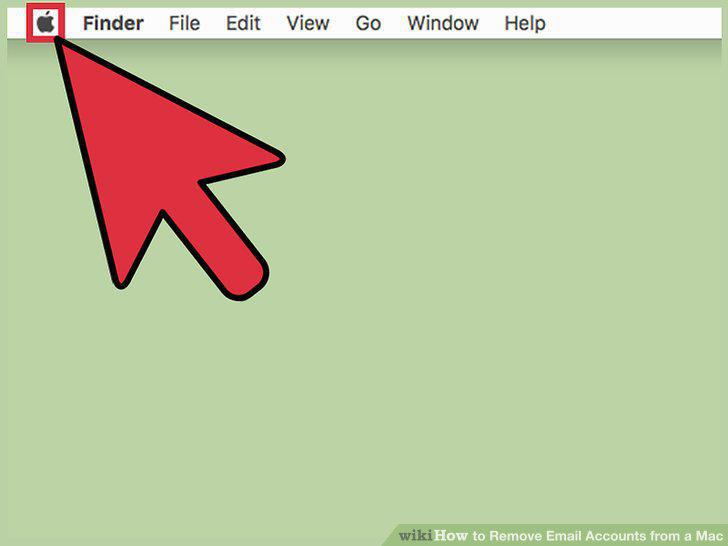
Click on the Apple menu.
2
Click on System Preferences.
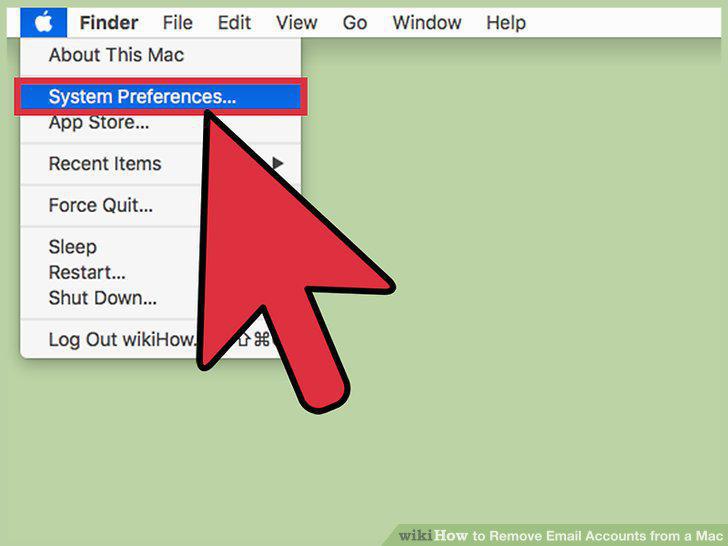
Click on System Preferences.
3
Click on Internet Accounts.
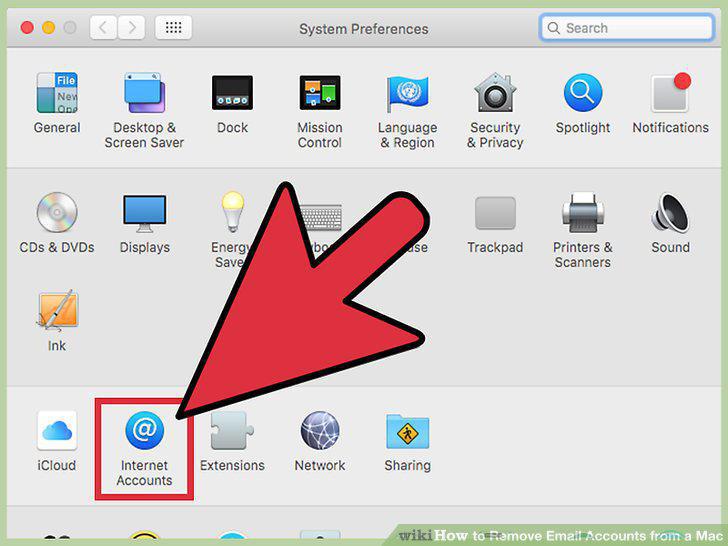
Click on Internet Accounts.
4
Click on the account you wish to delete.
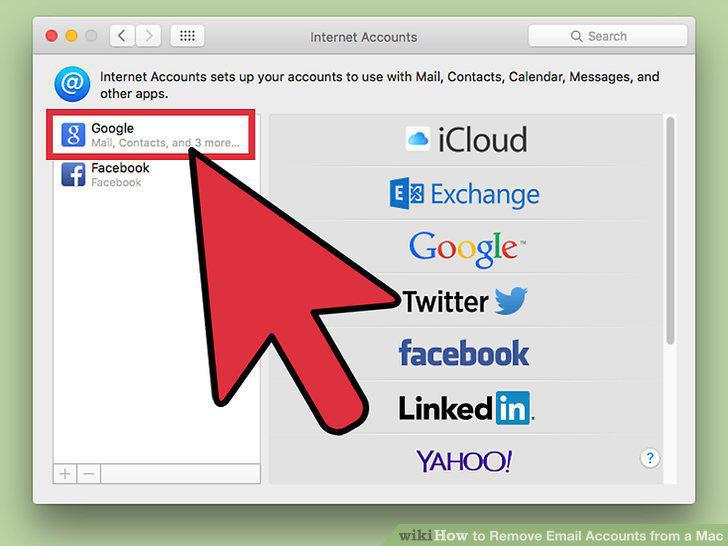
Click on the account you wish to delete.
5
Click on -.
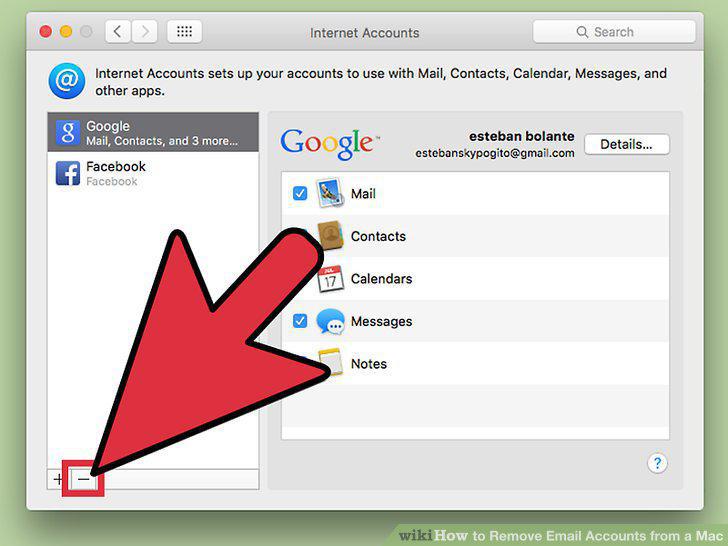
Click on -.
6
Click on Ok.
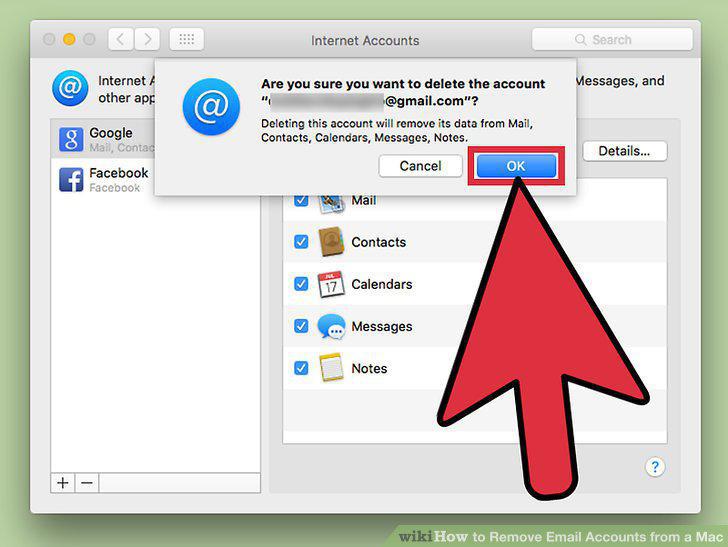
Click on Ok.
Comments (0)
No comments yet. Be the first to share your thoughts!