How to Create a Company Profile on LinkedIn
Open LinkedIn in your internet browser.. Sign in to your account.. Click the Work button.
Steps
1
Open LinkedIn in your internet browser.
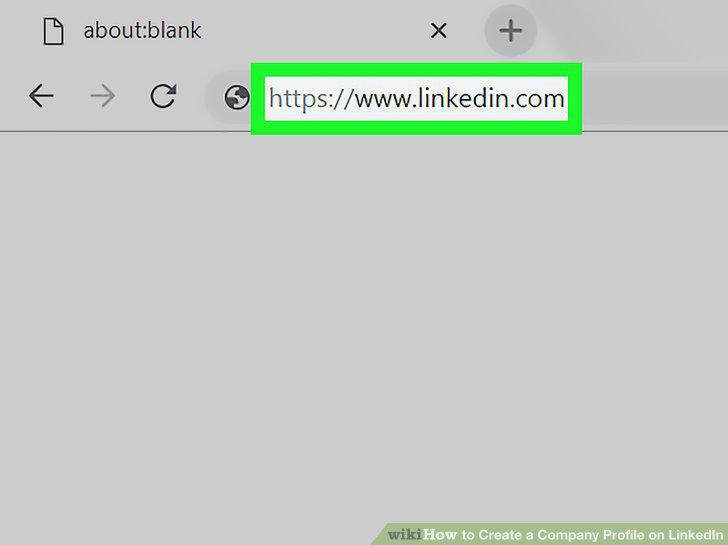
Open LinkedIn in your internet browser.
2
Sign in to your account.
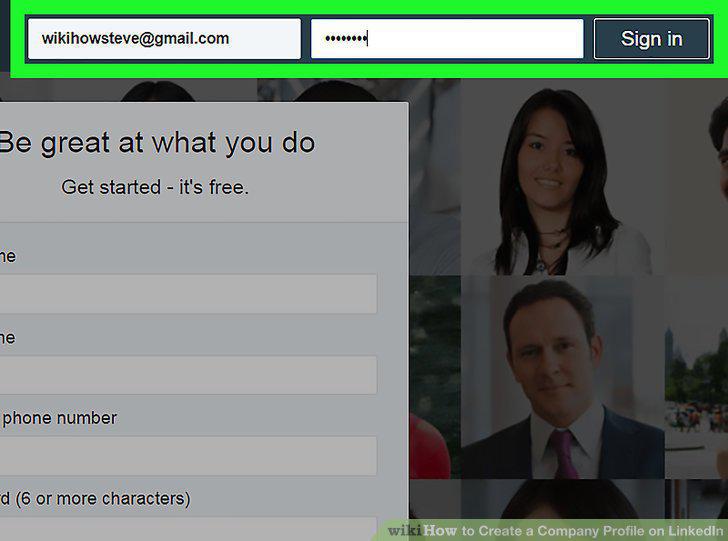
Sign in to your account.
3
Click the Work button.
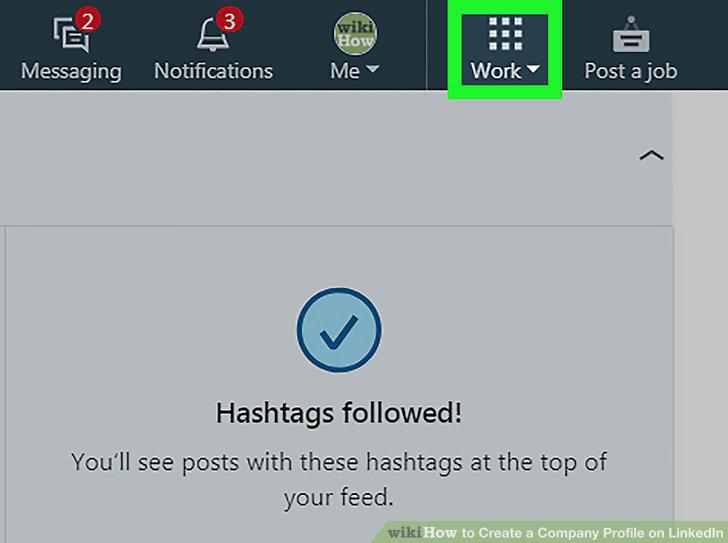
Click the Work button.
4
Click + Create a Company Page.
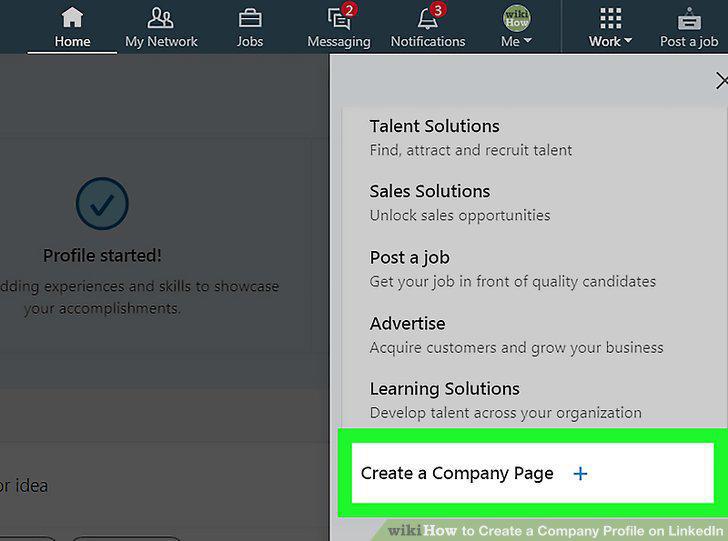
Click + Create a Company Page.
5
Enter your company's name.
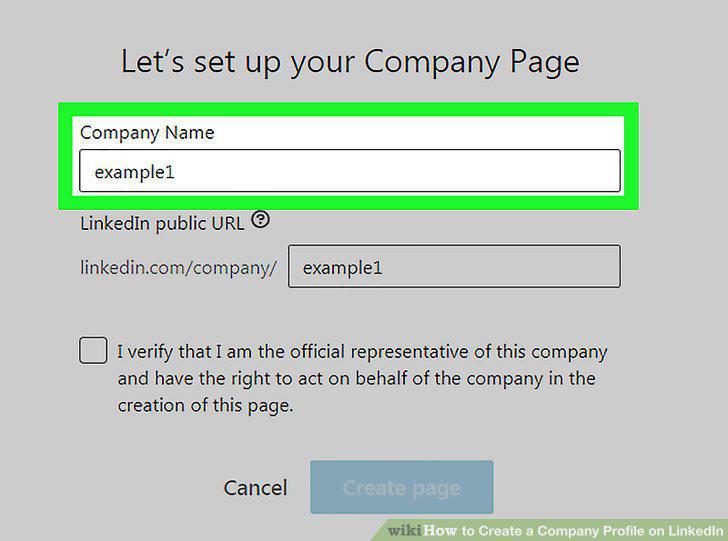
Enter your company's name.
6
Enter a public URL for your company page.
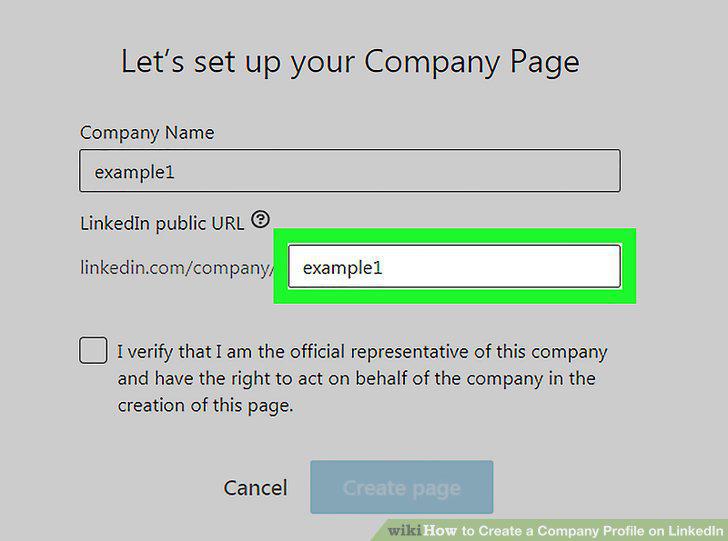
Enter a public URL for your company page.
7
Click the Create page button.
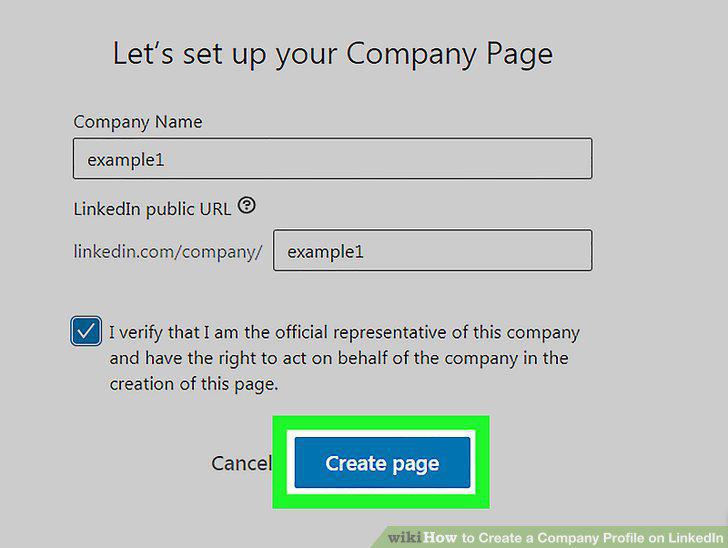
Click the Create page button.
8
Click Get started on the welcome pop-up.
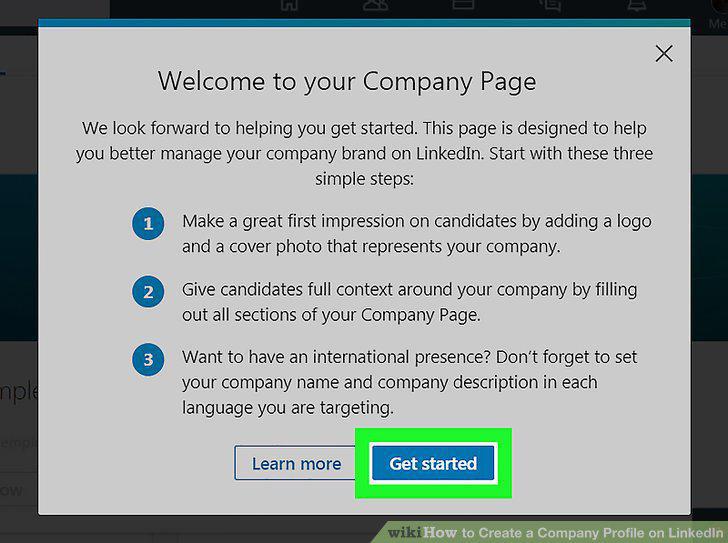
Click Get started on the welcome pop-up.
9
Add a description of your company.
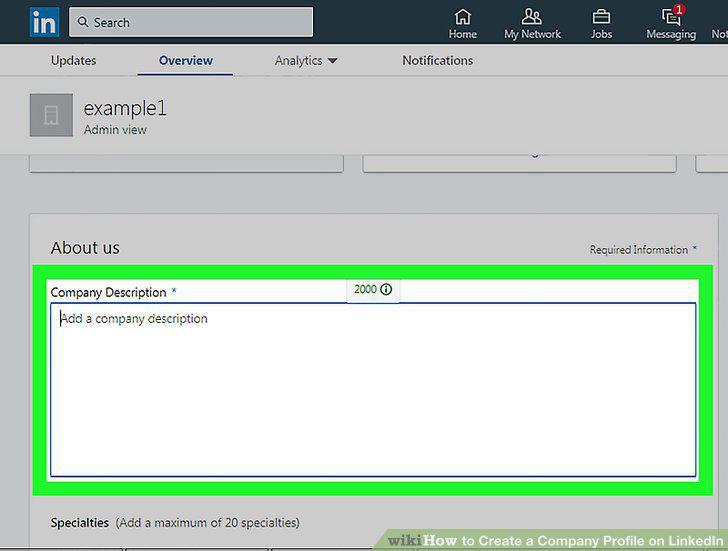
Add a description of your company.
10
Fill out your company details.
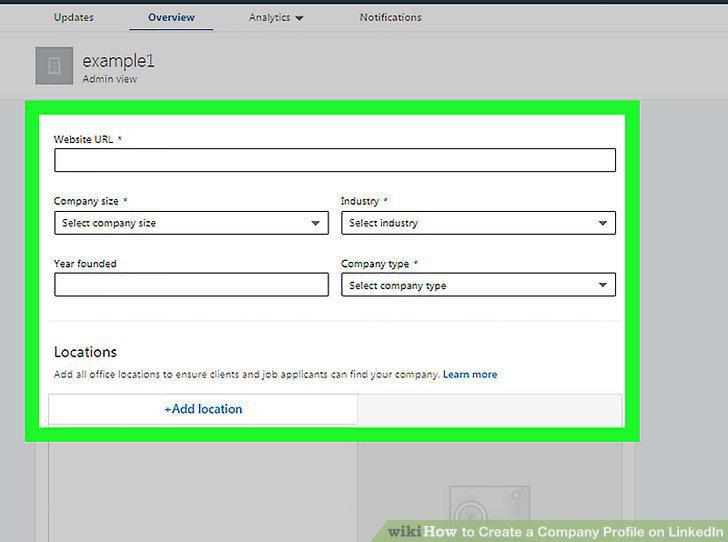
Fill out your company details.
Comments (0)
No comments yet. Be the first to share your thoughts!