How to Fix Skype Microphone Problems on PC or Mac
Open Skype on your computer.. Click the Skype tab.. Click Audio & Video Settings.
Steps
1
Open Skype on your computer.
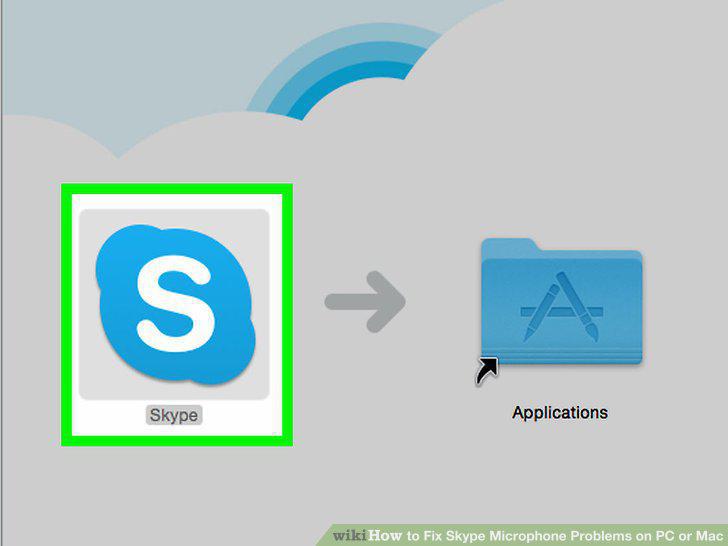
Open Skype on your computer.
2
Click the Skype tab.
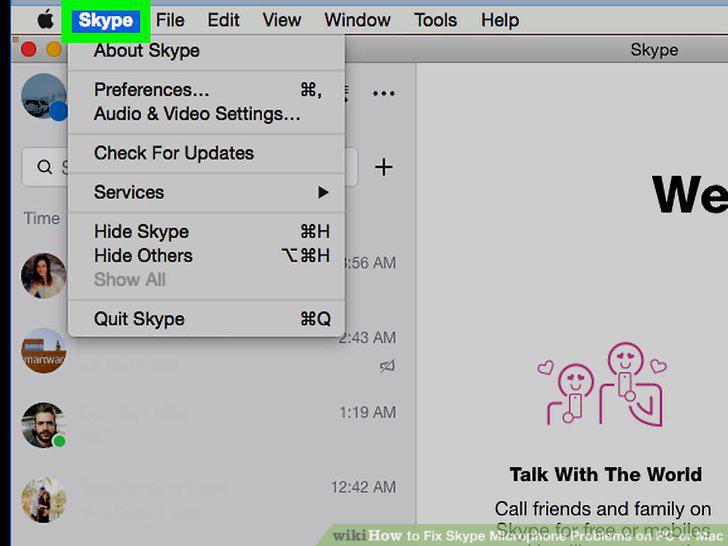
Click the Skype tab.
3
Click Audio & Video Settings.
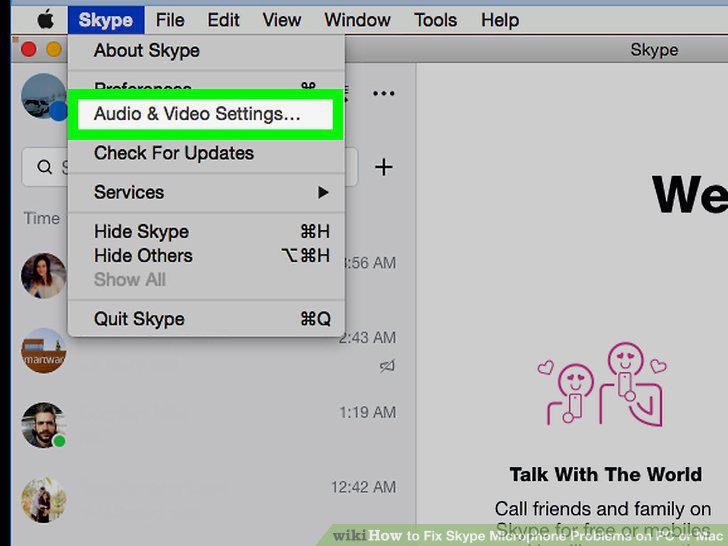
Click Audio & Video Settings.
4
Select your microphone.
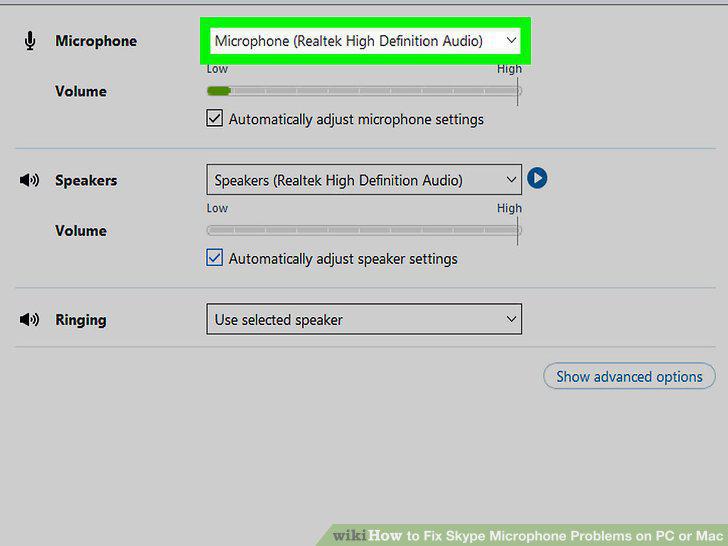
Select your microphone.
5
Close the settings window.
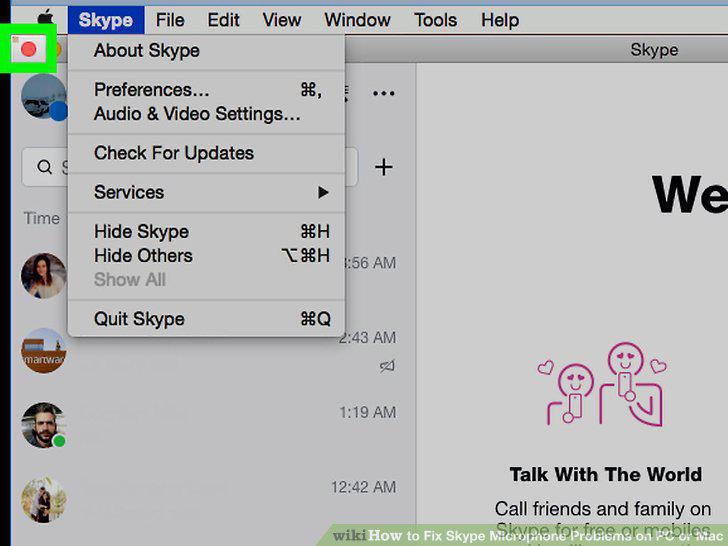
Close the settings window.
6
Open Skype on your computer.

Open Skype on your computer.
7
Click the Skype tab.
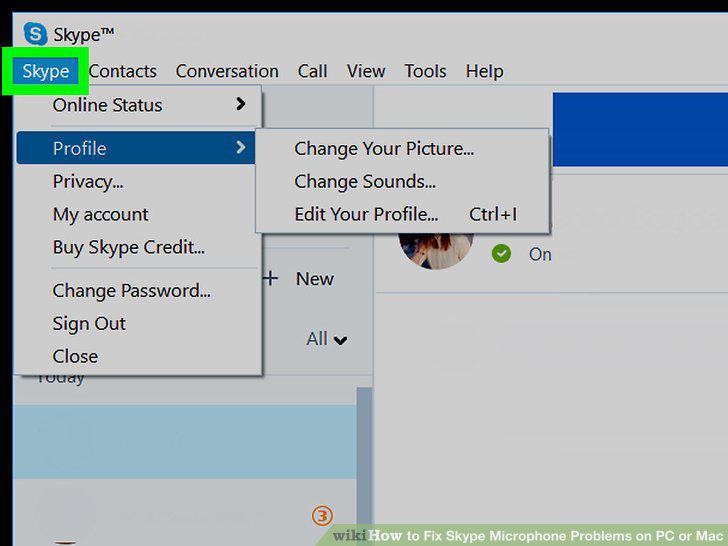
Click the Skype tab.
8
Hover over Profile on the Skype menu.
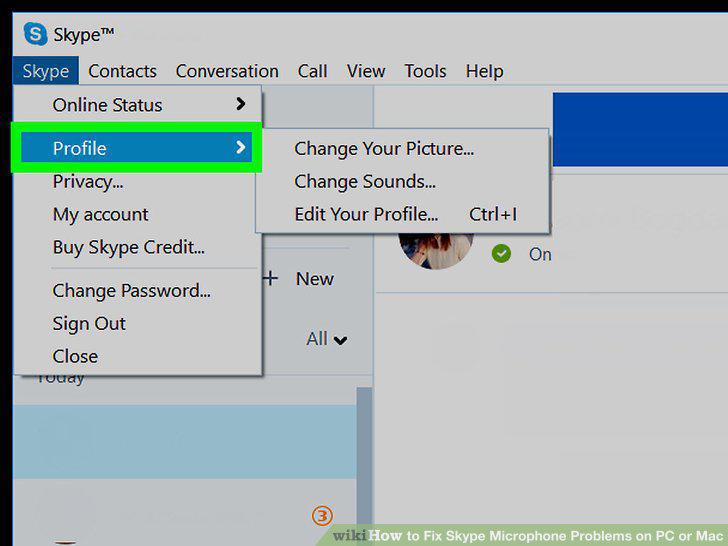
Hover over Profile on the Skype menu.
9
Click Change Sounds.
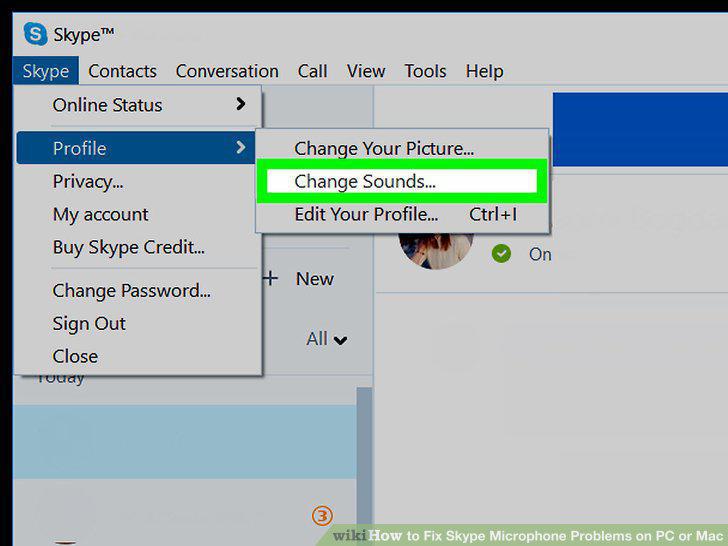
Click Change Sounds.
10
Click Audio settings on the left sidebar.
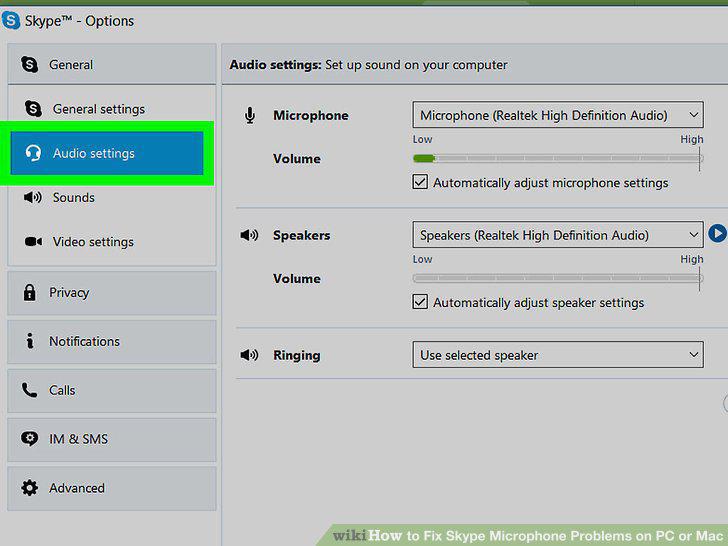
Click Audio settings on the left sidebar.
11
Select your microphone.
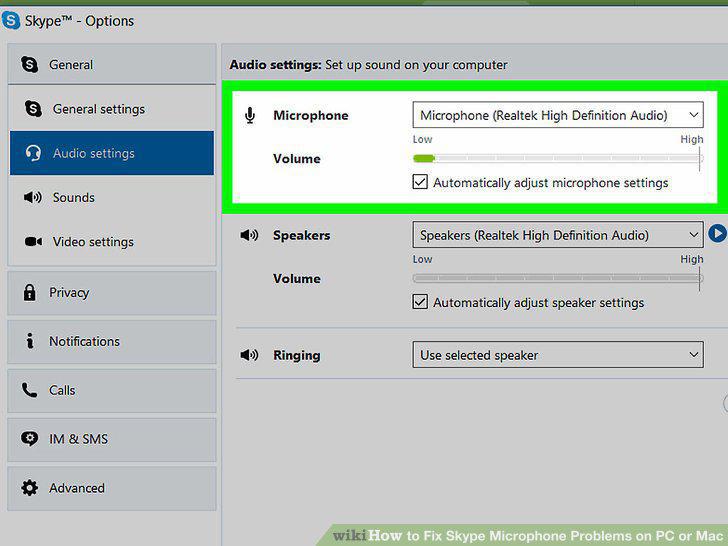
Select your microphone.
12
Click the blue Save button.
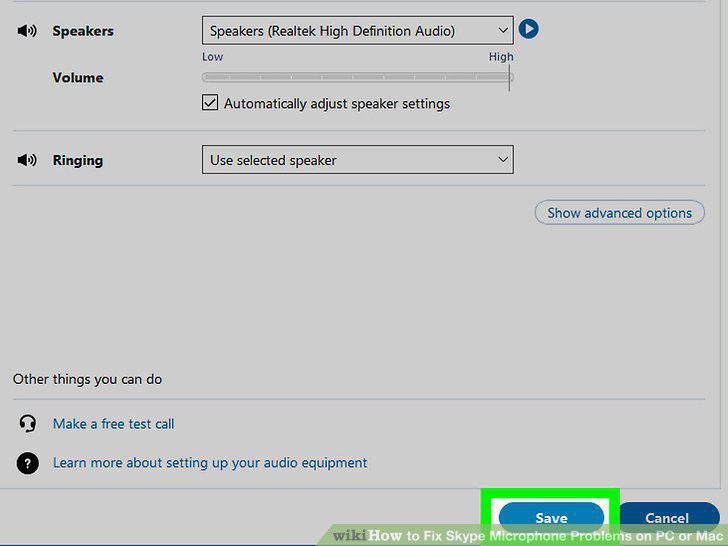
Click the blue Save button.
Comments (0)
No comments yet. Be the first to share your thoughts!