How to Add a Phone Number on Twitter on a PC or Mac
Go to https://www.twitter.com in a web browser.. Click the smaller version of your profile photo.. Select Settings and privacy.
Steps
1
Go to https://www.twitter.com in a web browser.

Go to https://www.twitter.com in a web browser.
2
Click the smaller version of your profile photo.

Click the smaller version of your profile photo.
3
Select Settings and privacy.
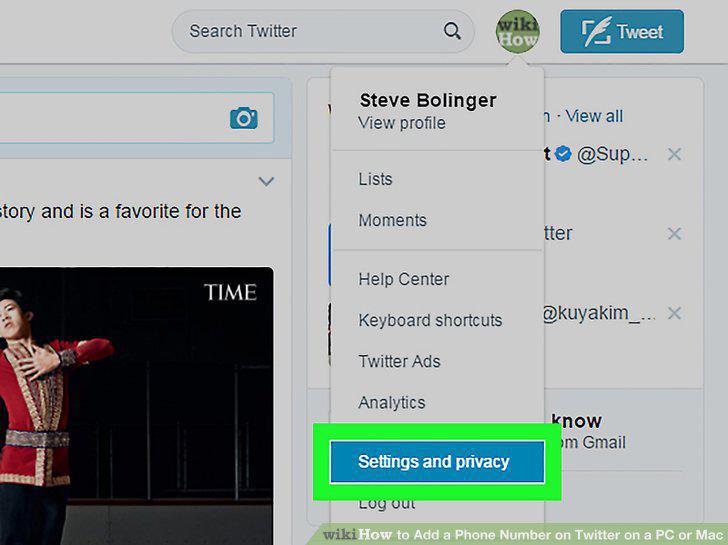
Select Settings and privacy.
4
Click Mobile.
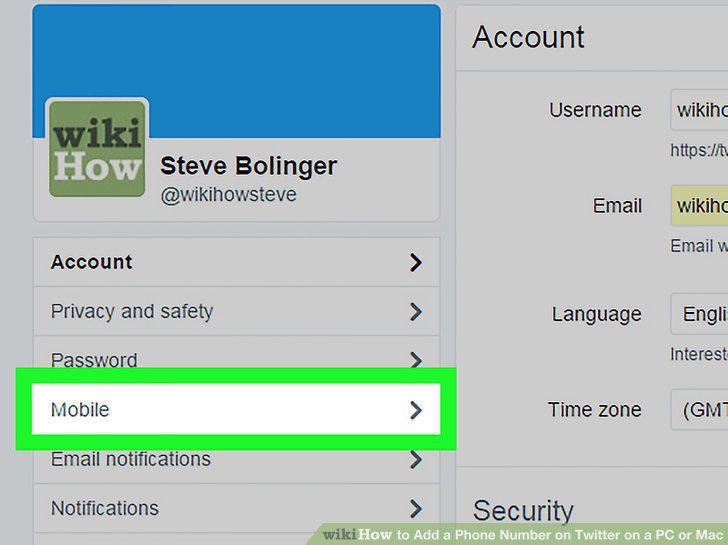
Click Mobile.
5
Enter your phone number.
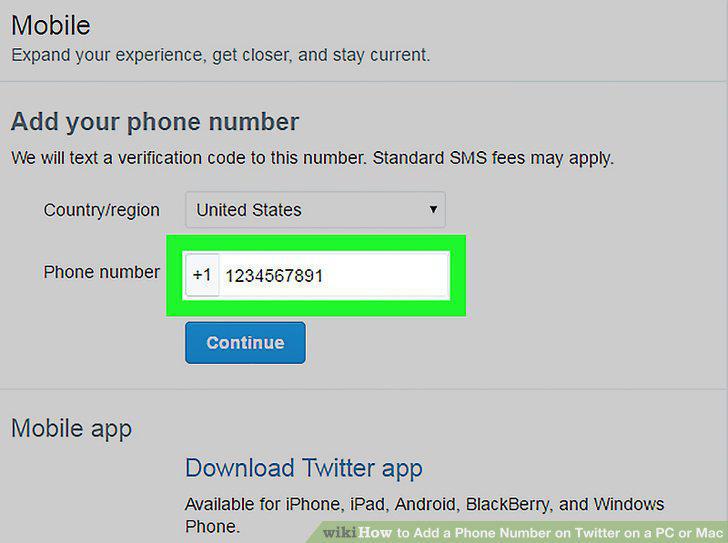
Enter your phone number.
6
Click Continue.
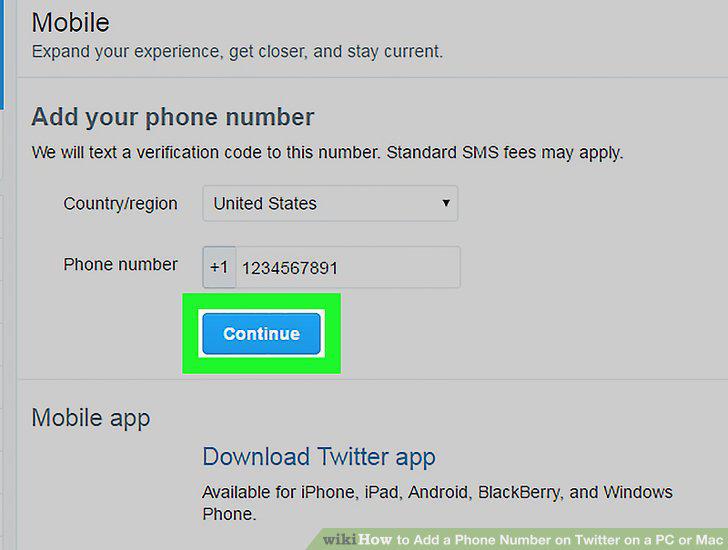
Click Continue.
7
Enter the verification code from the text message.
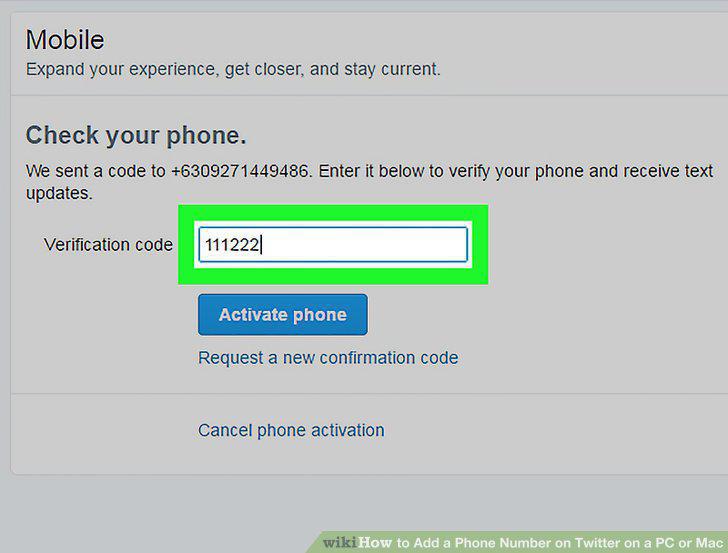
Enter the verification code from the text message.
8
Click Activate Phone.
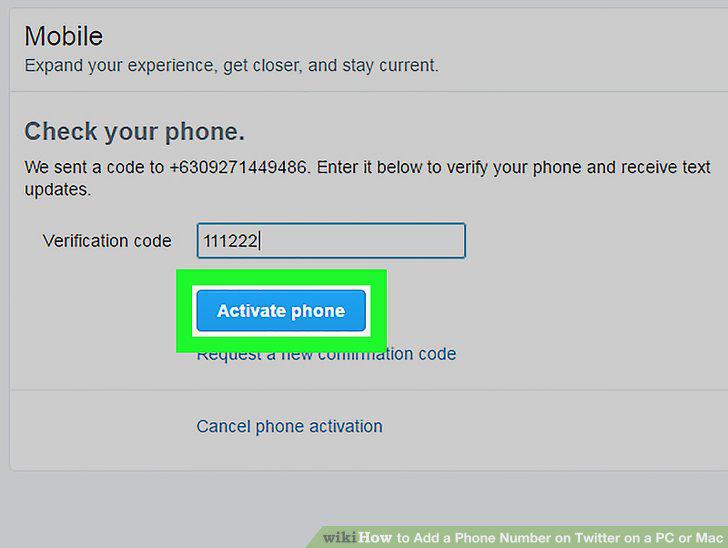
Click Activate Phone.
Comments (0)
No comments yet. Be the first to share your thoughts!