How to Uninstall All Windows Updates
Boot into Safe Mode.. Open the "Programs and Features" window.. Click the "View installed updates" link.
Steps
1
Boot into Safe Mode.
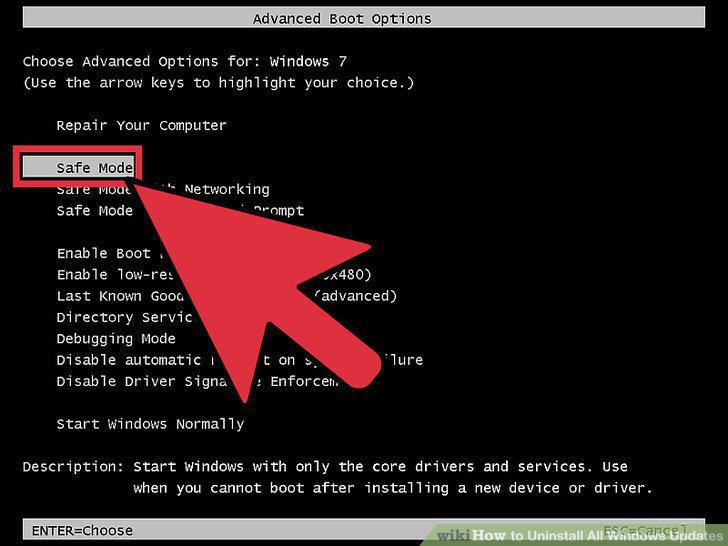
Boot into Safe Mode.
2
Open the "Programs and Features" window.
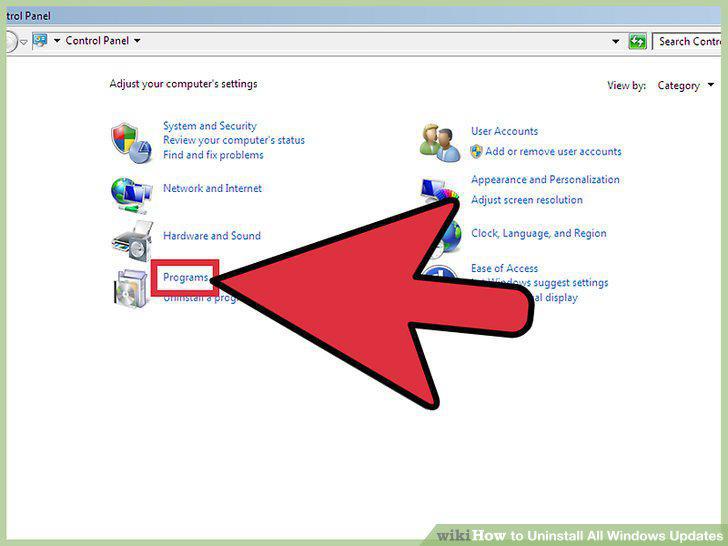
Open the "Programs and Features" window.
3
Click the "View installed updates" link.
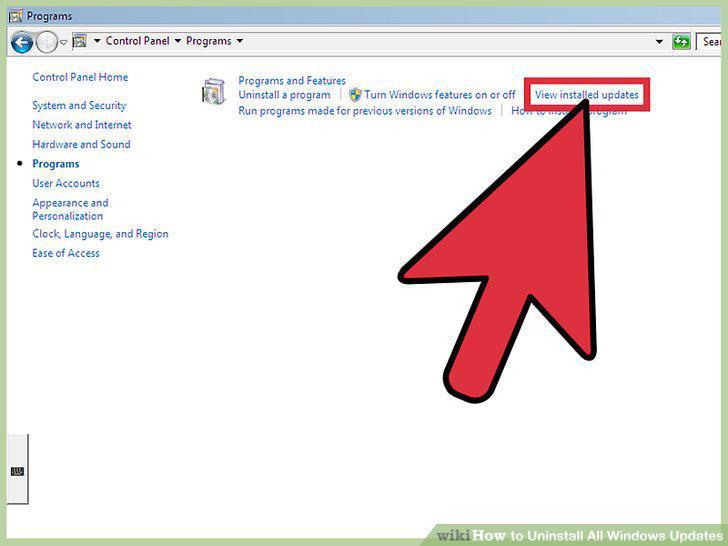
Click the "View installed updates" link.
4
Find the update you want to remove.
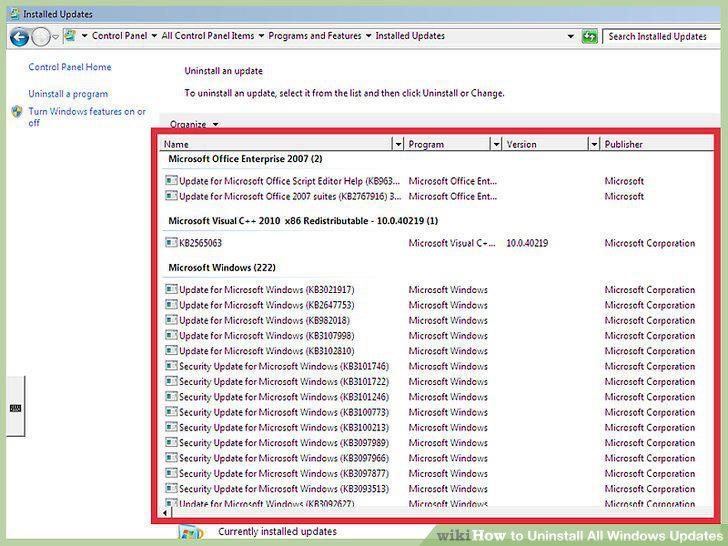
Find the update you want to remove.
5
Select the update and click "Uninstall."
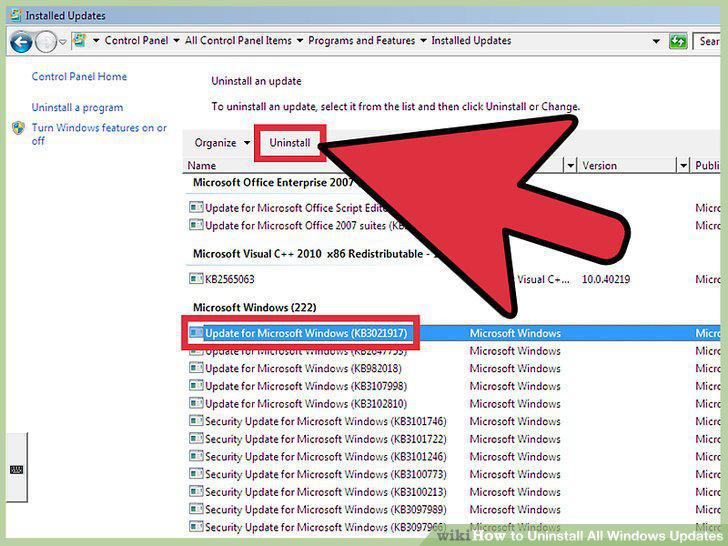
Select the update and click "Uninstall."
6
Open the System Restore tool.
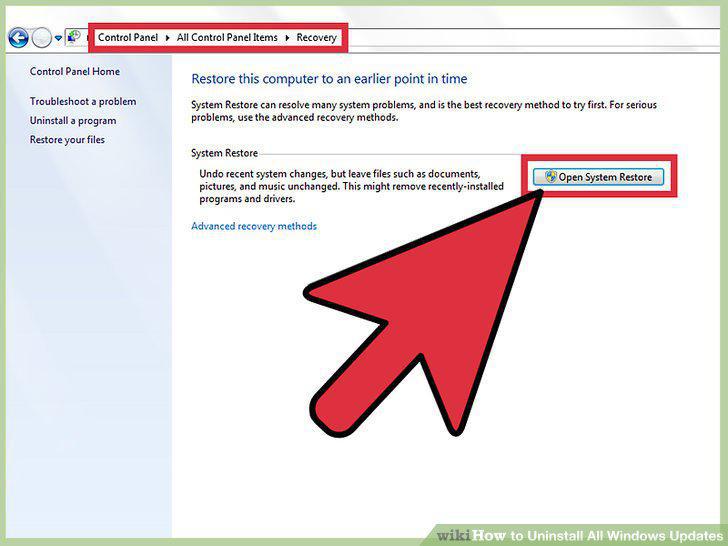
Open the System Restore tool.
7
Select the restore point you want to roll back to.
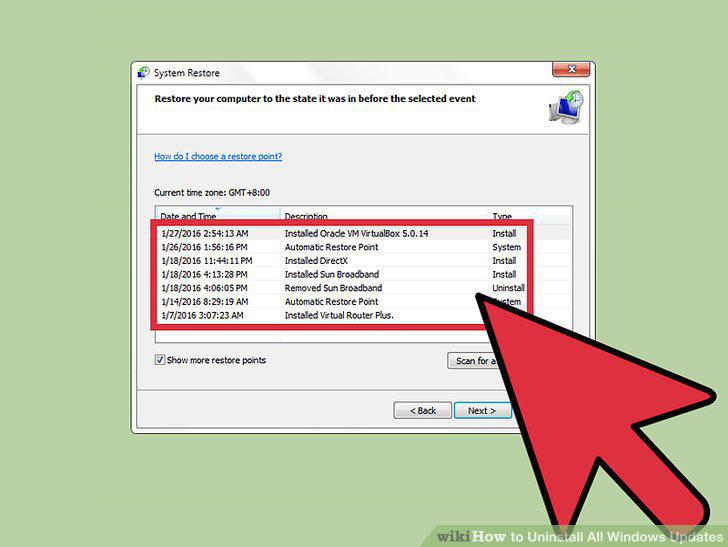
Select the restore point you want to roll back to.
8
Click "Scan for affected programs."
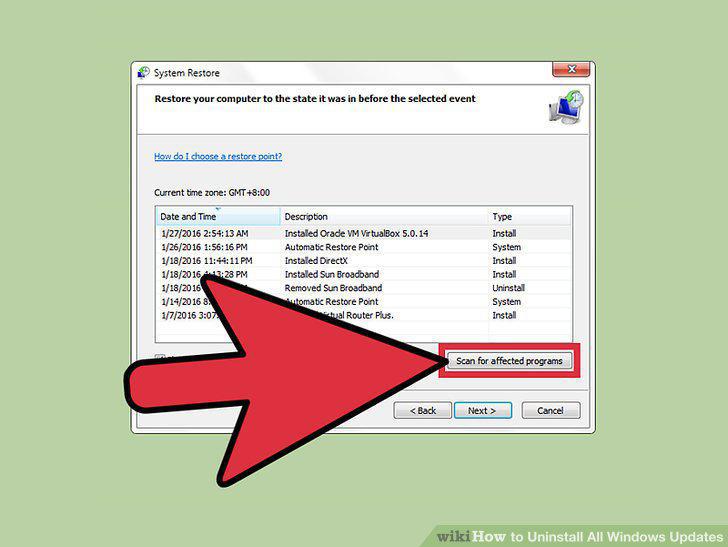
Click "Scan for affected programs."
9
Confirm that you want to perform the restore process.
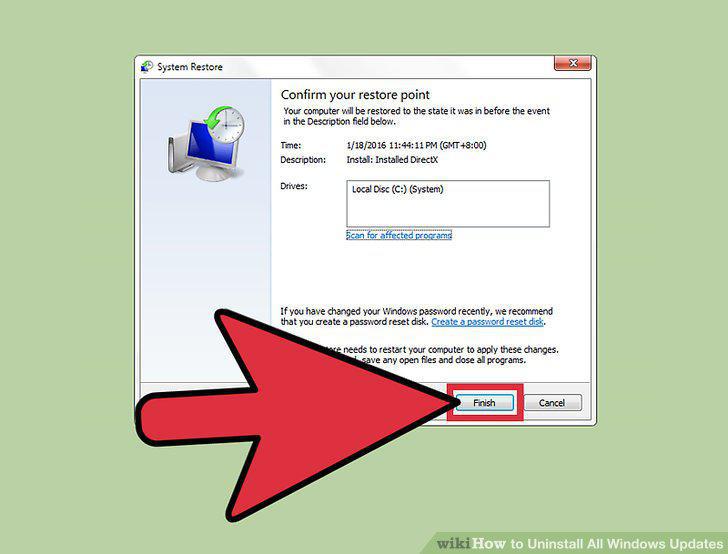
Confirm that you want to perform the restore process.
10
Test your computer.
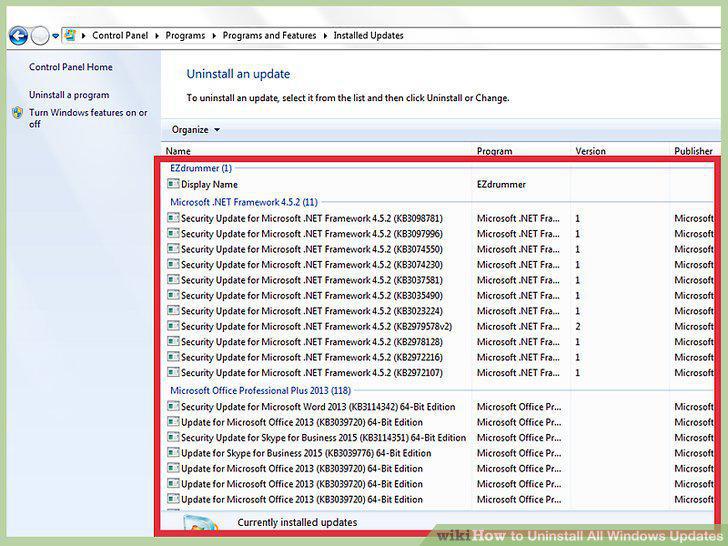
Test your computer.
11
Undo the system restore if problems occur.
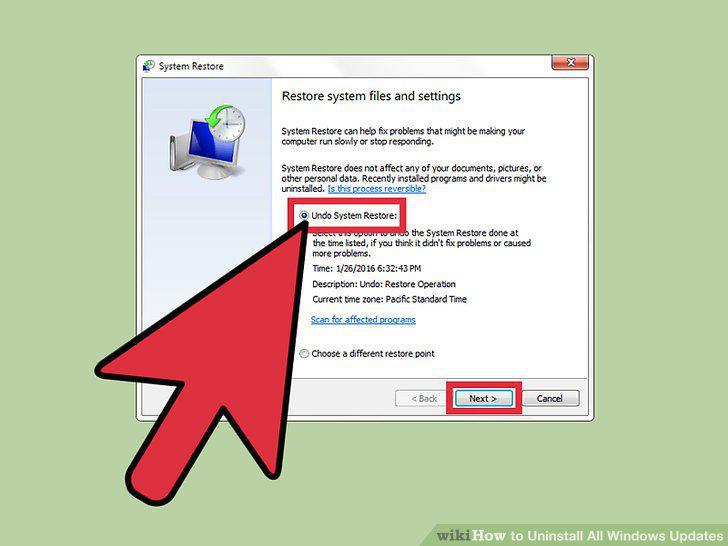
Undo the system restore if problems occur.
Comments (0)
No comments yet. Be the first to share your thoughts!