How to Report a Sex Offender on Facebook
Find online proof of the conviction.. Go to https://www.facebook.com/help/contact/207005222725325 in a browser.. Enter your email address.
Steps
1
Find online proof of the conviction.
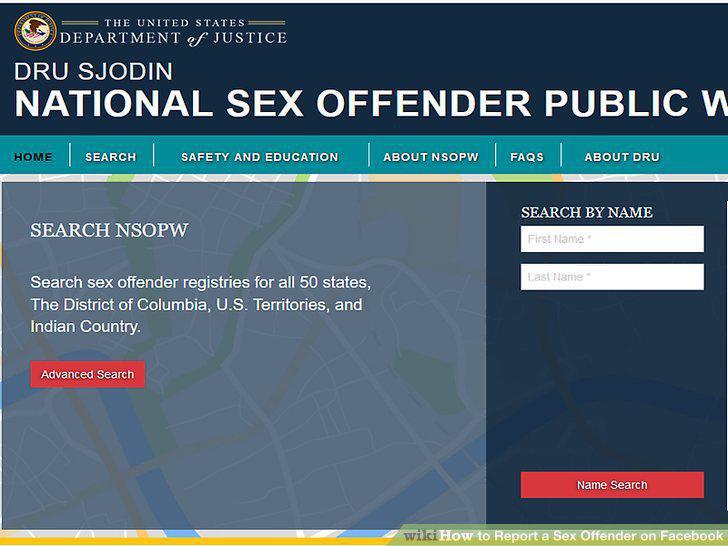
Find online proof of the conviction.
2
Go to https://www.facebook.com/help/contact/207005222725325 in a browser.
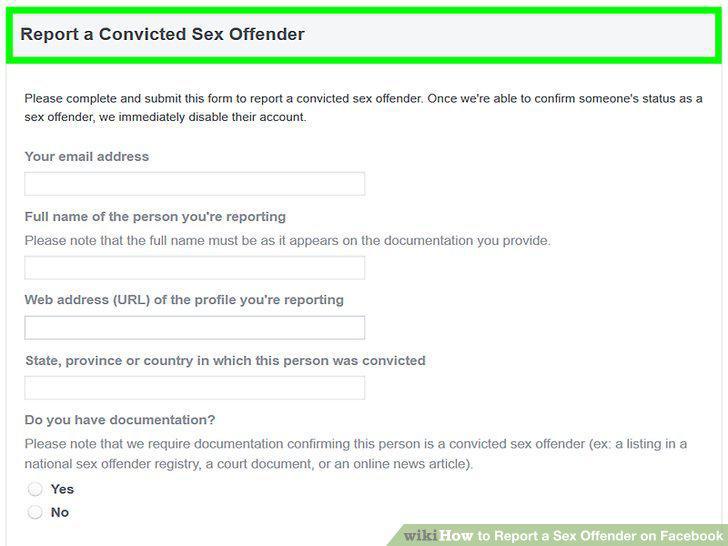
Go to https://www.facebook.com/help/contact/207005222725325 in a browser.
3
Enter your email address.
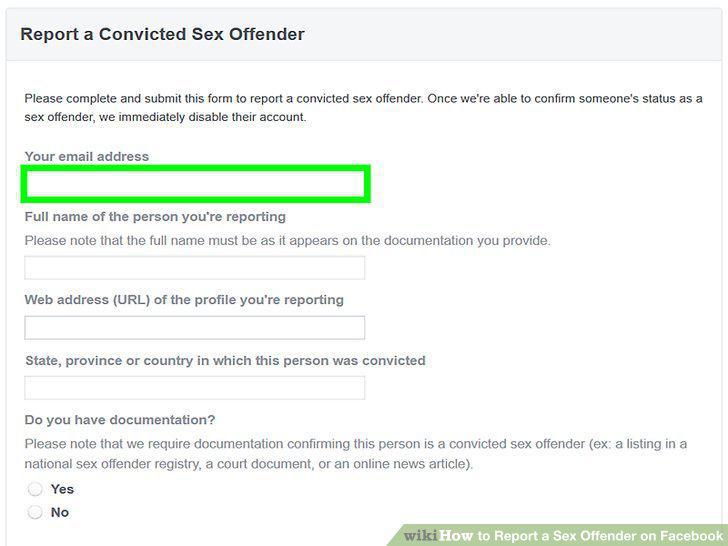
Enter your email address.
4
Enter the name of the person you're reporting.
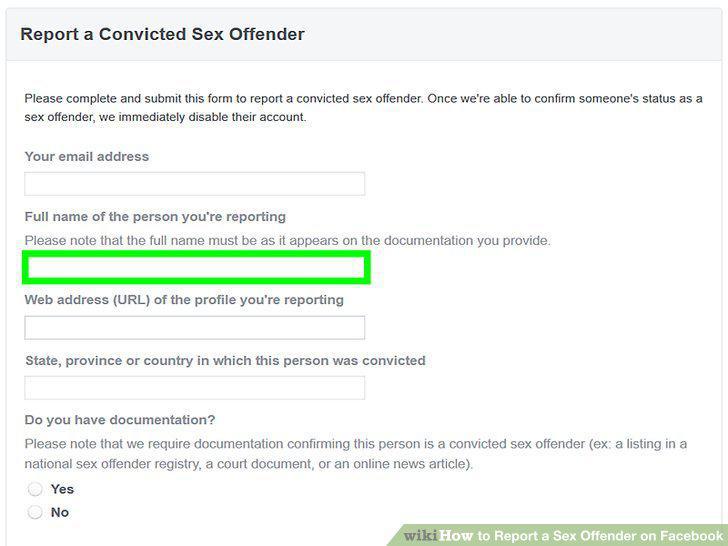
Enter the name of the person you're reporting.
5
Enter the URL of the offender's Facebook profile.
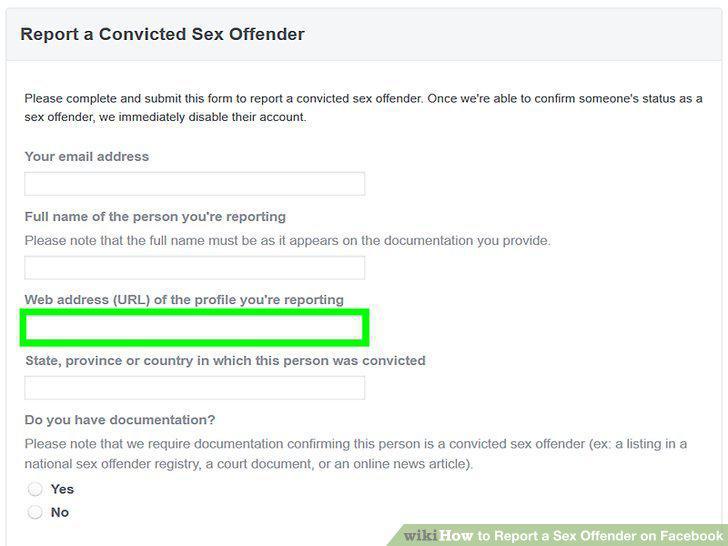
Enter the URL of the offender's Facebook profile.
6
Enter the state, province, or country in which the person was convicted.
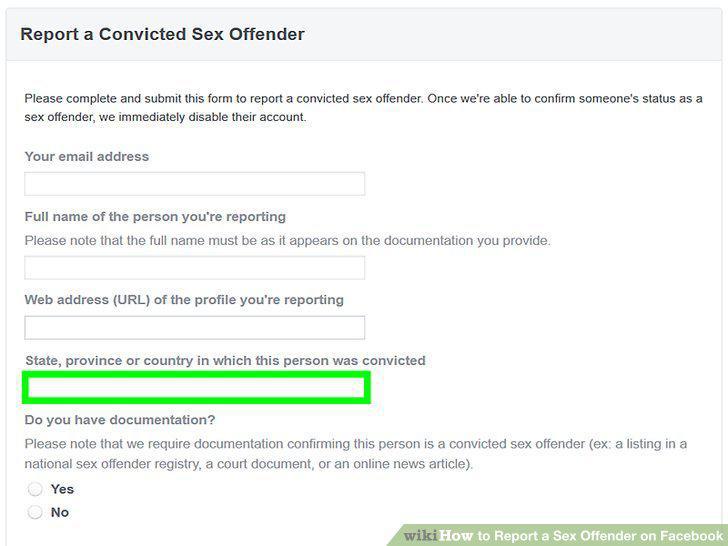
Enter the state, province, or country in which the person was convicted.
7
Select Yes to indicate that you have documentation.
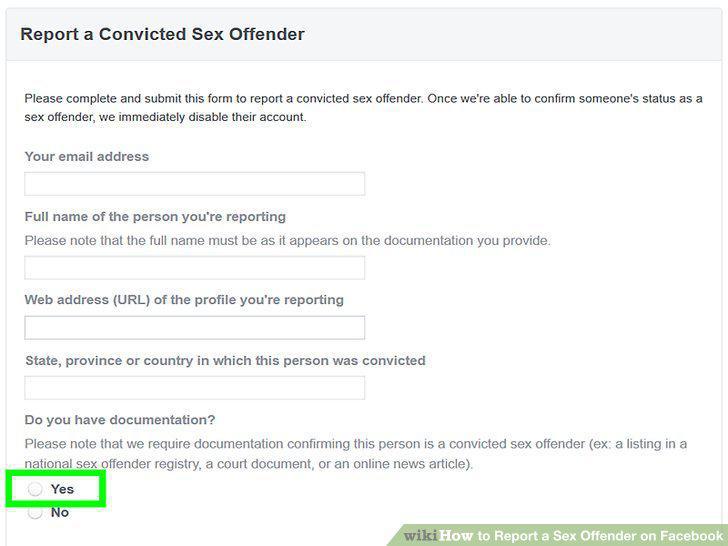
Select Yes to indicate that you have documentation.
8
Select a documentation type.
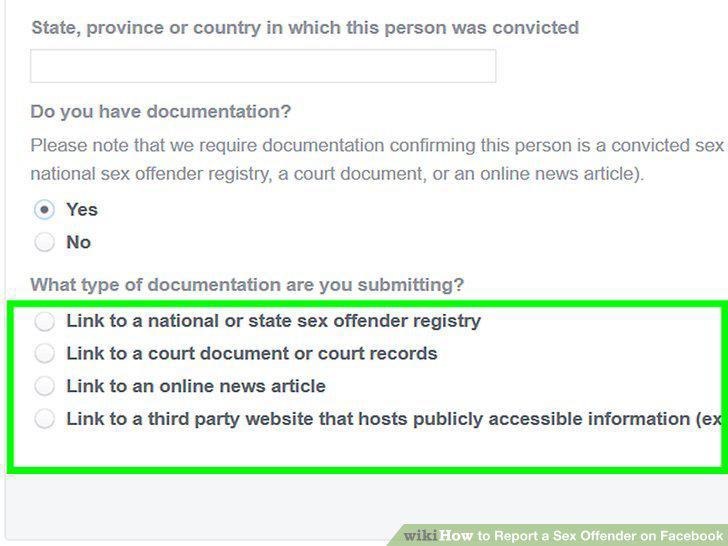
Select a documentation type.
9
Type or paste the web address that proves the person is a sex offender.
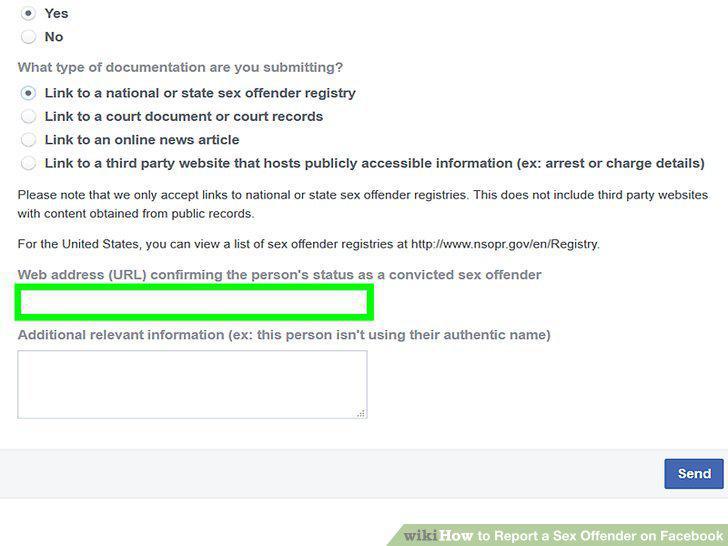
Type or paste the web address that proves the person is a sex offender.
10
Click Send to submit your report.
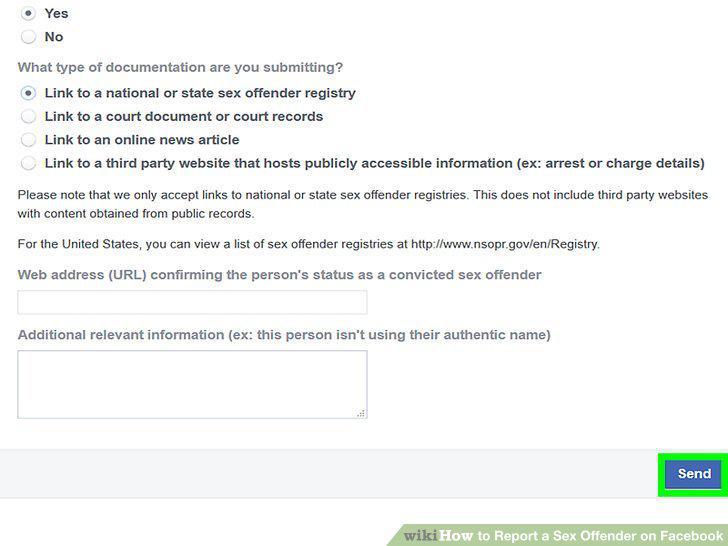
Click Send to submit your report.
Comments (0)
No comments yet. Be the first to share your thoughts!