How to Unfollow People on TikTok on Android
Open the Tik Tok app on your Android.. Tap the figurehead icon on the bottom-right.. Tap the Following button at the top of your profile.
Steps
1
Open the Tik Tok app on your Android.
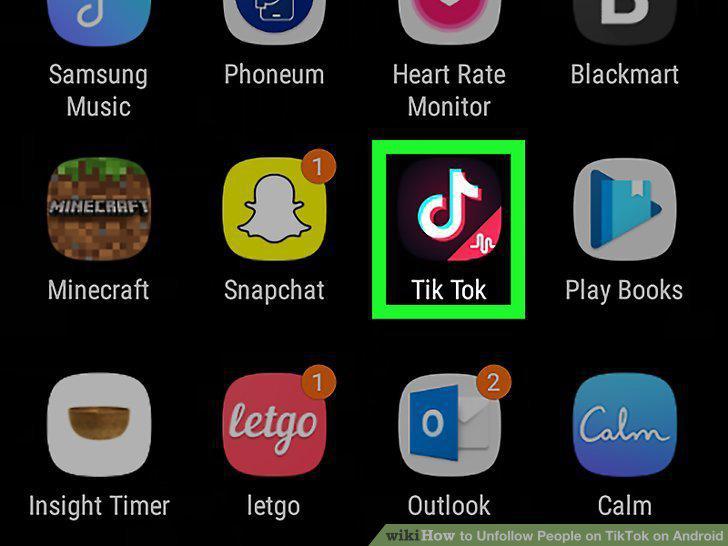
Open the Tik Tok app on your Android.
2
Tap the figurehead icon on the bottom-right.

Tap the figurehead icon on the bottom-right.
3
Tap the Following button at the top of your profile.
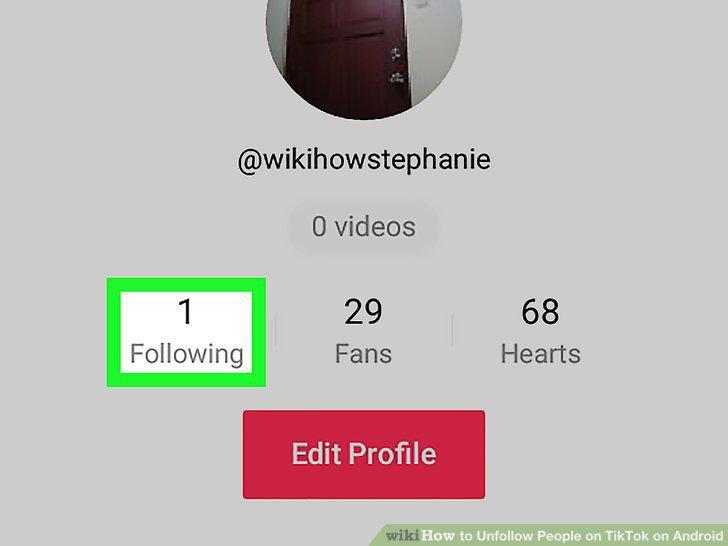
Tap the Following button at the top of your profile.
4
Tap the Following button next to the user you want to unfollow.
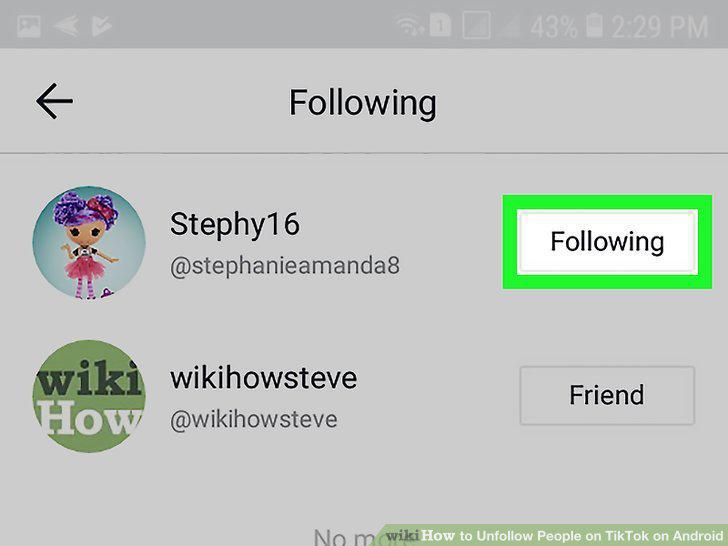
Tap the Following button next to the user you want to unfollow.
Comments (0)
No comments yet. Be the first to share your thoughts!