How to Change the Calendar Region on a Mac
Click the Apple menu.. Click "System Preferences.". Click "Language & Region."
Steps
1
Click the Apple menu.
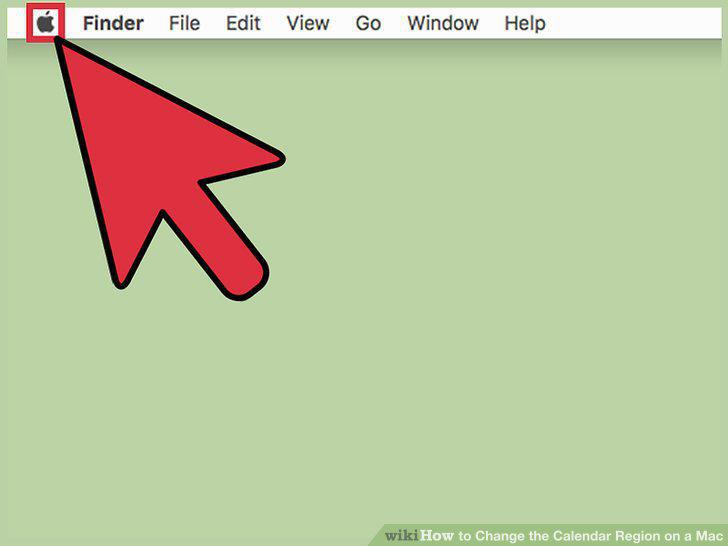
Click the Apple menu.
2
Click "System Preferences."
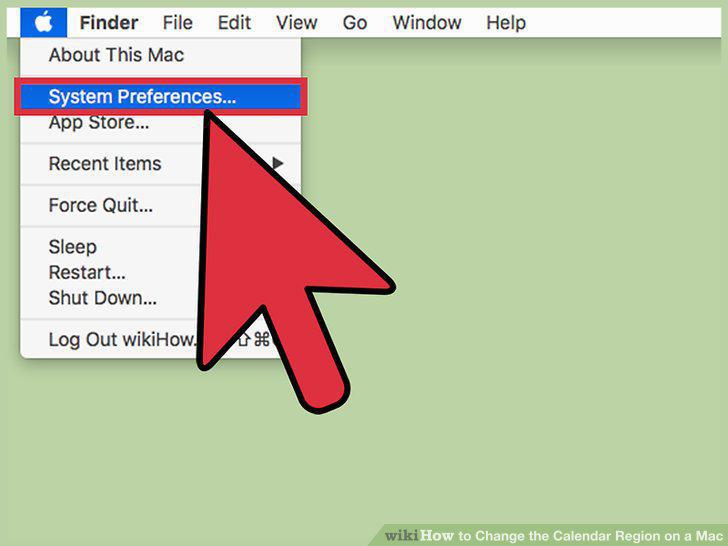
Click "System Preferences."
3
Click "Language & Region."
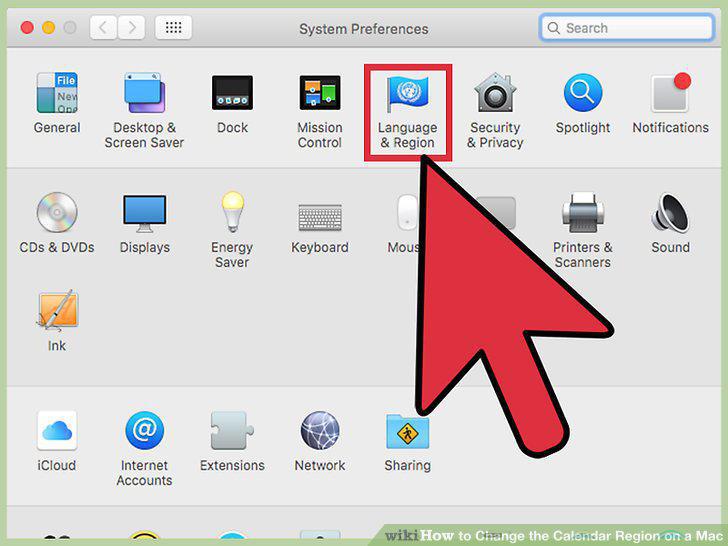
Click "Language & Region."
4
Click the "Calendar" menu.
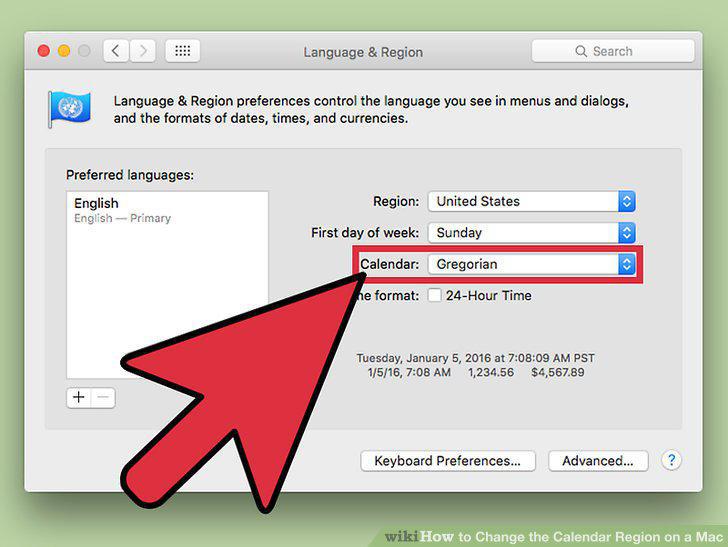
Click the "Calendar" menu.
5
Click the calendar type that you want to use.
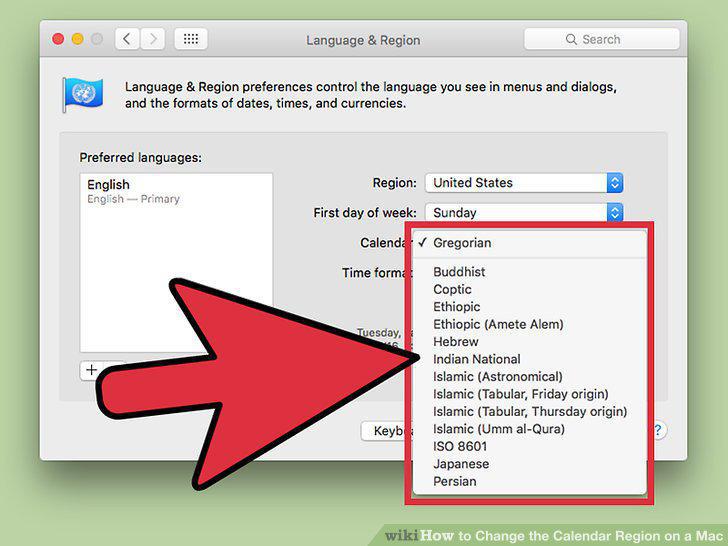
Click the calendar type that you want to use.
6
Click the Calendar app.
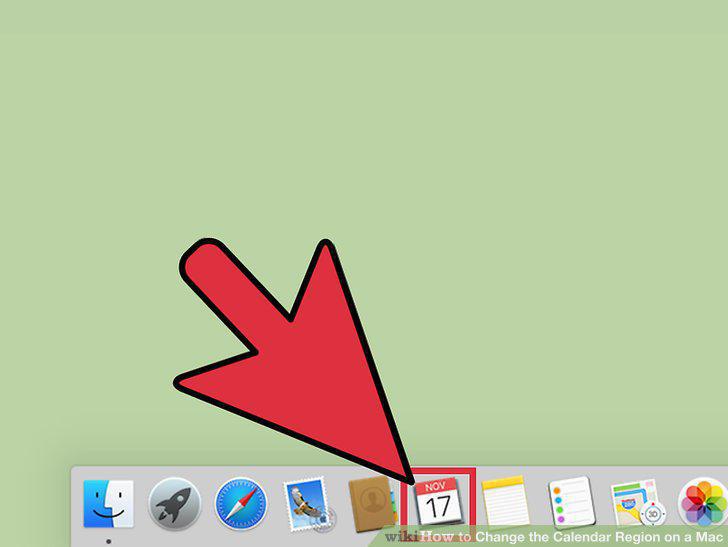
Click the Calendar app.
7
Click the "Calendar" menu.
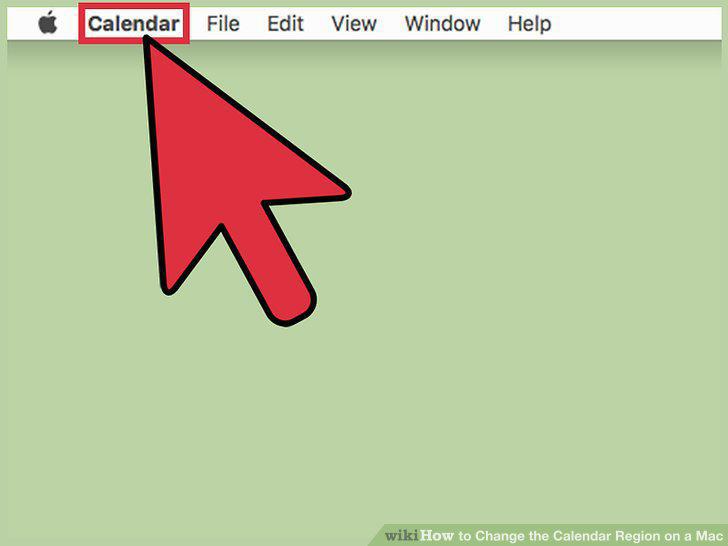
Click the "Calendar" menu.
8
Click "Preferences."
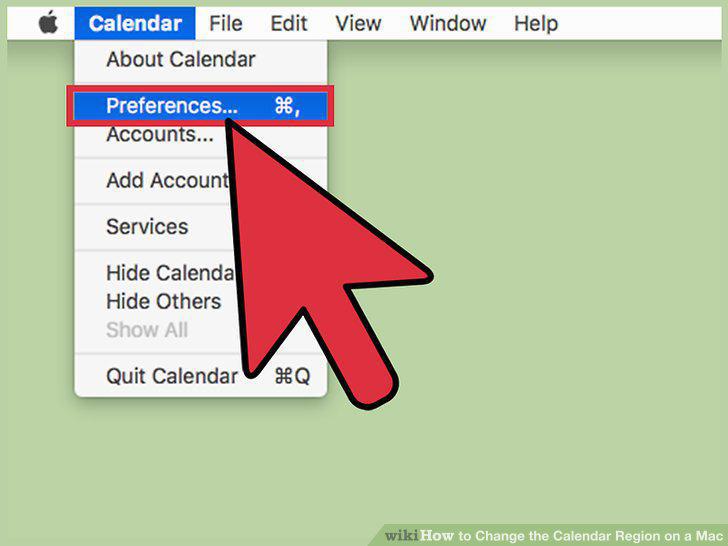
Click "Preferences."
9
Click the "Show alternate calendar" box.
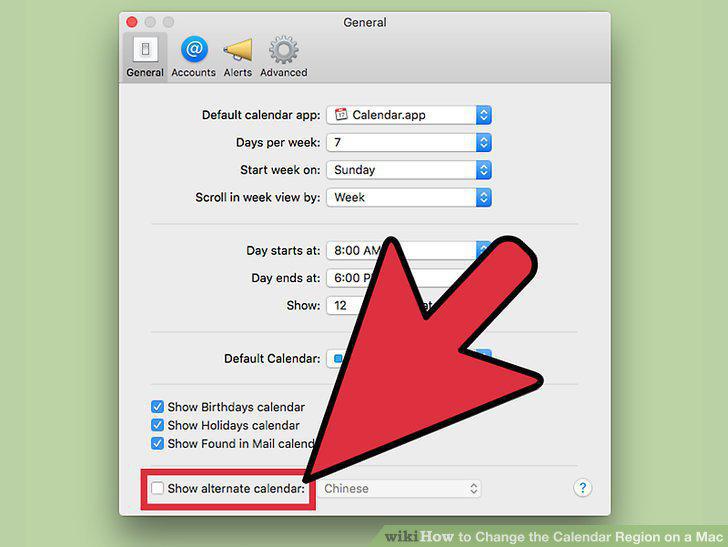
Click the "Show alternate calendar" box.
10
Click the menu to view the alternate calendars.
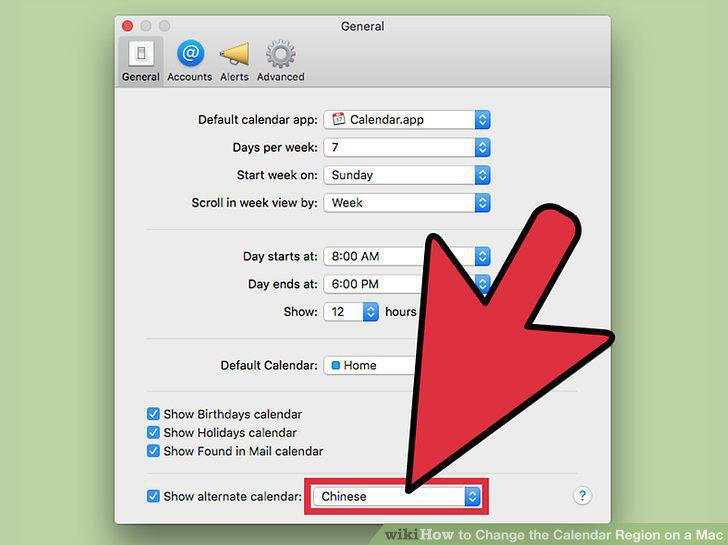
Click the menu to view the alternate calendars.
11
Click the alternate calendar that you want to use.
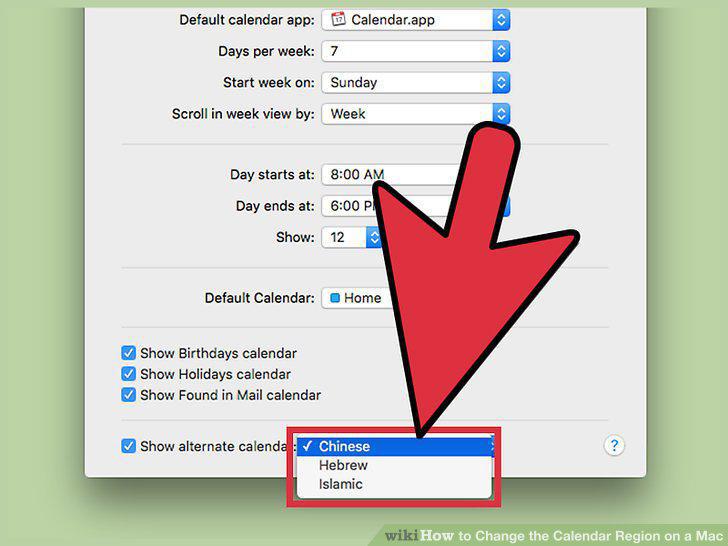
Click the alternate calendar that you want to use.
Comments (0)
No comments yet. Be the first to share your thoughts!