How to Update Sound Drivers
Click the Windows Start menu .. Click the Settings icon .. Click Update & Security .
Steps
1
Click the Windows Start menu .
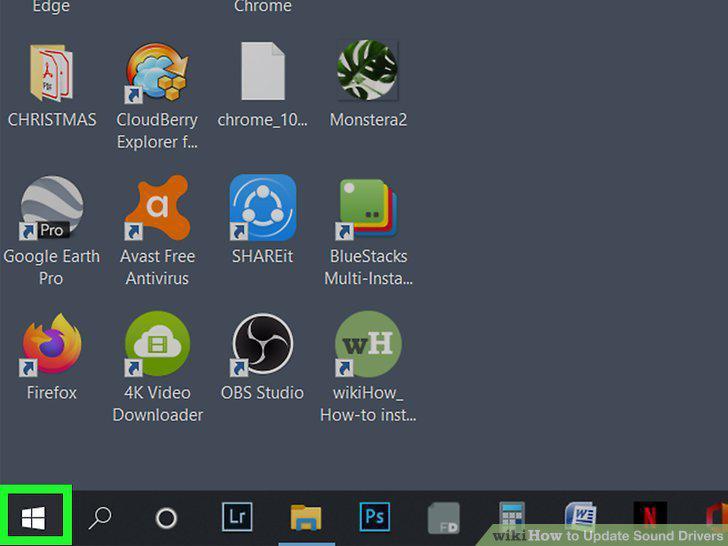
Click the Windows Start menu .
2
Click the Settings icon .
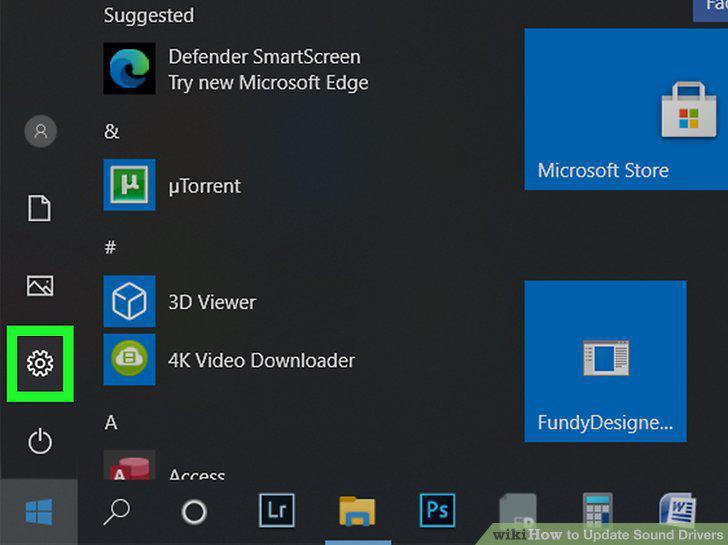
Click the Settings icon .
3
Click Update & Security .
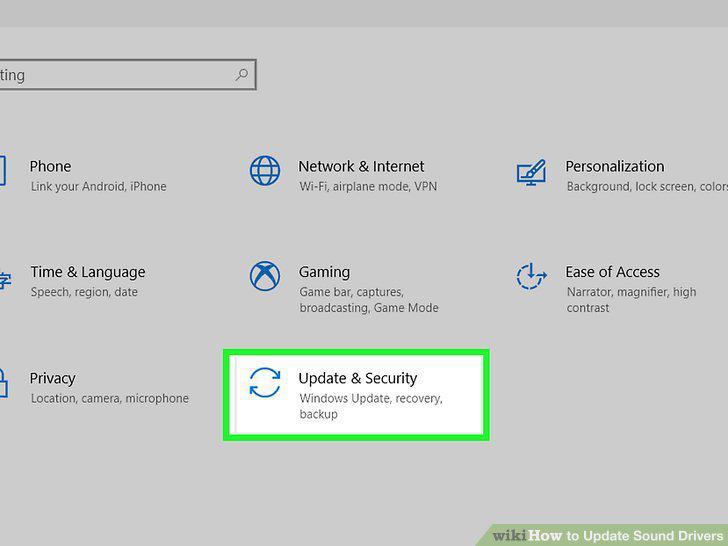
Click Update & Security .
4
Click Check for updates.
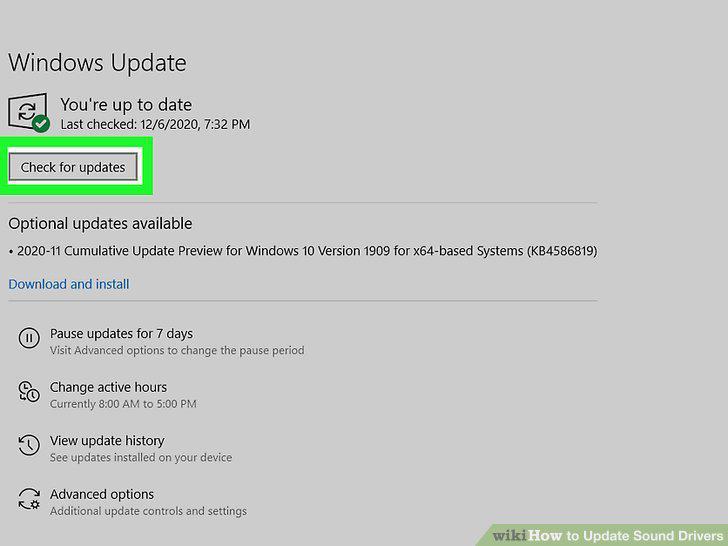
Click Check for updates.
5
Click Download and Install.
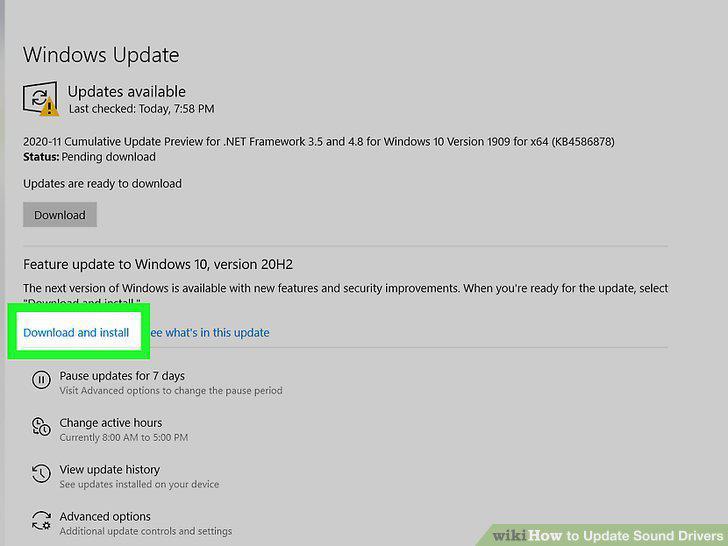
Click Download and Install.
6
Click the Windows Start menu .
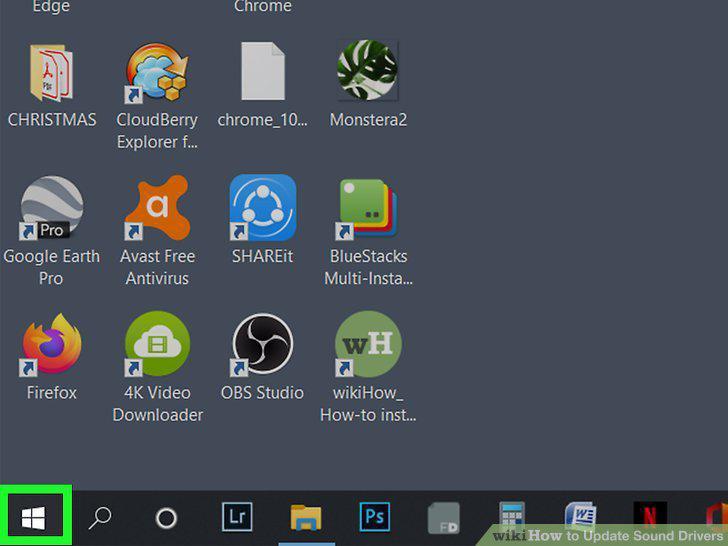
Click the Windows Start menu .
7
Type Device Manager.
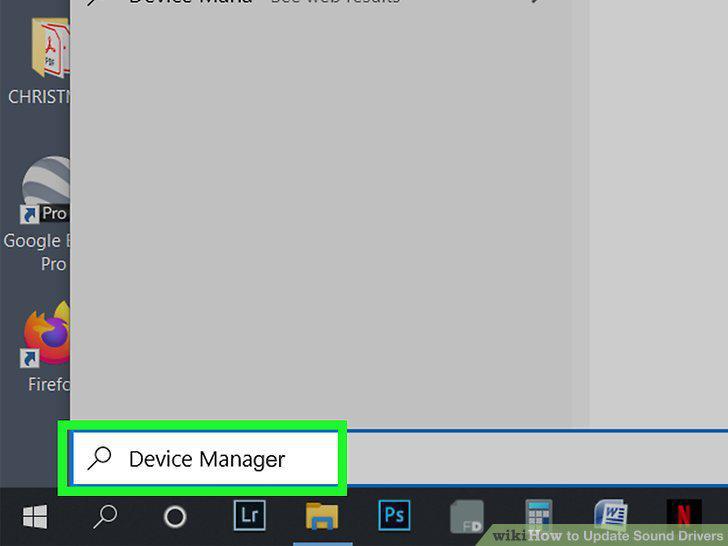
Type Device Manager.
8
Click Device Manager.
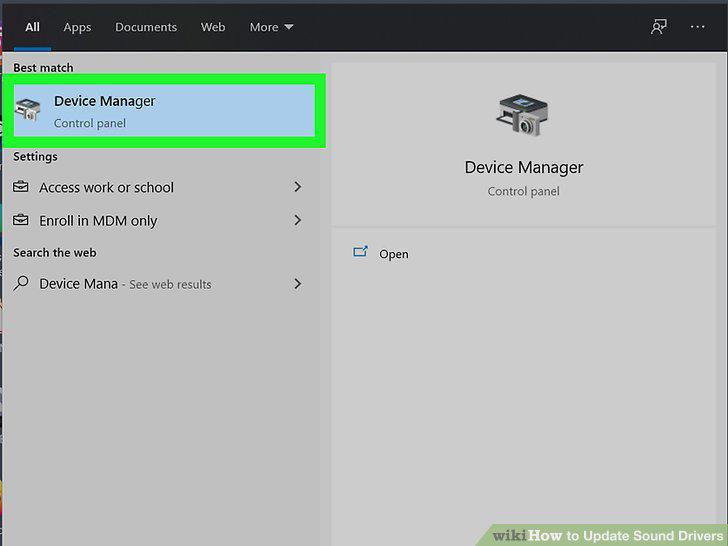
Click Device Manager.
9
Click next to "Sound, video, and game controllers."
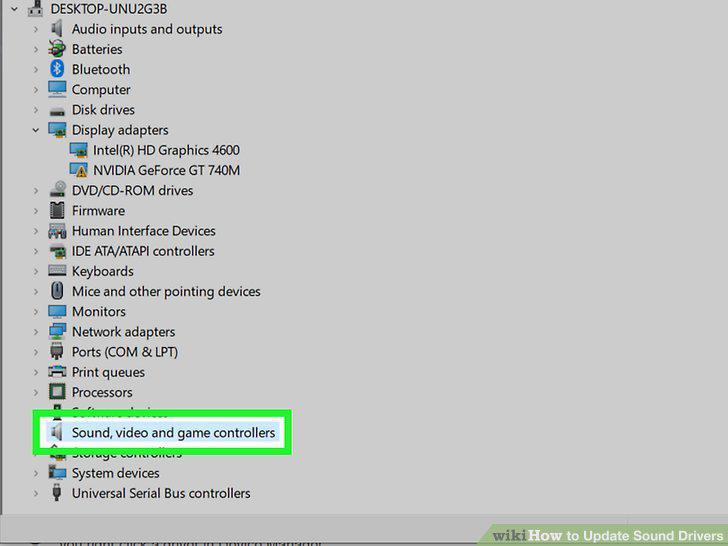
Click next to "Sound, video, and game controllers."
10
Right-click your audio driver.
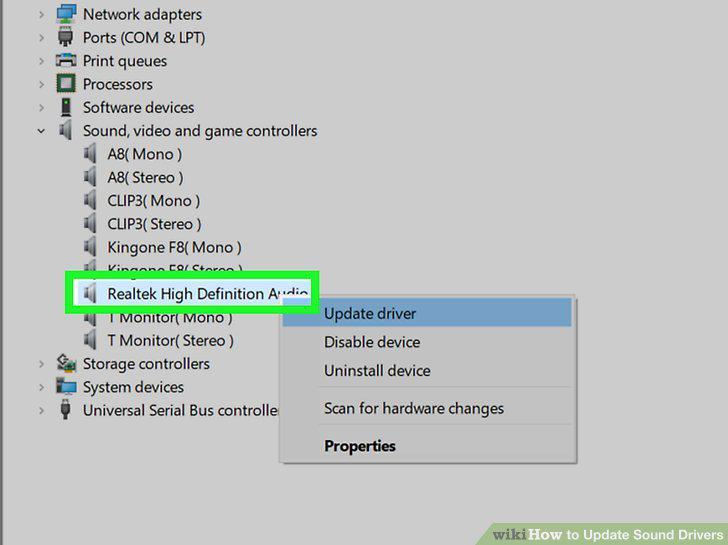
Right-click your audio driver.
11
Click Update Driver.
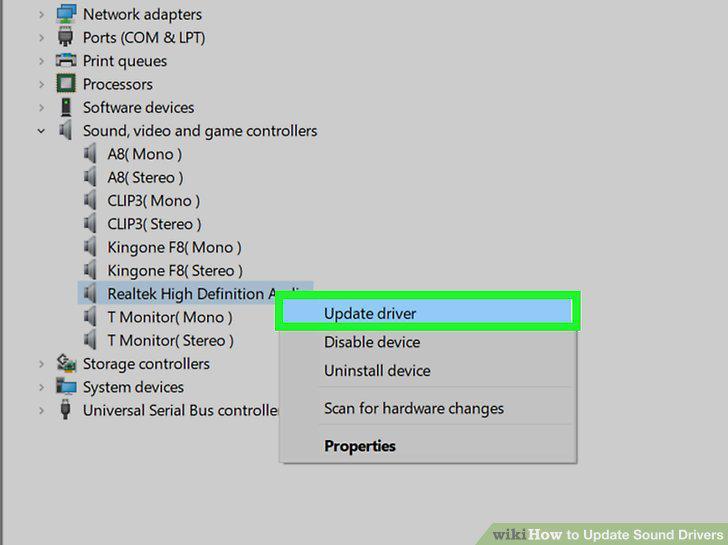
Click Update Driver.
12
Click Search automatically for updated driver software.
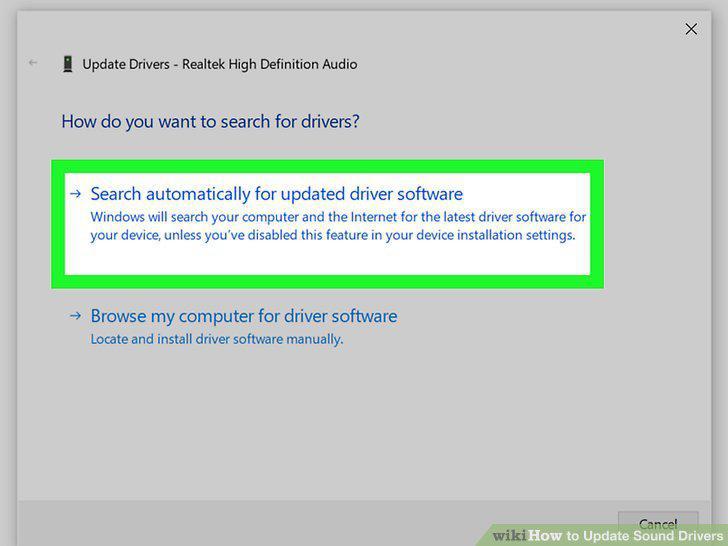
Click Search automatically for updated driver software.
13
Click Update Driver.
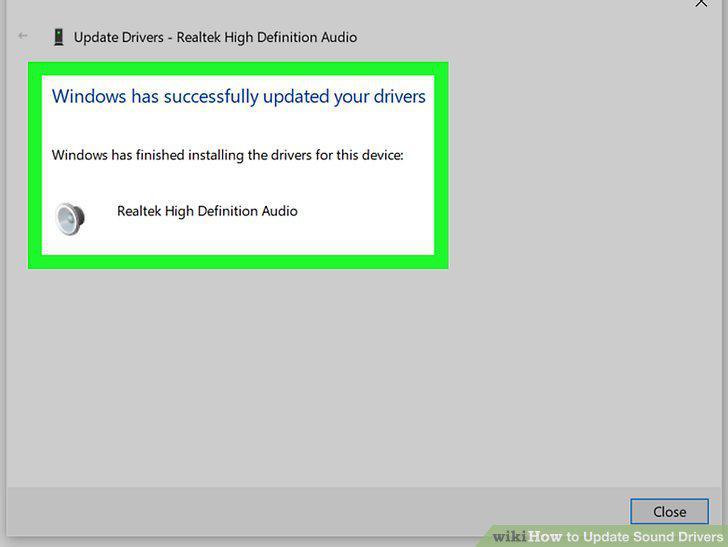
Click Update Driver.
14
Click the Apple icon .
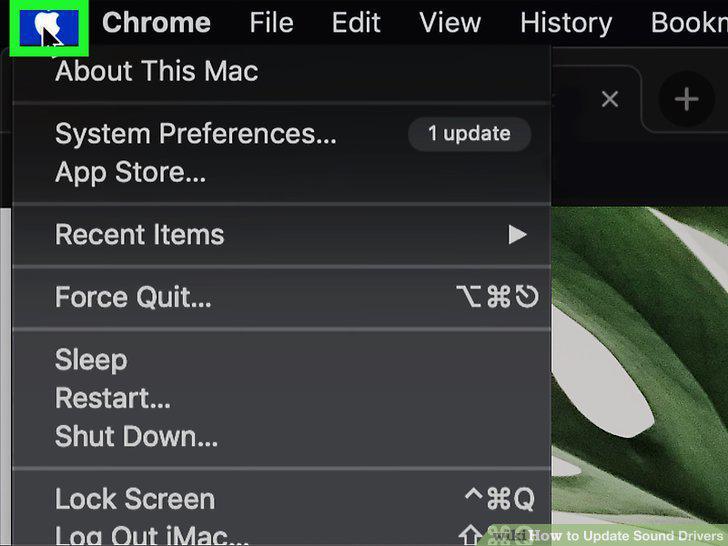
Click the Apple icon .
15
Click System Preferences.
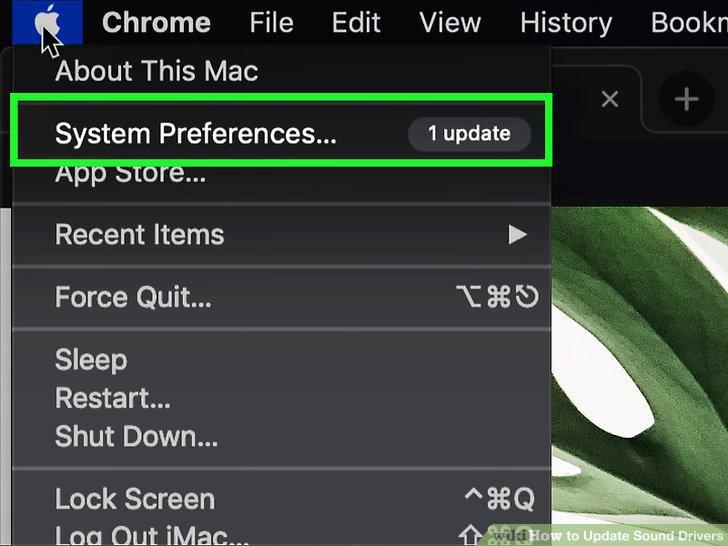
Click System Preferences.
16
Click Software Updates.
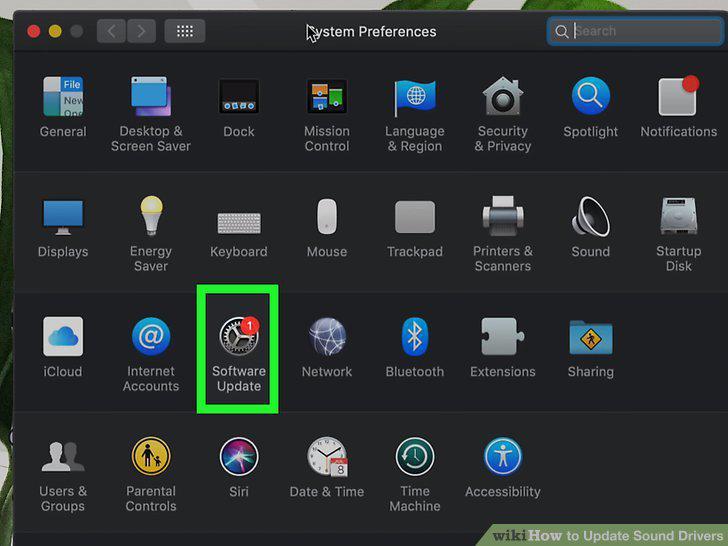
Click Software Updates.
17
Click Update Now.
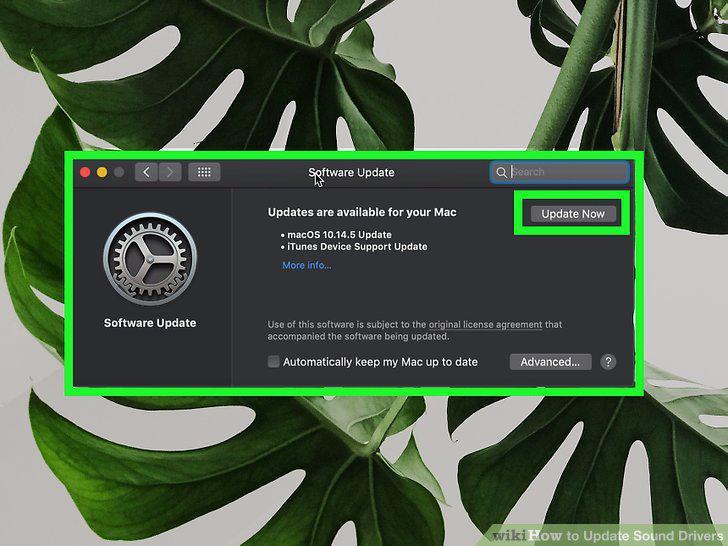
Click Update Now.
Comments (0)
No comments yet. Be the first to share your thoughts!