How to Rename a WordPress Theme
Go to your WordPress login and sign in with an administrative username and password.. Click Appearance.. Click Themes.
Steps
1
Go to your WordPress login and sign in with an administrative username and passw
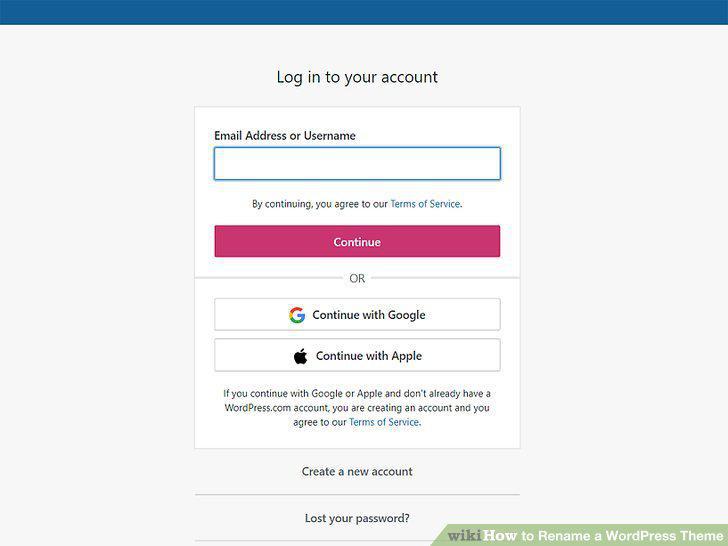
Go to your WordPress login and sign in with an administrative username and password.
2
Click Appearance.
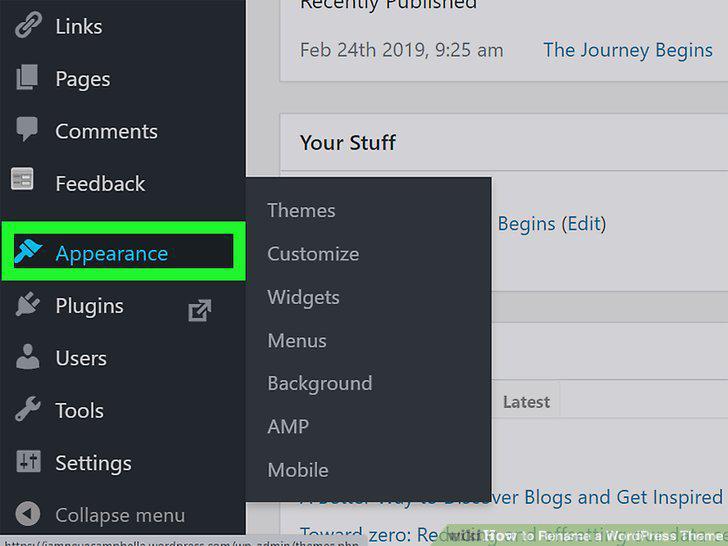
Click Appearance.
3
Click Themes.
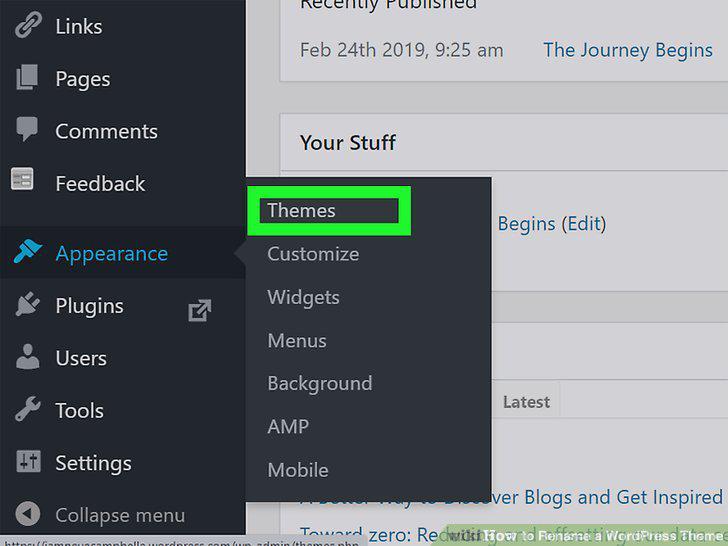
Click Themes.
4
Click Activate next to the theme you want to rename.
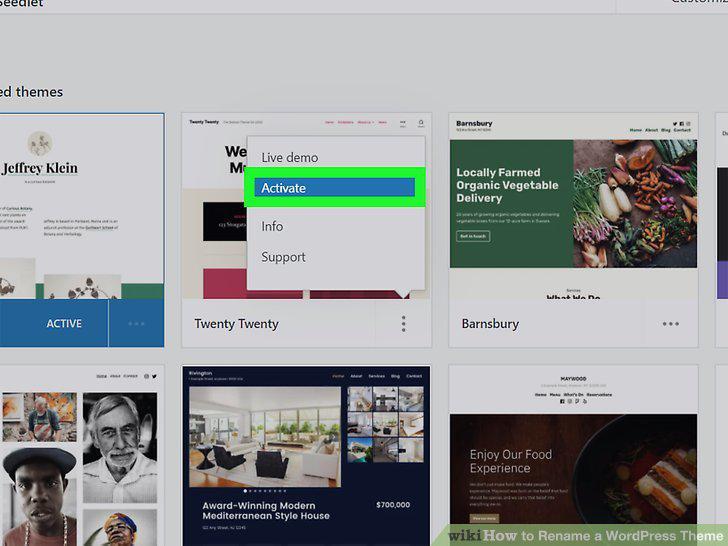
Click Activate next to the theme you want to rename.
5
Click Editor.
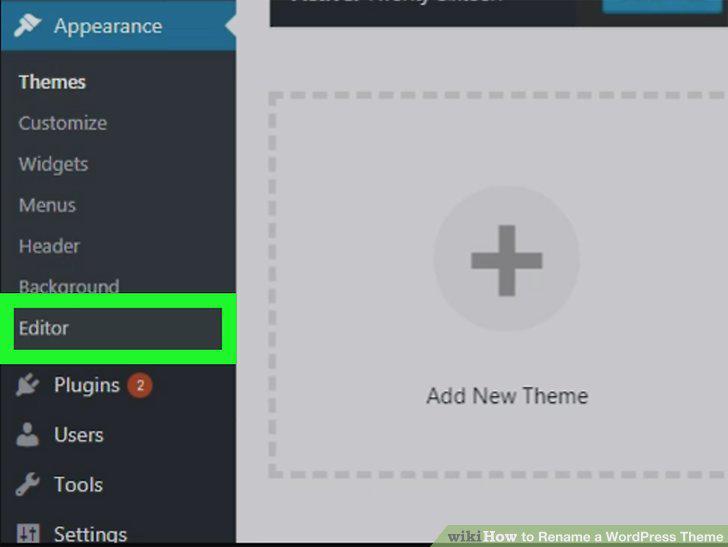
Click Editor.
6
Click Stylesheet.
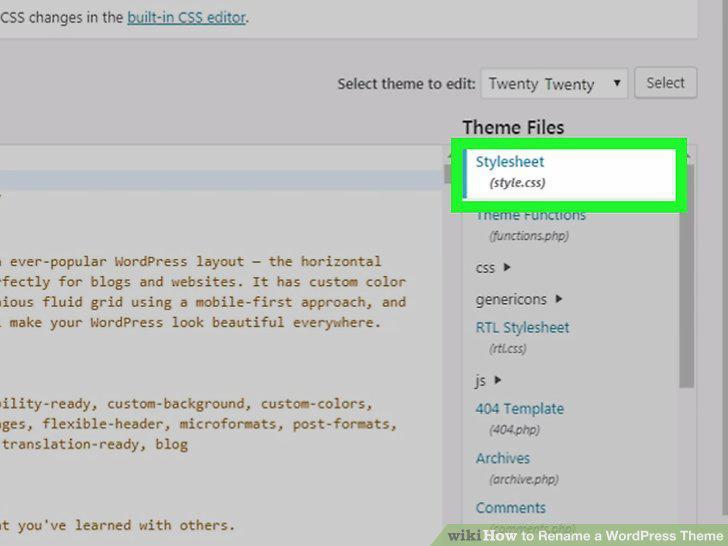
Click Stylesheet.
7
Change the theme name after "Theme Name:
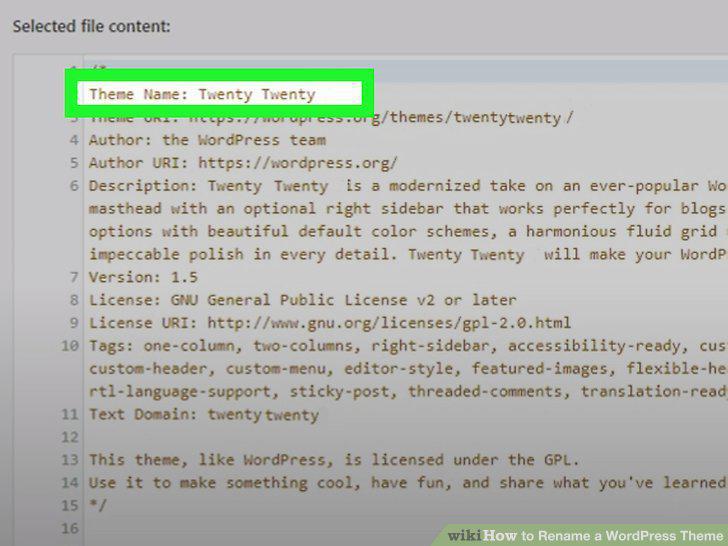
Change the theme name after "Theme Name:
8
Click Update File.
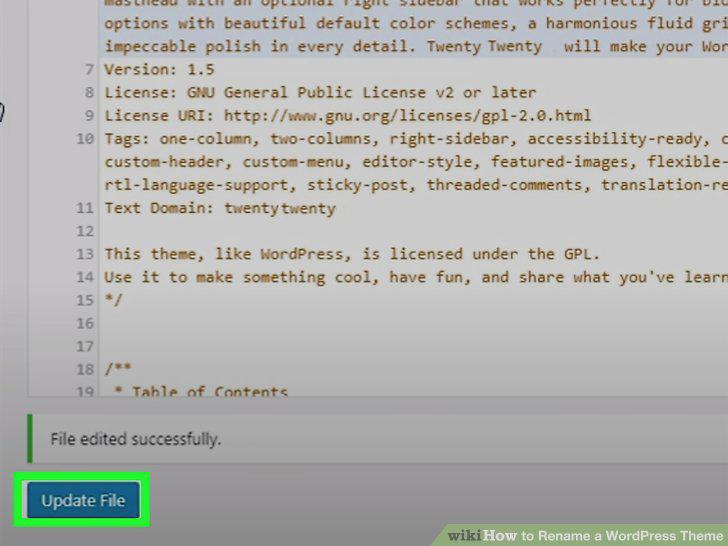
Click Update File.
Comments (0)
No comments yet. Be the first to share your thoughts!