How to Activate the Touch Screen on an HP Laptop
Open your computer's Device Manager.. Click the icon next to Human Interface Devices.. Select HID-compliant touch screen.
Steps
1
Open your computer's Device Manager.
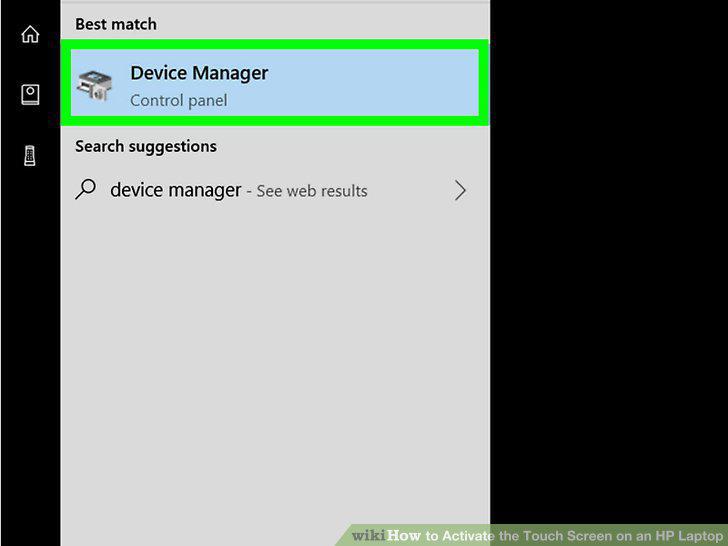
Open your computer's Device Manager.
2
Click the icon next to Human Interface Devices.
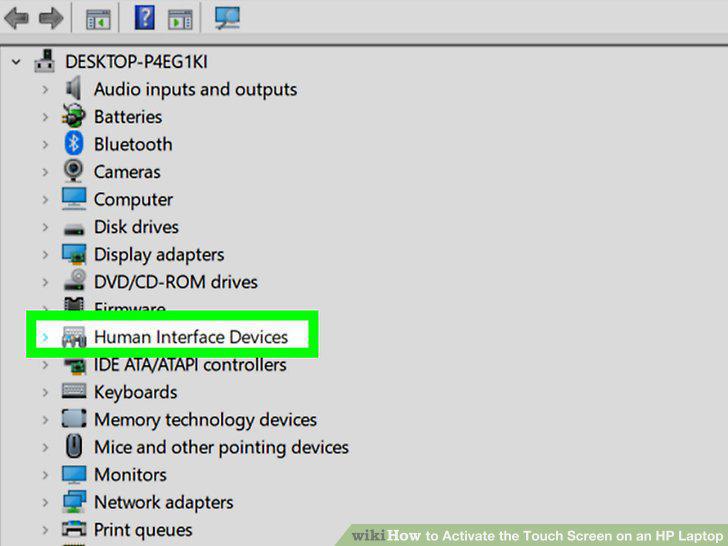
Click the icon next to Human Interface Devices.
3
Select HID-compliant touch screen.
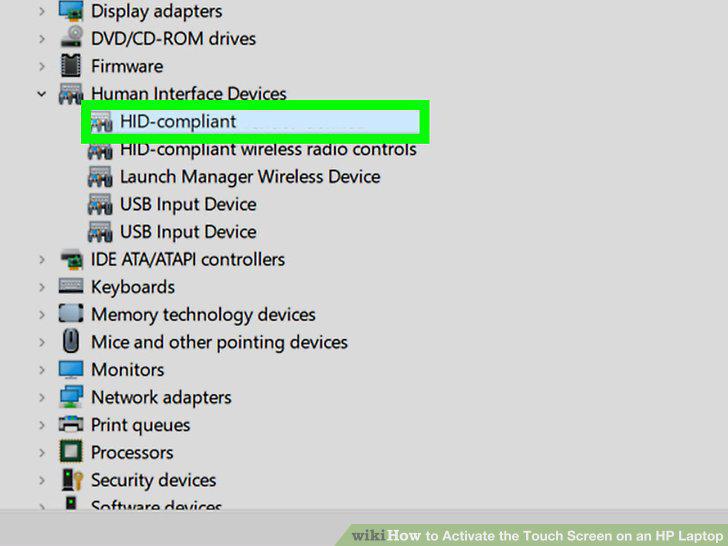
Select HID-compliant touch screen.
4
Click the Action tab.
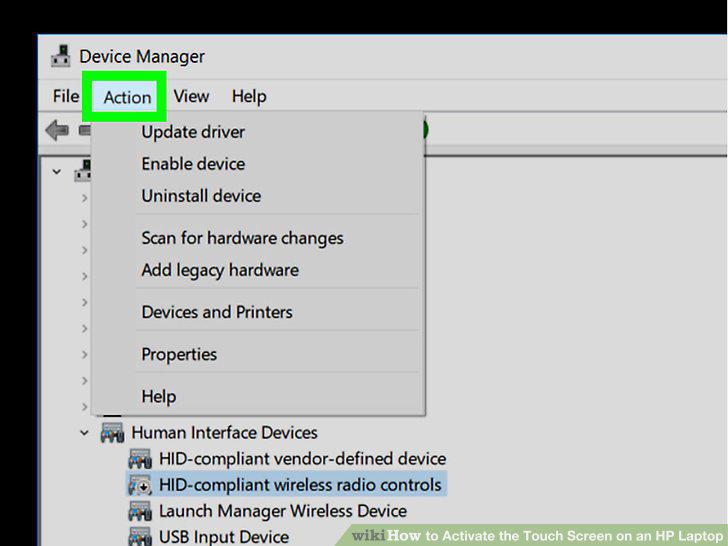
Click the Action tab.
5
Select Enable on the Action menu.
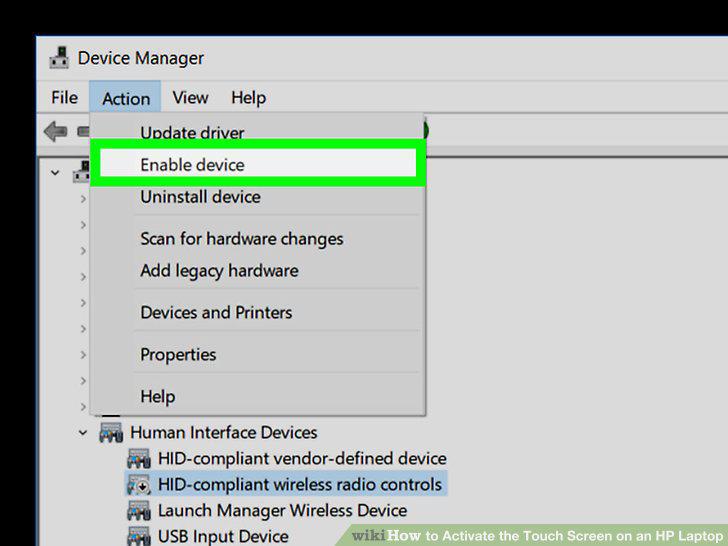
Select Enable on the Action menu.
Comments (0)
No comments yet. Be the first to share your thoughts!