How to Get Rid of a French Keyboard
Switch between keyboard languages (optional).. Open your Windows Settings .. Click Time & Language.
Steps
1
Switch between keyboard languages (optional).
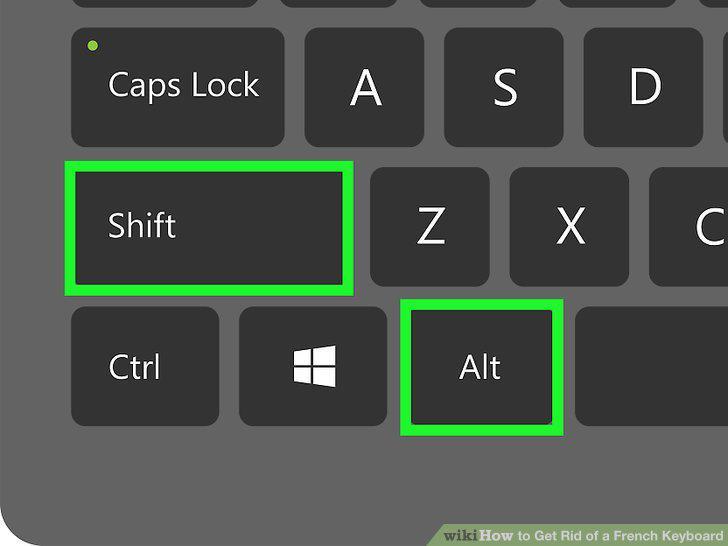
Switch between keyboard languages (optional).
2
Open your Windows Settings .
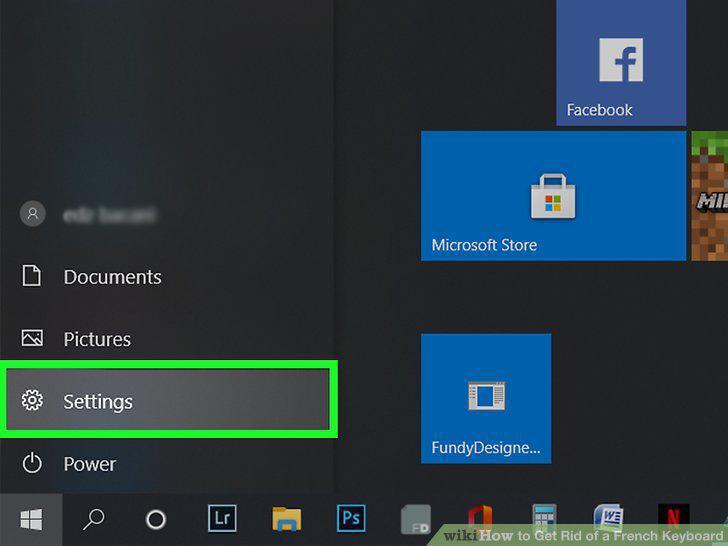
Open your Windows Settings .
3
Click Time & Language.
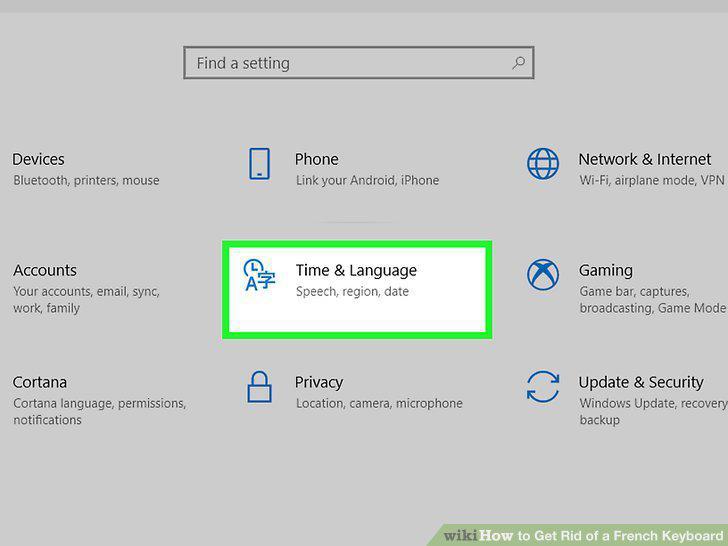
Click Time & Language.
4
Click Language in the left panel.
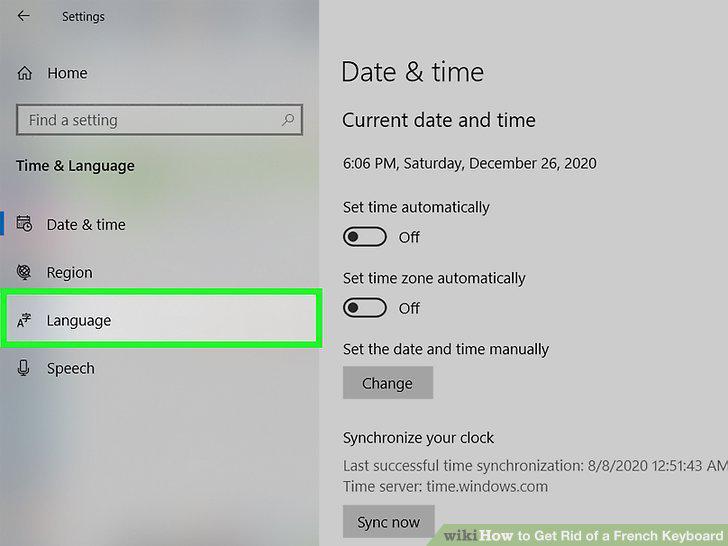
Click Language in the left panel.
5
Select the French language and click Options.
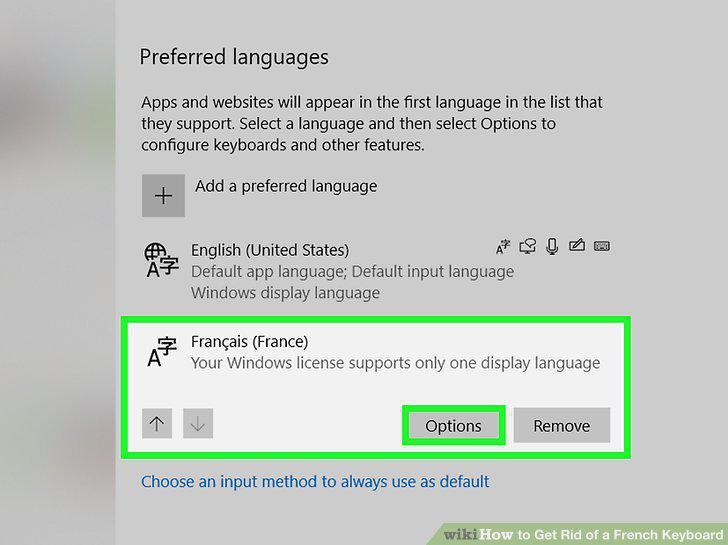
Select the French language and click Options.
6
Select the French keyboard and click Remove.
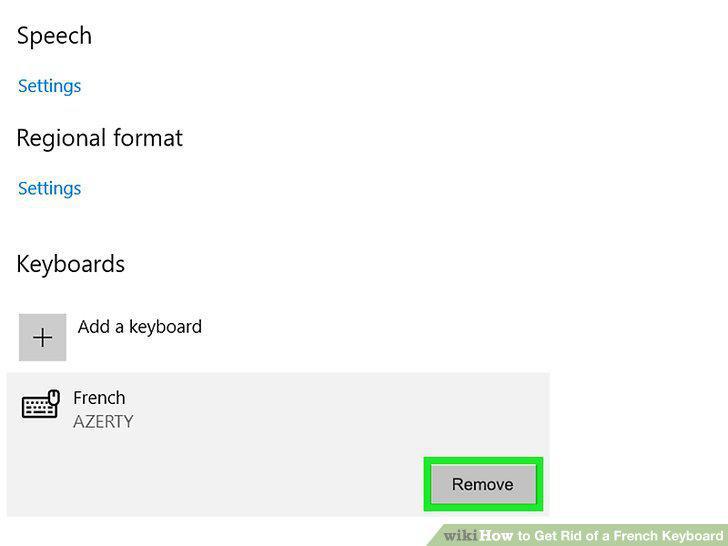
Select the French keyboard and click Remove.
7
Open your System Preferences.
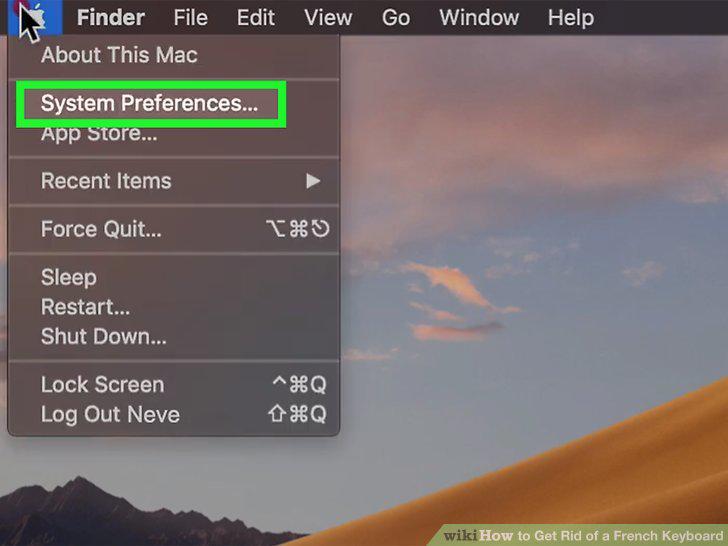
Open your System Preferences.
8
Click the Keyboard icon.
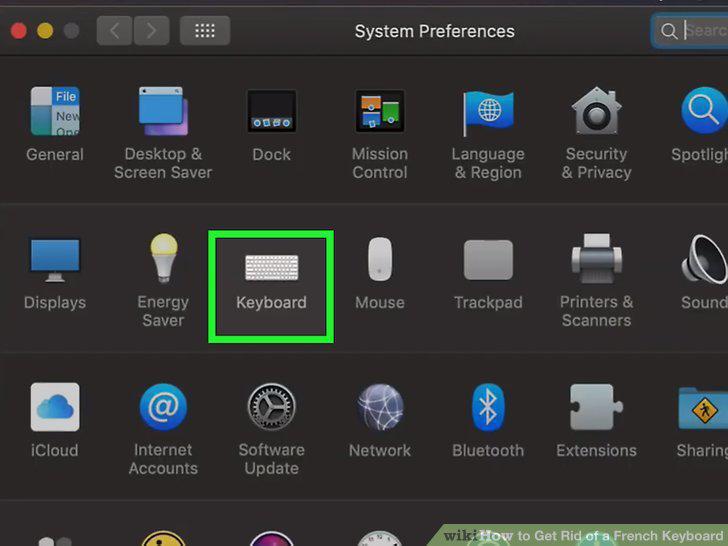
Click the Keyboard icon.
9
Click the Input Sources tab.
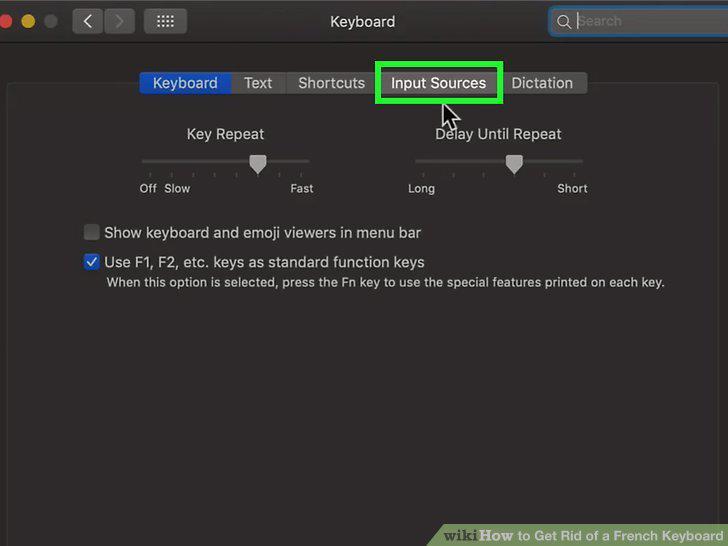
Click the Input Sources tab.
10
Add the input switcher to the menu bar (optional).
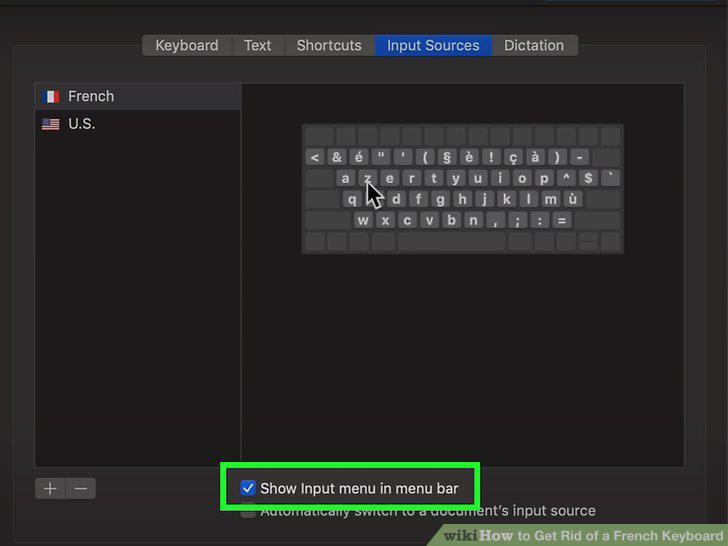
Add the input switcher to the menu bar (optional).
11
Select the French keyboard and click the minus sign.
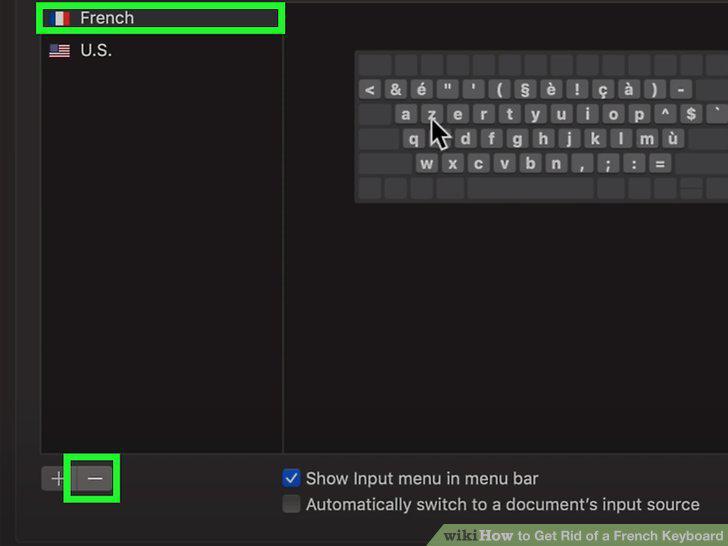
Select the French keyboard and click the minus sign.
Comments (0)
No comments yet. Be the first to share your thoughts!