How to Add a Watermark to a Page in Microsoft Word
Create a new or open an existing Microsoft Word document.. Click on the Design tab at the top of the window.. Click on Watermark in the upper-right part of the window.
Steps
1
Create a new or open an existing Microsoft Word document.

Create a new or open an existing Microsoft Word document.
2
Click on the Design tab at the top of the window.

Click on the Design tab at the top of the window.
3
Click on Watermark in the upper-right part of the window.
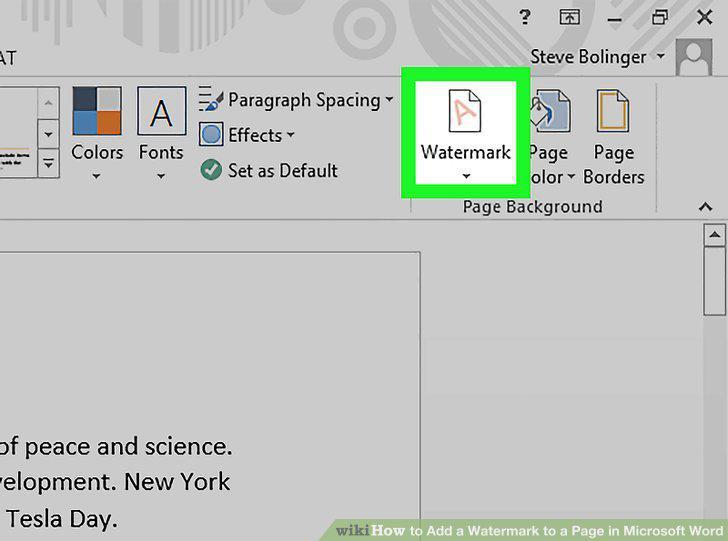
Click on Watermark in the upper-right part of the window.
4
Customize the watermark.
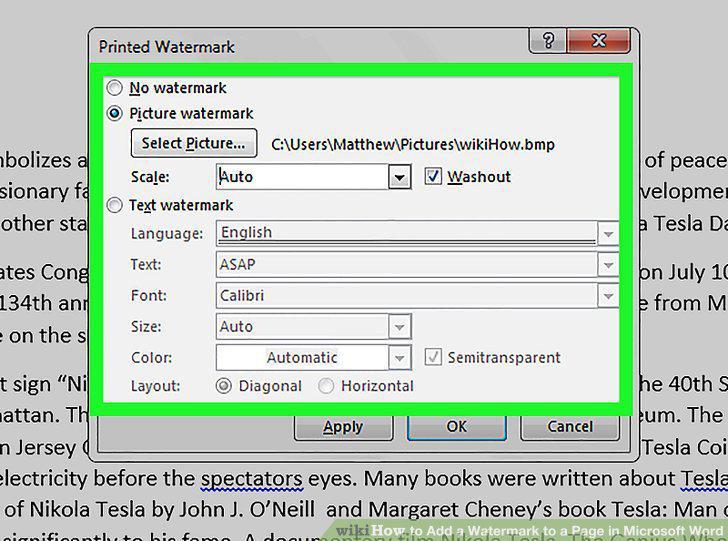
Customize the watermark.
5
Click on OK.
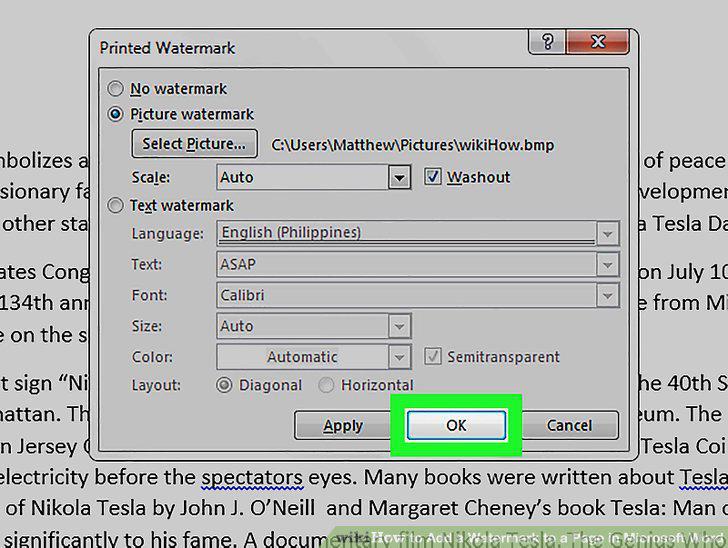
Click on OK.
Comments (0)
No comments yet. Be the first to share your thoughts!