How to Solve a Wechat Blocked Account Problem
Go to https://support.wechat.com/cgi-bin/mmsupport-bin/readtemplate?t=weixin_unlock_self&step=0.. Select your ID type.. Enter your WeChat ID, mobile number, email, or QQ ID.
Steps
1
Go to https://support.wechat.com/cgi-bin/mmsupport-bin/readtemplate?t=weixin_unl
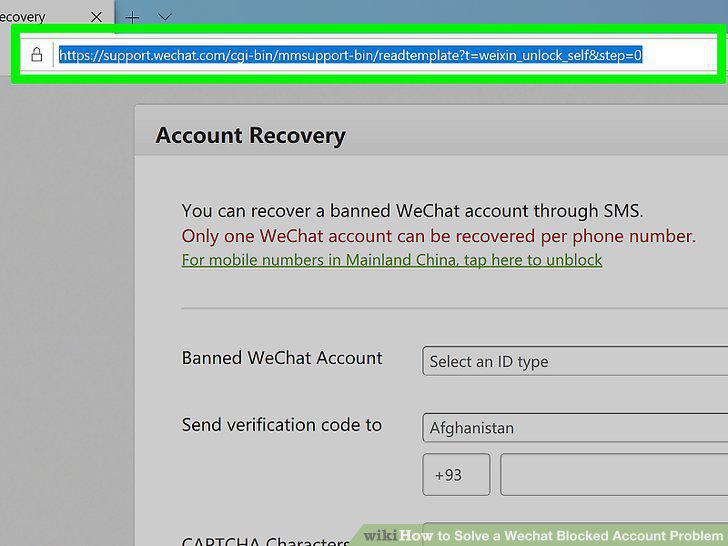
Go to https://support.wechat.com/cgi-bin/mmsupport-bin/readtemplate?t=weixin_unlock_self&step=0.
2
Select your ID type.
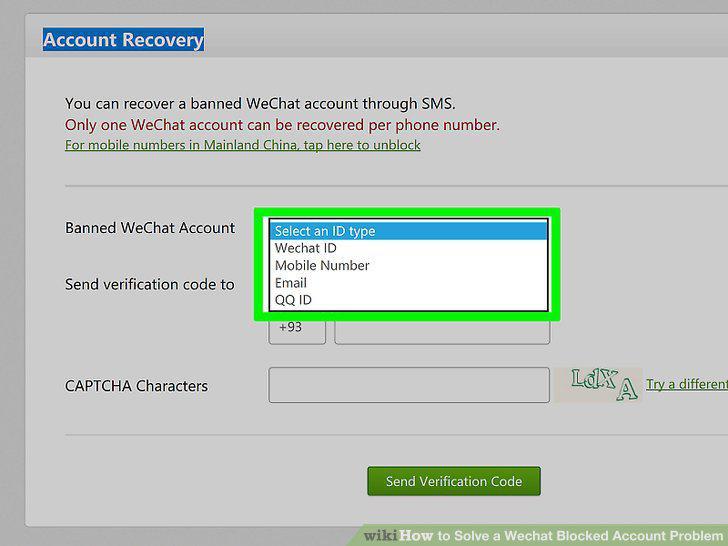
Select your ID type.
3
Enter your WeChat ID, mobile number, email, or QQ ID.
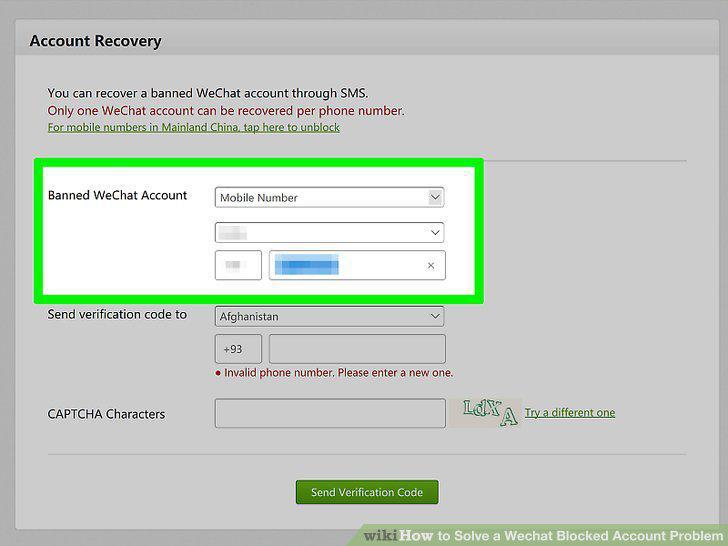
Enter your WeChat ID, mobile number, email, or QQ ID.
4
Select a country and enter your phone number next to "Send verification code to.
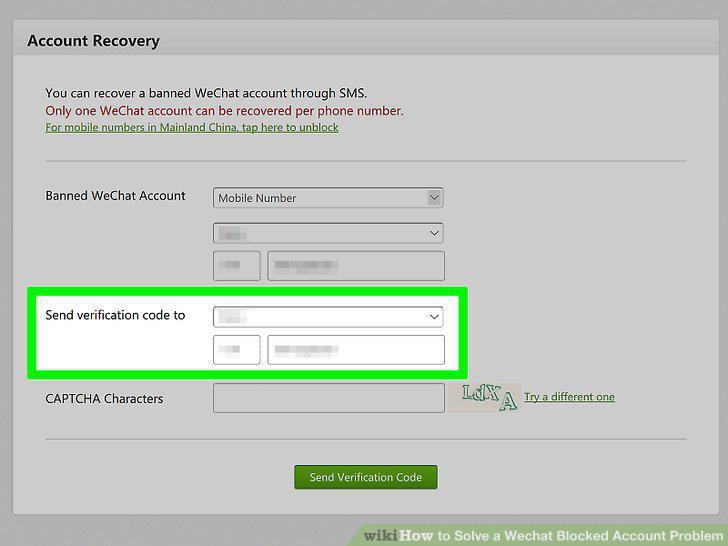
Select a country and enter your phone number next to "Send verification code to.
5
Enter the CAPTCHA characters.
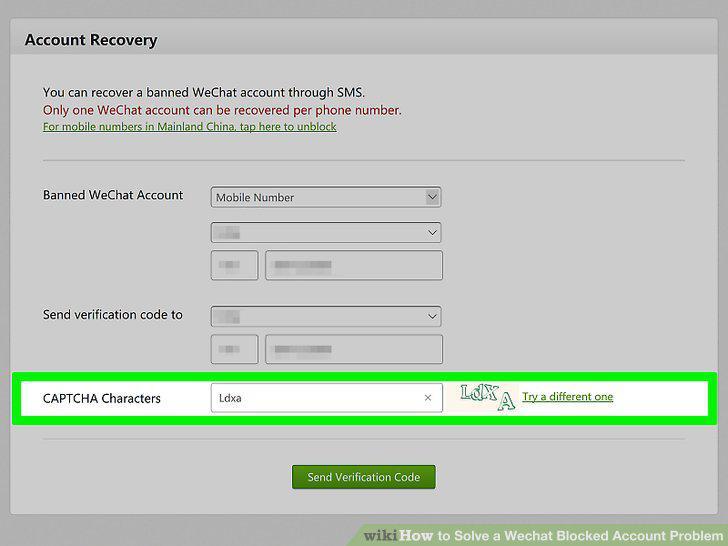
Enter the CAPTCHA characters.
6
Click Send Verification Code.
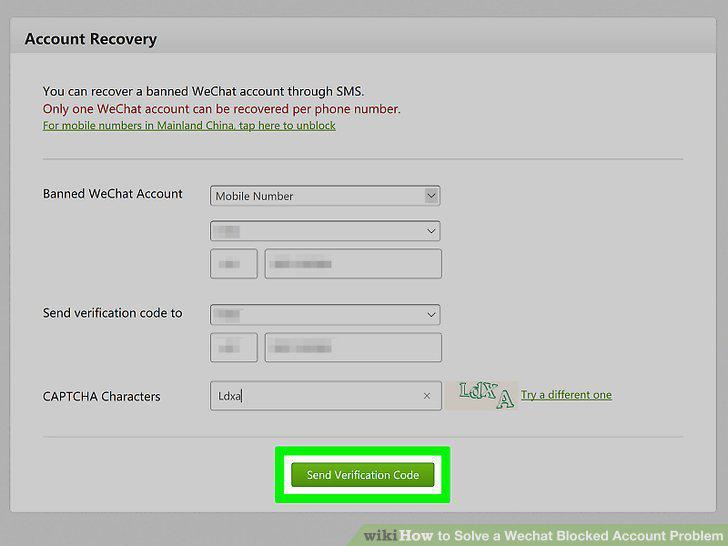
Click Send Verification Code.
7
Follow the instructions included with the code.
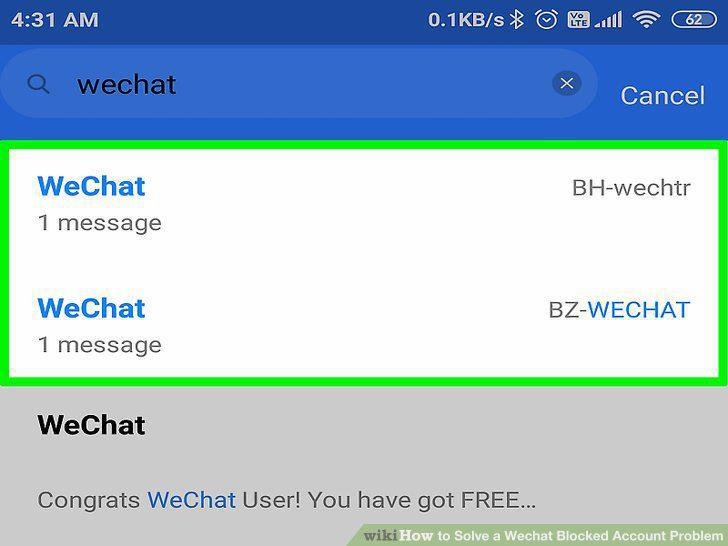
Follow the instructions included with the code.
Comments (0)
No comments yet. Be the first to share your thoughts!