How to Convert Files on PC or Mac
Go to https://cloudconvert.com/ in a web browser.. Click the first link that says anything.. Select the category that describes your file.
Steps
1
Go to https://cloudconvert.com/ in a web browser.
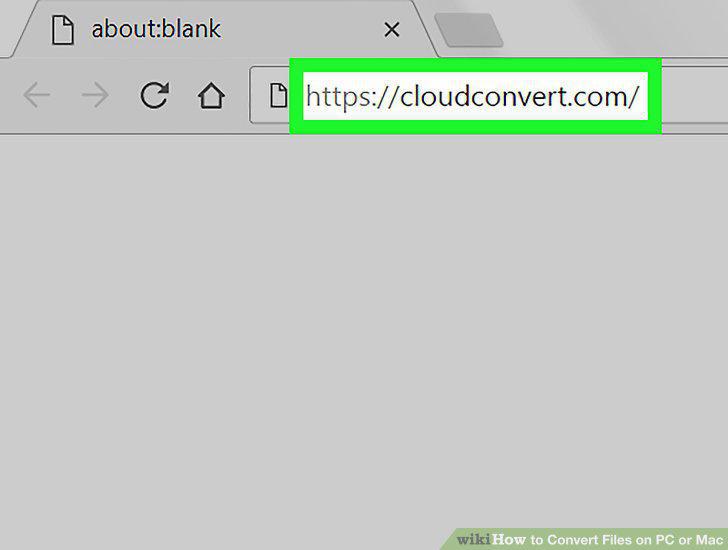
Go to https://cloudconvert.com/ in a web browser.
2
Click the first link that says anything.
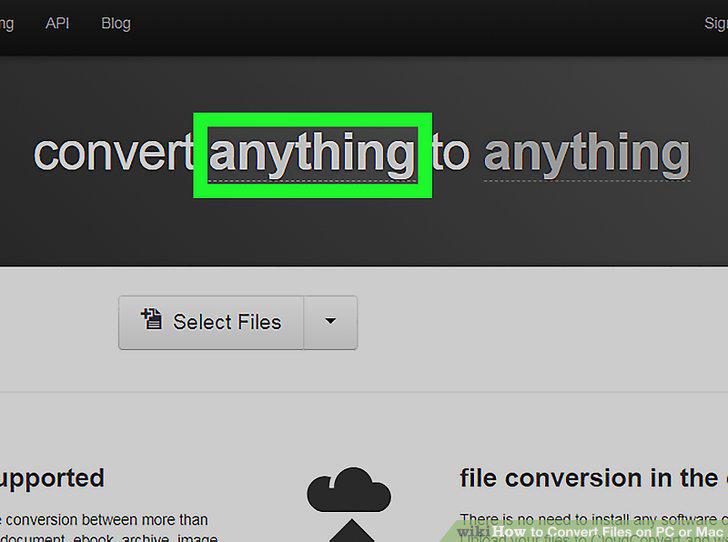
Click the first link that says anything.
3
Select the category that describes your file.
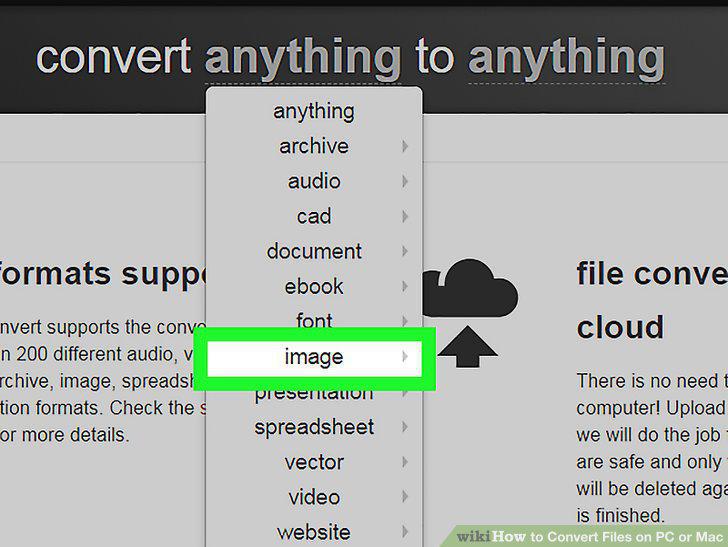
Select the category that describes your file.
4
Click the file type.
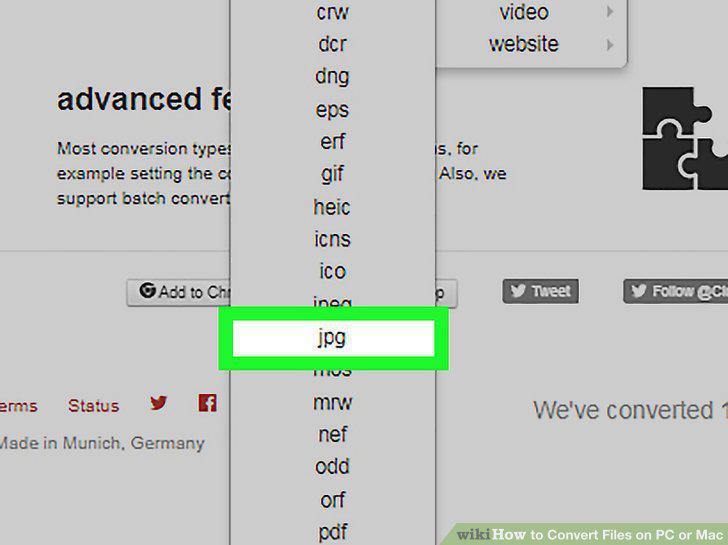
Click the file type.
5
Click the second instance of anything.
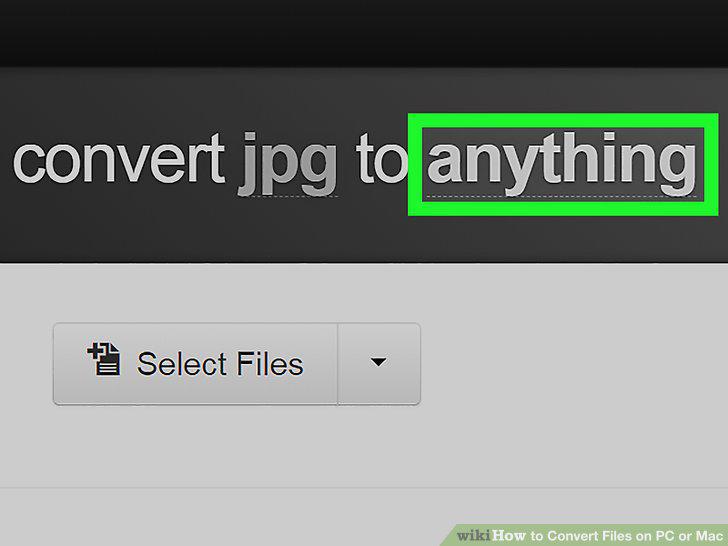
Click the second instance of anything.
6
Click a file format.
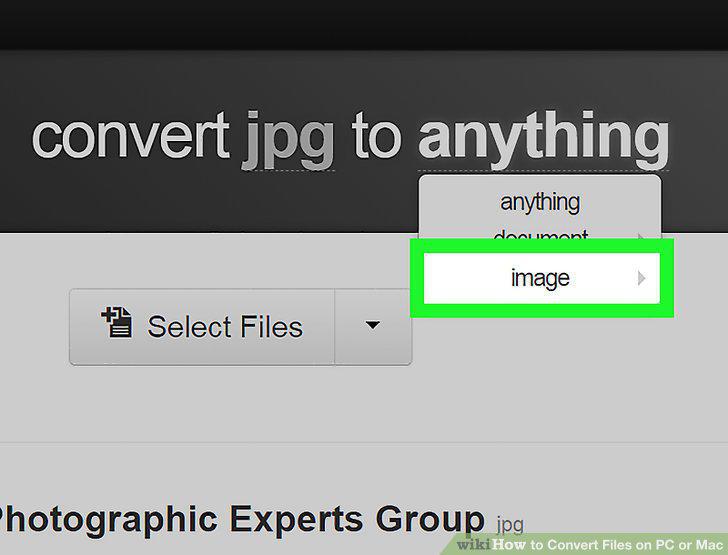
Click a file format.
7
Click Select Files.
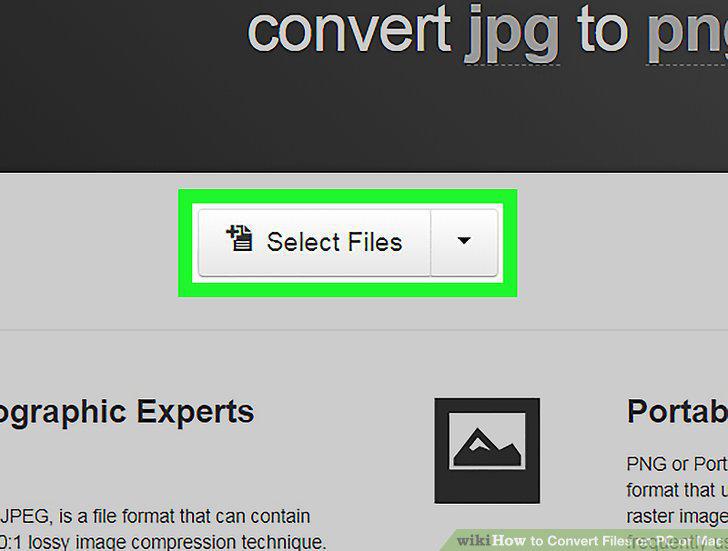
Click Select Files.
8
Select the file you want to convert and click Open.
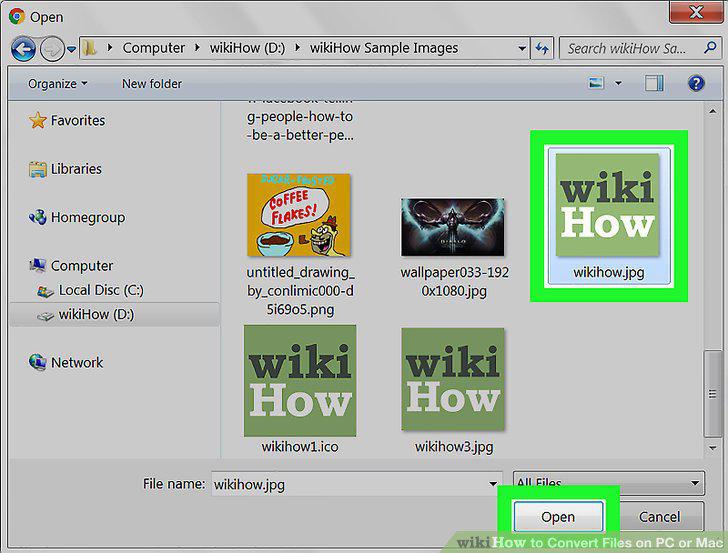
Select the file you want to convert and click Open.
9
Click Start Conversion.
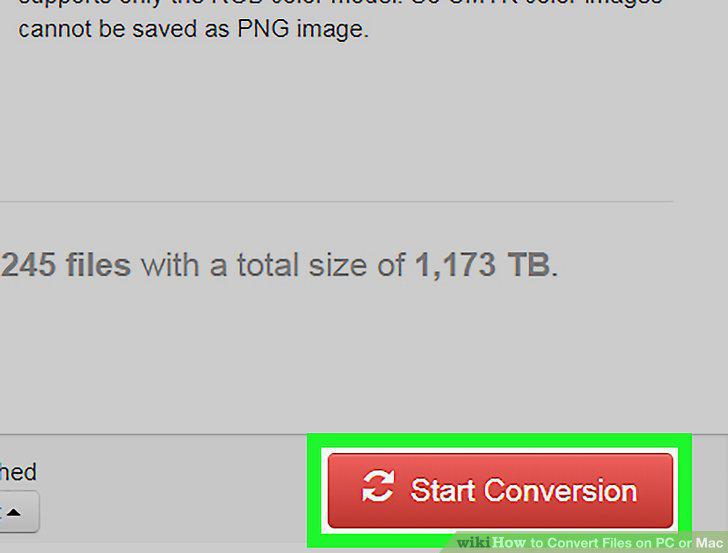
Click Start Conversion.
10
Click Download.
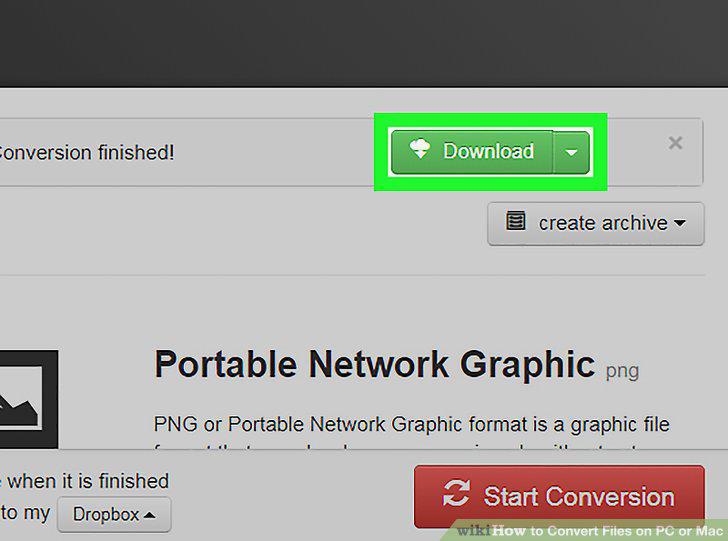
Click Download.
Comments (0)
No comments yet. Be the first to share your thoughts!