How to Import Web Data Into Excel on PC or Mac
Open an Excel file on your computer.. Click an empty cell in the spreadsheet.. Click the Data tab.
Steps
1
Open an Excel file on your computer.
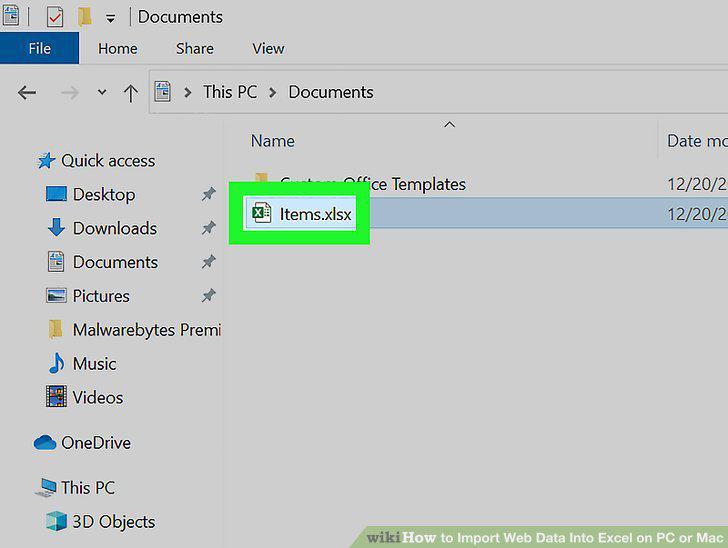
Open an Excel file on your computer.
2
Click an empty cell in the spreadsheet.
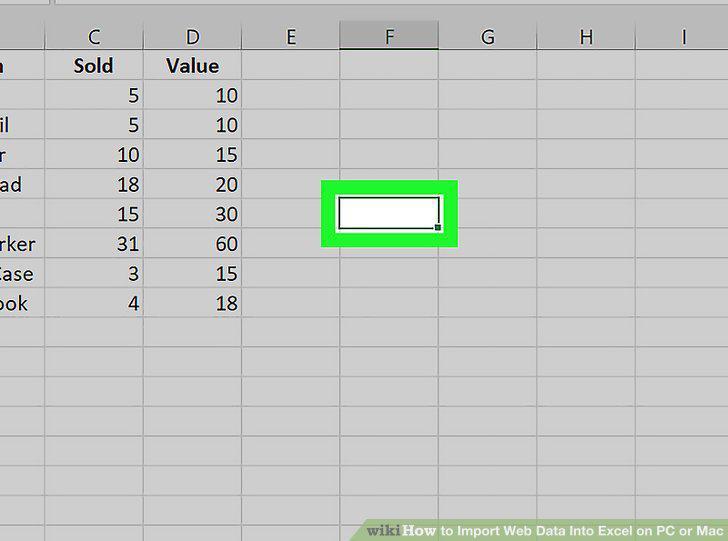
Click an empty cell in the spreadsheet.
3
Click the Data tab.
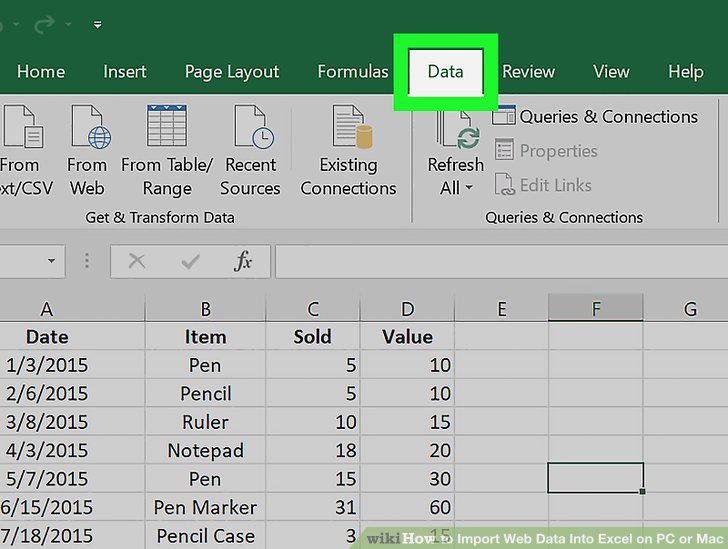
Click the Data tab.
4
Click From Web on the Data ribbon.
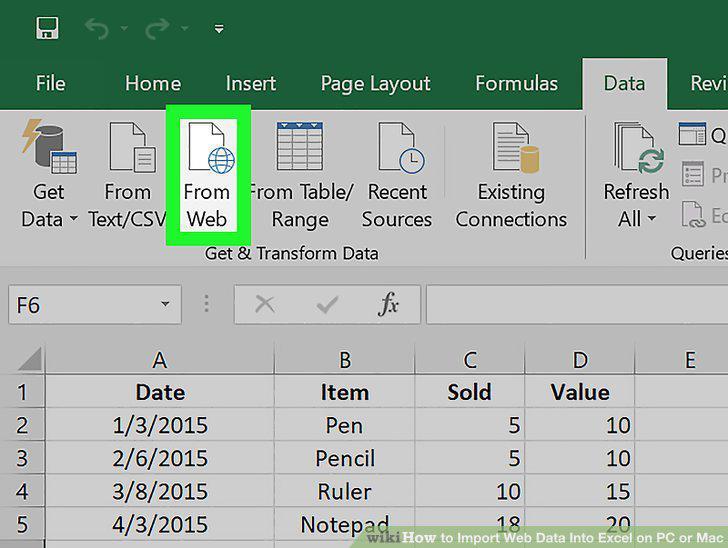
Click From Web on the Data ribbon.
5
Enter the website URL and click OK.
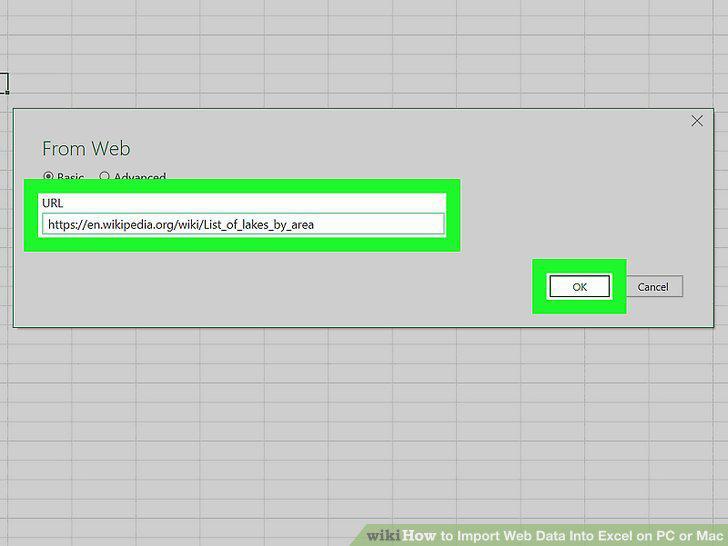
Enter the website URL and click OK.
6
Click Connect to access the site anonymously.
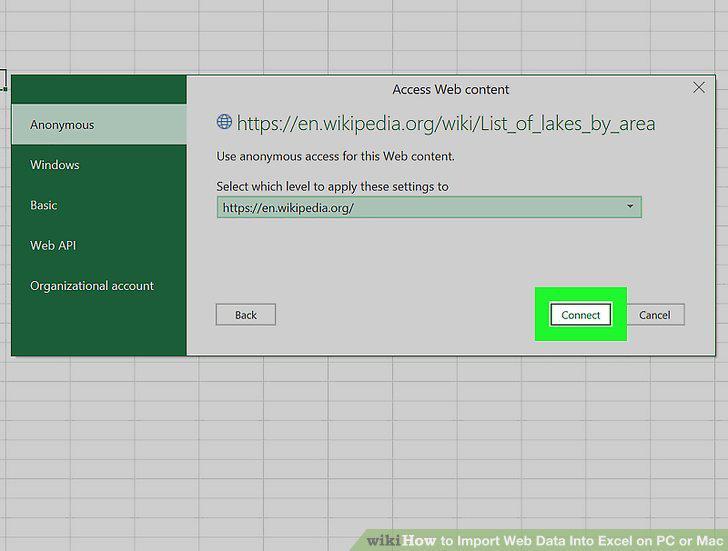
Click Connect to access the site anonymously.
7
Select a table.
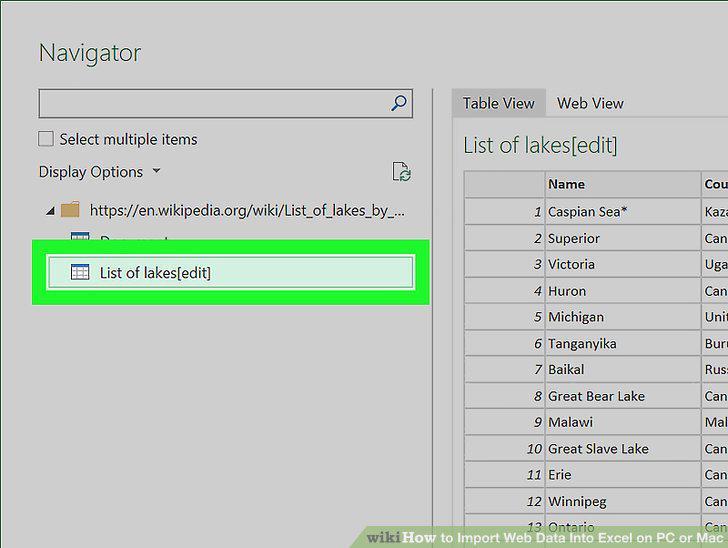
Select a table.
8
Click the Load button.
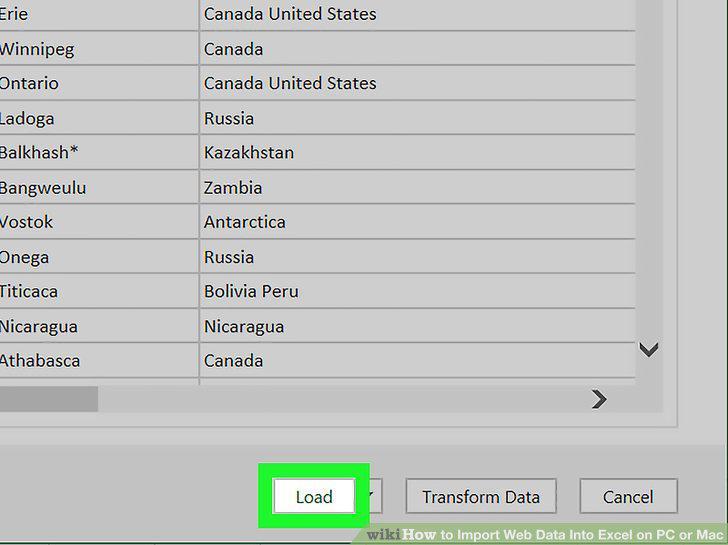
Click the Load button.
Comments (0)
No comments yet. Be the first to share your thoughts!