Steps
1
Open Zoom.
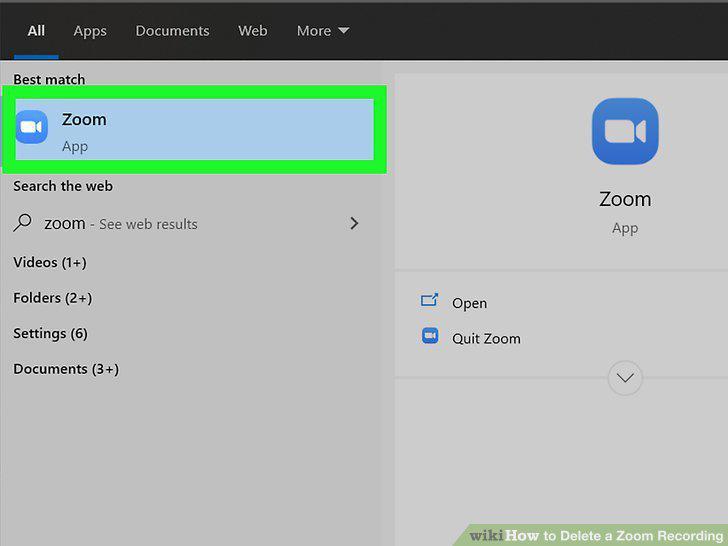
Open Zoom.
2
Click Meetings.
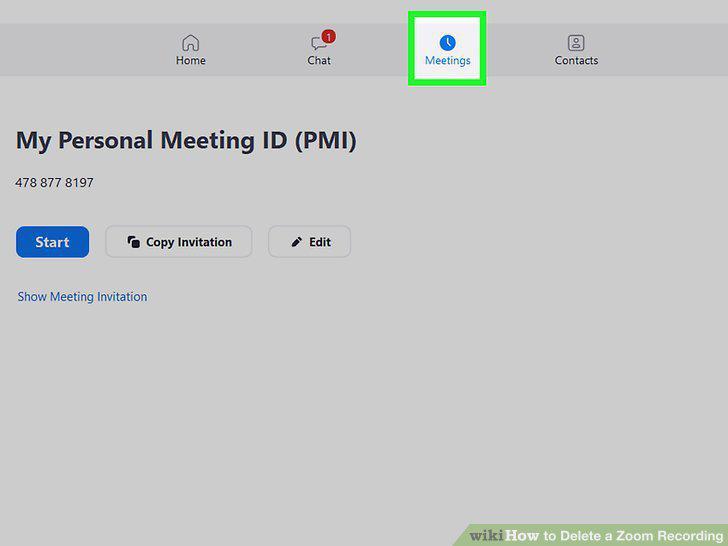
Click Meetings.
3
Click the Recorded tab.
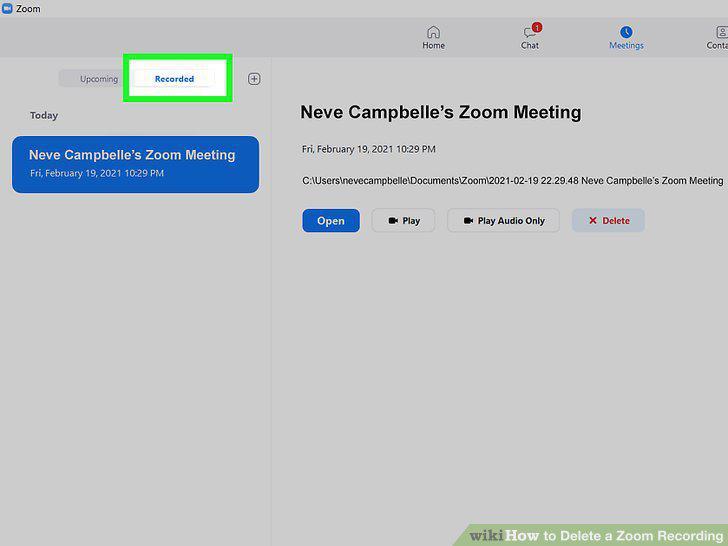
Click the Recorded tab.
4
Click the meeting you want to delete.
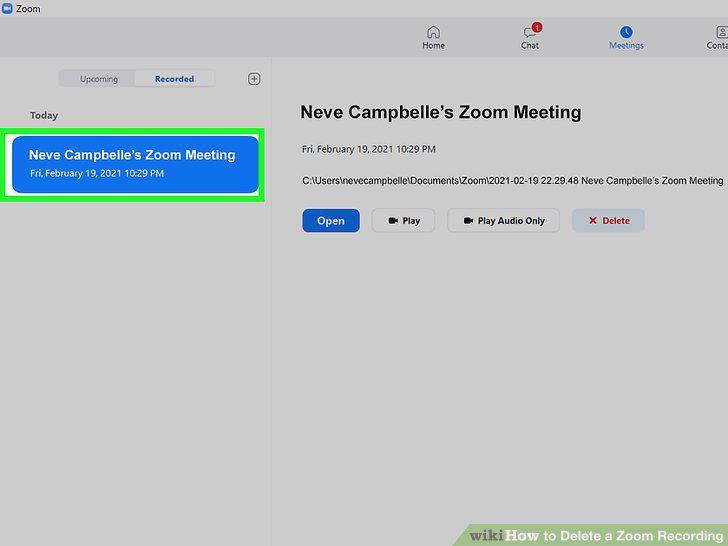
Click the meeting you want to delete.
5
Click Delete.
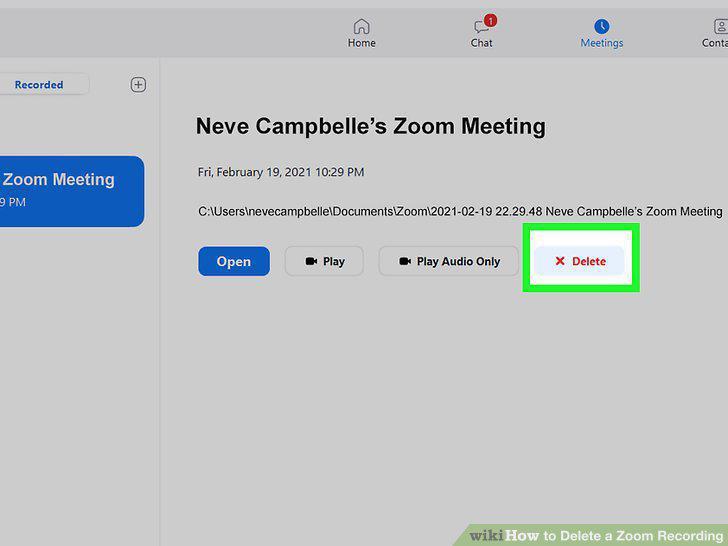
Click Delete.
6
Go to https://zoom.us/profile and sign in.
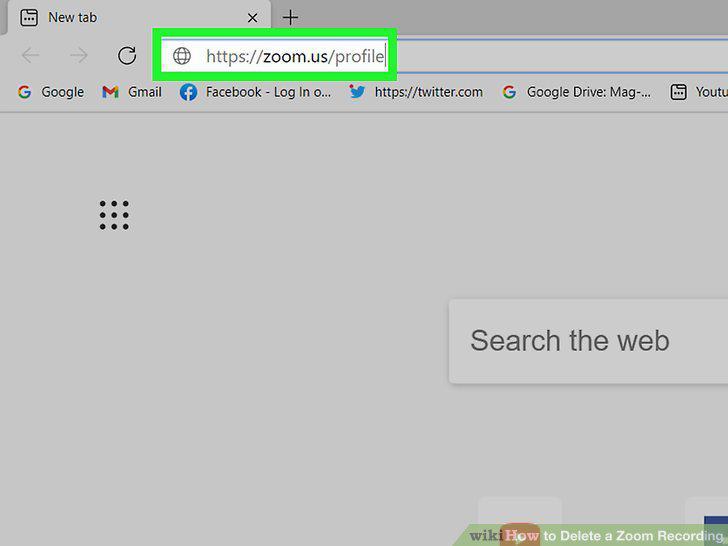
Go to https://zoom.us/profile and sign in.
7
Click Recordings (if you're a "User").
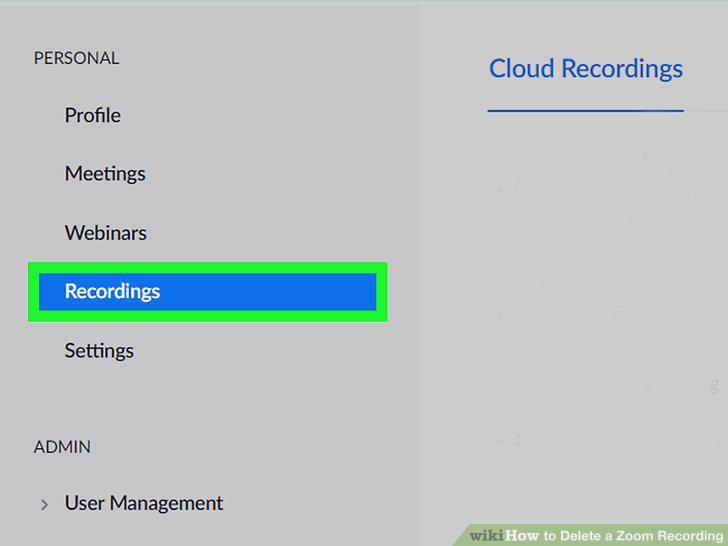
Click Recordings (if you're a "User").
8
Click a meeting you want to delete.
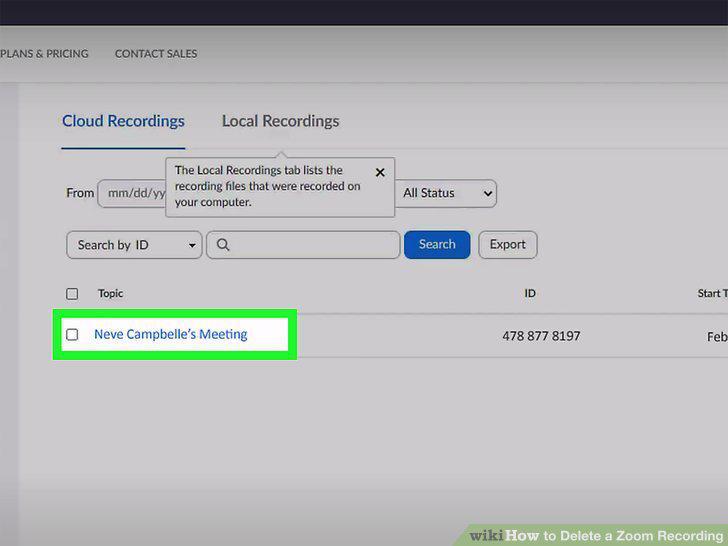
Click a meeting you want to delete.
9
Click More (only if you're deleting one recording).
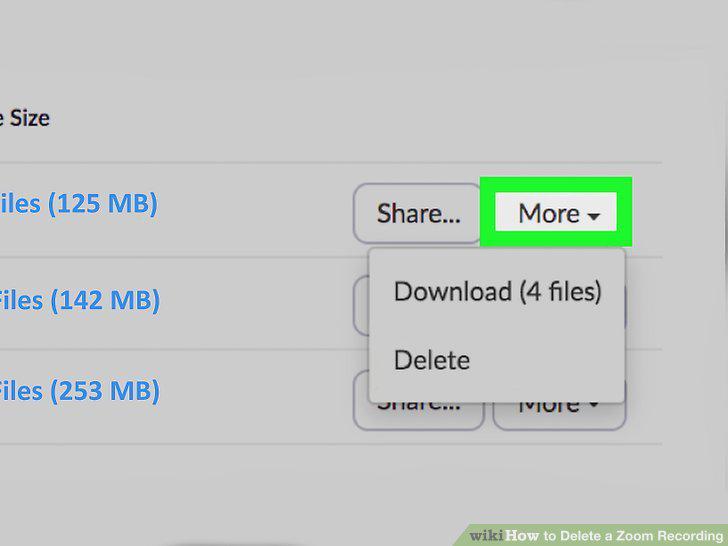
Click More (only if you're deleting one recording).
10
Click Delete (from the "More" menu) or Delete Selected (if you're using the chec
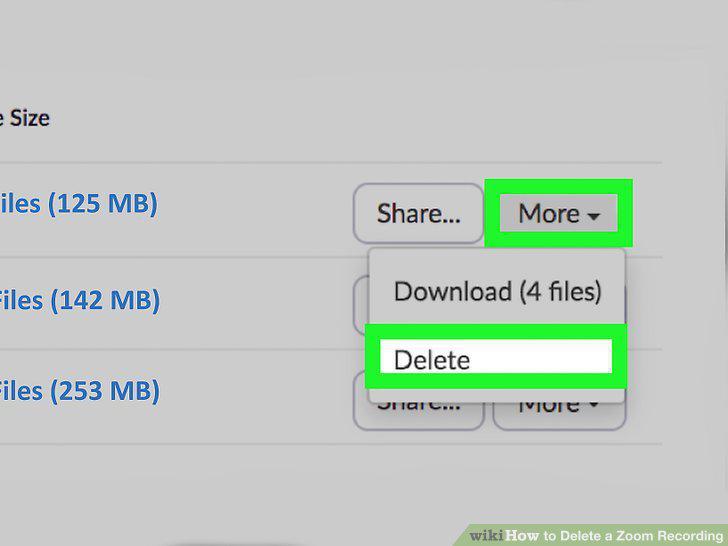
Click Delete (from the "More" menu) or Delete Selected (if you're using the checkboxes to mark more than one recording).
Comments (0)
No comments yet. Be the first to share your thoughts!