How to Change Business Type on Facebook on PC or Mac
Open Facebook in your internet browser.. Click Pages under the EXPLORE heading on the left panel.. Click the page you want to edit.
Steps
1
Open Facebook in your internet browser.
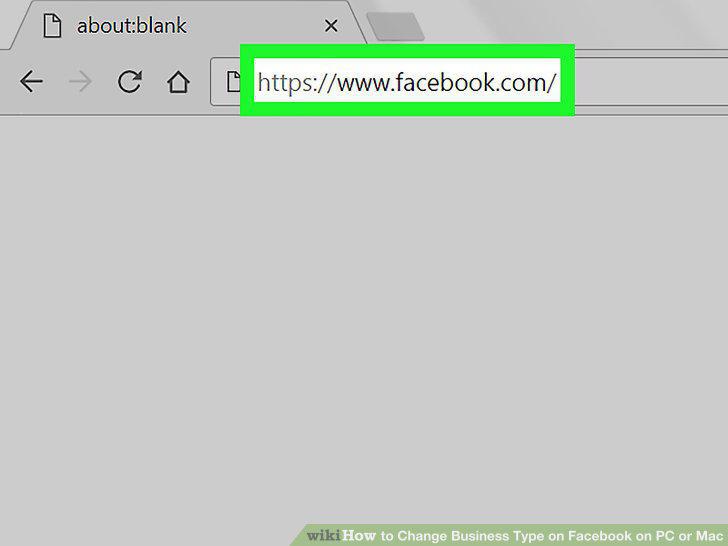
Open Facebook in your internet browser.
2
Click Pages under the EXPLORE heading on the left panel.
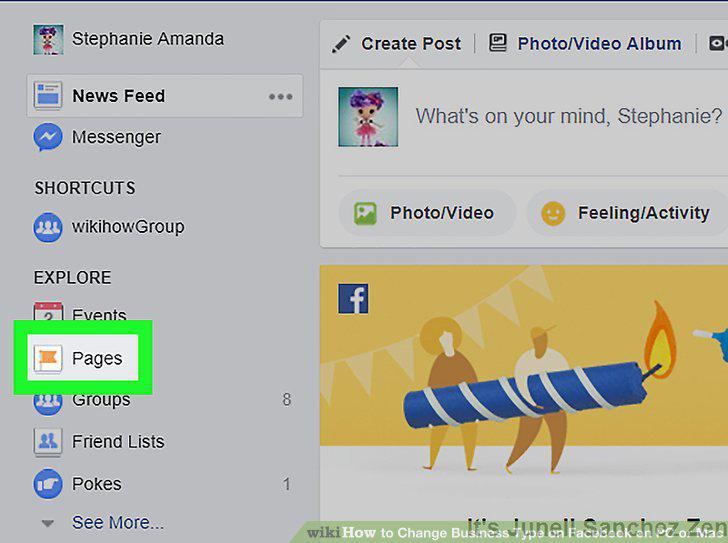
Click Pages under the EXPLORE heading on the left panel.
3
Click the page you want to edit.
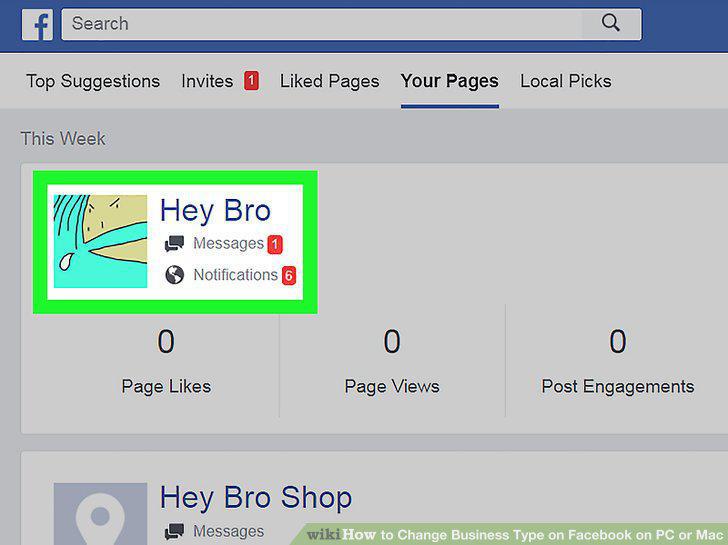
Click the page you want to edit.
4
Click About below your page's profile picture.
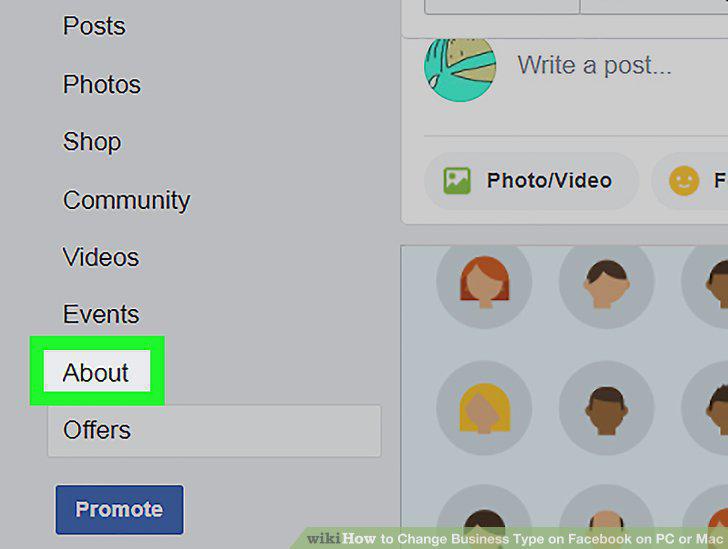
Click About below your page's profile picture.
5
Click the Edit button next to Category.
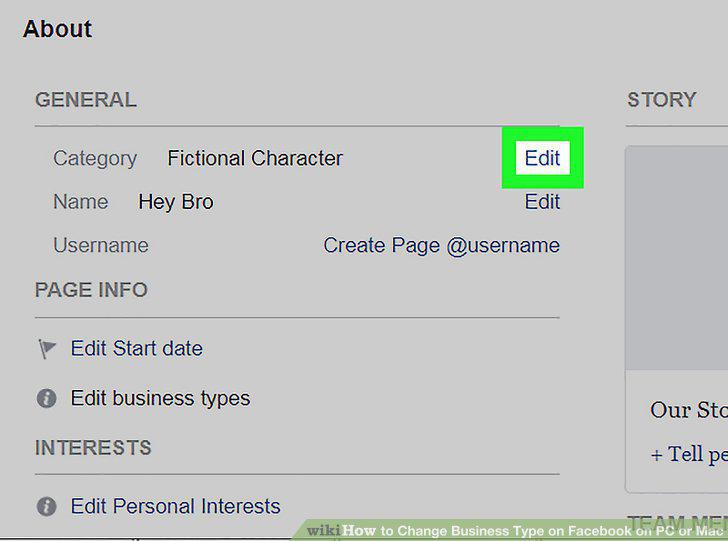
Click the Edit button next to Category.
6
Enter a new category into the text field.
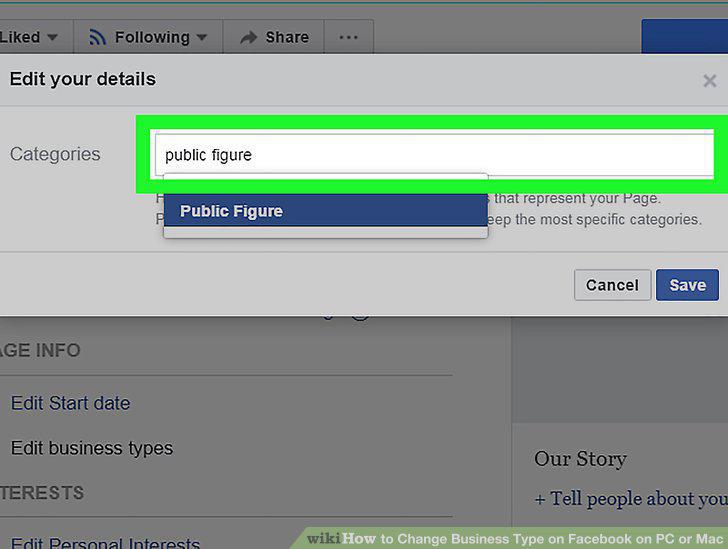
Enter a new category into the text field.
7
Select a category from the drop-down menu.
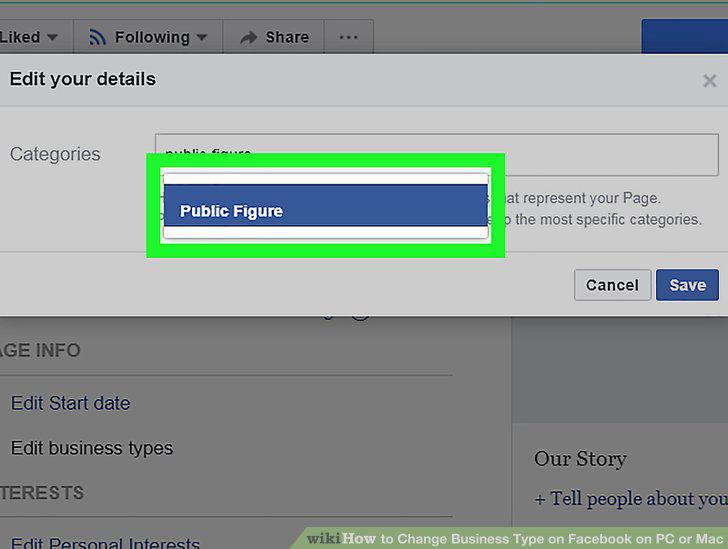
Select a category from the drop-down menu.
8
Click the blue Save button.
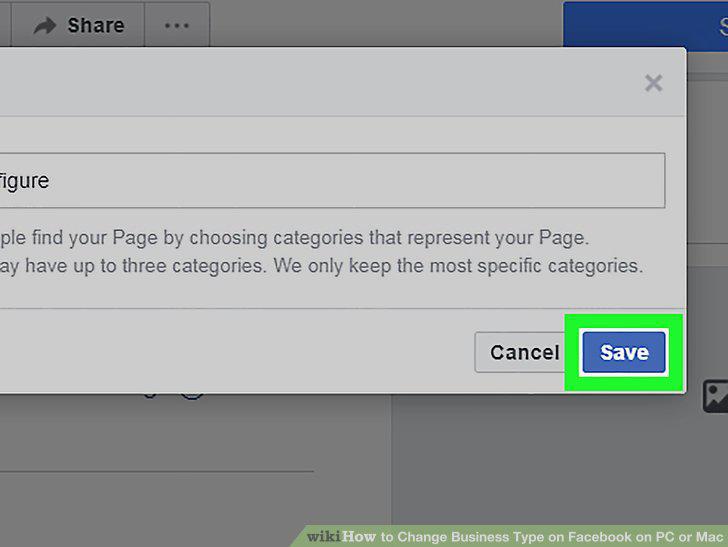
Click the blue Save button.
Comments (0)
No comments yet. Be the first to share your thoughts!