How to Defrag a Computer
Open the Control Panel.. Select Small icons from the "View by" menu.. Click Administrative Tools.
Steps
Open the Control Panel.
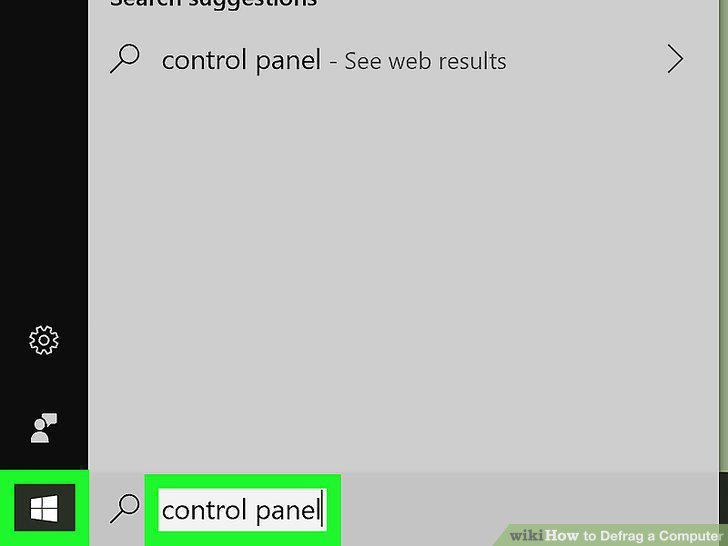
Open the Control Panel.
Select Small icons from the "View by" menu.
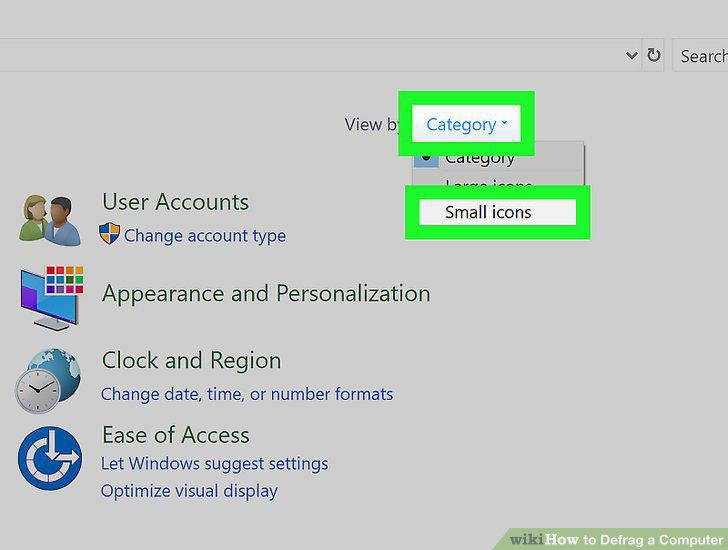
Select Small icons from the "View by" menu.
Click Administrative Tools.
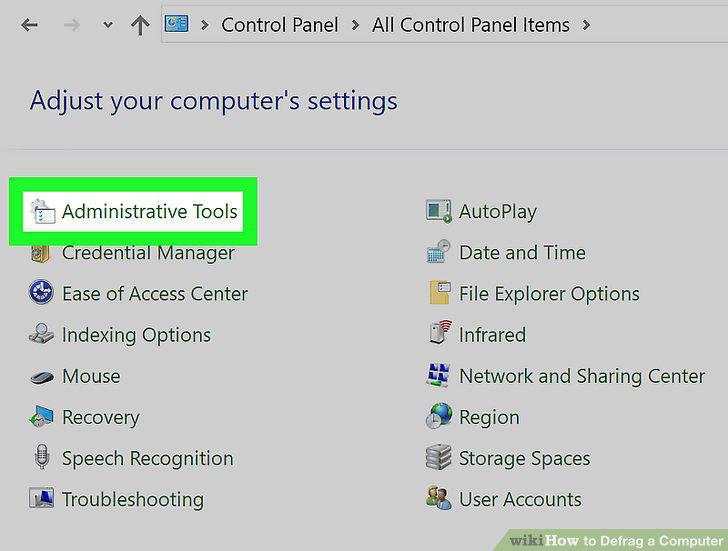
Click Administrative Tools.
Double-click Defragment and Optimize Drives.
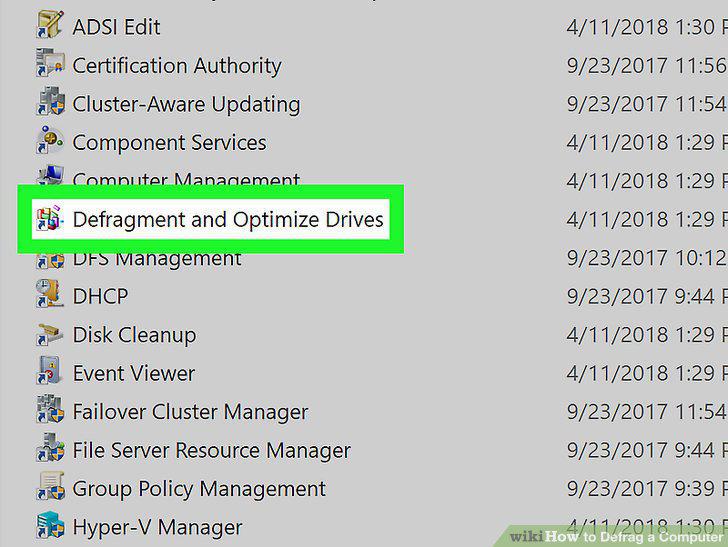
Double-click Defragment and Optimize Drives.
Select your drive and click Analyze.
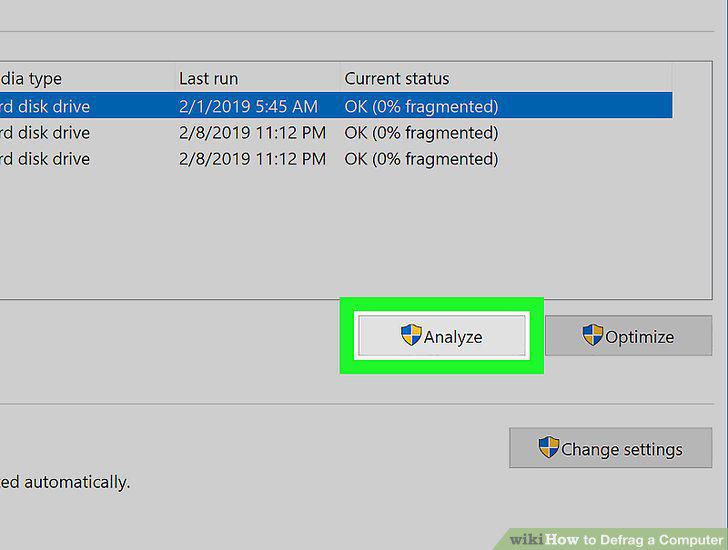
Select your drive and click Analyze.
Select your drive and click Optimize.
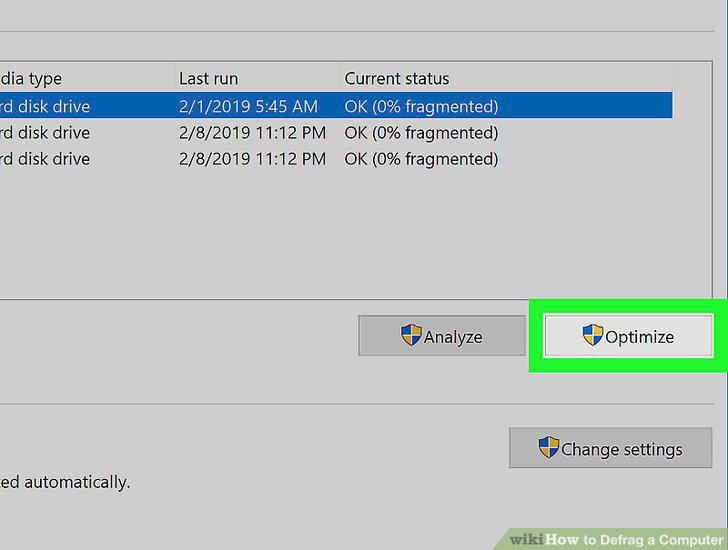
Select your drive and click Optimize.
Click the Start menu and select All Programs.
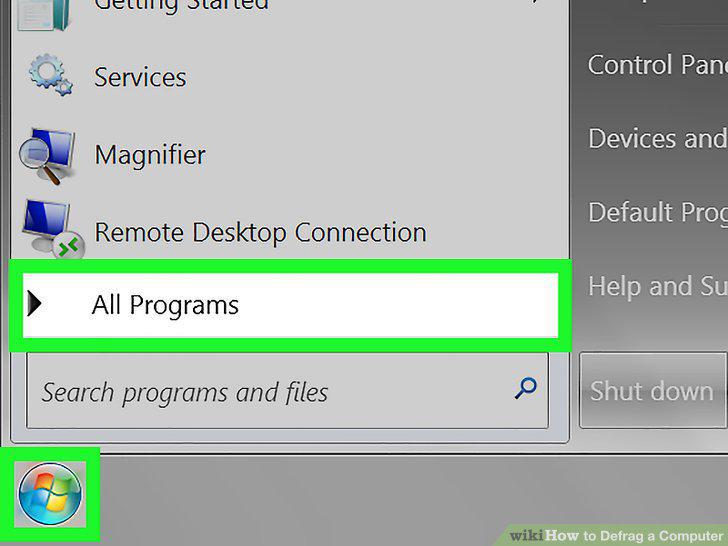
Click the Start menu and select All Programs.
Click the Accessories menu and select System Tools.
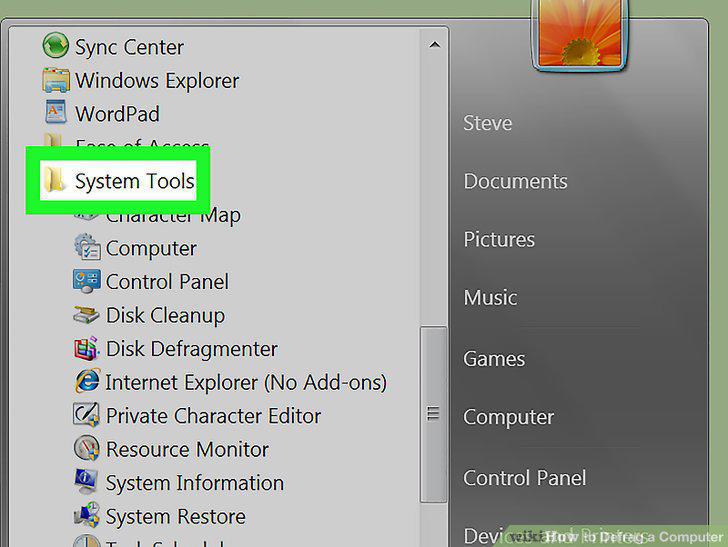
Click the Accessories menu and select System Tools.
Click Disk Defragmenter.
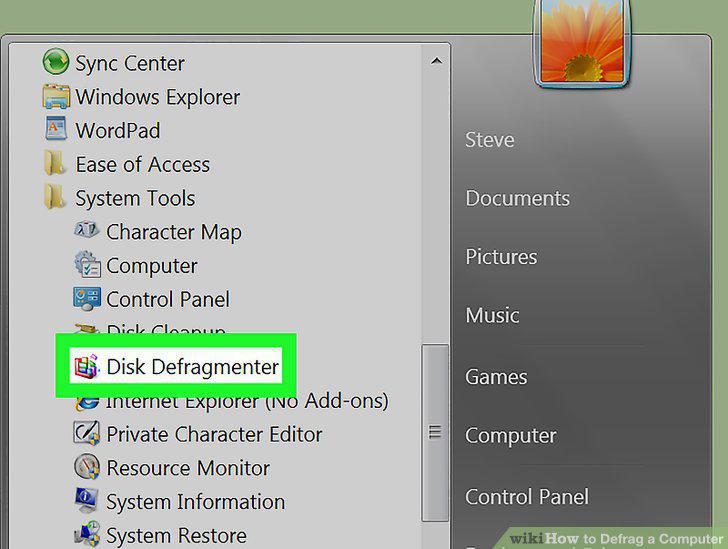
Click Disk Defragmenter.
Highlight the disk drive you to defragment.
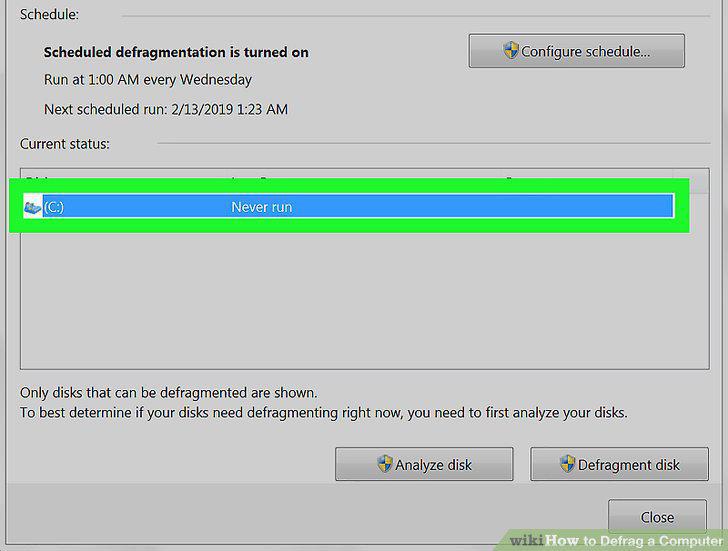
Highlight the disk drive you to defragment.
Click Analyze Disk.
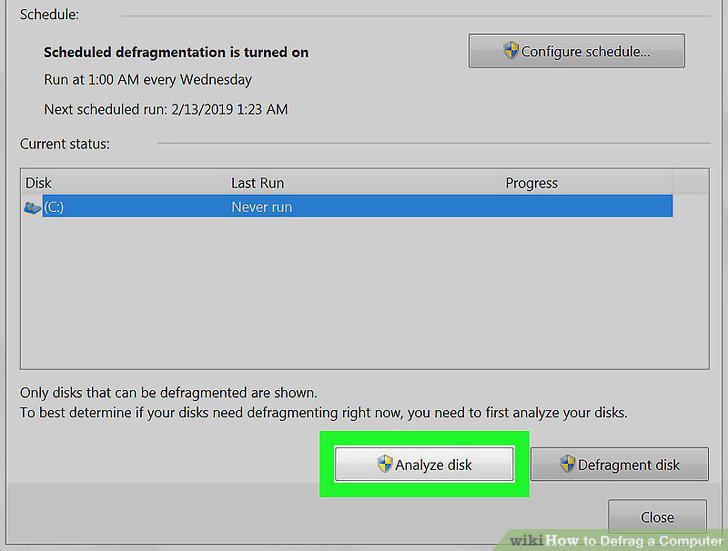
Click Analyze Disk.
Click Defragment disk if your computer instructs you to defragment.
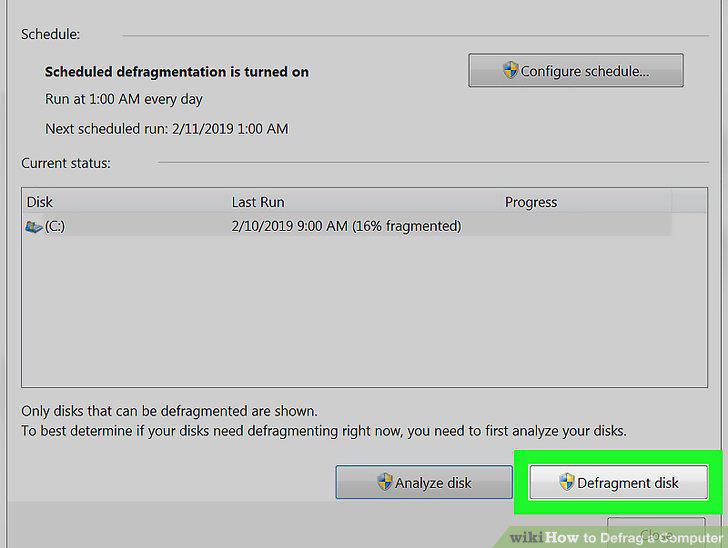
Click Defragment disk if your computer instructs you to defragment.
Click Configure schedule when Disk Defragmenter finishes.
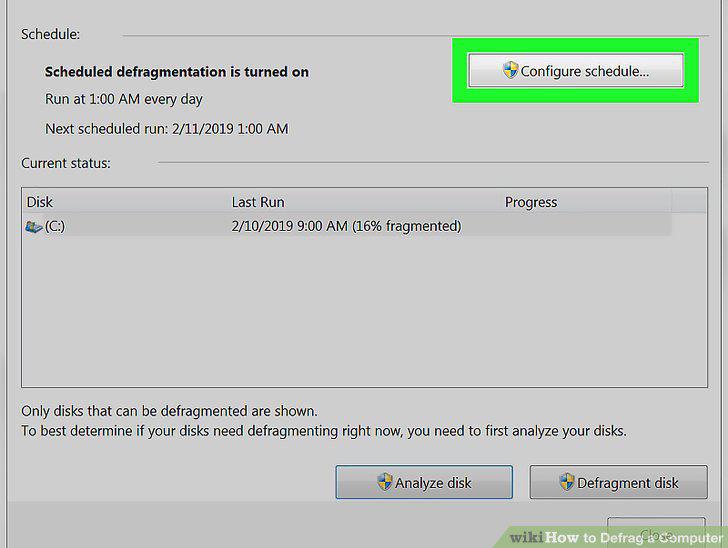
Click Configure schedule when Disk Defragmenter finishes.
Place a check mark next to "Run on a schedule.
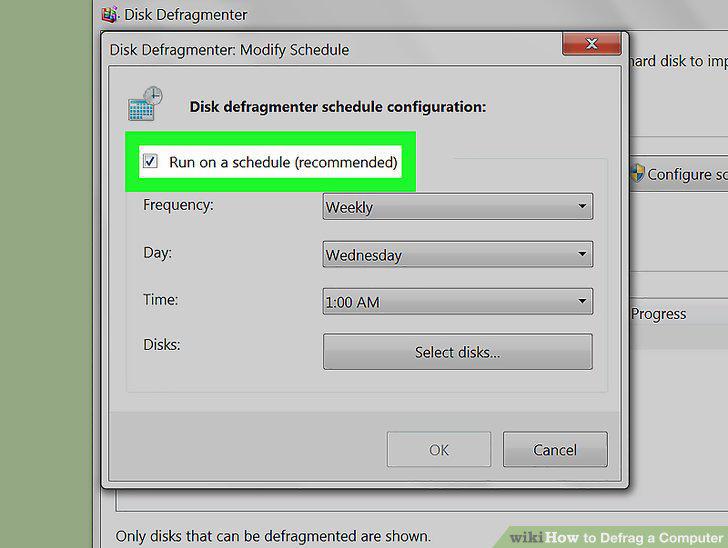
Place a check mark next to "Run on a schedule.
Set a defragment schedule and click OK.
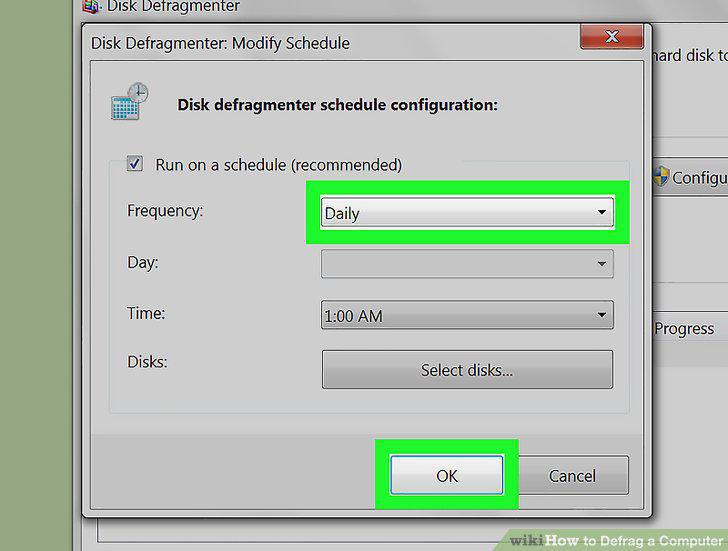
Set a defragment schedule and click OK.
Select your hard drive and click OK.
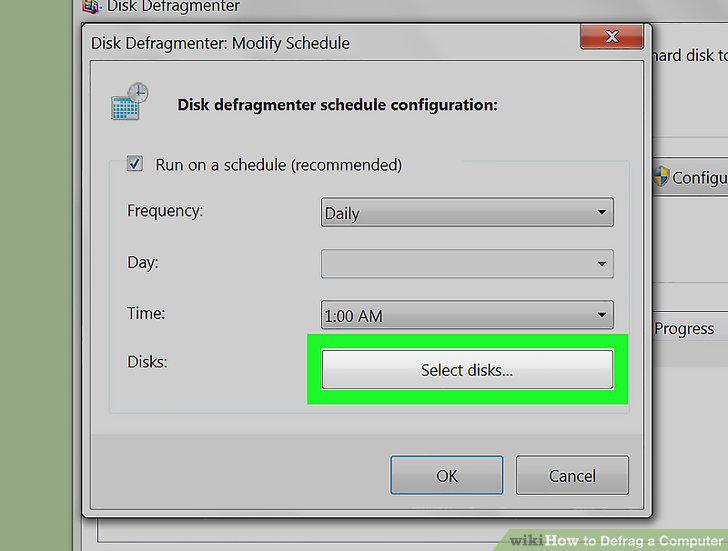
Select your hard drive and click OK.
Click the Start menu and select My Computer.
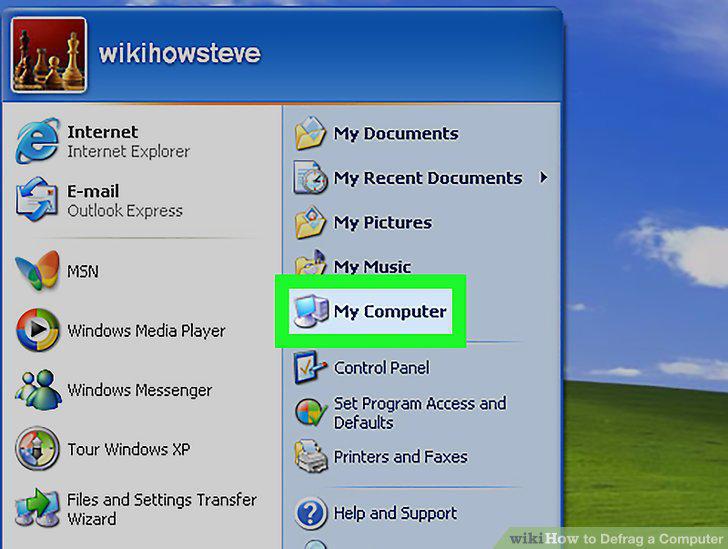
Click the Start menu and select My Computer.
Right-click your hard drive and select Properties.
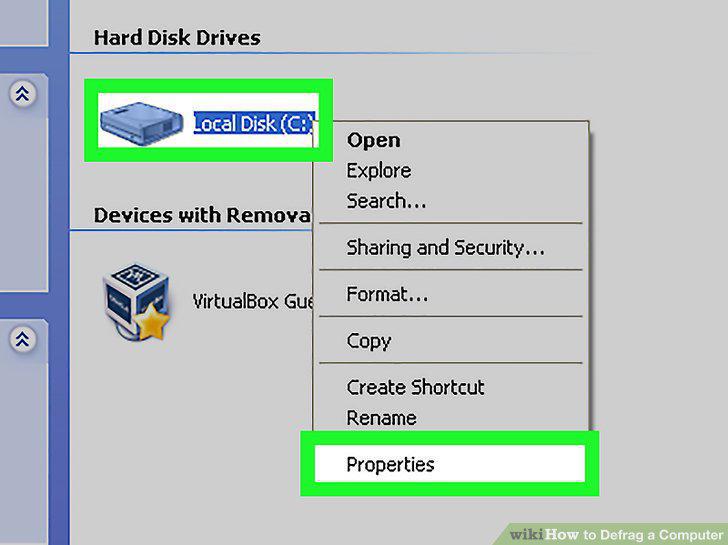
Right-click your hard drive and select Properties.
Click the Tools tab.
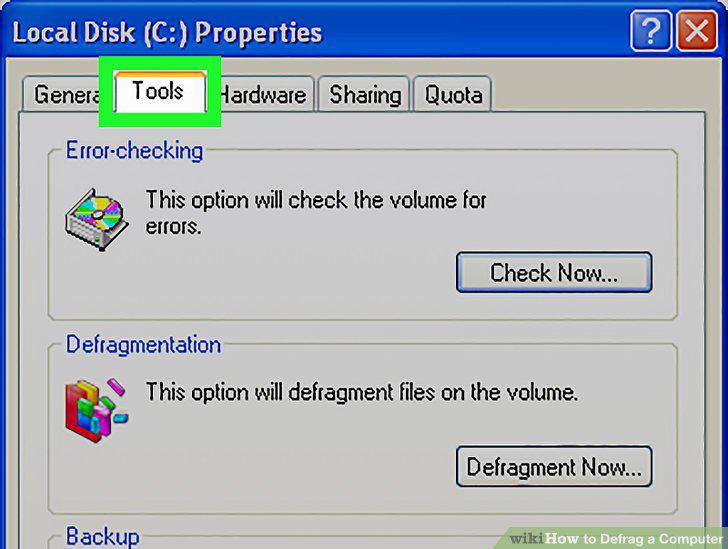
Click the Tools tab.
Click Defragment Now.
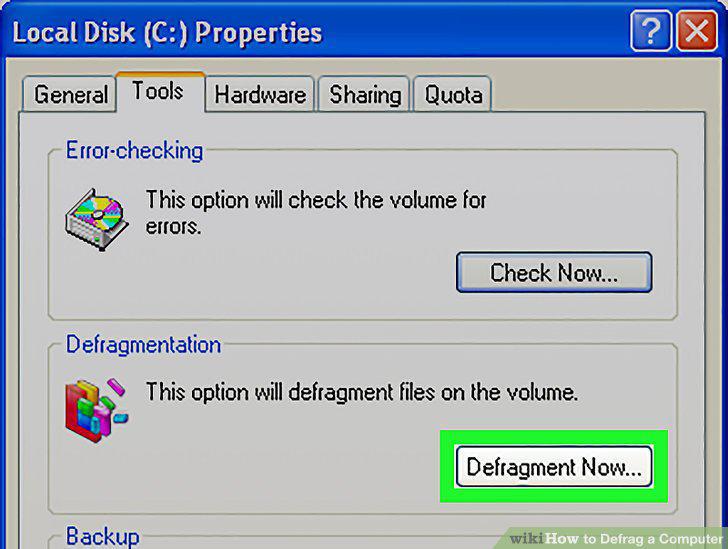
Click Defragment Now.
Select the drive you want to defragment and click Analyze.
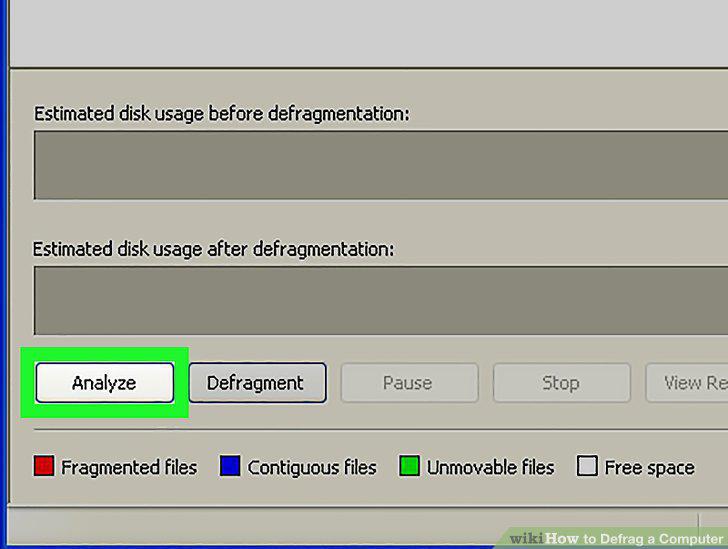
Select the drive you want to defragment and click Analyze.
Click Defragment if recommended by the tool.
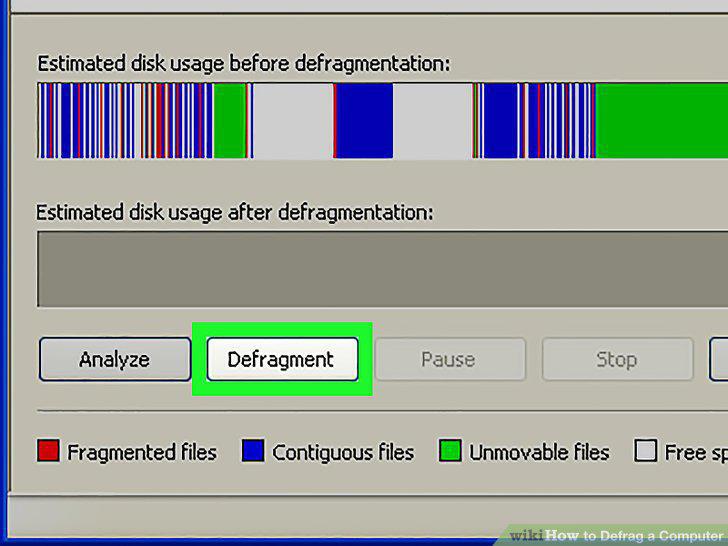
Click Defragment if recommended by the tool.
Click Close when you're finished defragmenting the hard drive.
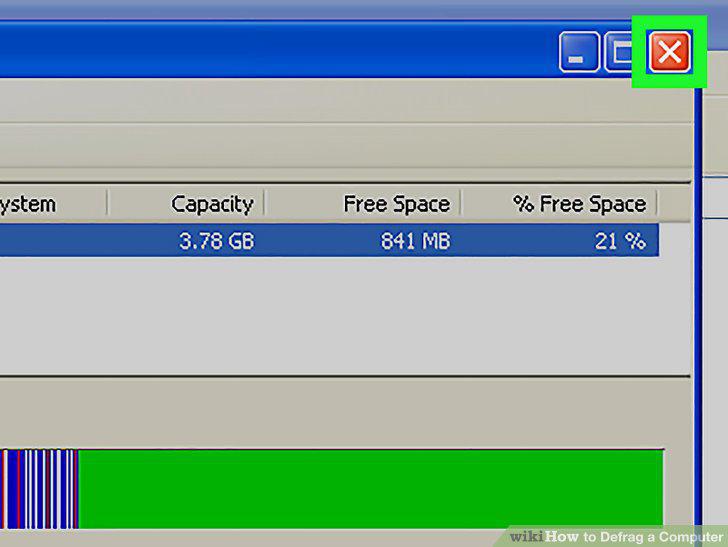
Click Close when you're finished defragmenting the hard drive.
Comments (0)
No comments yet. Be the first to share your thoughts!