How to Save MP4 Files on an iPhone
Upload the MP4 file to your computer.. Open iTunes.. Click on File.
Steps
1
Upload the MP4 file to your computer.

Upload the MP4 file to your computer.
2
Open iTunes.

Open iTunes.
3
Click on File.
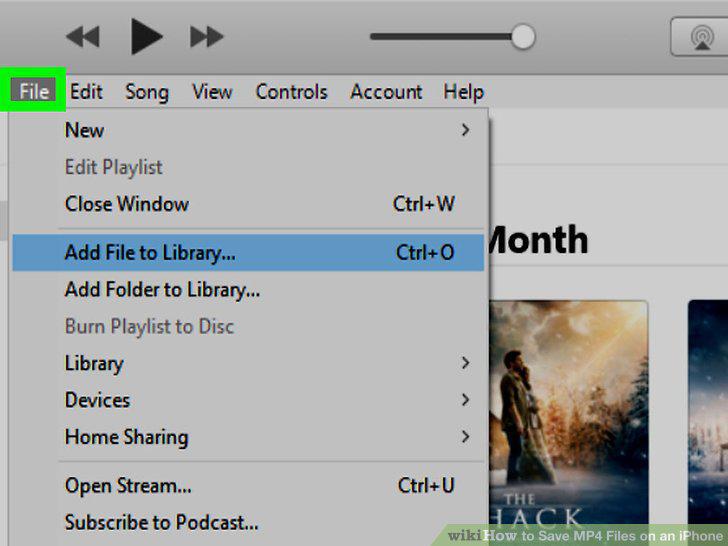
Click on File.
4
Click on Add to Library.
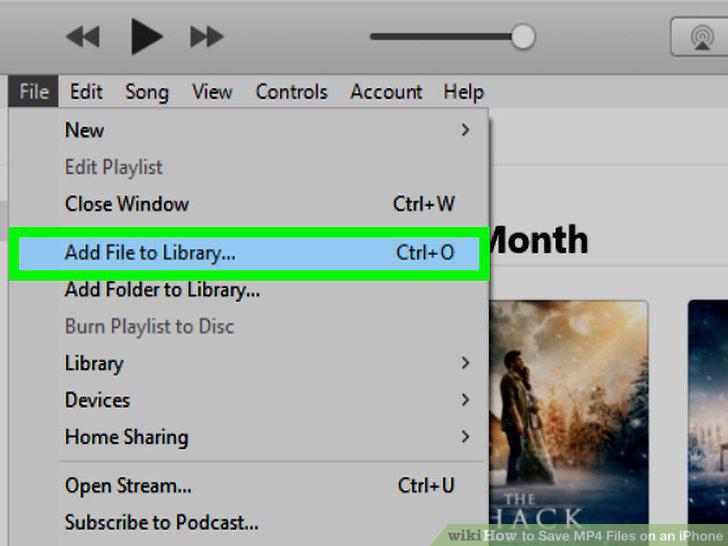
Click on Add to Library.
5
Click on your camera or USB device.
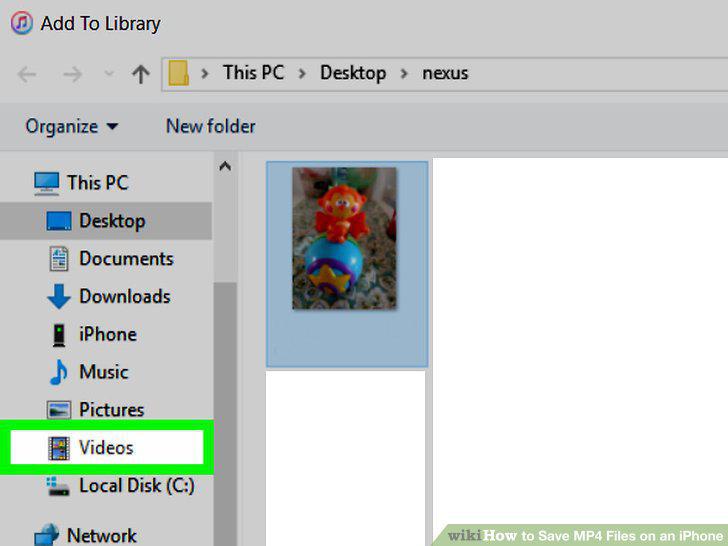
Click on your camera or USB device.
6
Click on your MP4.
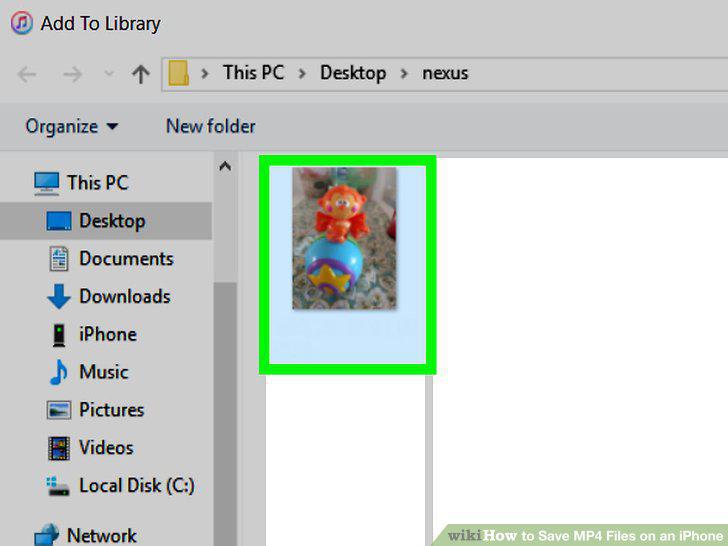
Click on your MP4.
7
Click Open.
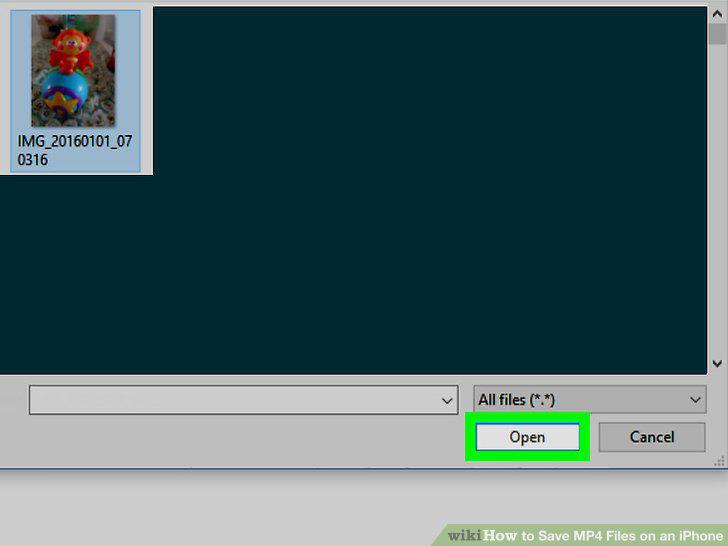
Click Open.
8
Connect your iPhone to your computer.

Connect your iPhone to your computer.
9
Click on Library.
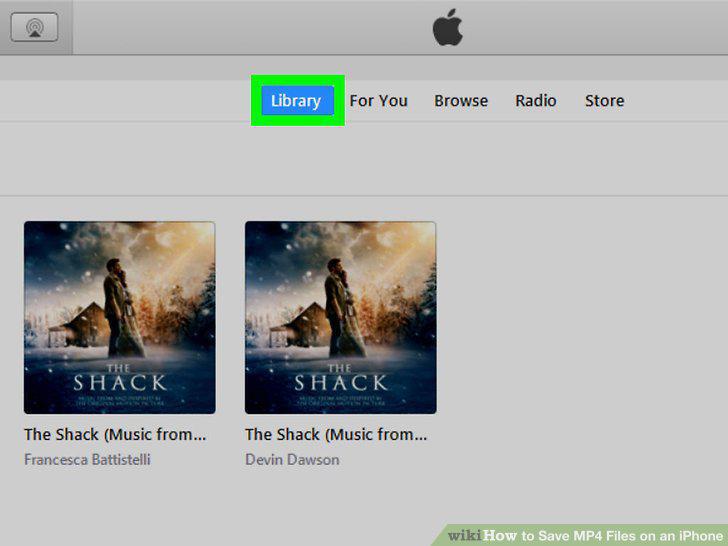
Click on Library.
10
Click on the drop-down menu.

Click on the drop-down menu.
11
Click on Movies.
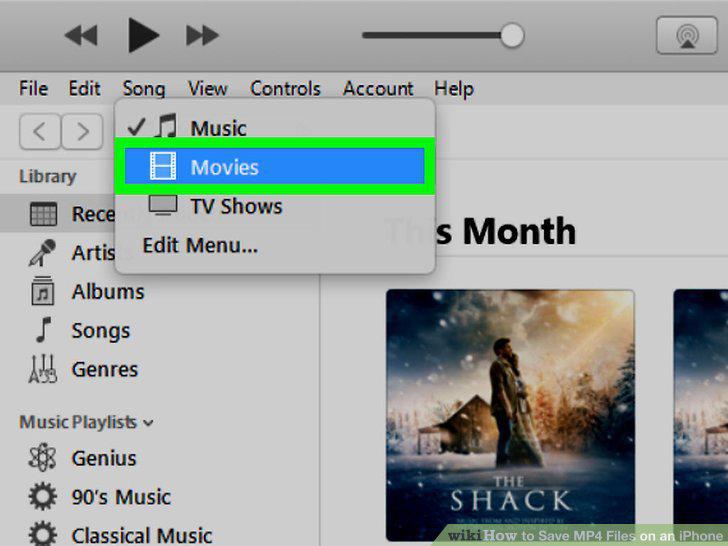
Click on Movies.
12
Click on Home Videos.
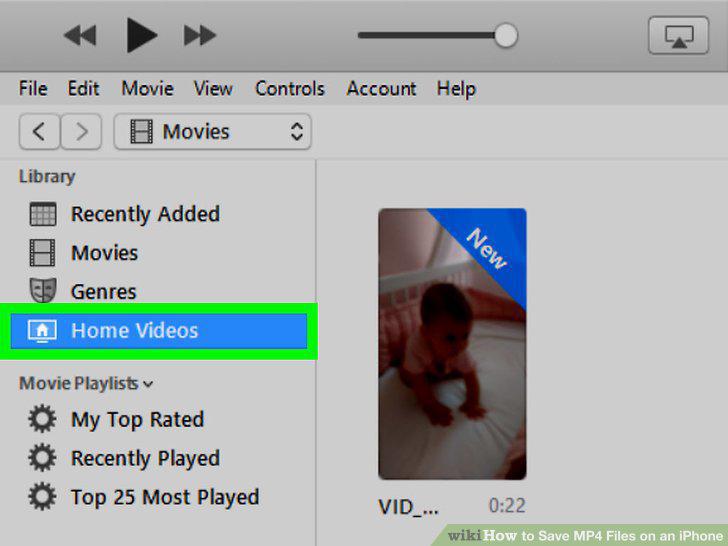
Click on Home Videos.
13
Click on your MP4 file.

Click on your MP4 file.
14
Drag your video to your iPhone.
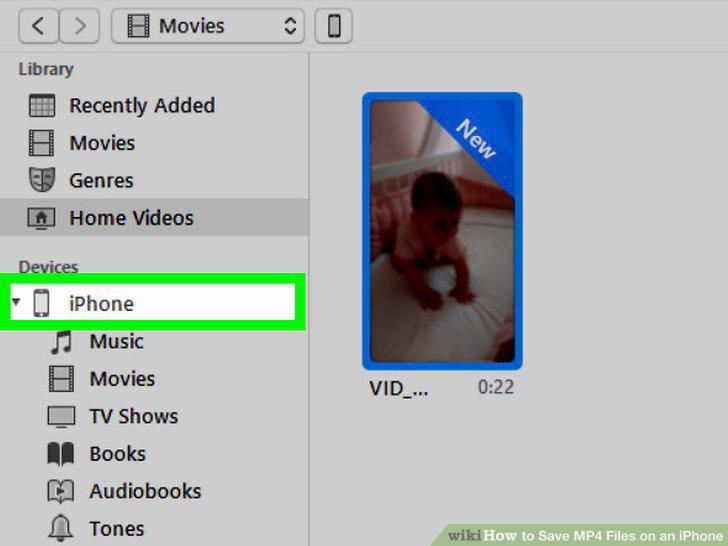
Drag your video to your iPhone.
Comments (0)
No comments yet. Be the first to share your thoughts!