How to Transfer Files on WhatsApp on iPhone or iPad
Open WhatsApp Messenger on your iPhone or iPad.. Tap the Chats tab.. Tap the New Chat button.
Steps
1
Open WhatsApp Messenger on your iPhone or iPad.

Open WhatsApp Messenger on your iPhone or iPad.
2
Tap the Chats tab.

Tap the Chats tab.
3
Tap the New Chat button.
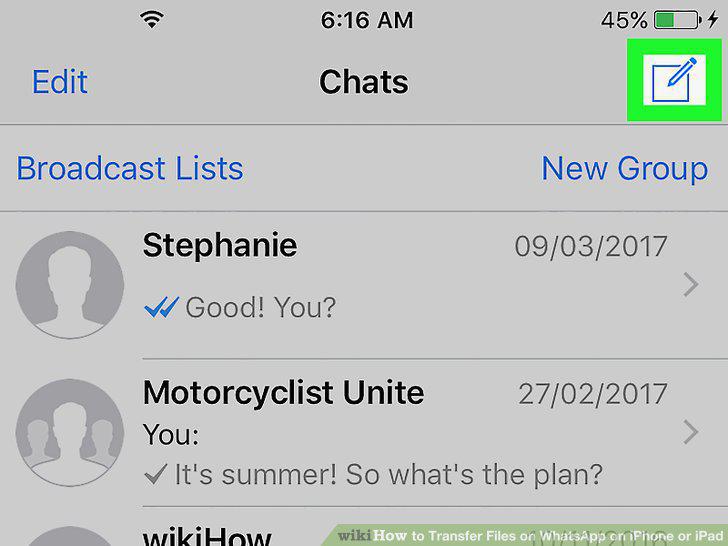
Tap the New Chat button.
4
Tap on a contact.
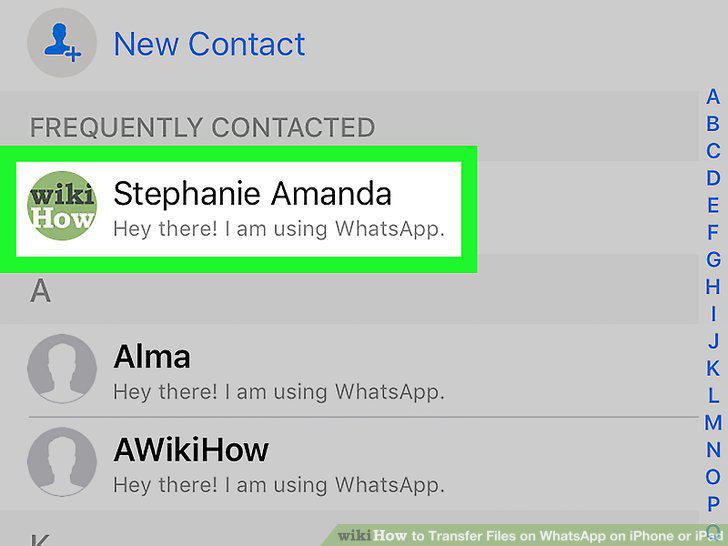
Tap on a contact.
5
Tap the + button.

Tap the + button.
6
Tap Document on the pop-up menu.
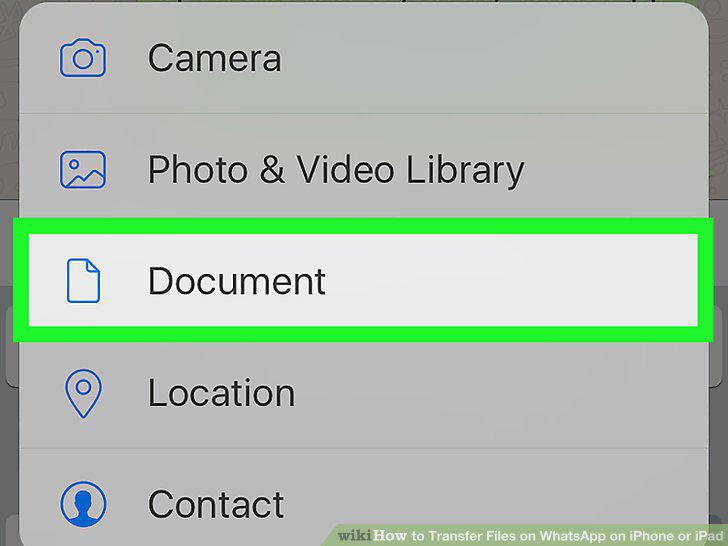
Tap Document on the pop-up menu.
7
Select the location of the document you want to transfer.
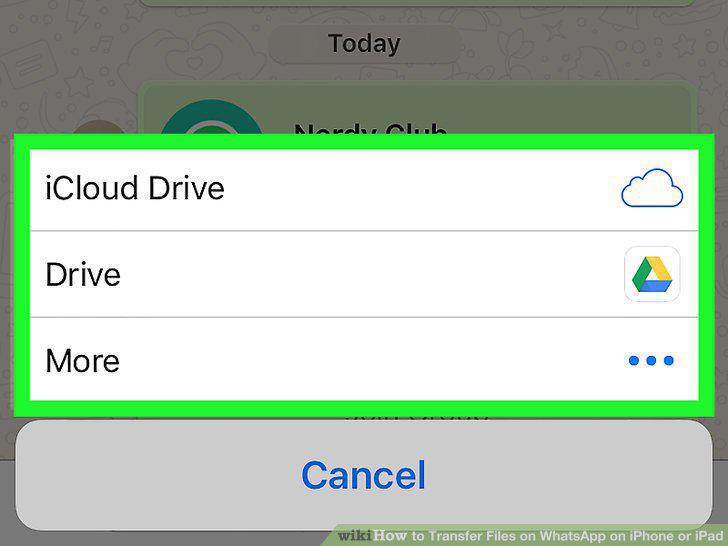
Select the location of the document you want to transfer.
8
Find and tap the document.
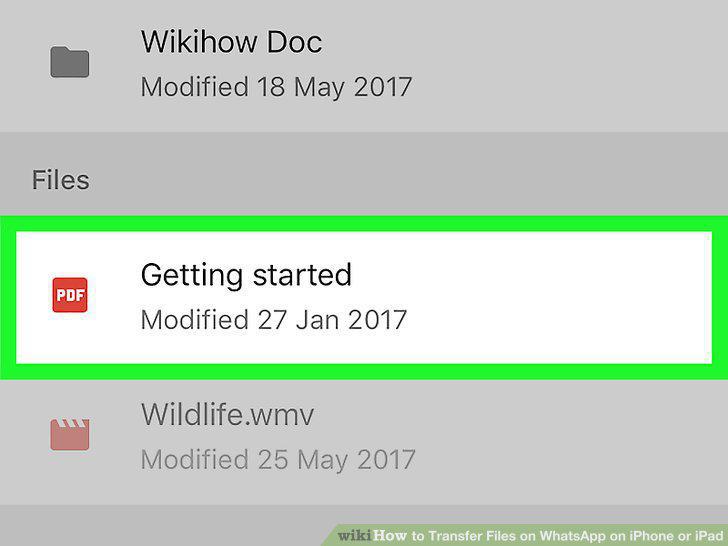
Find and tap the document.
9
Tap Send to confirm.

Tap Send to confirm.
Comments (0)
No comments yet. Be the first to share your thoughts!