How to Merge Photos Using Photoshop
Select the images for your composition, then open them both in the same window.. Adjust the size of each layer, if need be, with the Transform Tool.. Use the Eraser tool to cut away any non-essential areas.
Steps
Select the images for your composition, then open them both in the same window.
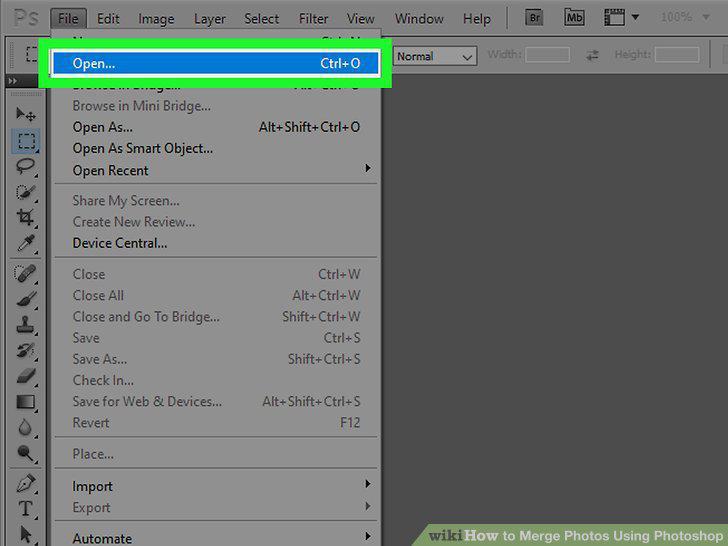
Select the images for your composition, then open them both in the same window.
Adjust the size of each layer, if need be, with the Transform Tool.
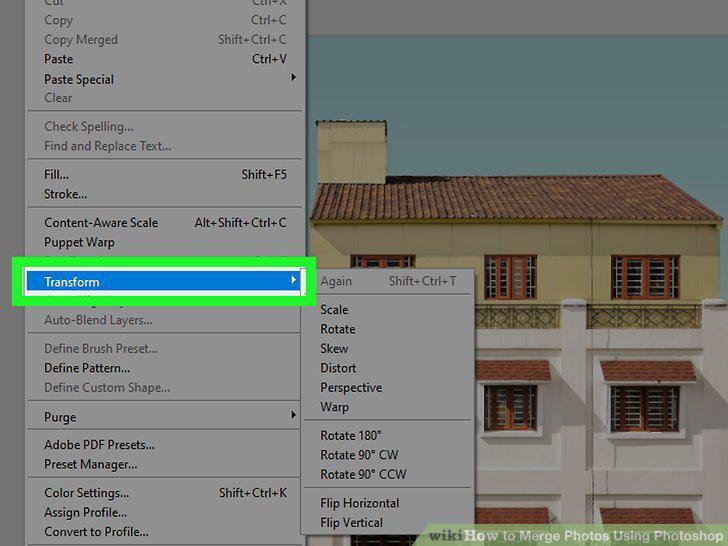
Adjust the size of each layer, if need be, with the Transform Tool.
Use the Eraser tool to cut away any non-essential areas.
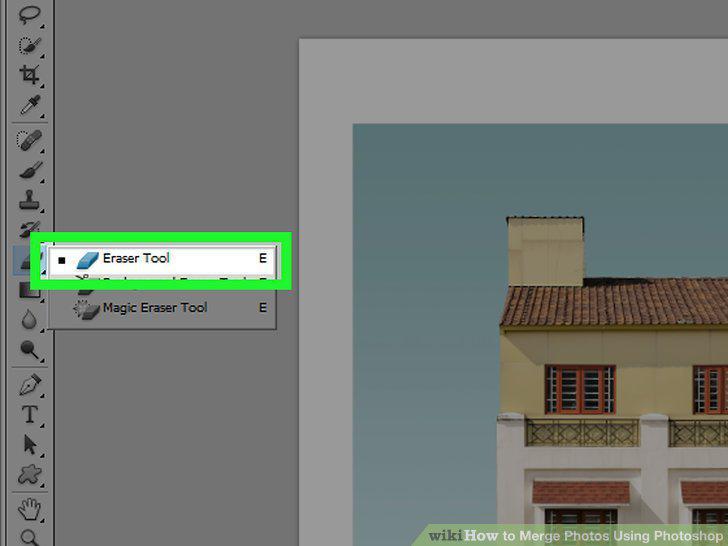
Use the Eraser tool to cut away any non-essential areas.
Use layer masks to erase non-permanently, as well as "gradually" erase images in
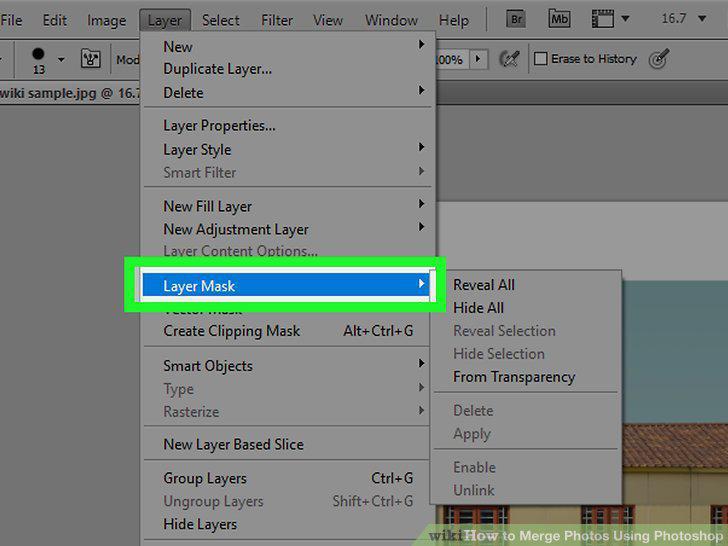
Use layer masks to erase non-permanently, as well as "gradually" erase images into each other.
Use your selection tools and "Refine Edge" to isolate specific things in your im
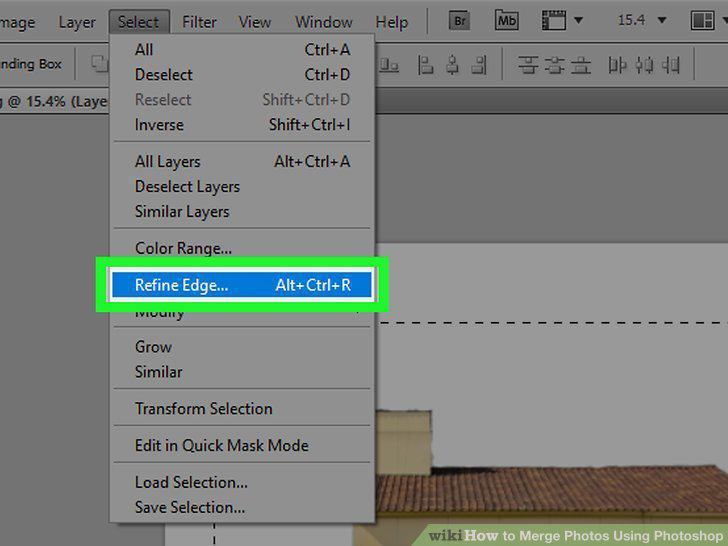
Use your selection tools and "Refine Edge" to isolate specific things in your image"
Change the opacity of your brushes and erasers for tighter control.
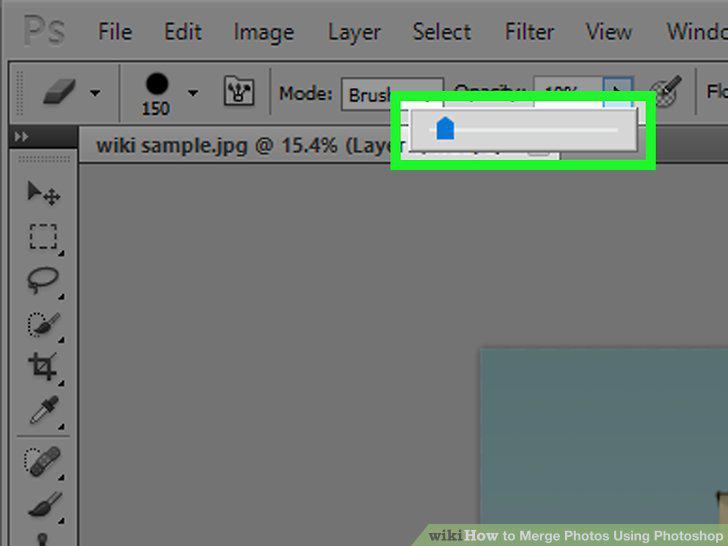
Change the opacity of your brushes and erasers for tighter control.
Use "Refine Edge" to get perfect cuts and selections.
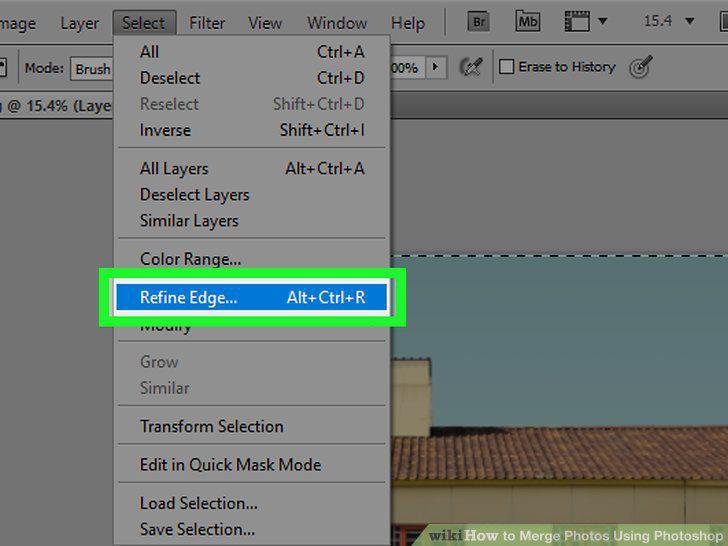
Use "Refine Edge" to get perfect cuts and selections.
Try the "Auto-Align Layers" if you're matching near-identical photos.
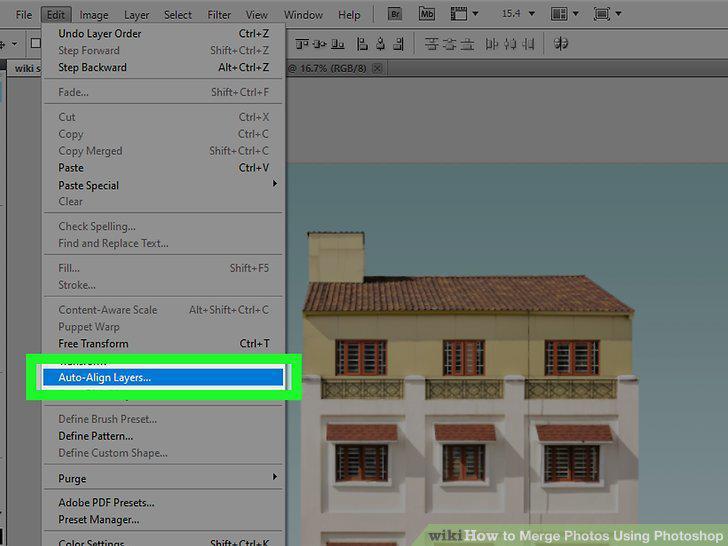
Try the "Auto-Align Layers" if you're matching near-identical photos.
Play with "Blending Modes" to match the lighting in your merged images.
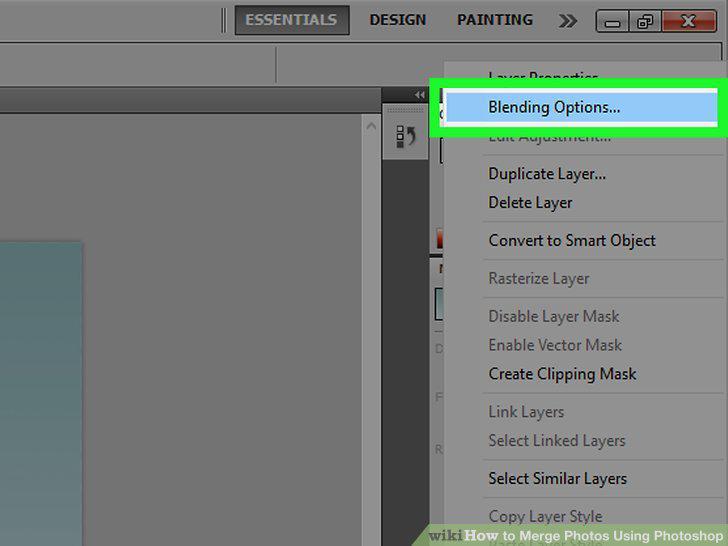
Play with "Blending Modes" to match the lighting in your merged images.
Comments (0)
No comments yet. Be the first to share your thoughts!