How to Create a Desktop Shortcut
Right-click anywhere in the free space present on your desktop.. Look for a new window asking you to browse the location of the file for which you want to create the shortcut.. Click Next option present somewhere at the right-bottom of the working window.
Steps
1
Right-click anywhere in the free space present on your desktop.
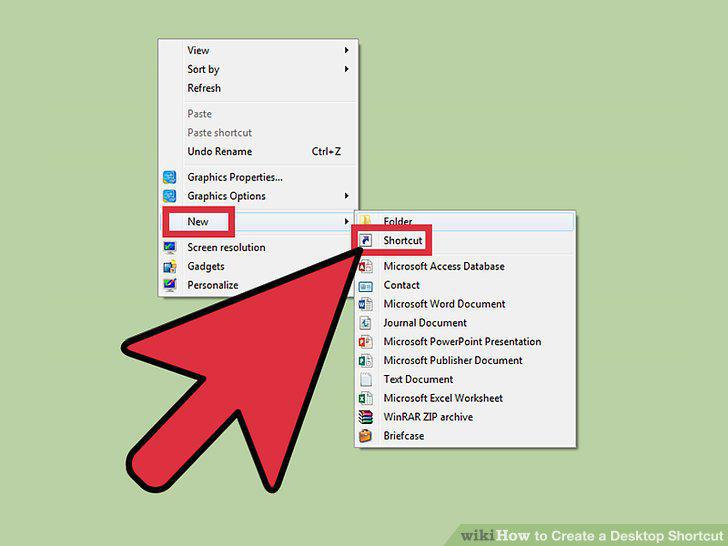
Right-click anywhere in the free space present on your desktop.
2
Look for a new window asking you to browse the location of the file for which yo
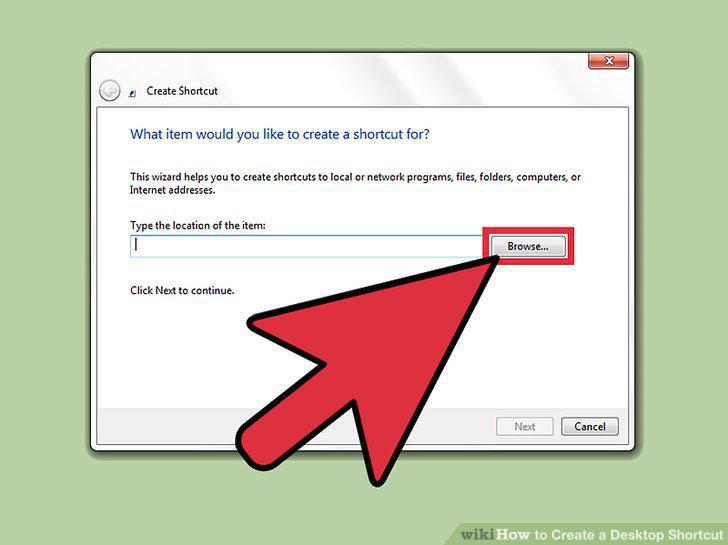
Look for a new window asking you to browse the location of the file for which you want to create the shortcut.
3
Click Next option present somewhere at the right-bottom of the working window.
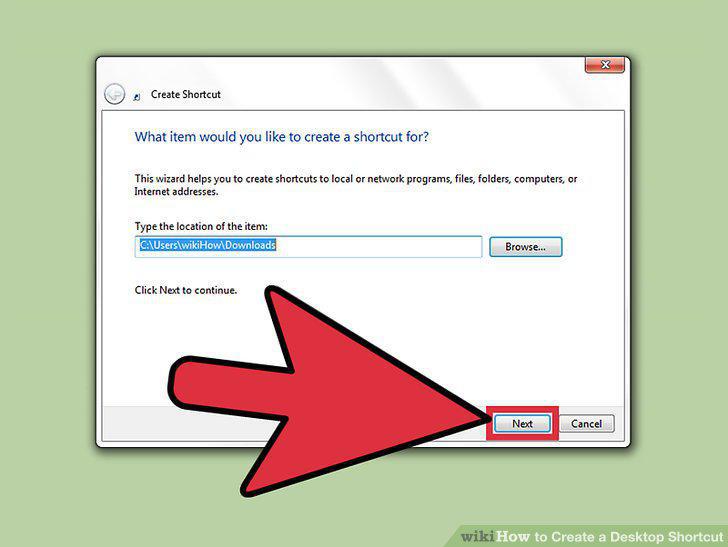
Click Next option present somewhere at the right-bottom of the working window.
4
Type a name for the shortcut.
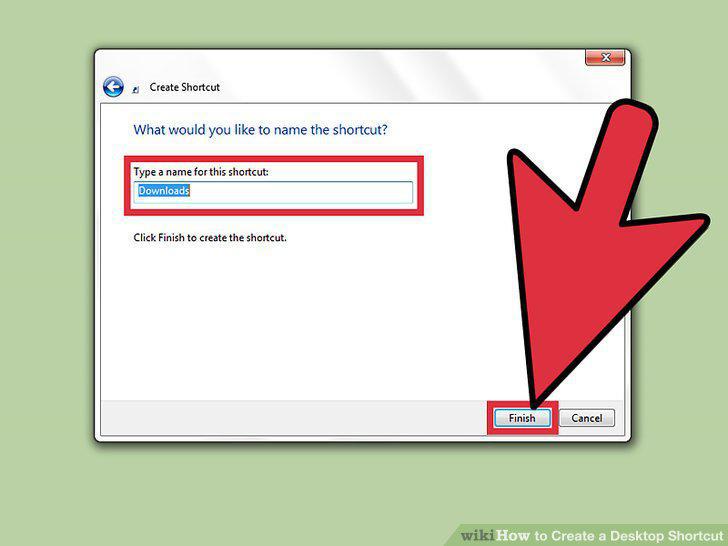
Type a name for the shortcut.
5
Locate the file
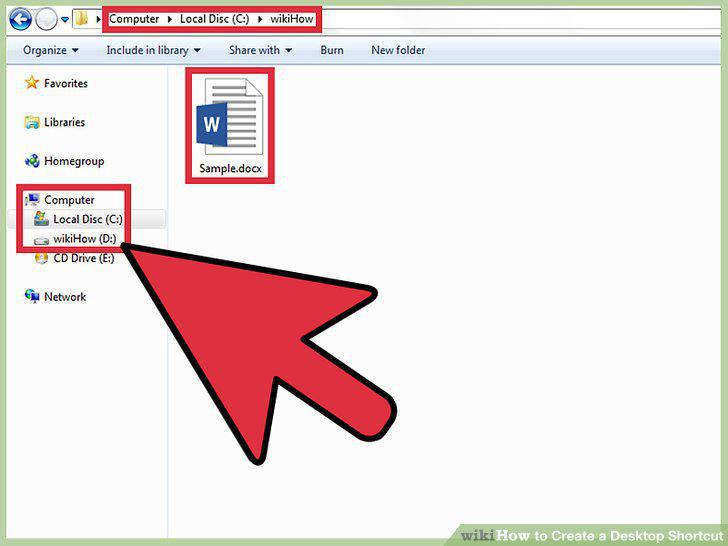
Locate the file
6
Right click on that particular file or application for which you want to create
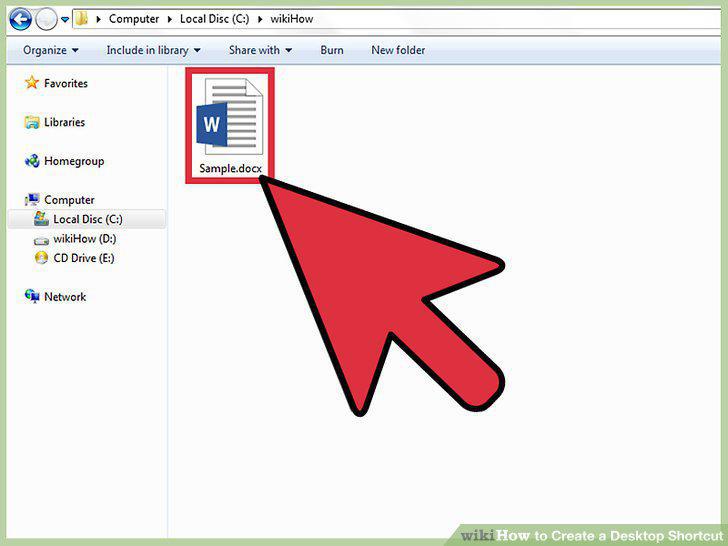
Right click on that particular file or application for which you want to create the shortcut.
7
Look for a dialog box.
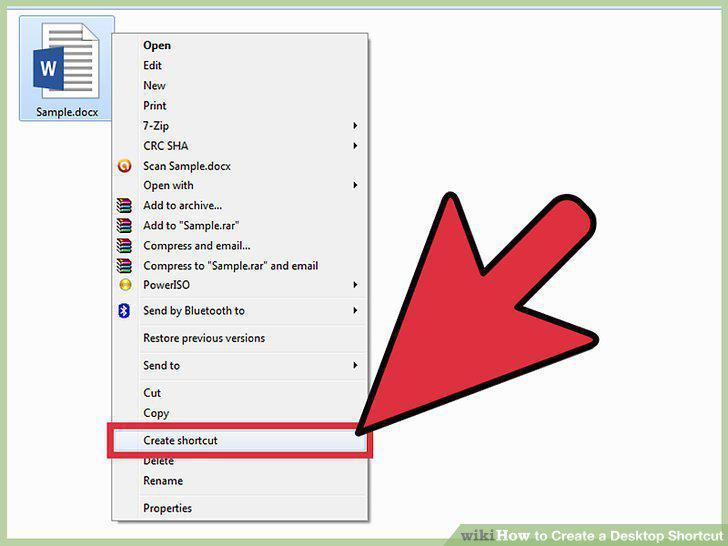
Look for a dialog box.
8
Drag the shortcut to the desktop.
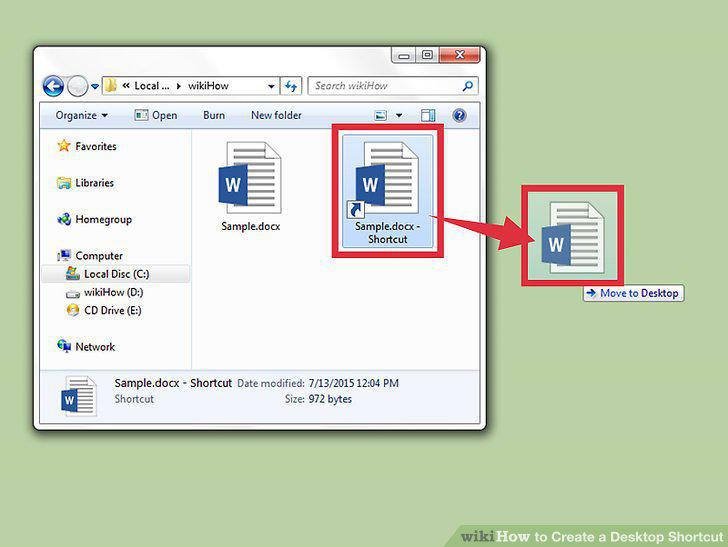
Drag the shortcut to the desktop.
Comments (0)
No comments yet. Be the first to share your thoughts!