How to Convert a LibreOffice Spreadsheet Into a Database for Mail Merge Documents
Open LibreOffice Calc.. Label your column headers.. Fill columns with the data to be merged.
Steps
1
Open LibreOffice Calc.
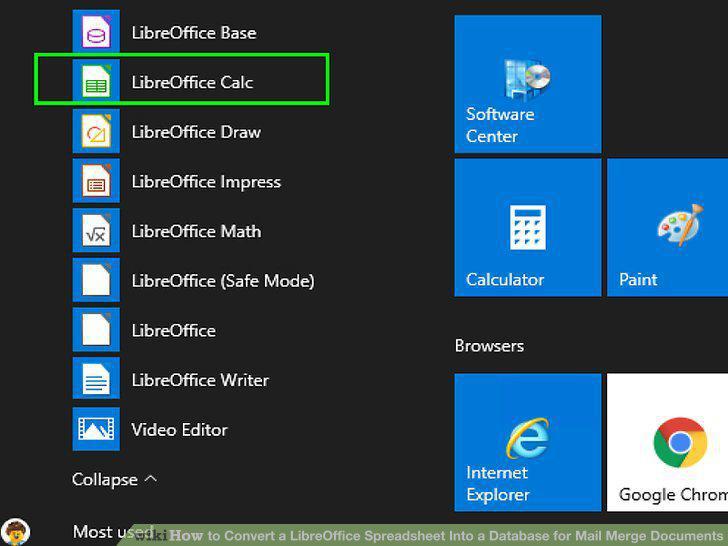
Open LibreOffice Calc.
2
Label your column headers.
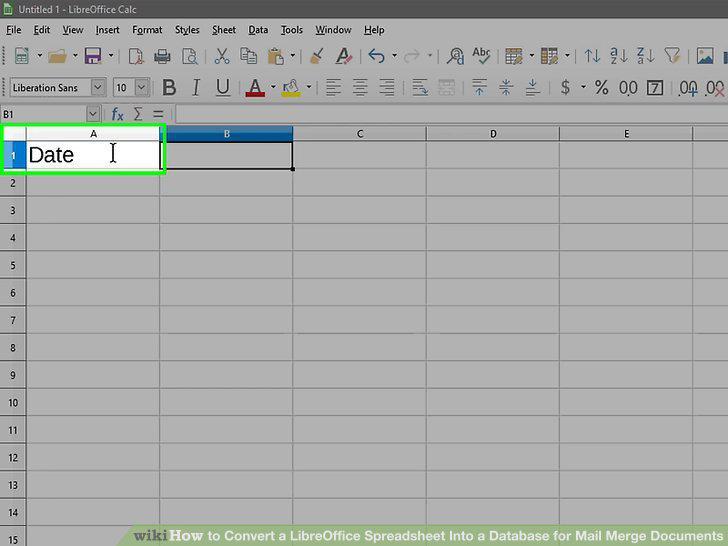
Label your column headers.
3
Fill columns with the data to be merged.
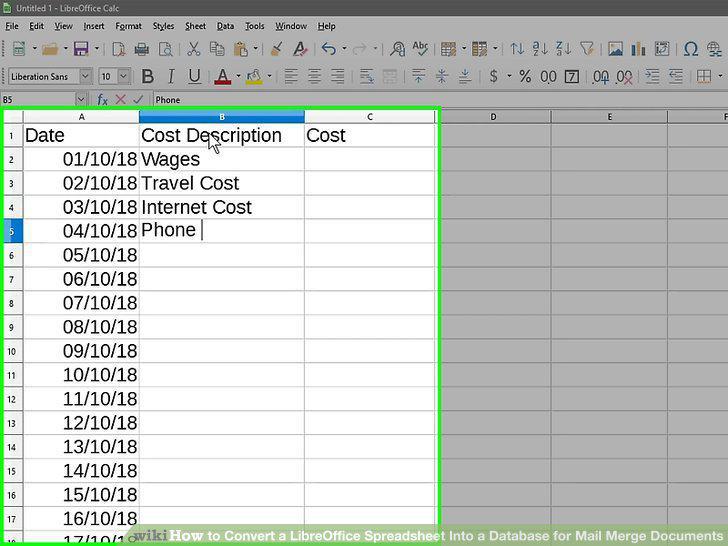
Fill columns with the data to be merged.
4
Save the file as in the ODF file format.
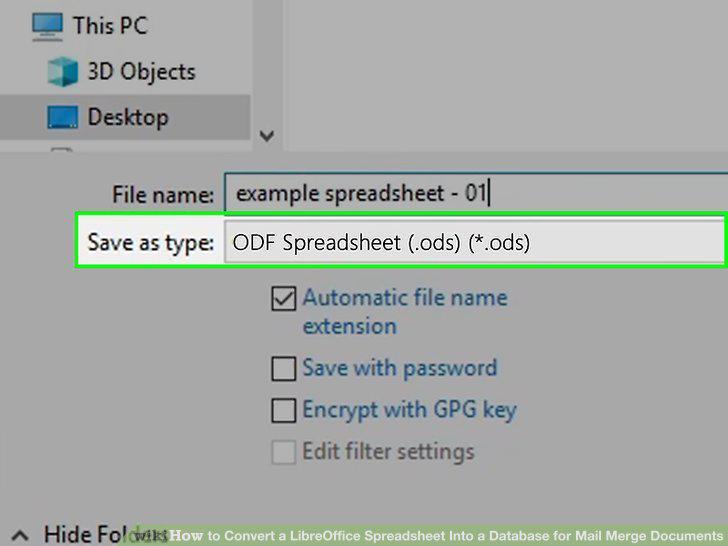
Save the file as in the ODF file format.
5
Open Libre Writer.
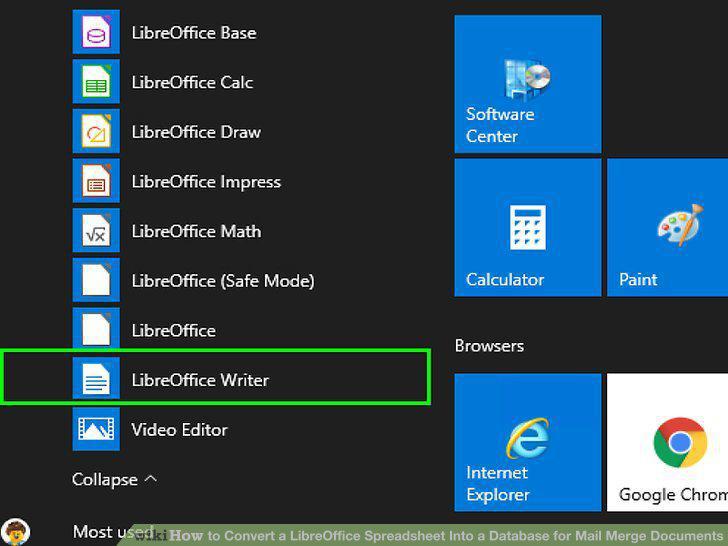
Open Libre Writer.
6
Open the Address Data Source Wizard.
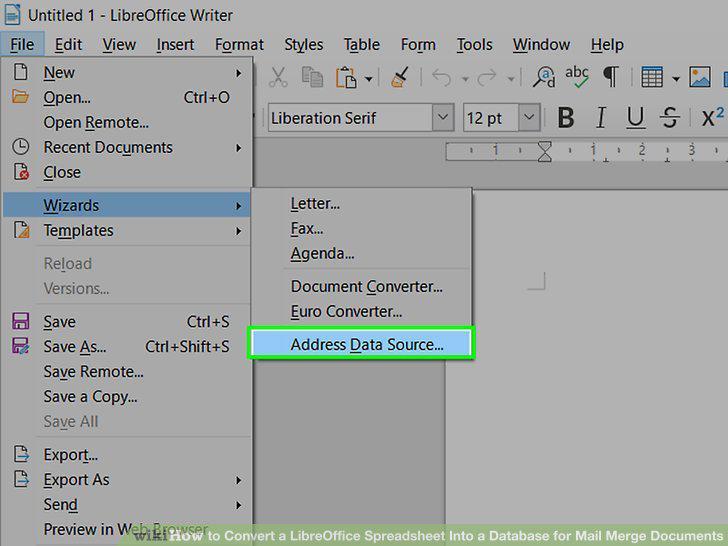
Open the Address Data Source Wizard.
7
Select "Other external data source" and click Next.
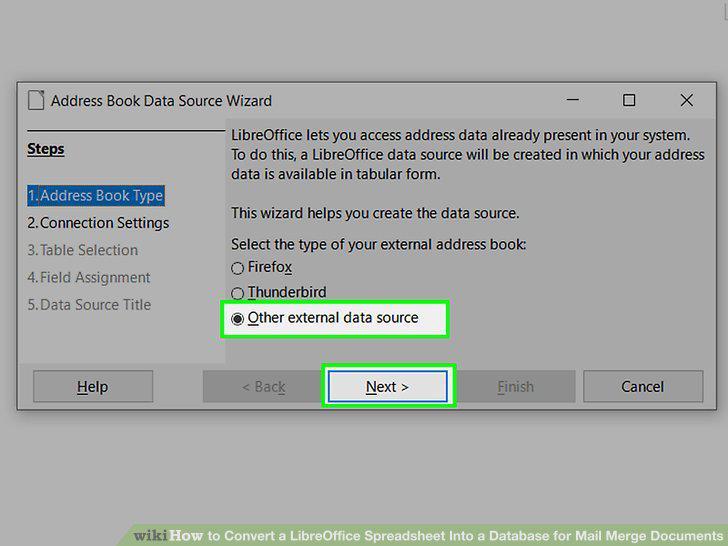
Select "Other external data source" and click Next.
8
Click the Settings button.
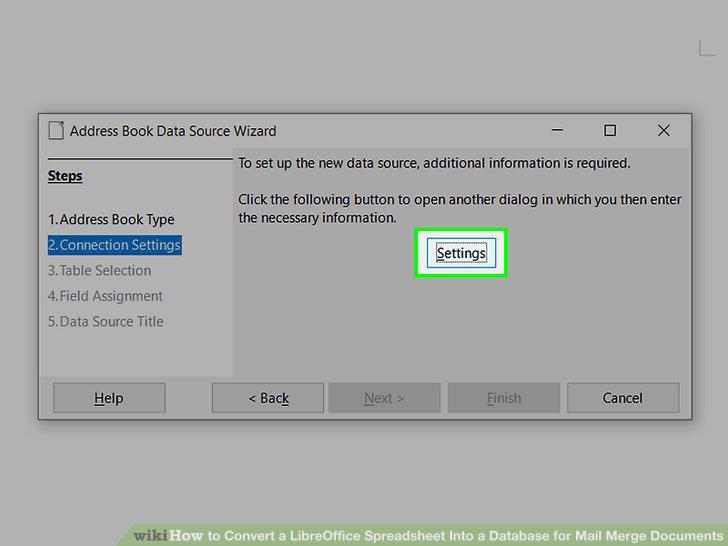
Click the Settings button.
9
Select "Spreadsheet" and click Next.
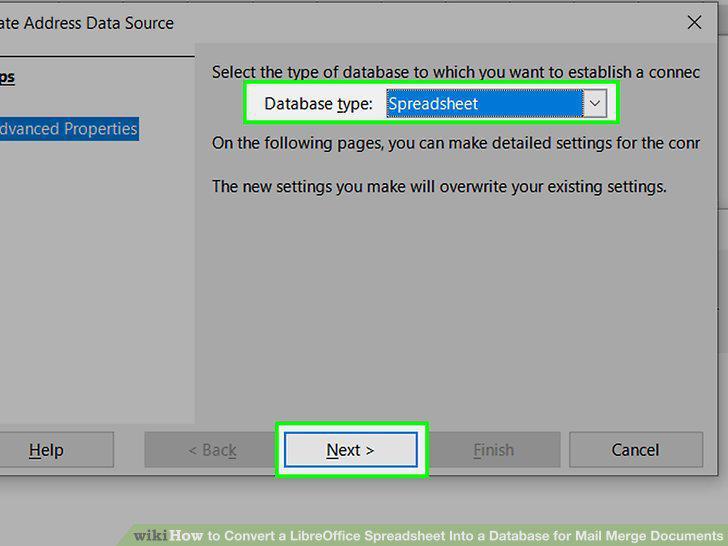
Select "Spreadsheet" and click Next.
10
Select the spreadsheet you created and click Next.
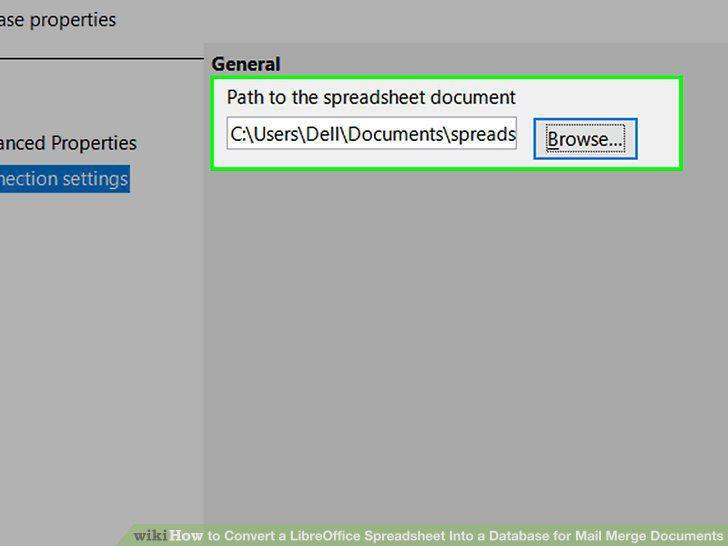
Select the spreadsheet you created and click Next.
11
Click the Finish button.
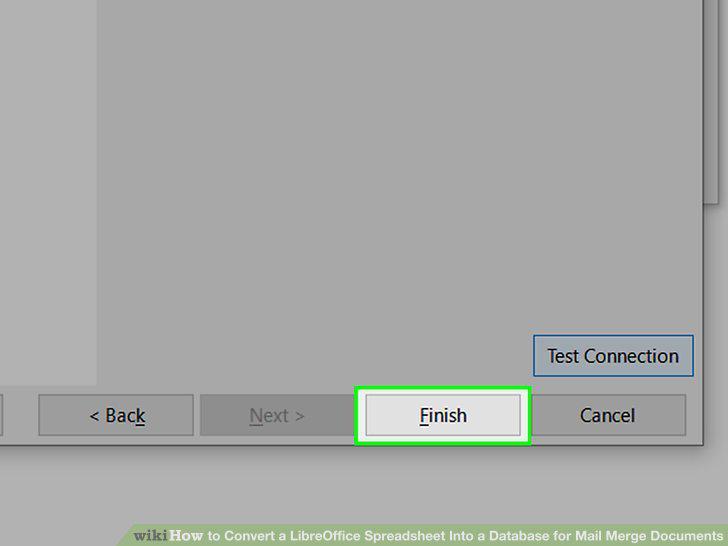
Click the Finish button.
12
Click Next to continue.
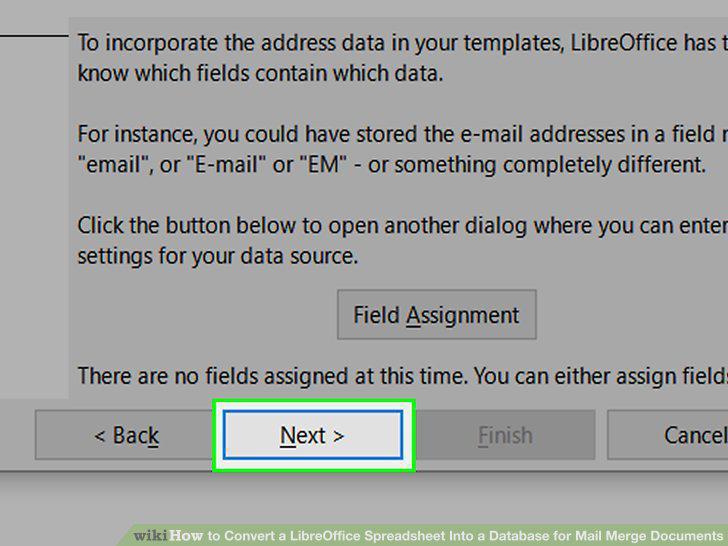
Click Next to continue.
13
Name the database file (.ODB).
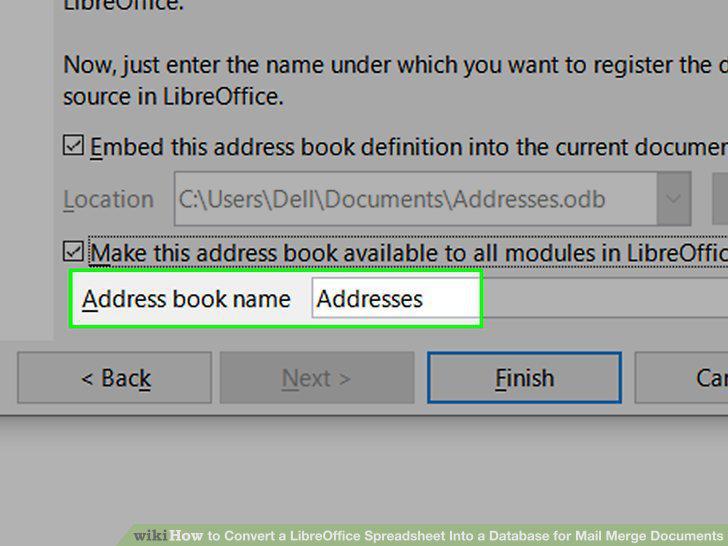
Name the database file (.ODB).
14
Click Finish.
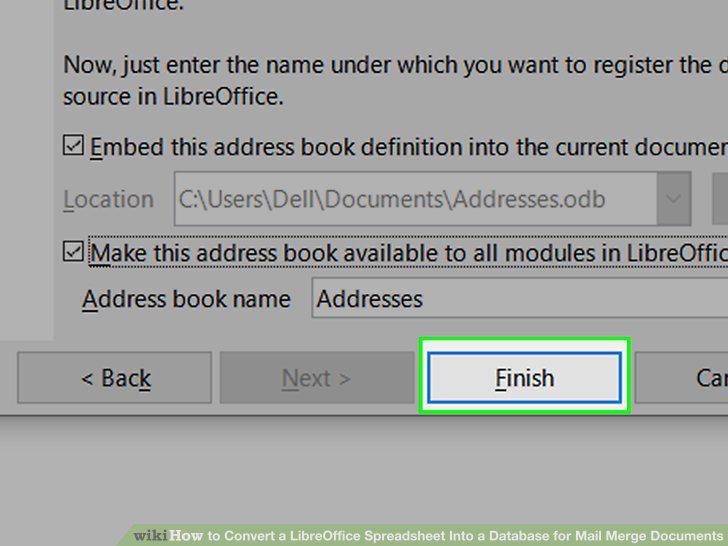
Click Finish.
15
Open a new document in LibreOffice Writer.

Open a new document in LibreOffice Writer.
16
Open the Data Sources panel.
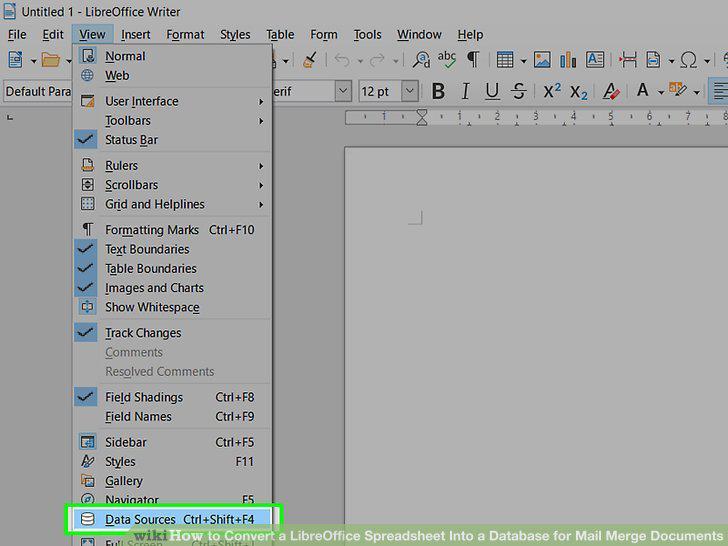
Open the Data Sources panel.
17
Format the document as you'd like it to appear.
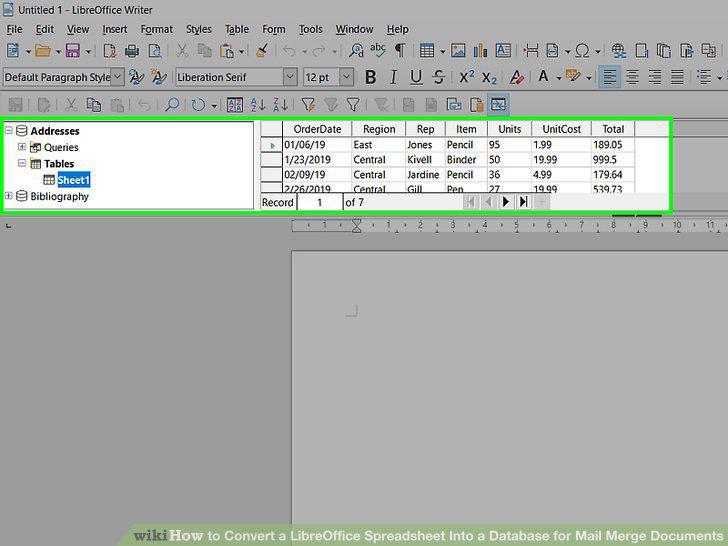
Format the document as you'd like it to appear.
18
Drag the data column headers to their corresponding locations.
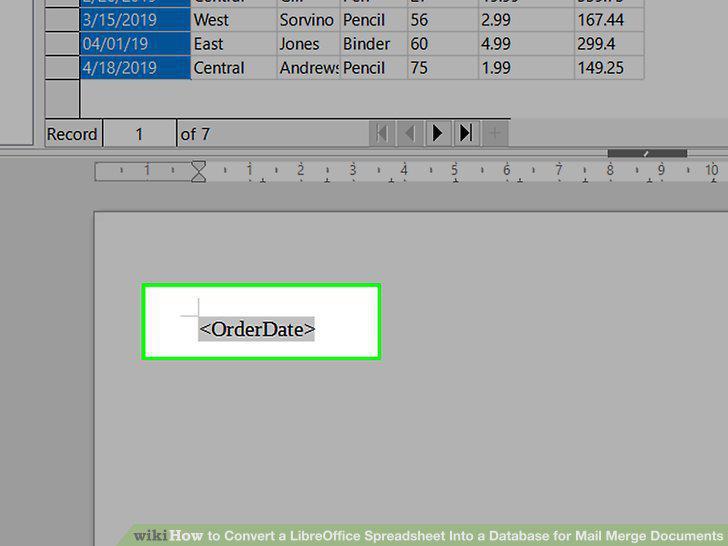
Drag the data column headers to their corresponding locations.
19
Save your document.
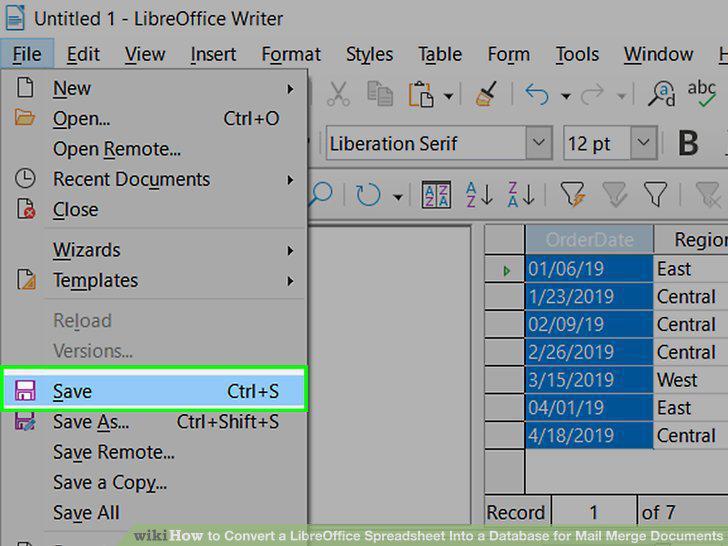
Save your document.
20
Print your document.
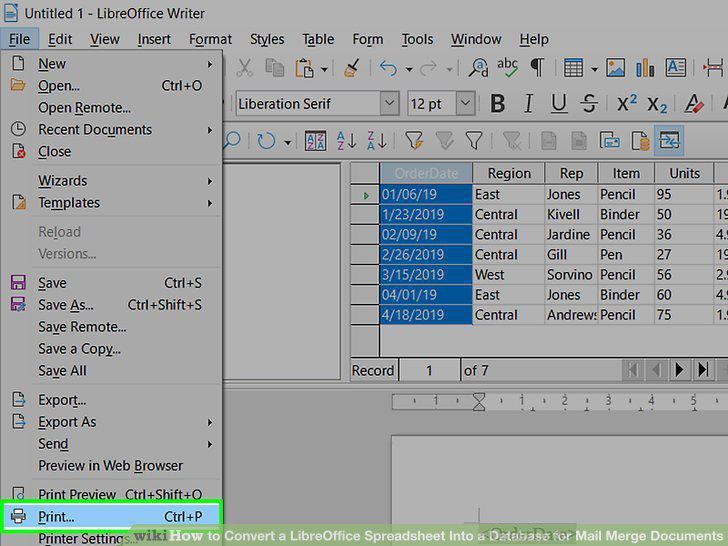
Print your document.
Comments (0)
No comments yet. Be the first to share your thoughts!