How to Read PDFs on an iPad
Install the Apple Books app if you don't have it.. Navigate to the PDF.. Tap the PDF.
Steps
1
Install the Apple Books app if you don't have it.

Install the Apple Books app if you don't have it.
2
Navigate to the PDF.
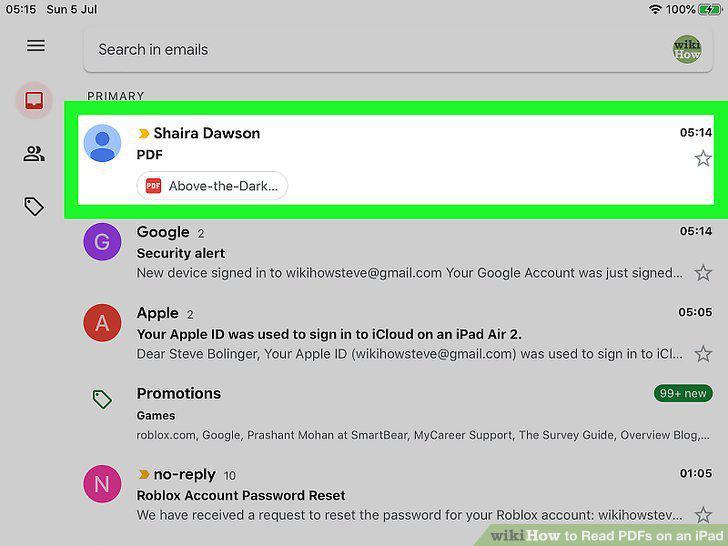
Navigate to the PDF.
3
Tap the PDF.
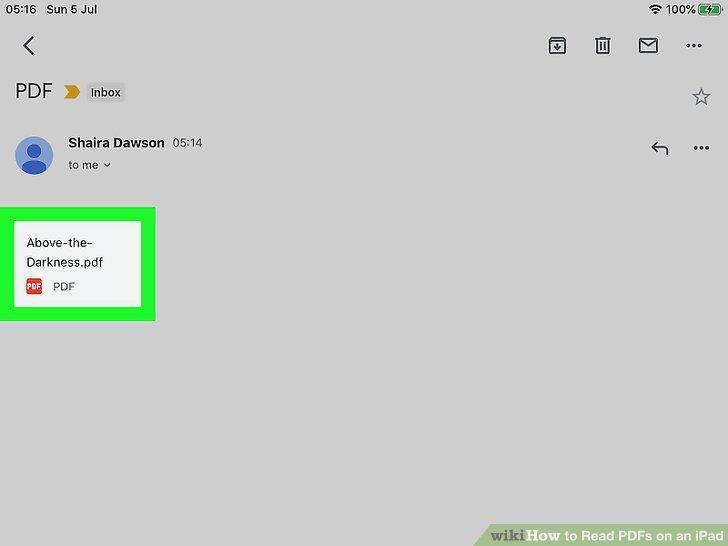
Tap the PDF.
4
Tap the Share icon .
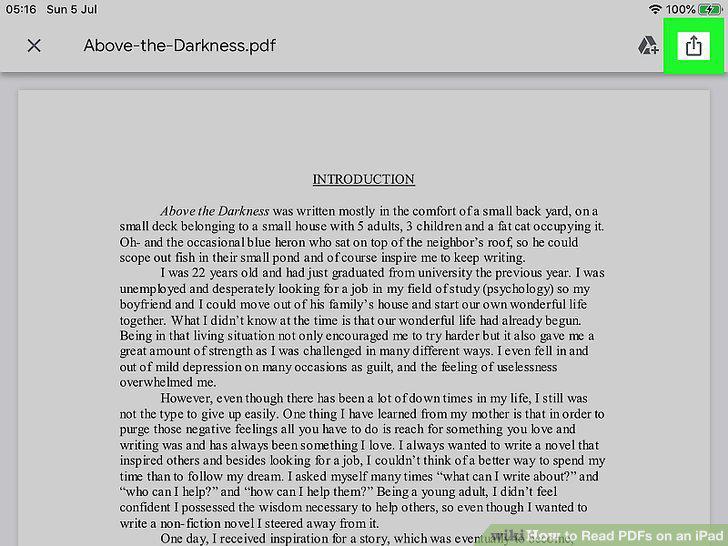
Tap the Share icon .
5
Scroll right and tap Copy to Books.
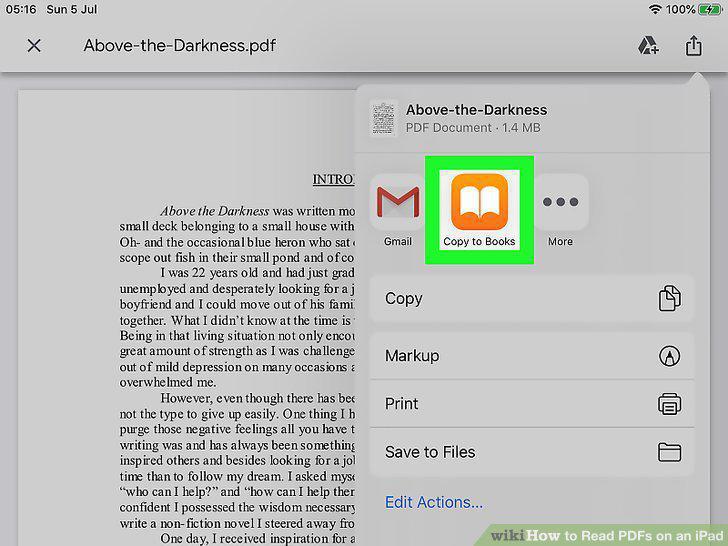
Scroll right and tap Copy to Books.
6
Tap the PDF to open it in Apple Books.
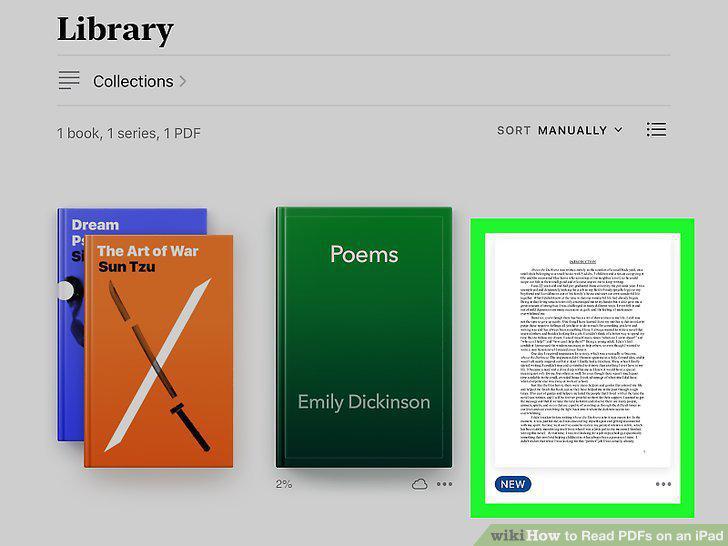
Tap the PDF to open it in Apple Books.
7
Swipe right or left through the pages.
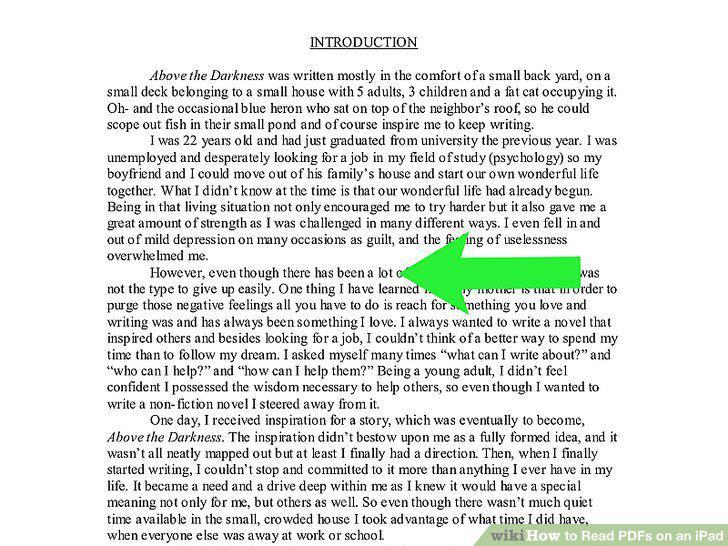
Swipe right or left through the pages.
8
Mark up the PDF.
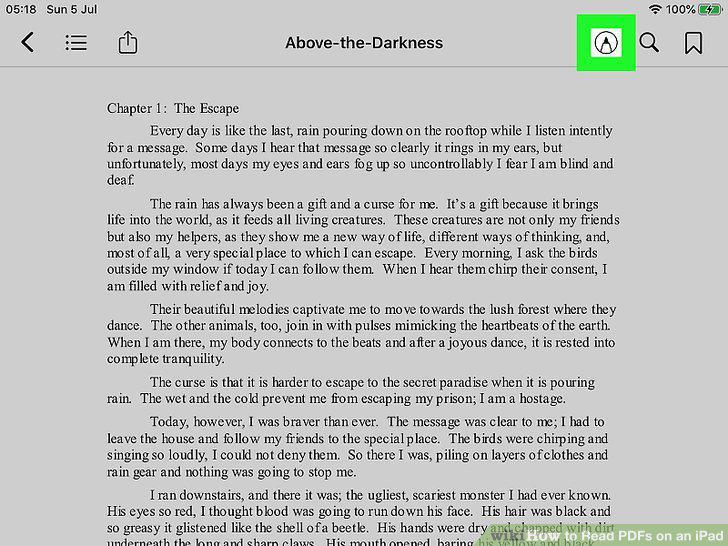
Mark up the PDF.
9
Tap the Share icon to share the file with others.
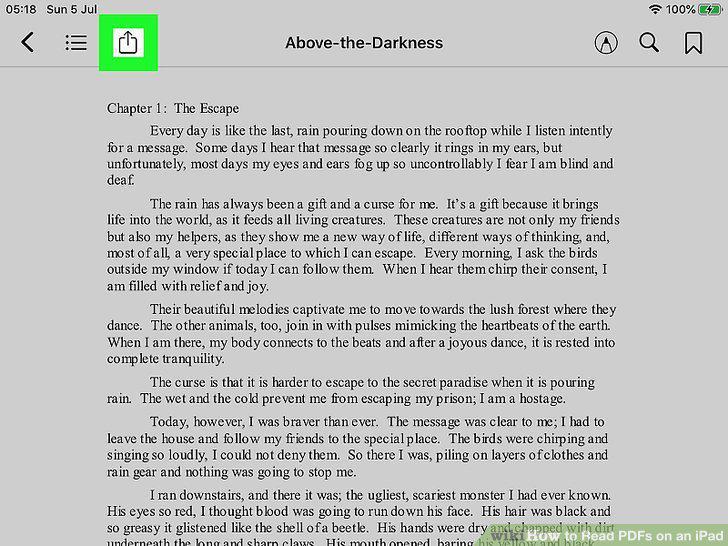
Tap the Share icon to share the file with others.
Comments (0)
No comments yet. Be the first to share your thoughts!