How to Remove the Background of an Image Using Photoshop CS6
Use the Quick Selection Tool to rapidly select the elements you want to keep in the image.. Click near the edges of your most important items, the things you want to save.. Go to "Refine Edge" to perfect your selection.
Steps
Use the Quick Selection Tool to rapidly select the elements you want to keep in
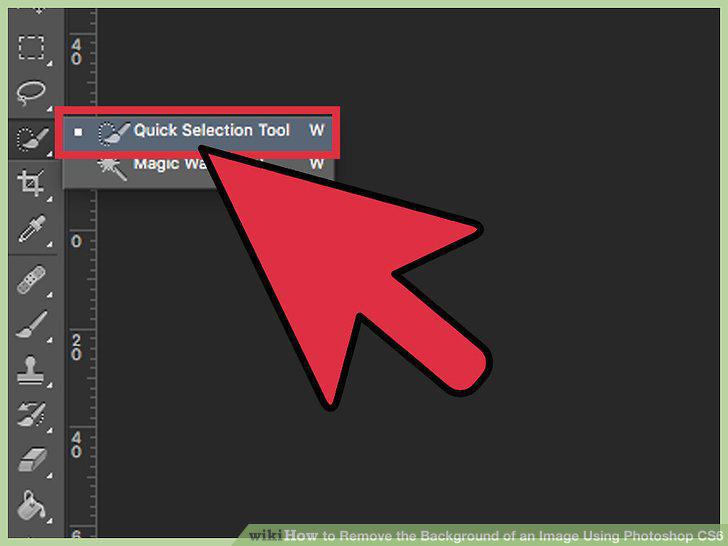
Use the Quick Selection Tool to rapidly select the elements you want to keep in the image.
Click near the edges of your most important items, the things you want to save.
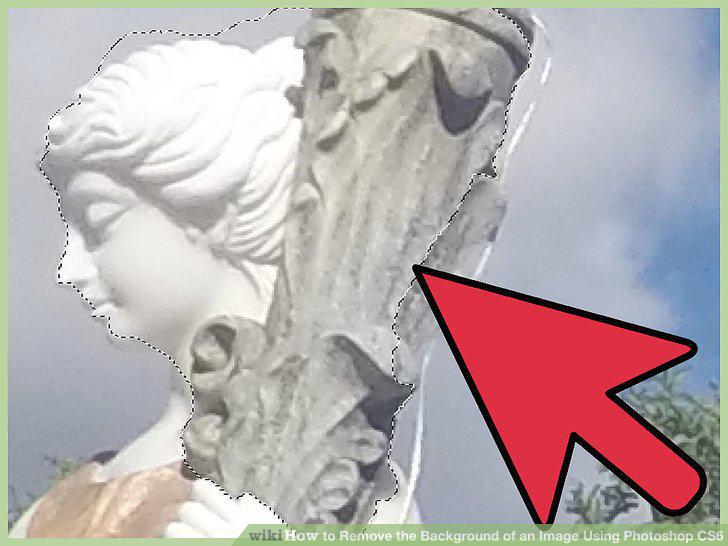
Click near the edges of your most important items, the things you want to save.
Go to "Refine Edge" to perfect your selection.
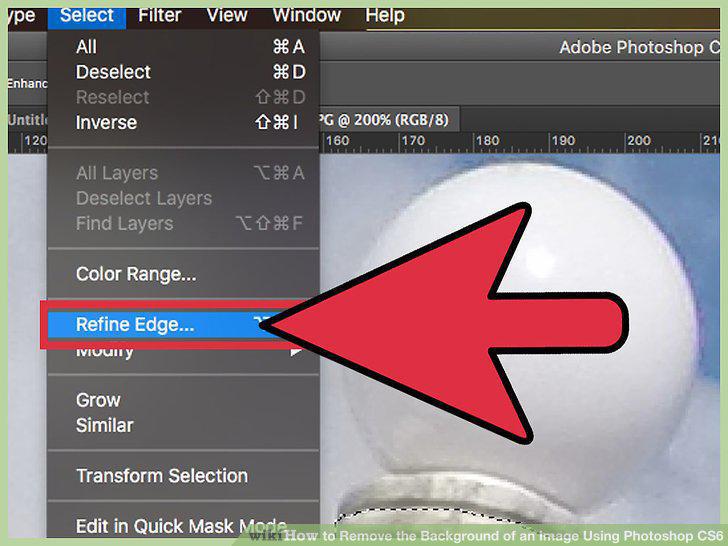
Go to "Refine Edge" to perfect your selection.
Right-click on the selection to pull it out of the background.
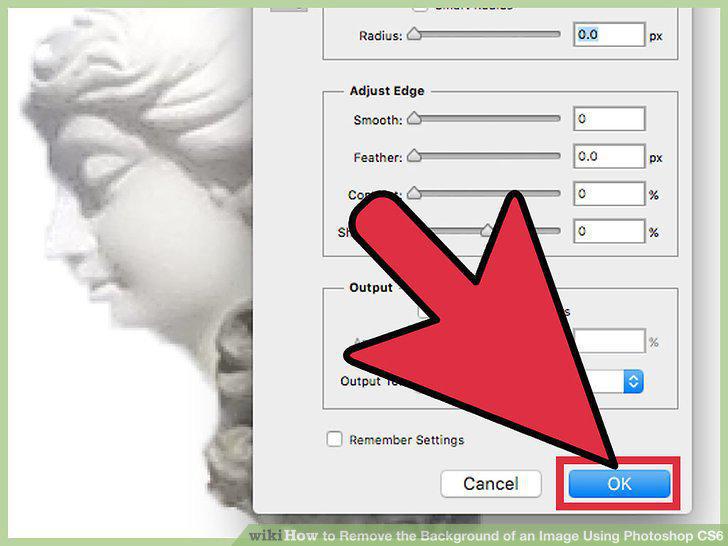
Right-click on the selection to pull it out of the background.
Delete the background layer to isolate your image.
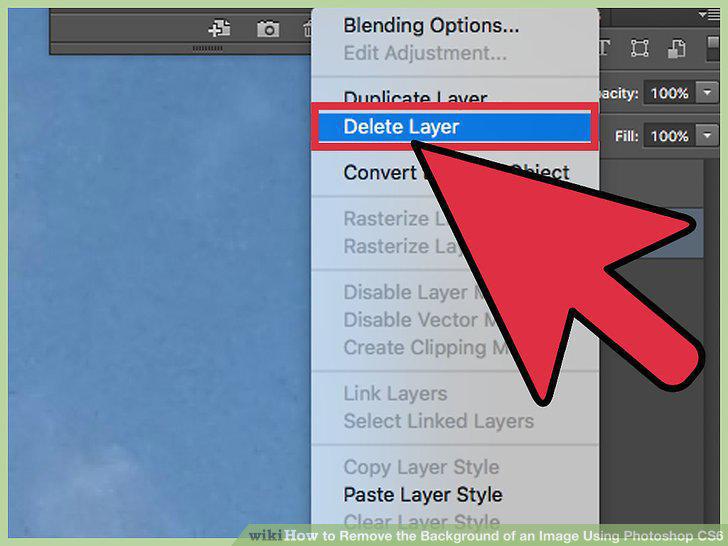
Delete the background layer to isolate your image.
Create a duplicate of your image, especially the important elements, before dele
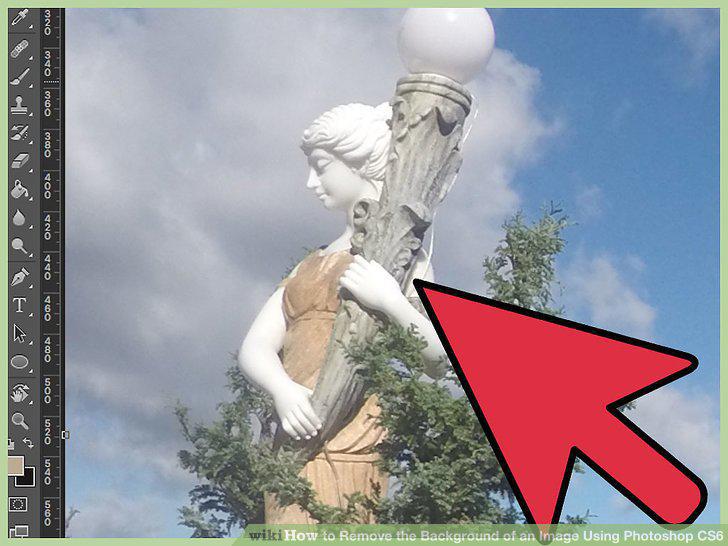
Create a duplicate of your image, especially the important elements, before deleting anything.
Use the Lasso Tool to get small, manually traced areas.
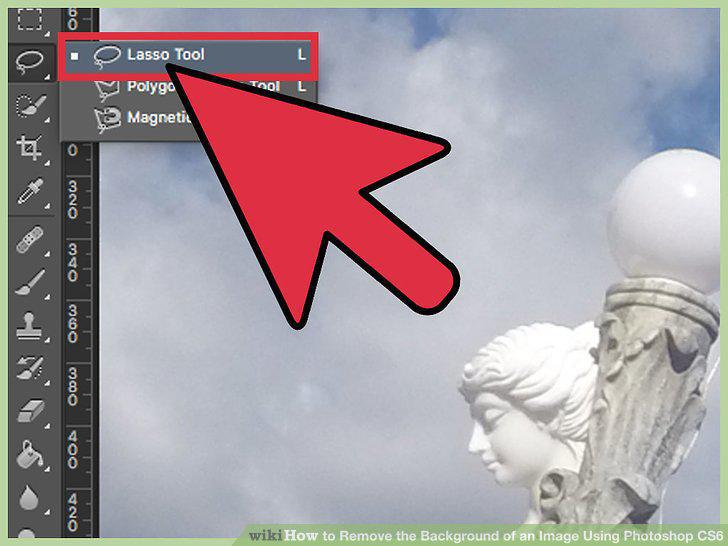
Use the Lasso Tool to get small, manually traced areas.
Use "Color Range" to remove mostly single-color areas from the background.
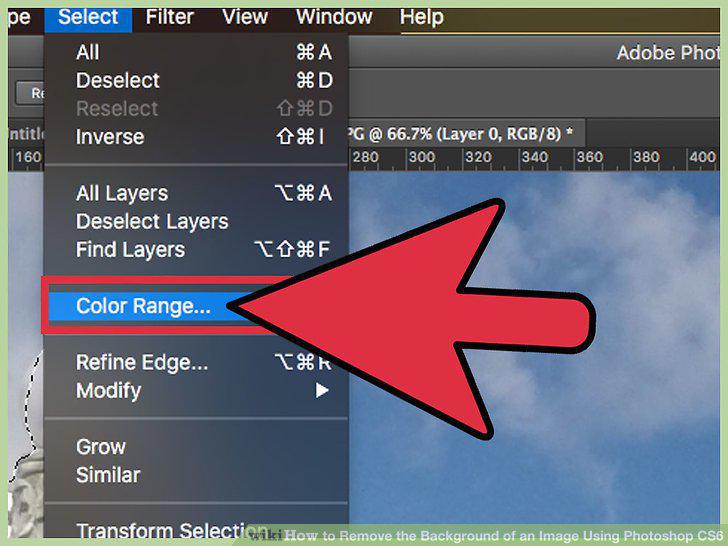
Use "Color Range" to remove mostly single-color areas from the background.
Use the Pen Tool to make exact, precise selections around things.
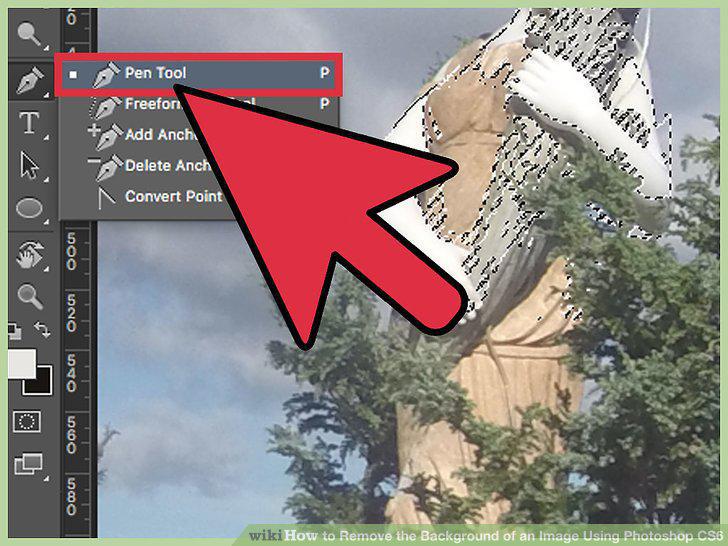
Use the Pen Tool to make exact, precise selections around things.
Use layer masks to make the background invisible, but keep it in the image.
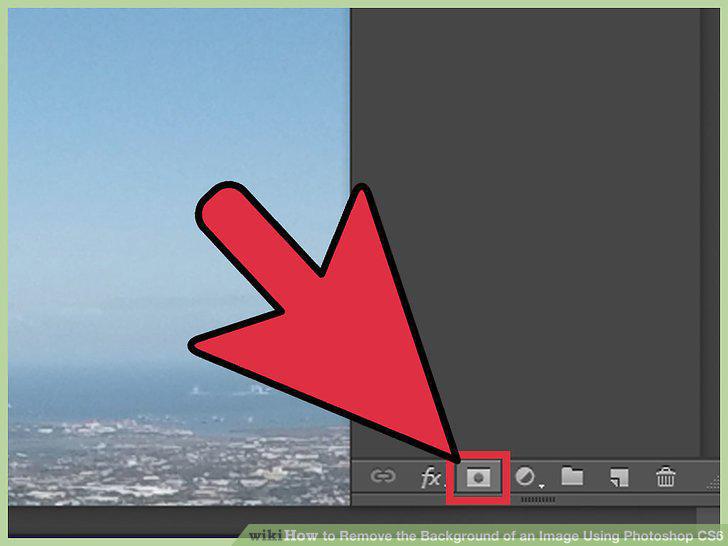
Use layer masks to make the background invisible, but keep it in the image.
Comments (0)
No comments yet. Be the first to share your thoughts!