How to Register Internet Download Manager (IDM) on PC or Mac
Open the Internet Download Manager app on your computer.. Click the Registration tab.. Click Registration on the drop-down menu.
Steps
1
Open the Internet Download Manager app on your computer.
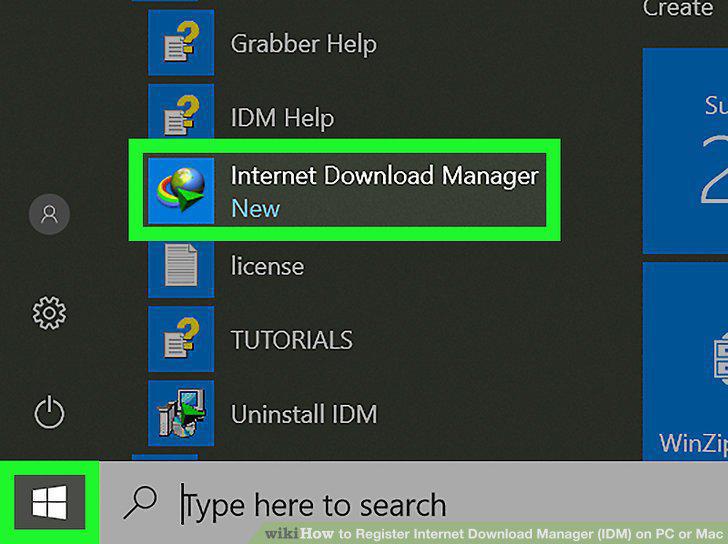
Open the Internet Download Manager app on your computer.
2
Click the Registration tab.
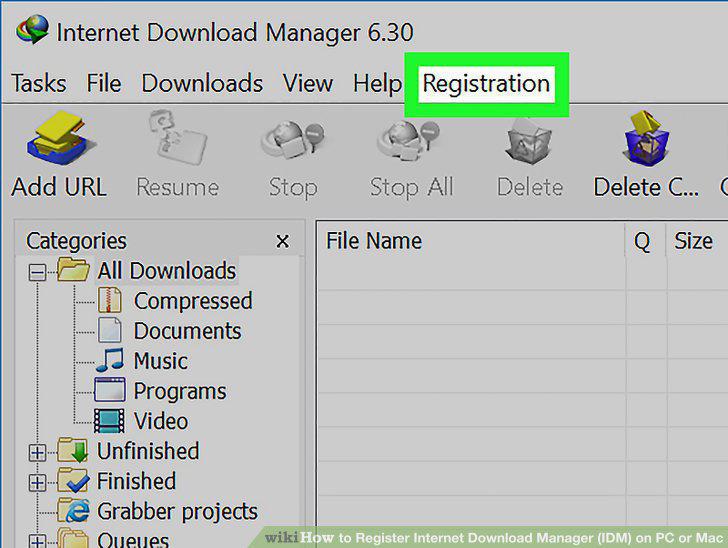
Click the Registration tab.
3
Click Registration on the drop-down menu.
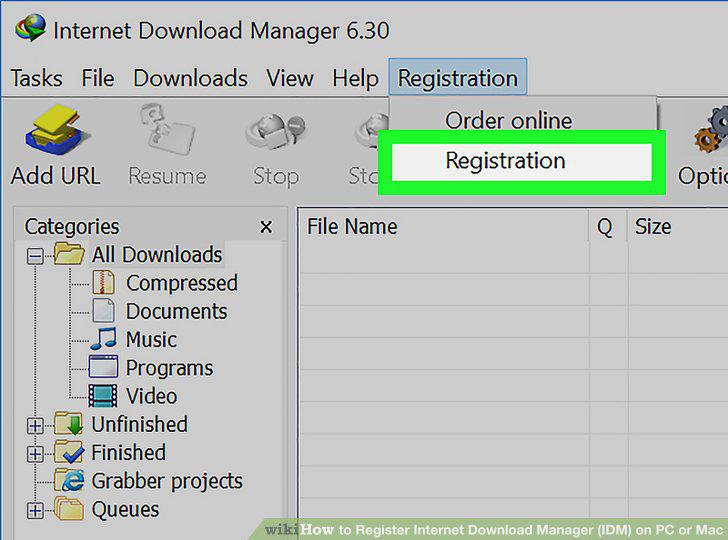
Click Registration on the drop-down menu.
4
Enter your first and last name.
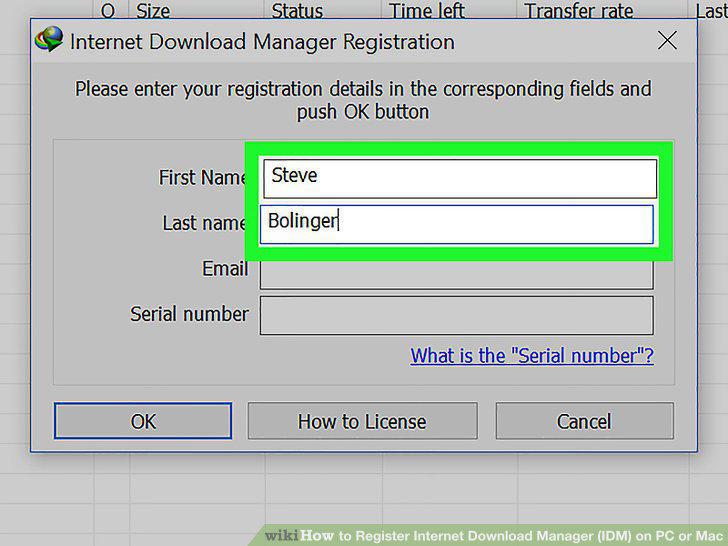
Enter your first and last name.
5
Enter your email address into the Email field.
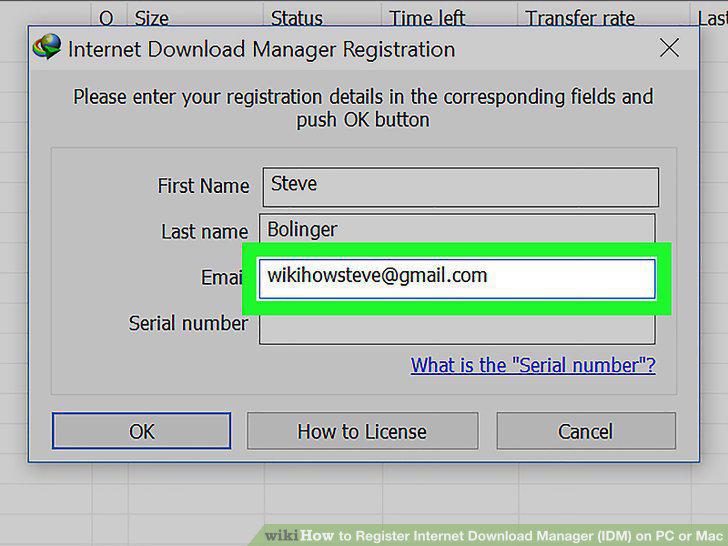
Enter your email address into the Email field.
6
Enter your personal serial number into the Serial number field.
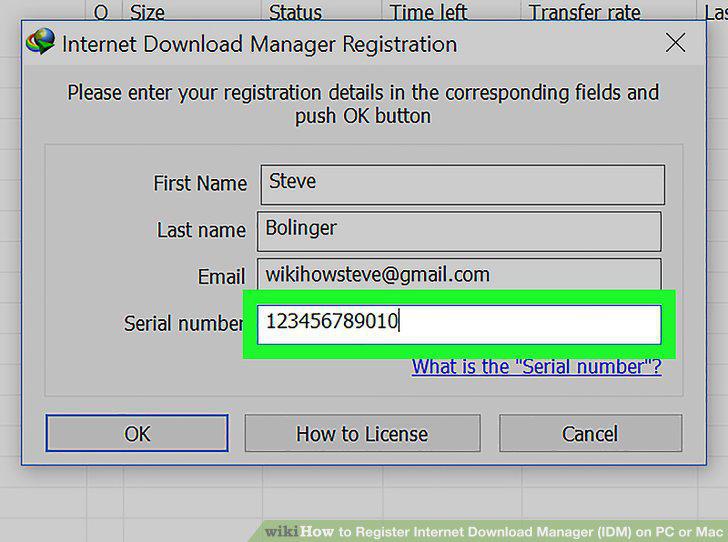
Enter your personal serial number into the Serial number field.
7
Click the OK button.
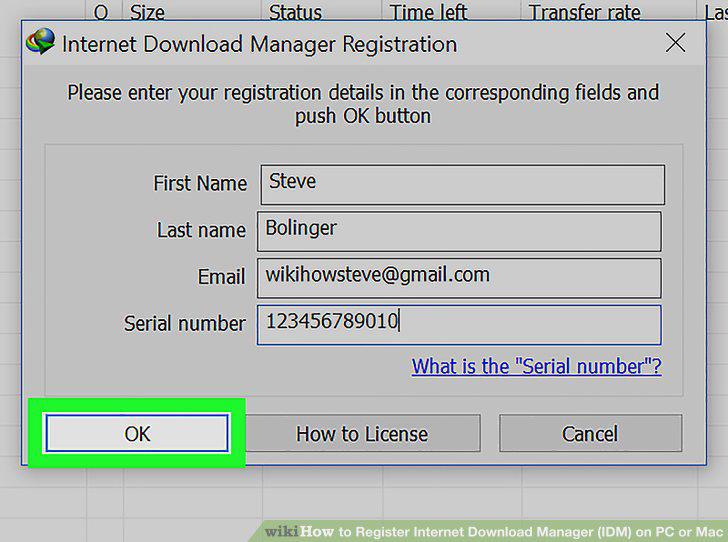
Click the OK button.
Comments (0)
No comments yet. Be the first to share your thoughts!