How to Use Skype Chat Commands
Open Skype on your computer, phone or tablet.. Tap or click a chat conversation.. Type /help into the message line.
Steps
1
Open Skype on your computer, phone or tablet.

Open Skype on your computer, phone or tablet.
2
Tap or click a chat conversation.

Tap or click a chat conversation.
3
Type /help into the message line.
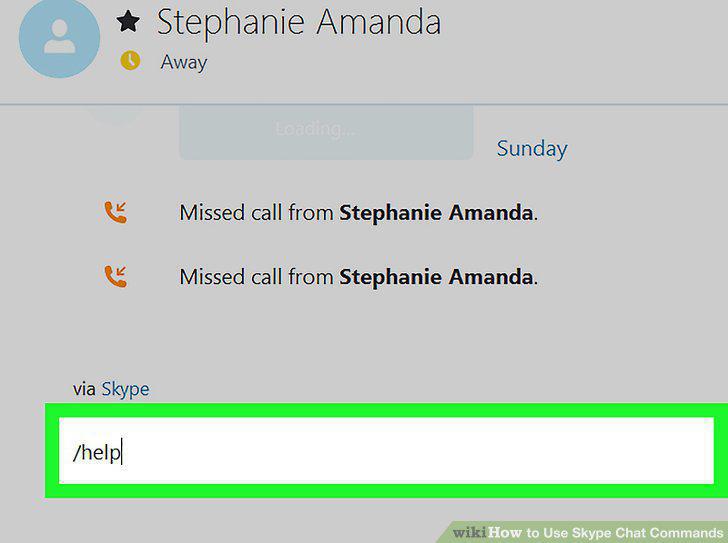
Type /help into the message line.
4
Tap or click the Send icon.

Tap or click the Send icon.
5
Type the command line you want to use into the message field.
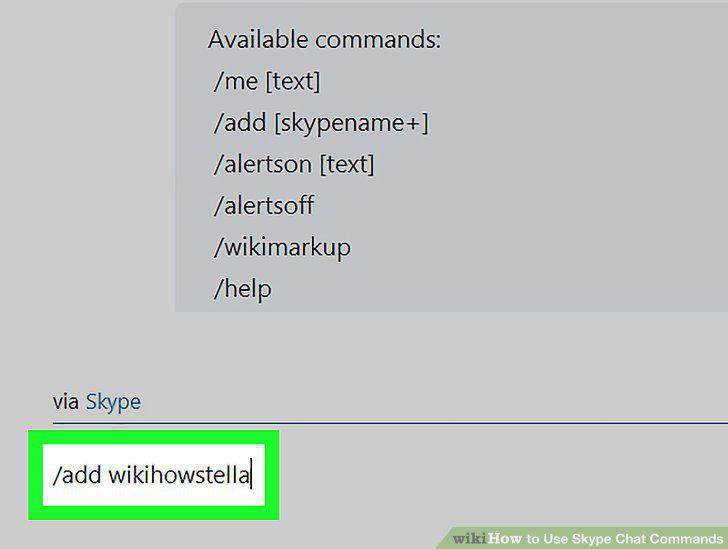
Type the command line you want to use into the message field.
6
Tap or click the Send icon.

Tap or click the Send icon.
Comments (0)
No comments yet. Be the first to share your thoughts!