How to Use Font Color Tags in HTML
Pick a color for your text.. Open your HTML document.. Find the text you want to color.
Steps
1
Pick a color for your text.
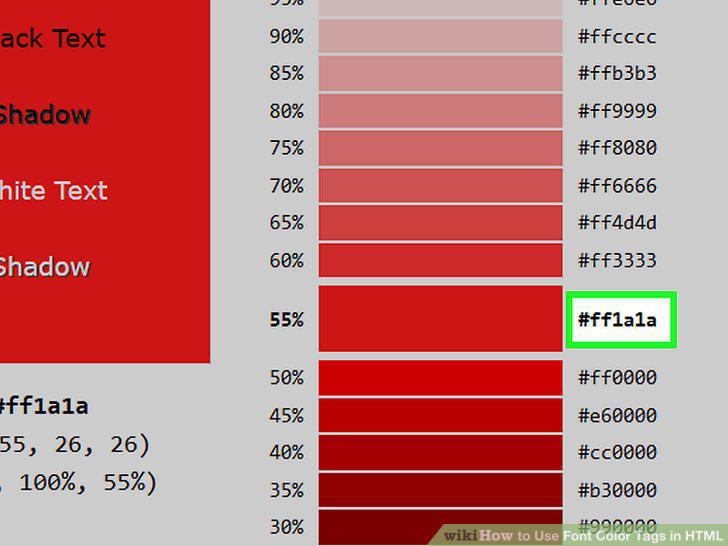
Pick a color for your text.
2
Open your HTML document.

Open your HTML document.
3
Find the text you want to color.

Find the text you want to color.
4
Note the text's tags.

Note the text's tags.
5
Add the "head" and "style" sections to the top of the document.

Add the "head" and "style" sections to the top of the document.
6
Enter the "color" style tag.

Enter the "color" style tag.
7
Review your document.

Review your document.
8
Unify the body text color.

Unify the body text color.
9
Pick a color for your text.
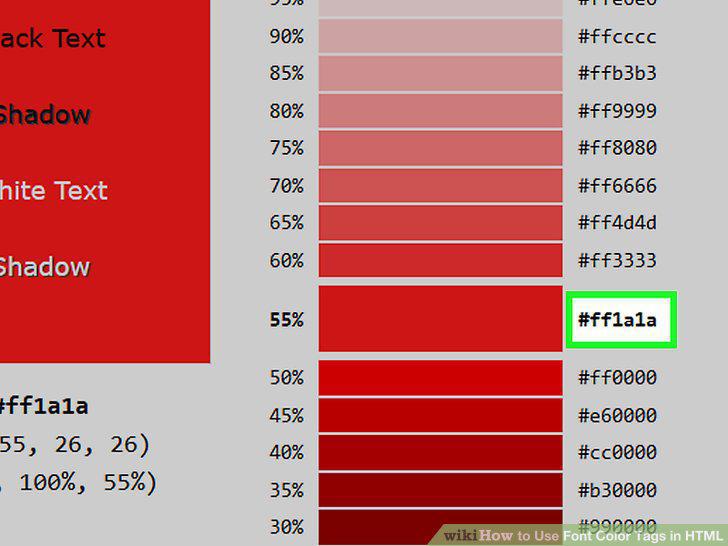
Pick a color for your text.
10
Open your HTML document.

Open your HTML document.
11
Find the text you want to color.

Find the text you want to color.
12
Add the open "font" tag.

Add the open "font" tag.
13
Close the "font" tag.

Close the "font" tag.
Comments (0)
No comments yet. Be the first to share your thoughts!