How to Join Three Tables in SQL
Type SELECT followed by the column names you want to query.. Type FROM followed by the first table name.. Type a join statement followed by the name of the second table.
Steps
1
Type SELECT followed by the column names you want to query.

Type SELECT followed by the column names you want to query.
2
Type FROM followed by the first table name.
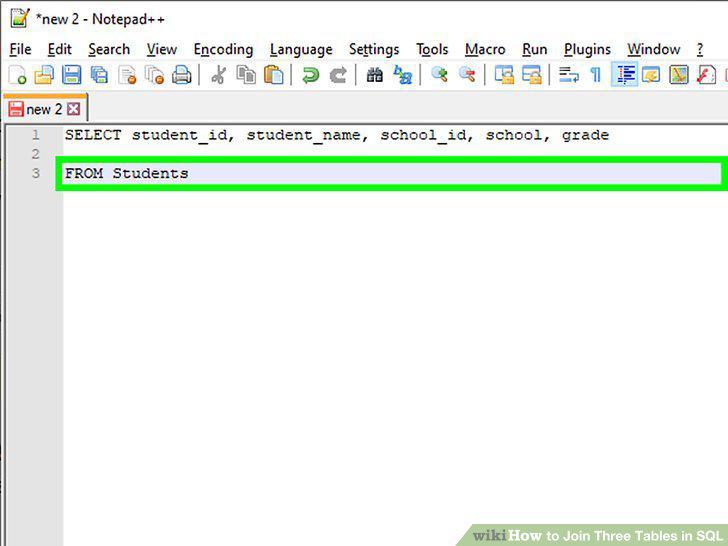
Type FROM followed by the first table name.
3
Type a join statement followed by the name of the second table.
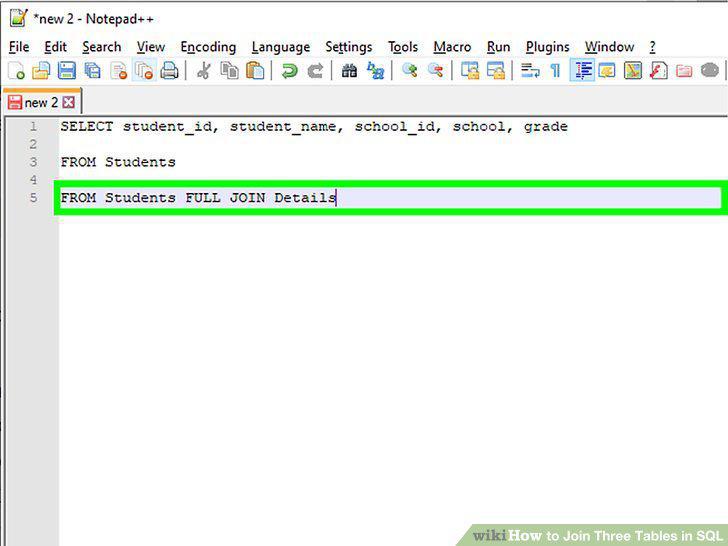
Type a join statement followed by the name of the second table.
4
Type an "ON" statement for the tables and columns are being joined.
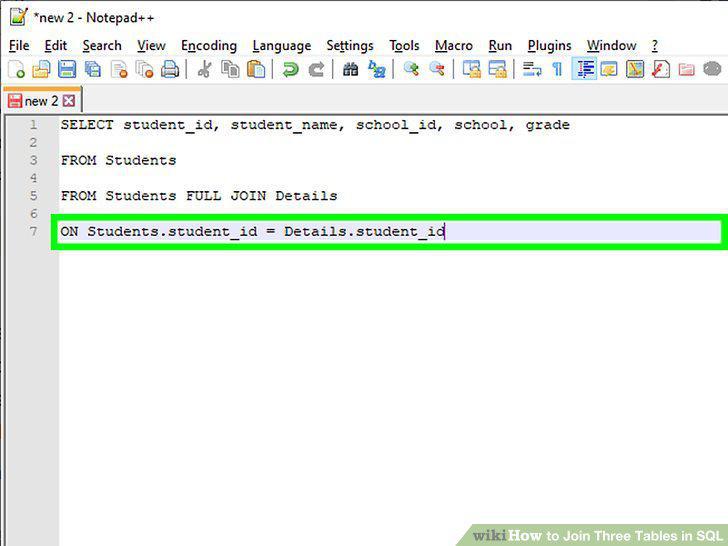
Type an "ON" statement for the tables and columns are being joined.
5
Type a join statement followed by the name of the third table.
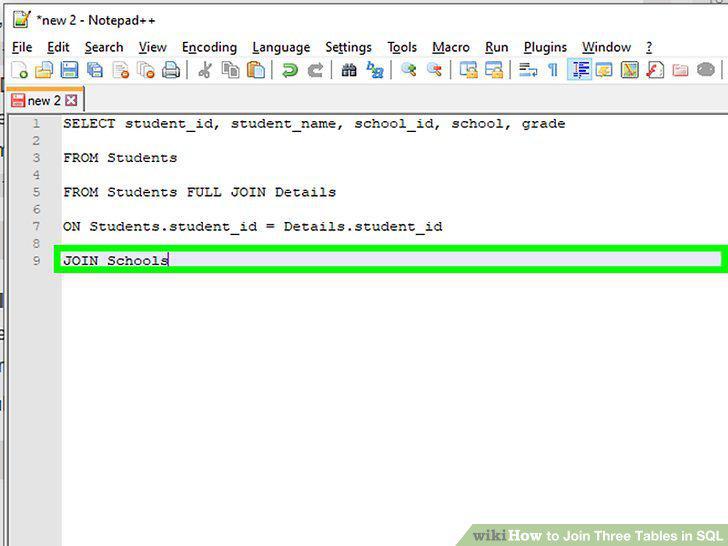
Type a join statement followed by the name of the third table.
6
Type an "ON" statement that indicates which tables and columns will be joined.
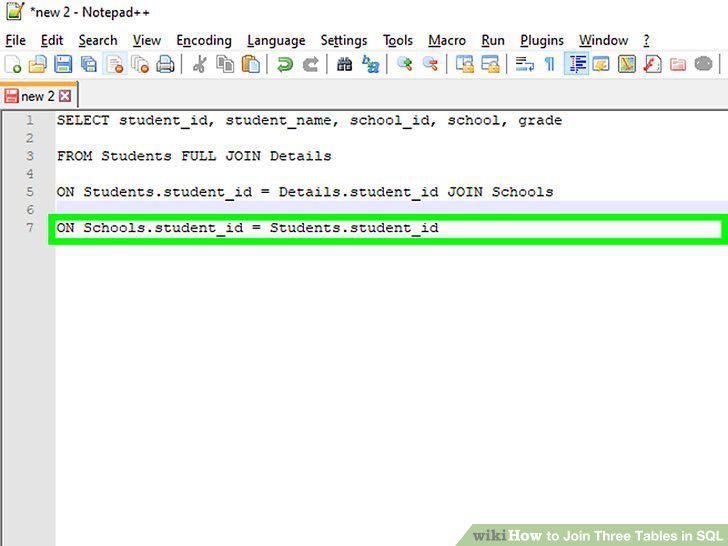
Type an "ON" statement that indicates which tables and columns will be joined.
Comments (0)
No comments yet. Be the first to share your thoughts!