How to Remove Application Permissions on a Mac
Click the Apple menu.. Click System Preferences.. Click Security & Privacy.
Steps
1
Click the Apple menu.
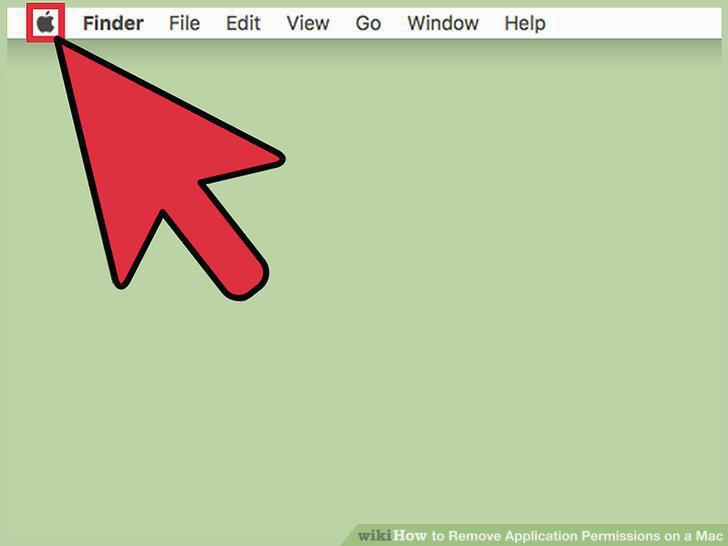
Click the Apple menu.
2
Click System Preferences.
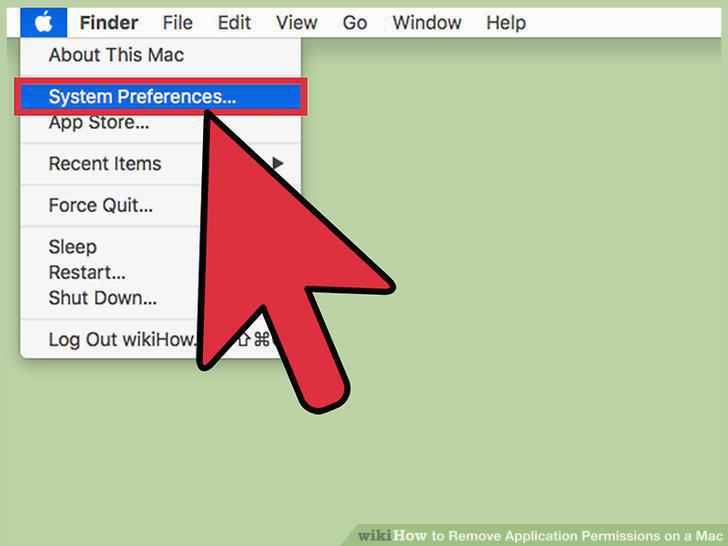
Click System Preferences.
3
Click Security & Privacy.
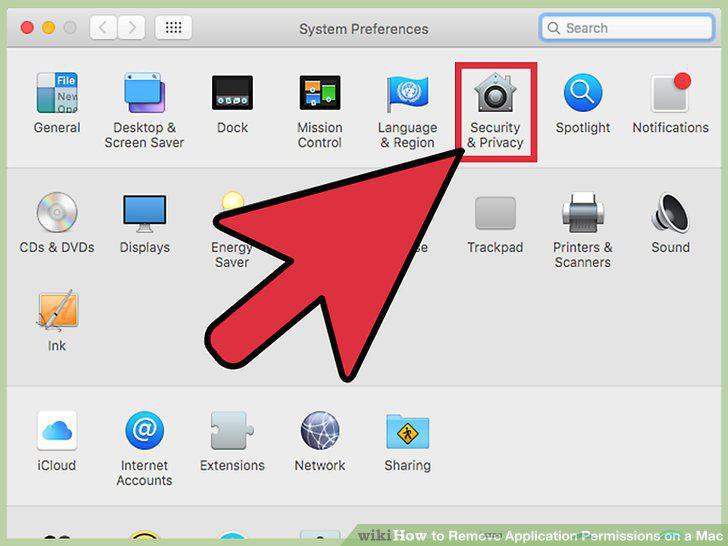
Click Security & Privacy.
4
Click the Privacy tab.
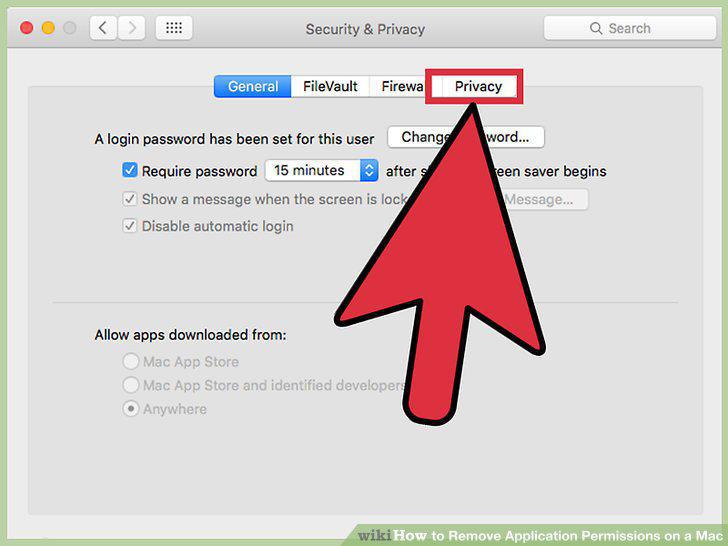
Click the Privacy tab.
5
Click the service you want to modify permissions for.
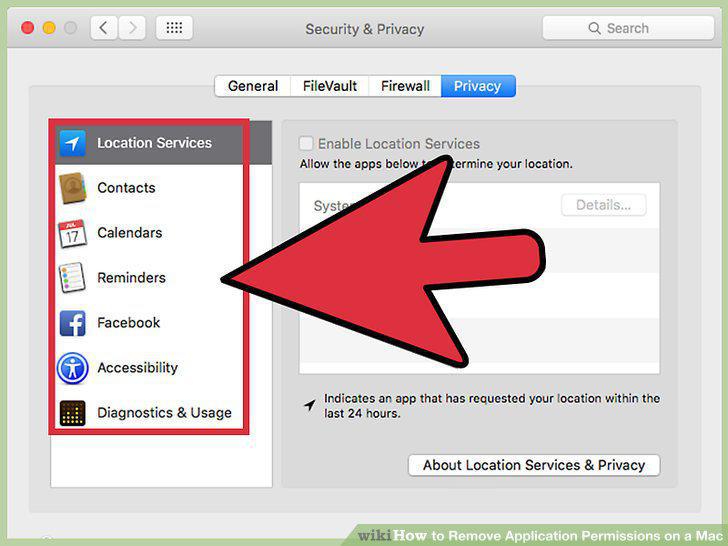
Click the service you want to modify permissions for.
6
Click the checkbox next to the app you want to deny permissions to.
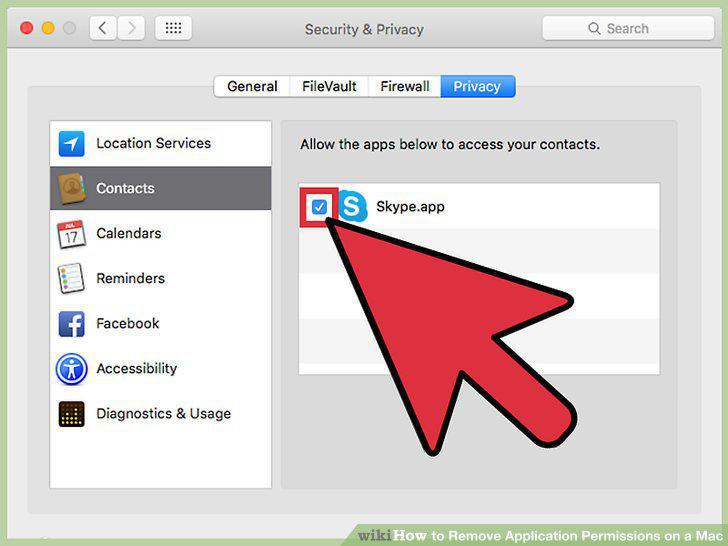
Click the checkbox next to the app you want to deny permissions to.
7
Click Quit Now if prompted to close the app.
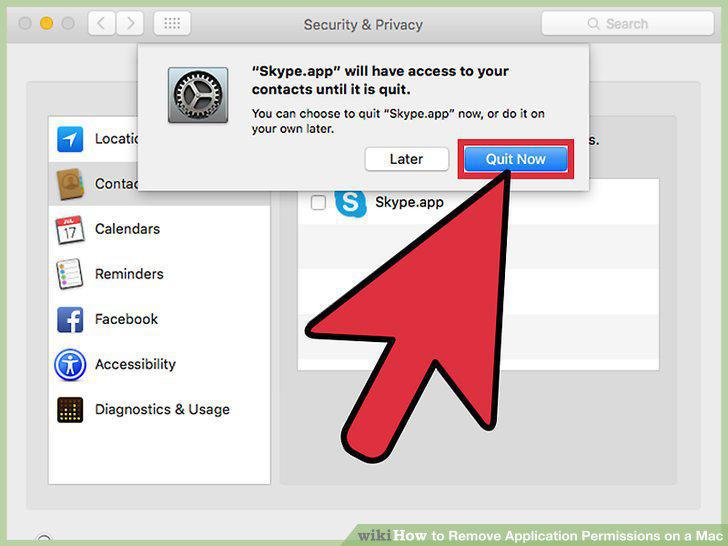
Click Quit Now if prompted to close the app.
Comments (0)
No comments yet. Be the first to share your thoughts!