How to Adjust Page Breaks in Excel
Open your spreadsheet in Excel or create a new file.. Enter Page Break Preview view.. Navigate to your page break.
Steps
1
Open your spreadsheet in Excel or create a new file.
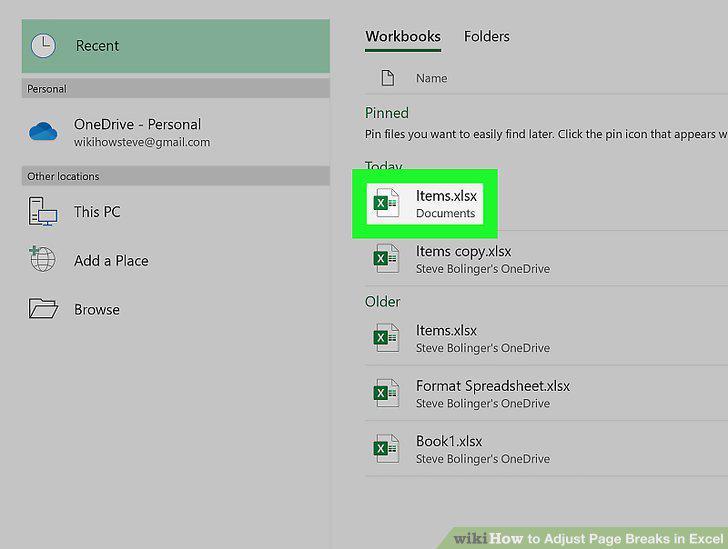
Open your spreadsheet in Excel or create a new file.
2
Enter Page Break Preview view.
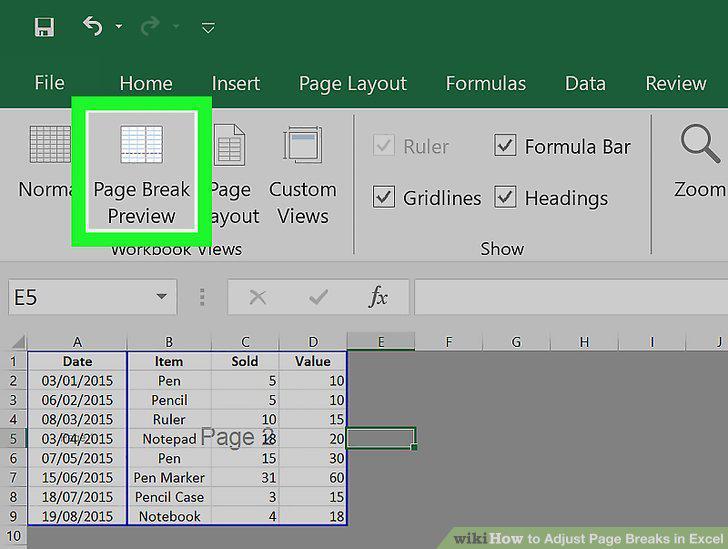
Enter Page Break Preview view.
3
Navigate to your page break.
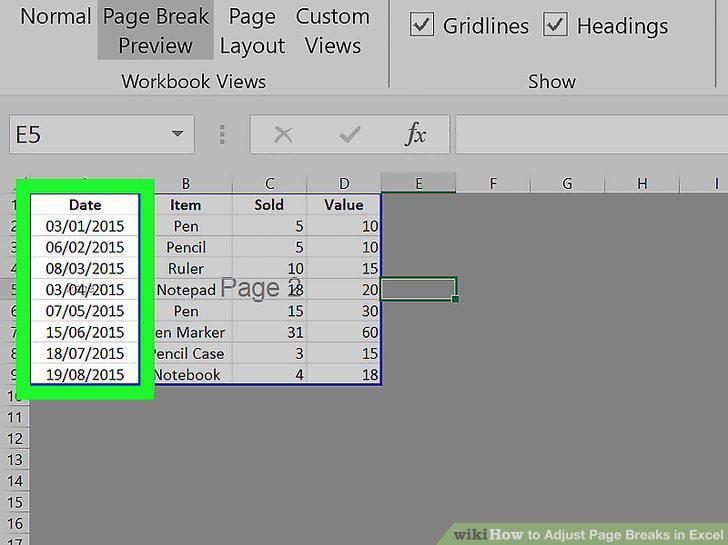
Navigate to your page break.
4
Hover your cursor over the page break.
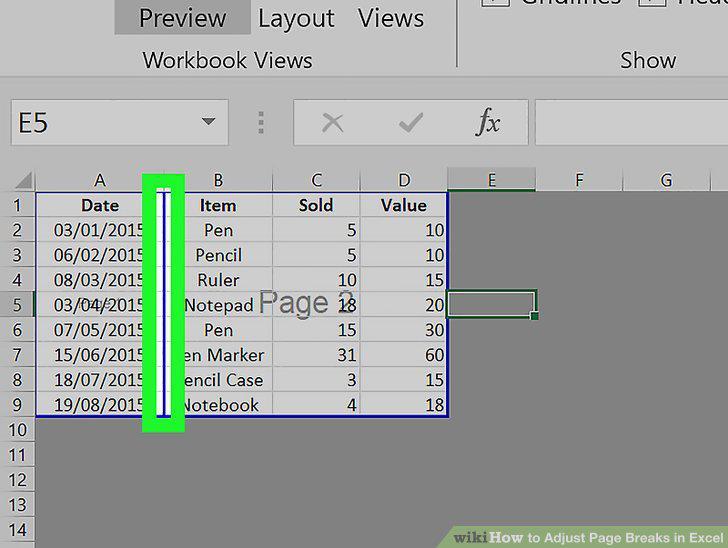
Hover your cursor over the page break.
5
Drag and drop the page break to where you want it.
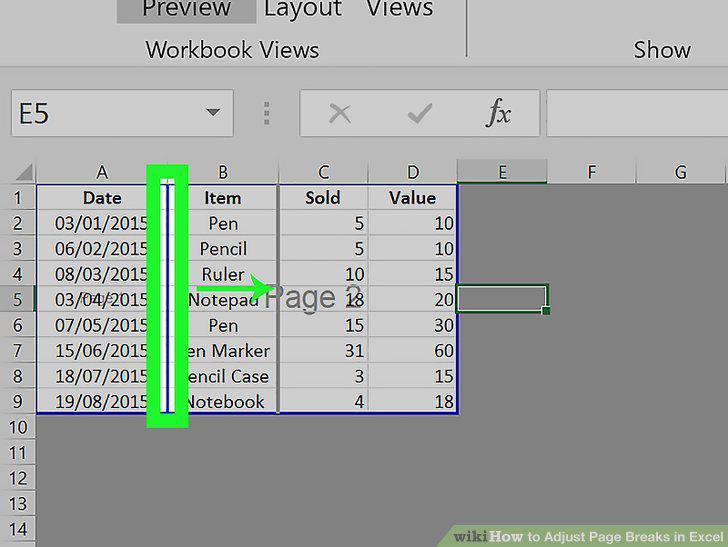
Drag and drop the page break to where you want it.
6
Open your spreadsheet in Excel or create a new document.
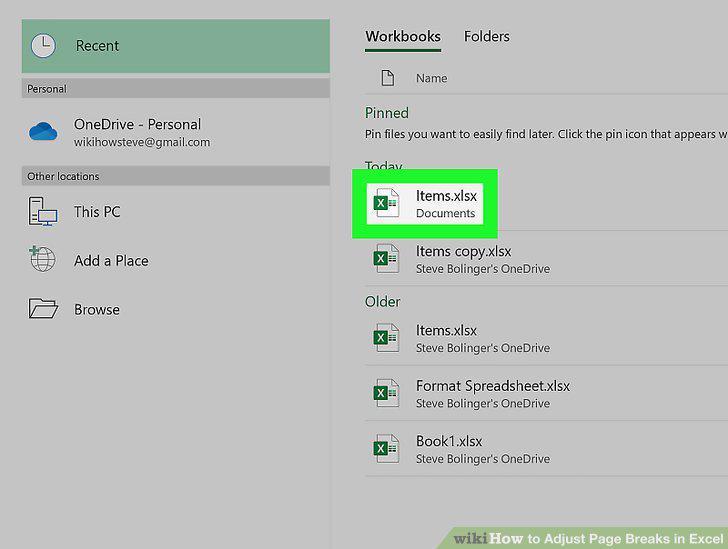
Open your spreadsheet in Excel or create a new document.
7
Enter Page Break Preview view.
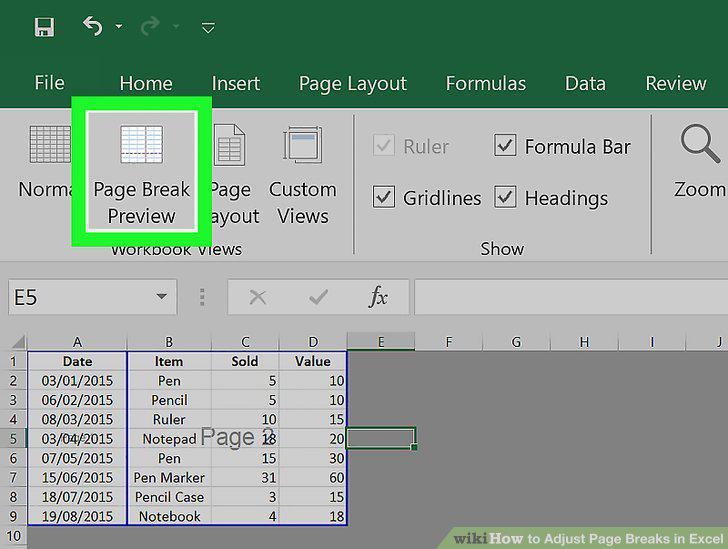
Enter Page Break Preview view.
8
Navigate to the column to the right (vertical page break) or below (horizontal)
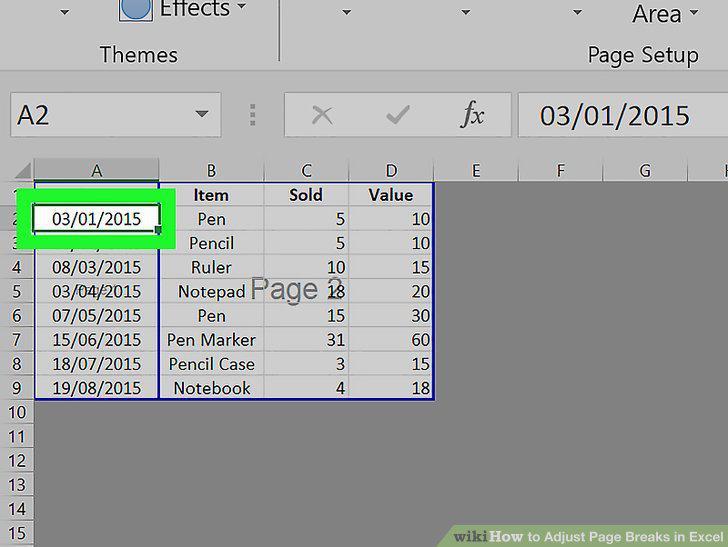
Navigate to the column to the right (vertical page break) or below (horizontal) your page break.
9
Click the Page Layout tab.
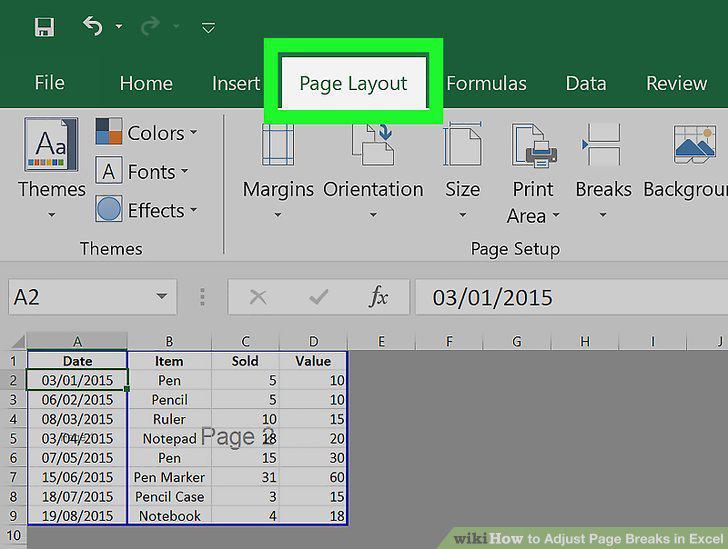
Click the Page Layout tab.
10
Click Breaks.
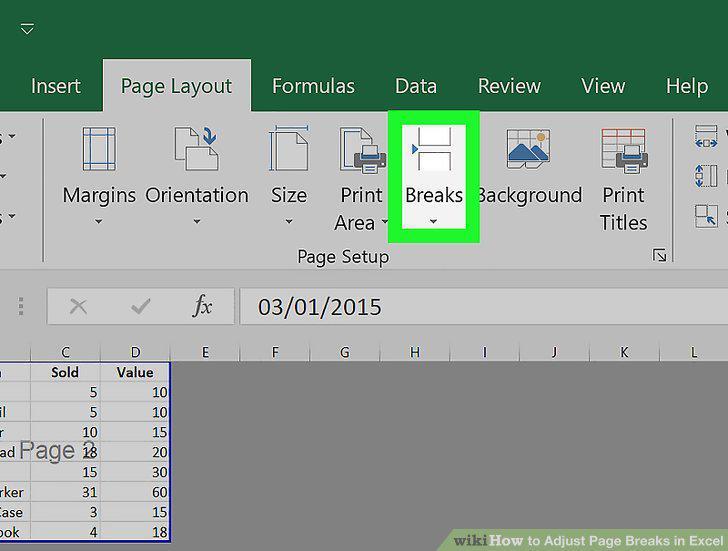
Click Breaks.
11
Click Remove Page Break.
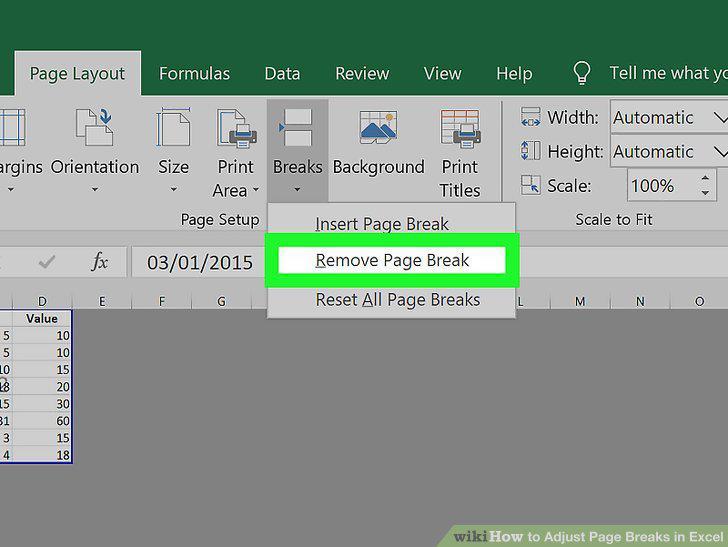
Click Remove Page Break.
Comments (0)
No comments yet. Be the first to share your thoughts!