How to Use Pen Drive As RAM
Insert your blank USB flash drive into the PC.. Click Speed up my system on the "AutoPlay" window.. Select Dedicate this device to ReadyBoost or Use this device.
Steps
1
Insert your blank USB flash drive into the PC.
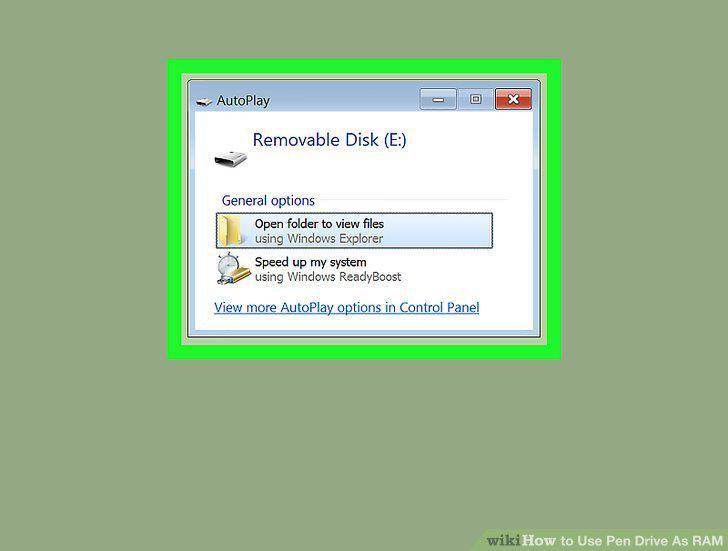
Insert your blank USB flash drive into the PC.
2
Click Speed up my system on the "AutoPlay" window.
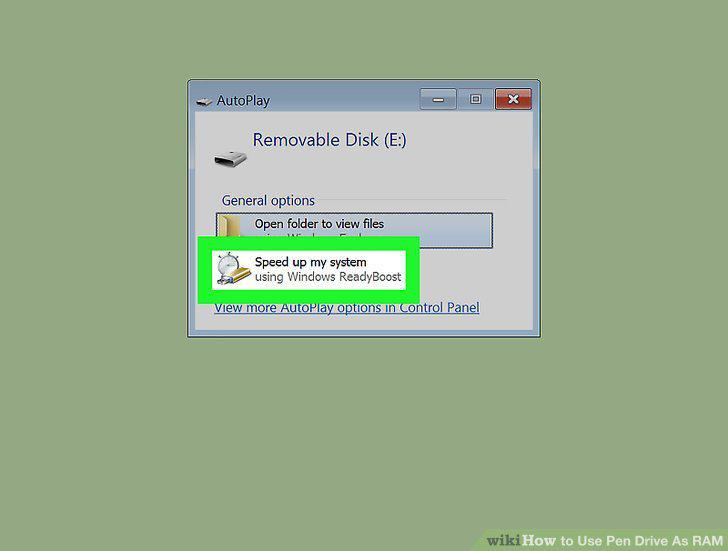
Click Speed up my system on the "AutoPlay" window.
3
Select Dedicate this device to ReadyBoost or Use this device.
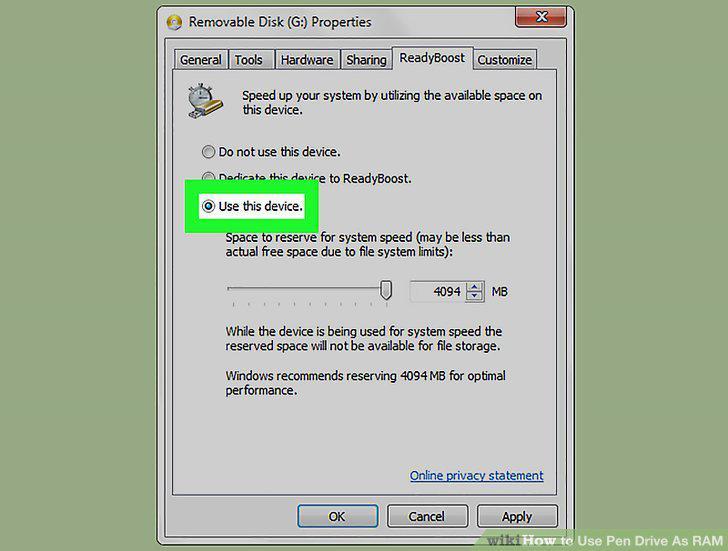
Select Dedicate this device to ReadyBoost or Use this device.
4
Click OK.
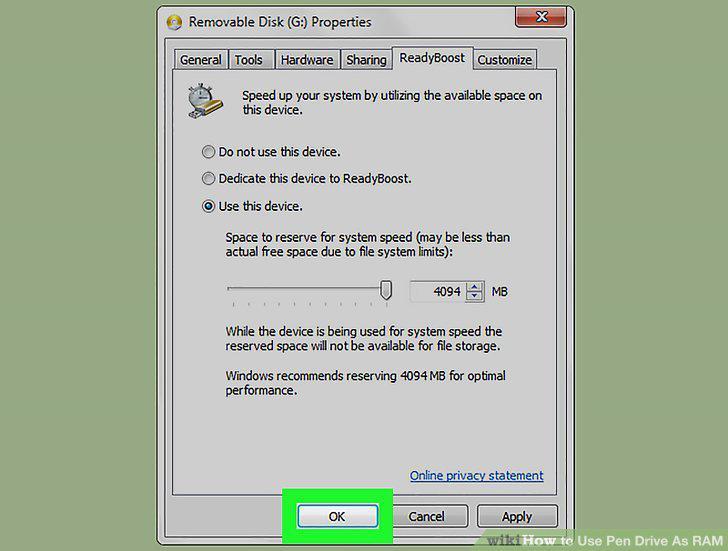
Click OK.
Comments (0)
No comments yet. Be the first to share your thoughts!