How to Apply Distinct on Multiple Columns in SQL
Enter SELECT distinct and the names of each column.. Enter FROM table_name.. Enter WHERE followed by the criteria.
Steps
1
Enter SELECT distinct and the names of each column.
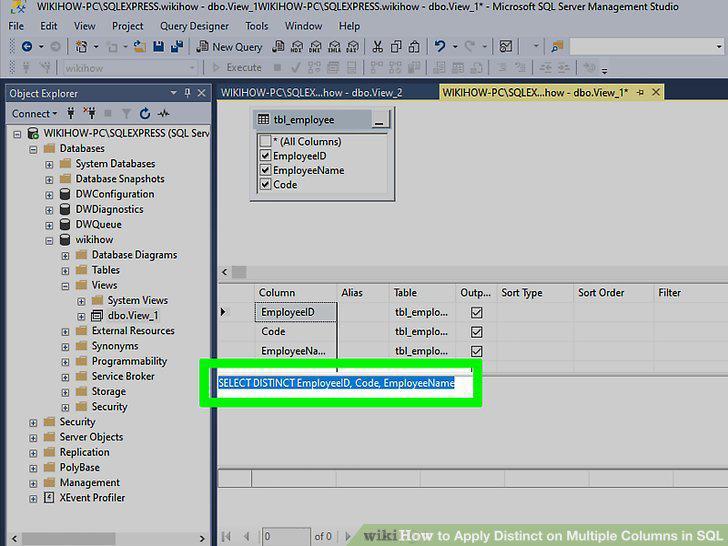
Enter SELECT distinct and the names of each column.
2
Enter FROM table_name.
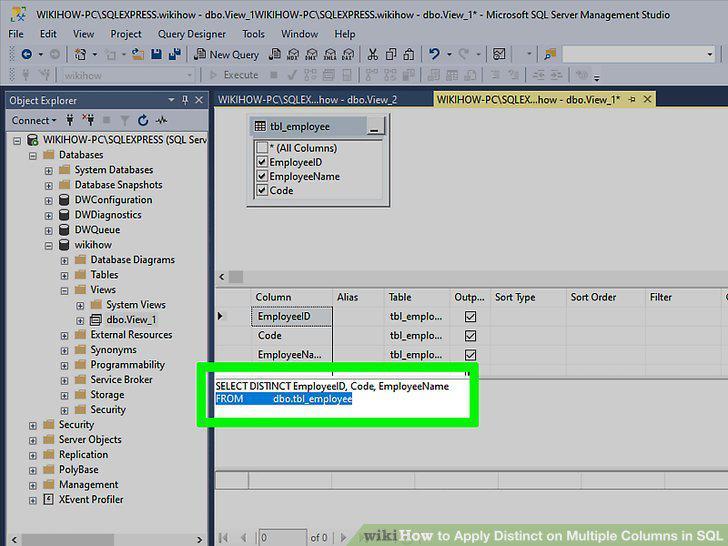
Enter FROM table_name.
3
Enter WHERE followed by the criteria.
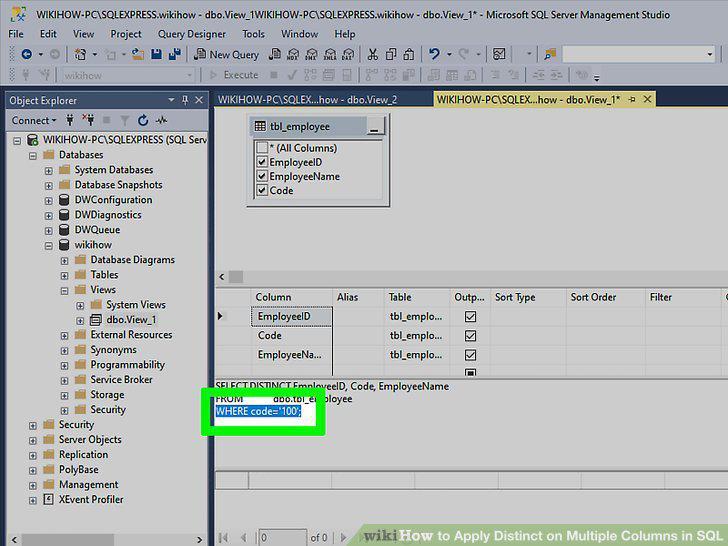
Enter WHERE followed by the criteria.
4
Execute the command.
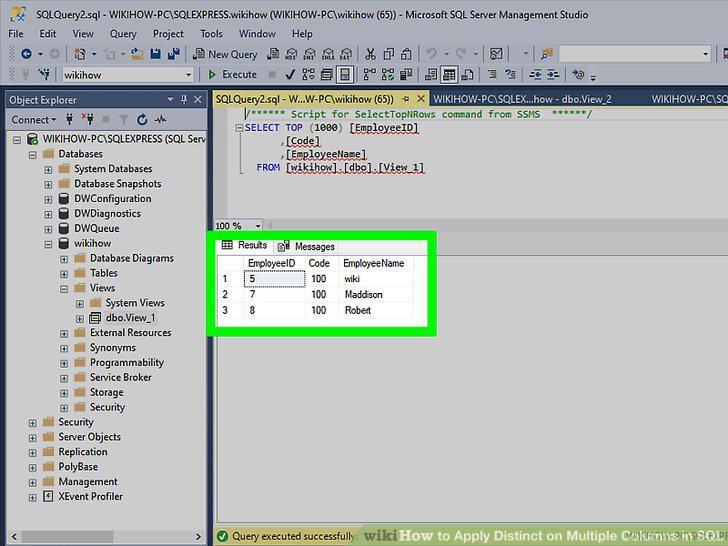
Execute the command.
Comments (0)
No comments yet. Be the first to share your thoughts!