How to Boost the Bass on Windows
Find the sound icon on your computer's taskbar.. Right-click the sound icon.. Click Playback devices on the pop-up menu.
Steps
1
Find the sound icon on your computer's taskbar.
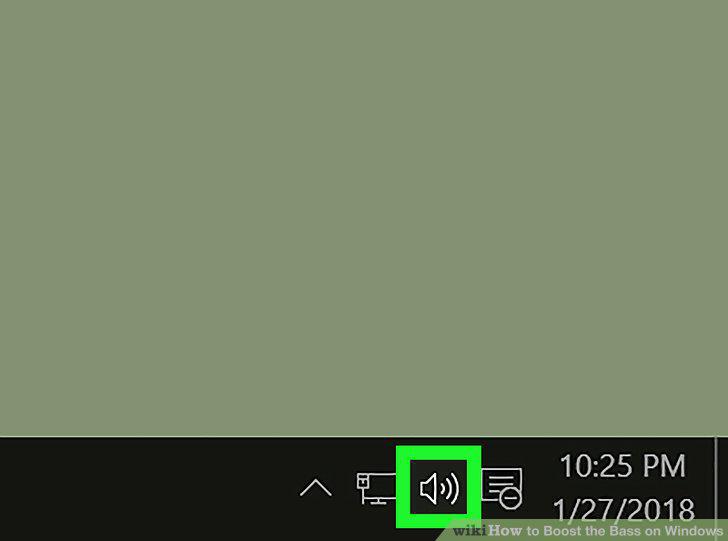
Find the sound icon on your computer's taskbar.
2
Right-click the sound icon.
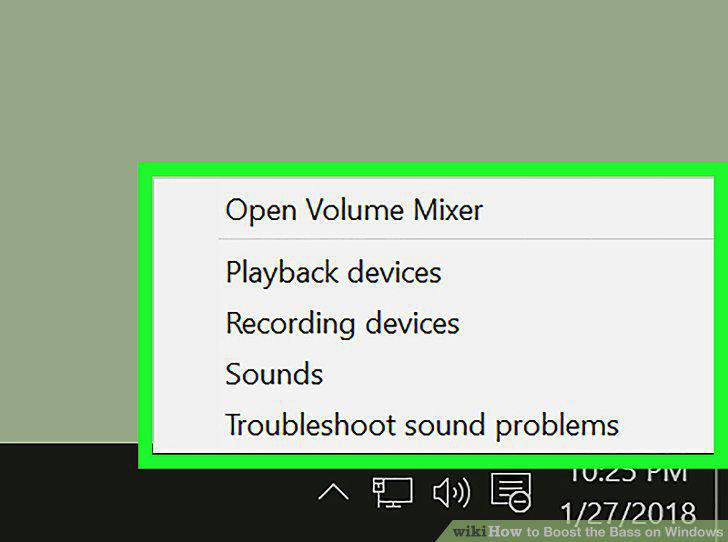
Right-click the sound icon.
3
Click Playback devices on the pop-up menu.
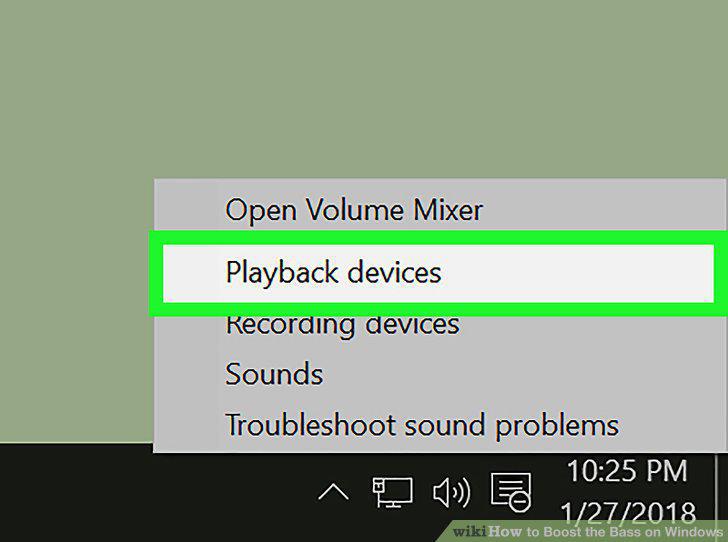
Click Playback devices on the pop-up menu.
4
Find and click your computer's speakers on the hardware list.
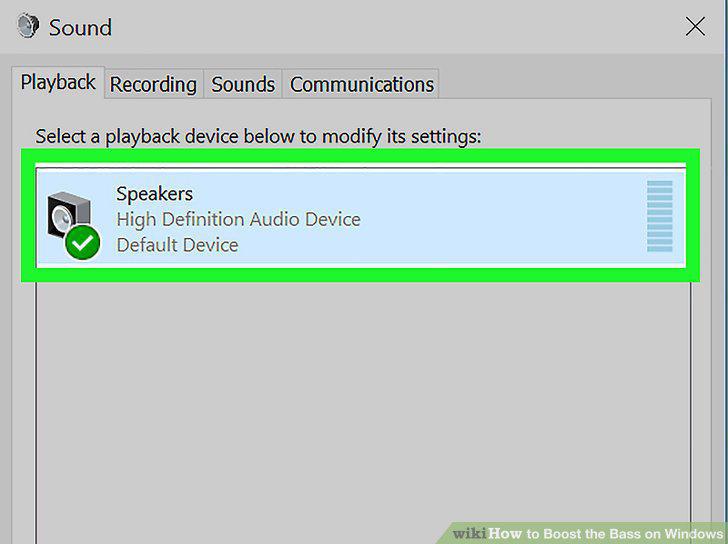
Find and click your computer's speakers on the hardware list.
5
Click the Properties button.
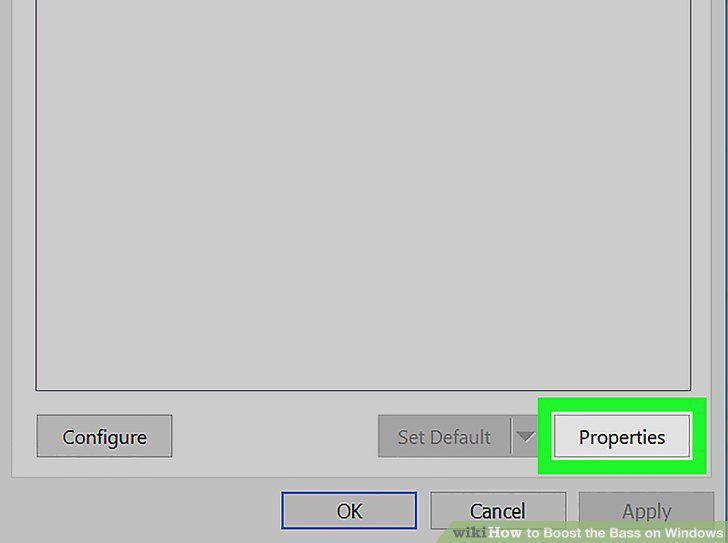
Click the Properties button.
6
Click the Enhancements tab at the top.
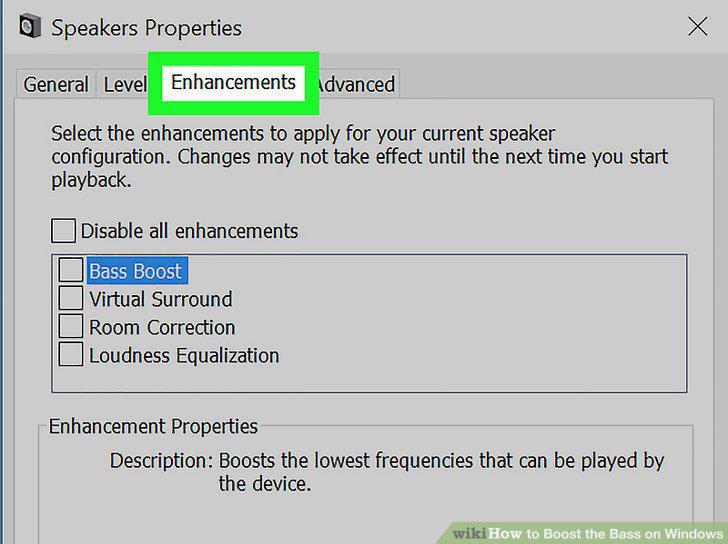
Click the Enhancements tab at the top.
7
Find and check the box next to Equalizer on the effects list.
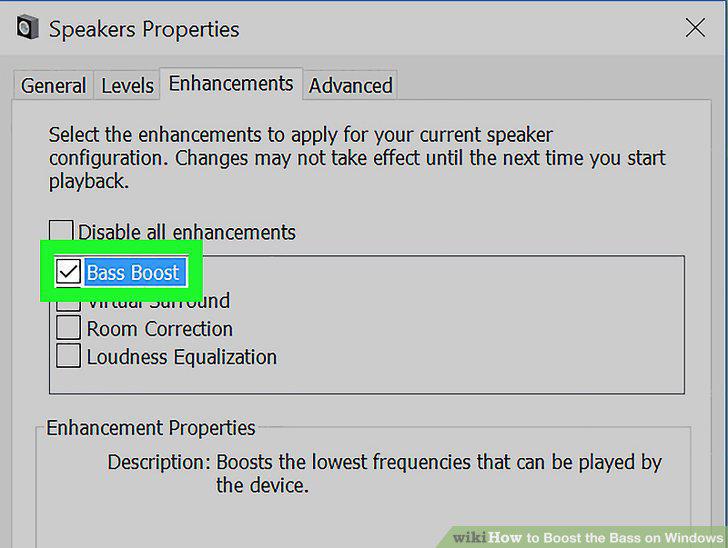
Find and check the box next to Equalizer on the effects list.
8
Click the selector bar next to "Setting" at the bottom.
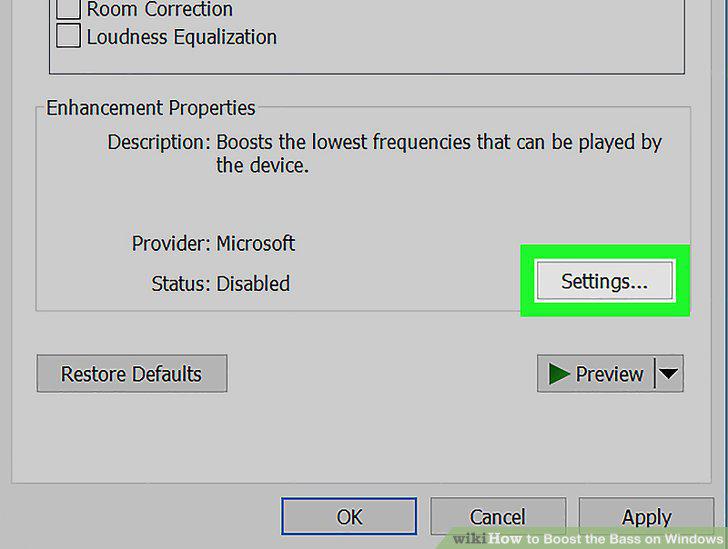
Click the selector bar next to "Setting" at the bottom.
9
Select Bass on the drop-down list.
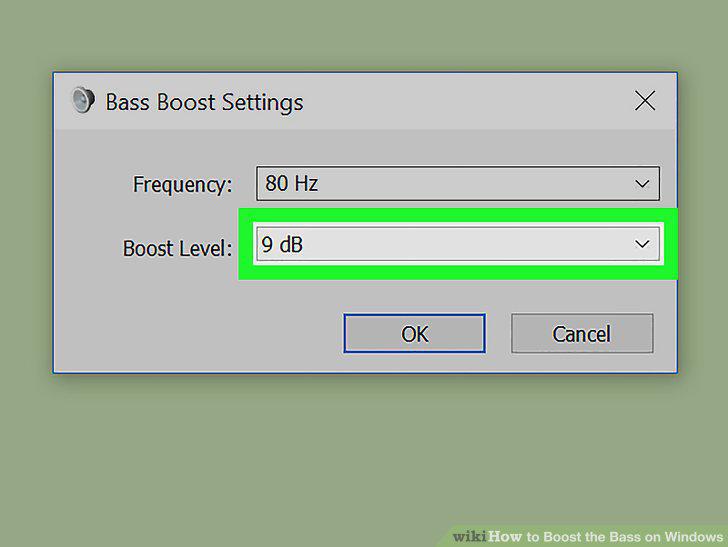
Select Bass on the drop-down list.
10
Click OK.
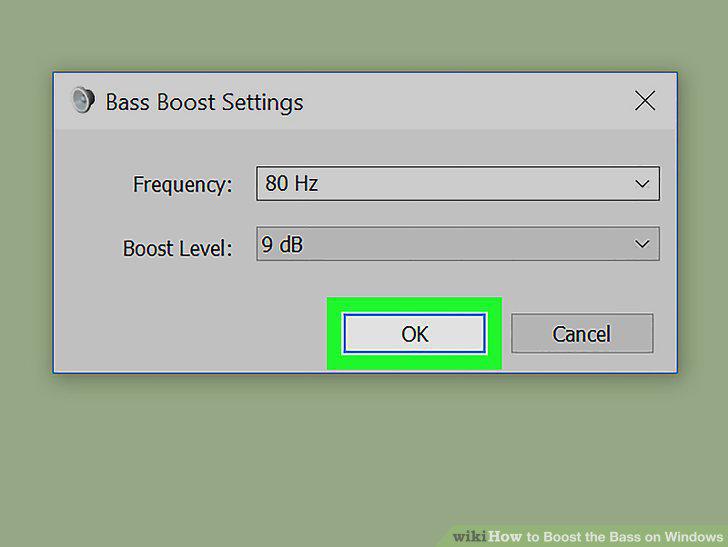
Click OK.
Comments (0)
No comments yet. Be the first to share your thoughts!