How to Change the Volume on a Mac
Click the Apple menu.. Click System Preferences.. Click the Sound option.
Steps
1
Click the Apple menu.
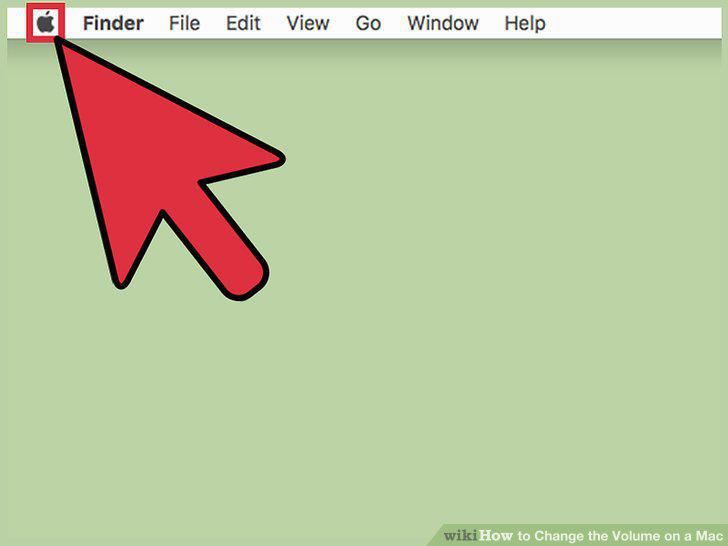
Click the Apple menu.
2
Click System Preferences.
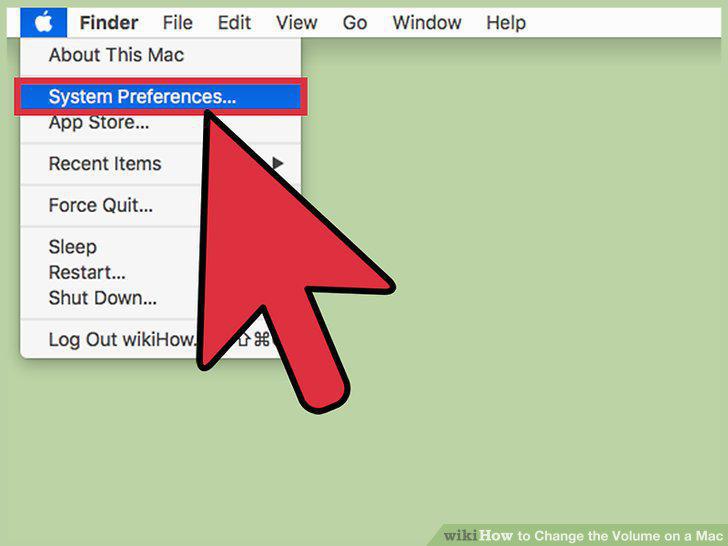
Click System Preferences.
3
Click the Sound option.
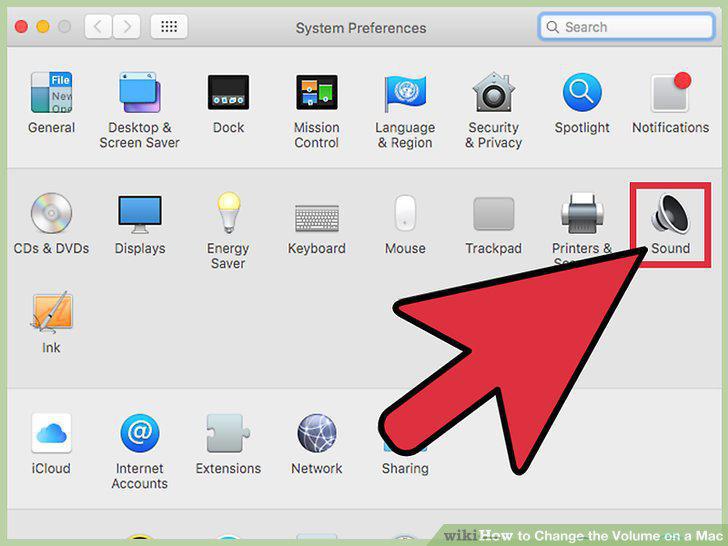
Click the Sound option.
4
Click the Show volume in menu bar box.
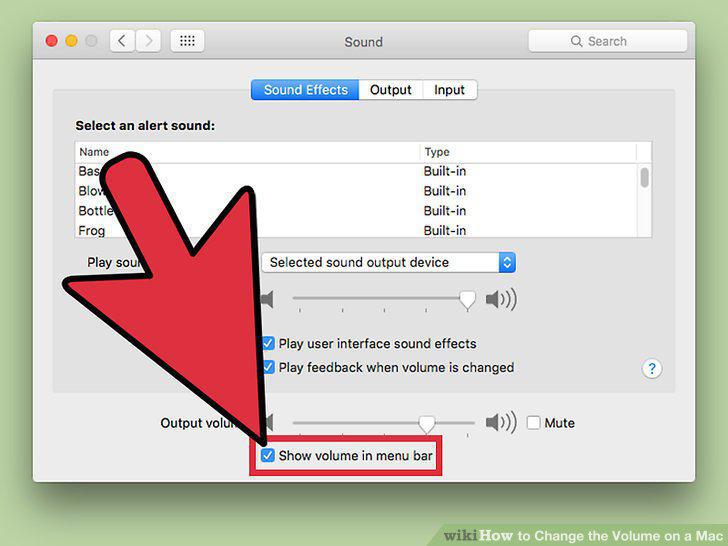
Click the Show volume in menu bar box.
5
Click the Volume button in the menu bar.
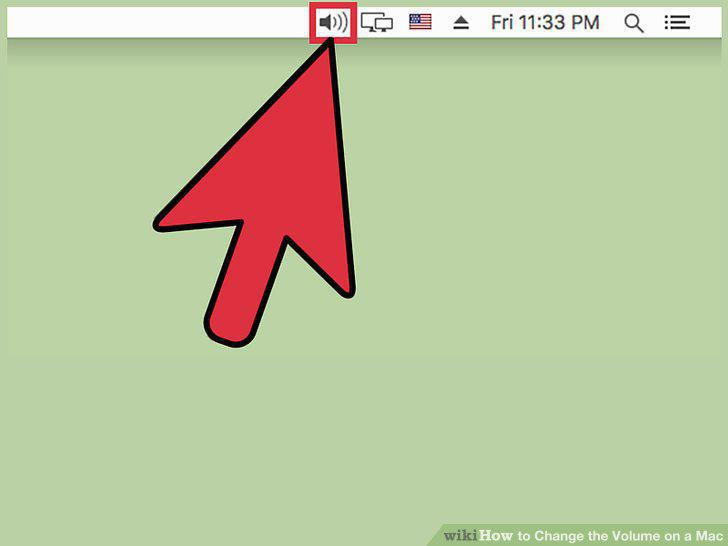
Click the Volume button in the menu bar.
6
Click and drag the slider to change the volume.
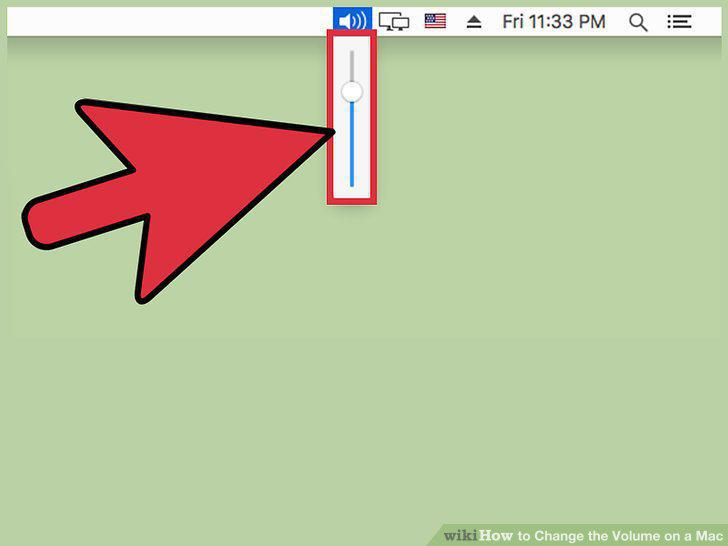
Click and drag the slider to change the volume.
7
Click a different output device to change outputs.
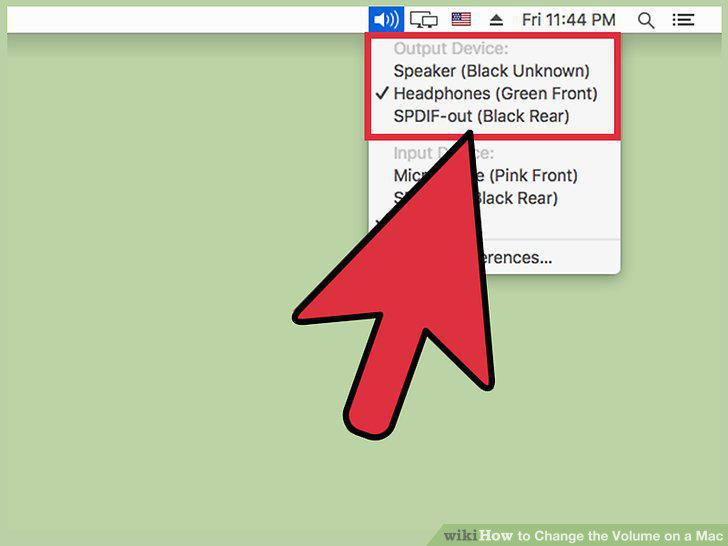
Click a different output device to change outputs.
8
Press the volume keys on your keyboard to adjust volume.
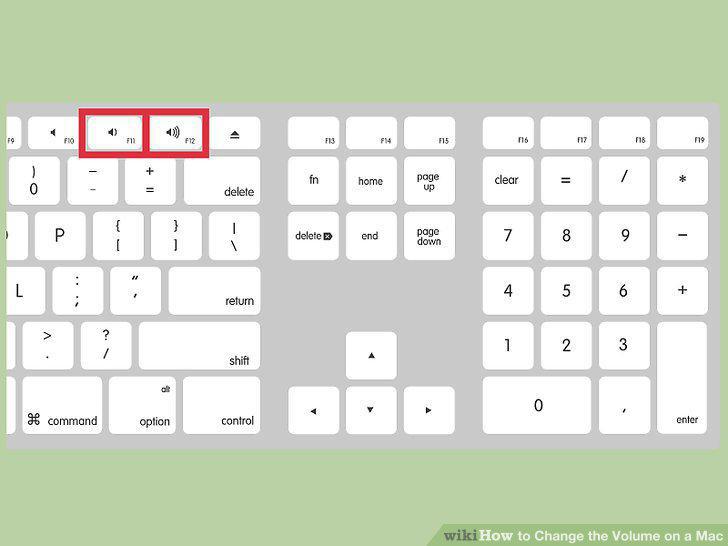
Press the volume keys on your keyboard to adjust volume.
9
Tap the volume button on your MacBook Pro's Touch Bar.
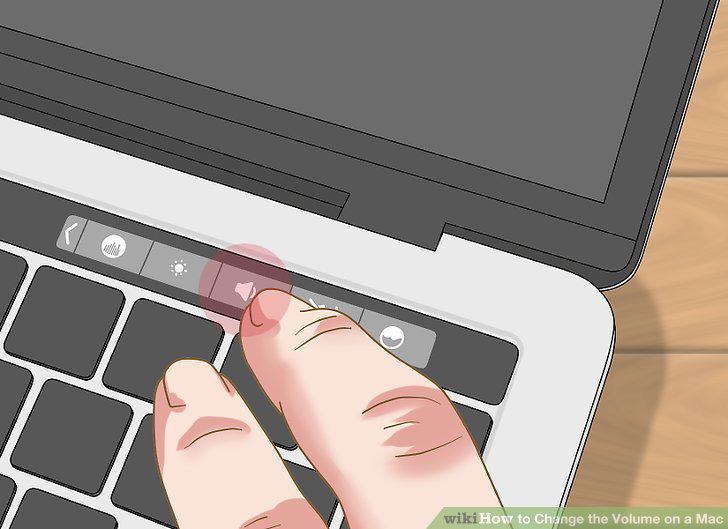
Tap the volume button on your MacBook Pro's Touch Bar.
Comments (0)
No comments yet. Be the first to share your thoughts!