How to Freeze Cells in Excel
Click the View tab.. Click the Freeze Panes button.. Click Freeze Top Row or Freeze First Column.
Steps
1
Click the View tab.
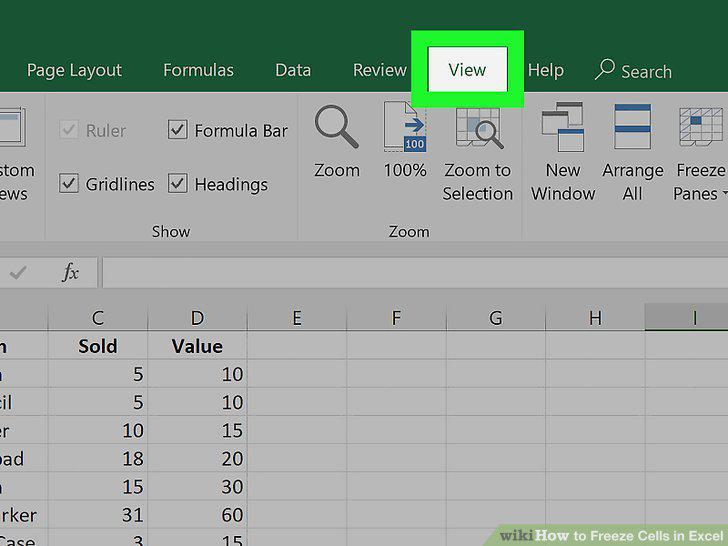
Click the View tab.
2
Click the Freeze Panes button.
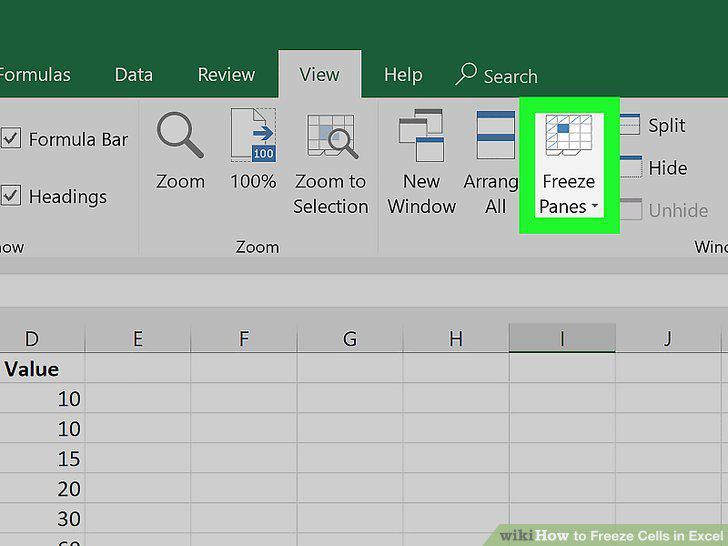
Click the Freeze Panes button.
3
Click Freeze Top Row or Freeze First Column.
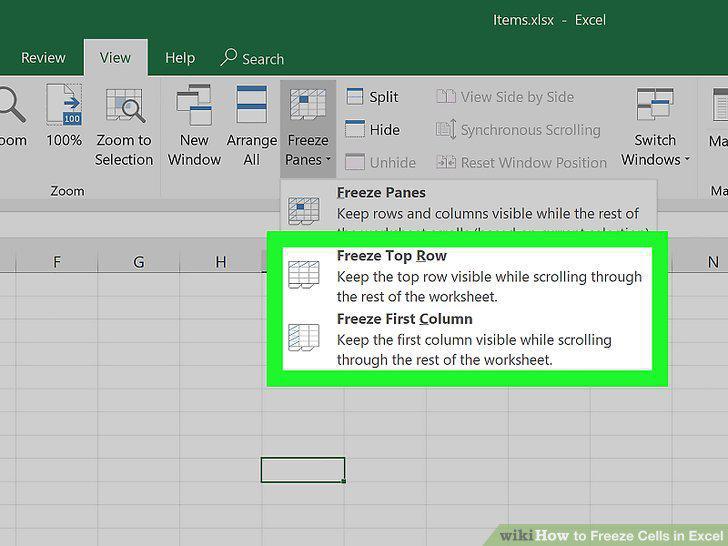
Click Freeze Top Row or Freeze First Column.
4
Unfreeze your cells.
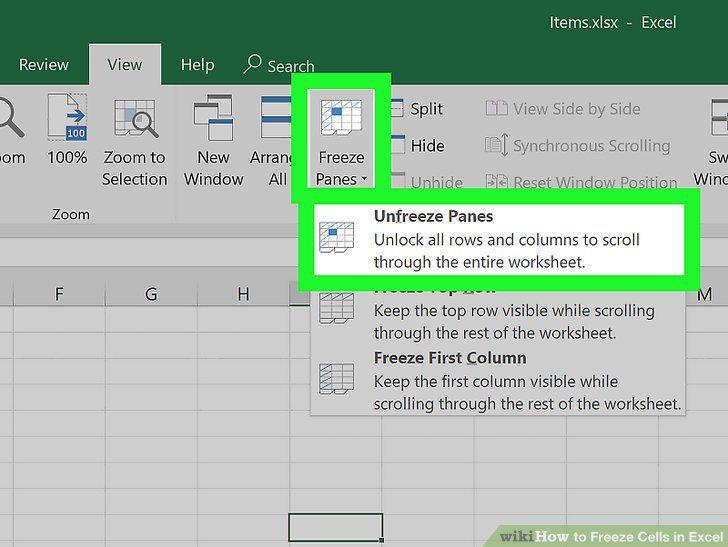
Unfreeze your cells.
5
Select the row or column after those you want to freeze.
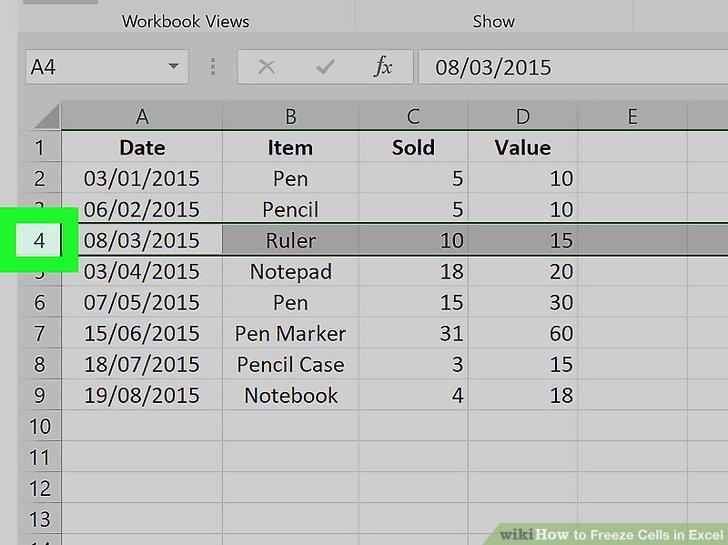
Select the row or column after those you want to freeze.
6
Click the View tab.
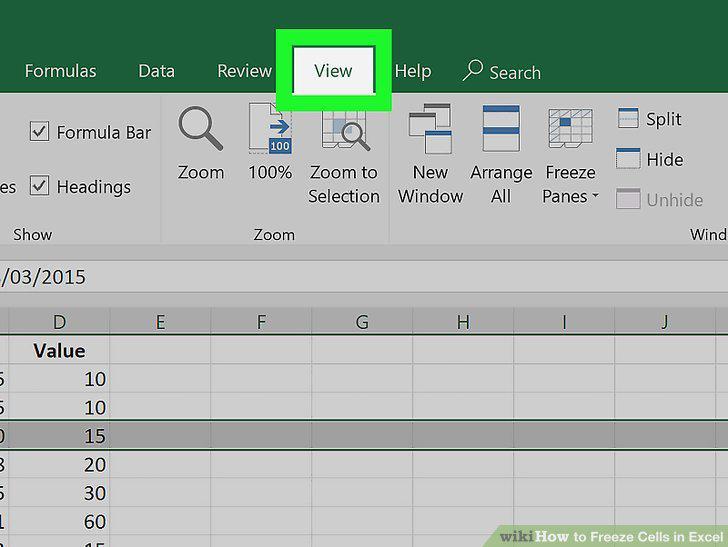
Click the View tab.
7
Click the Freeze Panes button.
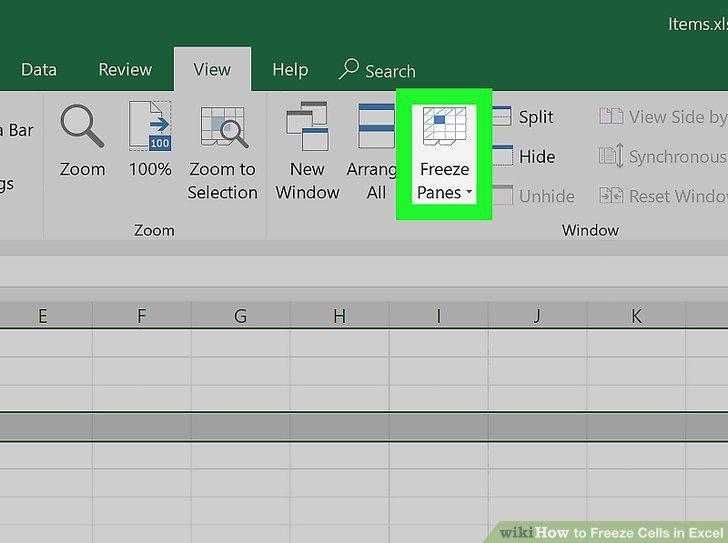
Click the Freeze Panes button.
8
Click Freeze Panes on the menu.
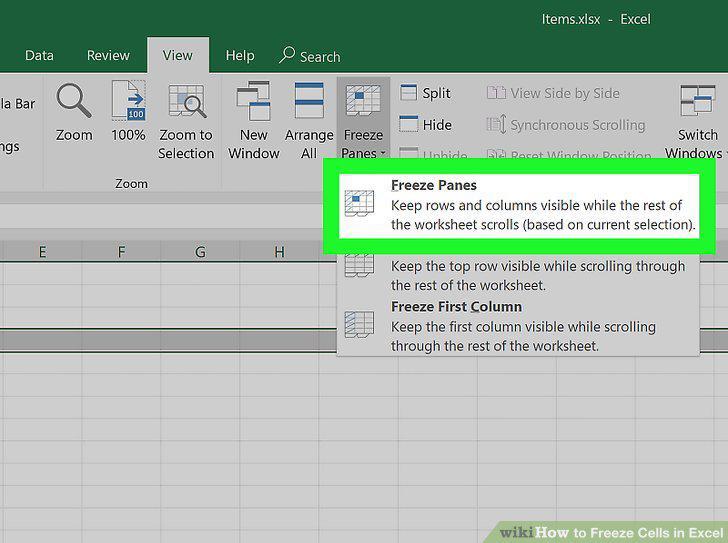
Click Freeze Panes on the menu.
9
Unfreeze your cells.
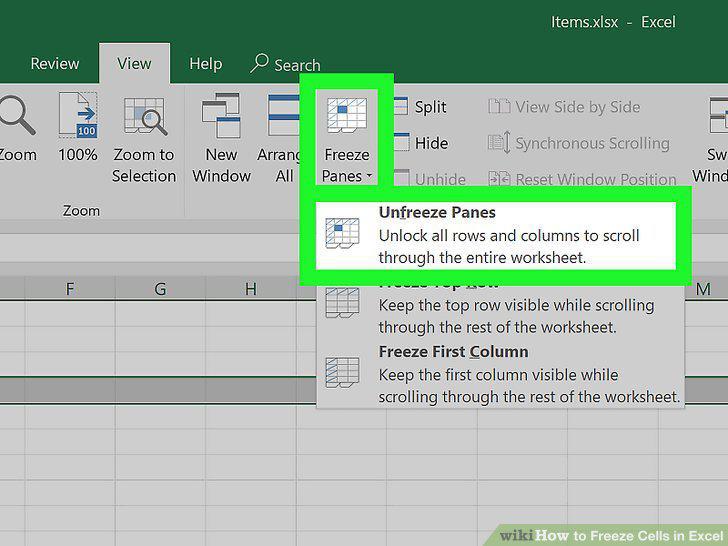
Unfreeze your cells.
Comments (0)
No comments yet. Be the first to share your thoughts!