How to Start a Telegram Group on iPhone or iPad
Open Telegram on your iPhone or iPad.. Tap the paper and pencil icon.. Tap New Group.
Steps
1
Open Telegram on your iPhone or iPad.
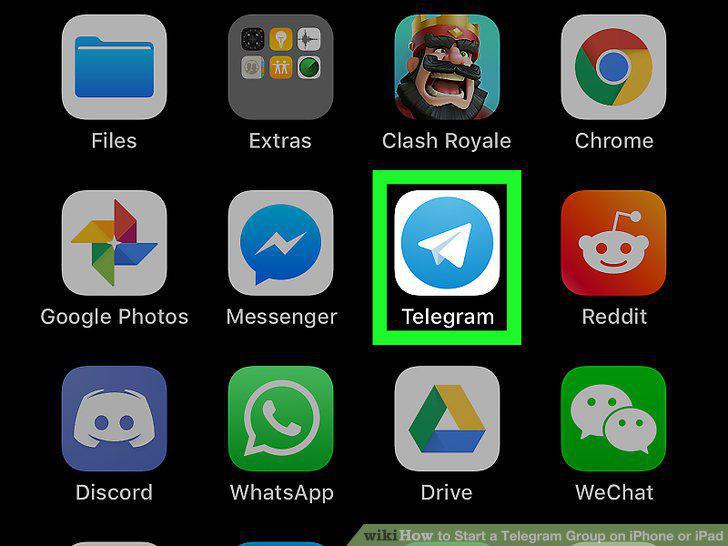
Open Telegram on your iPhone or iPad.
2
Tap the paper and pencil icon.
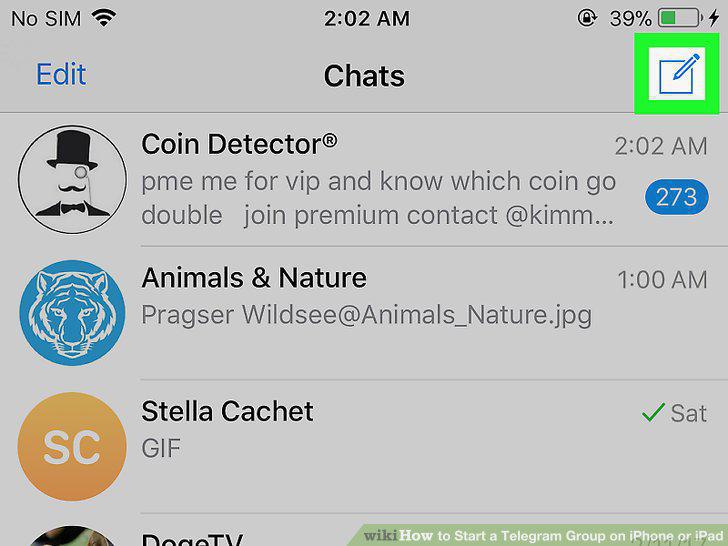
Tap the paper and pencil icon.
3
Tap New Group.
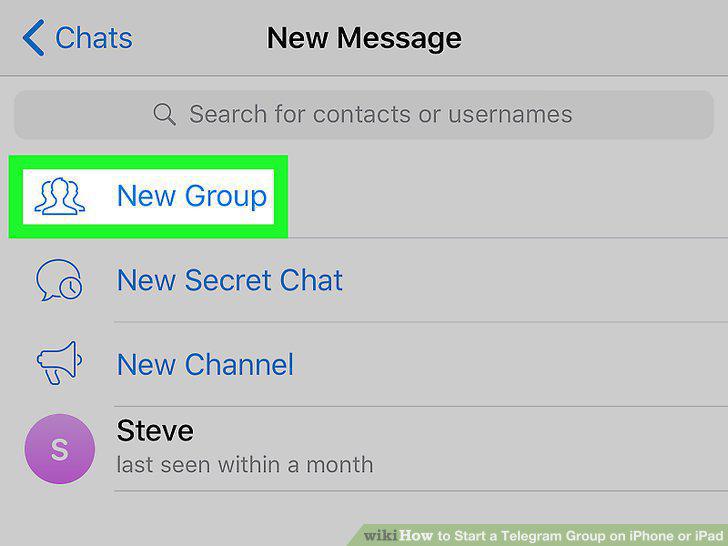
Tap New Group.
4
Select contacts to add.
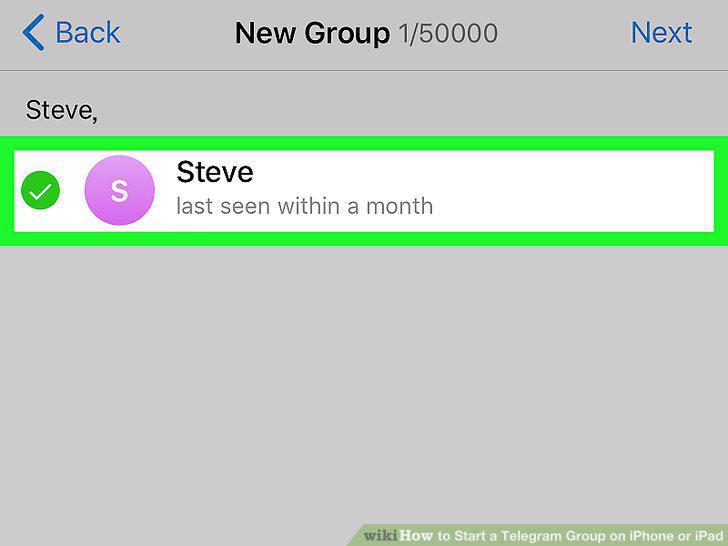
Select contacts to add.
5
Tap Next.
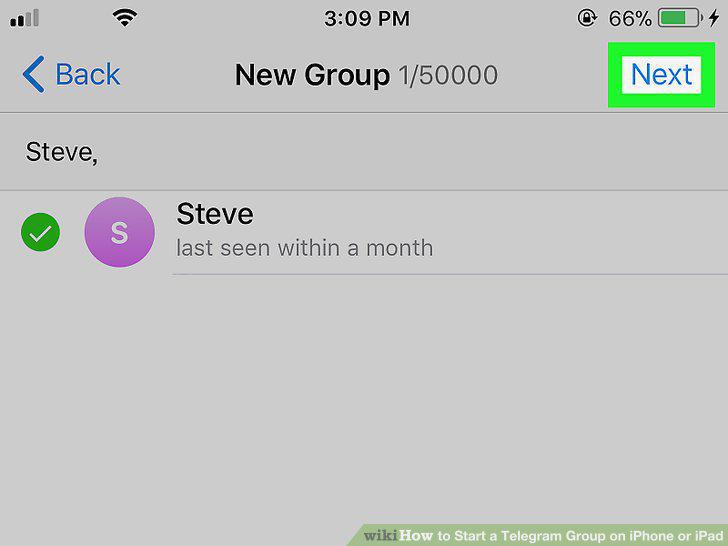
Tap Next.
6
Type a name for the group.
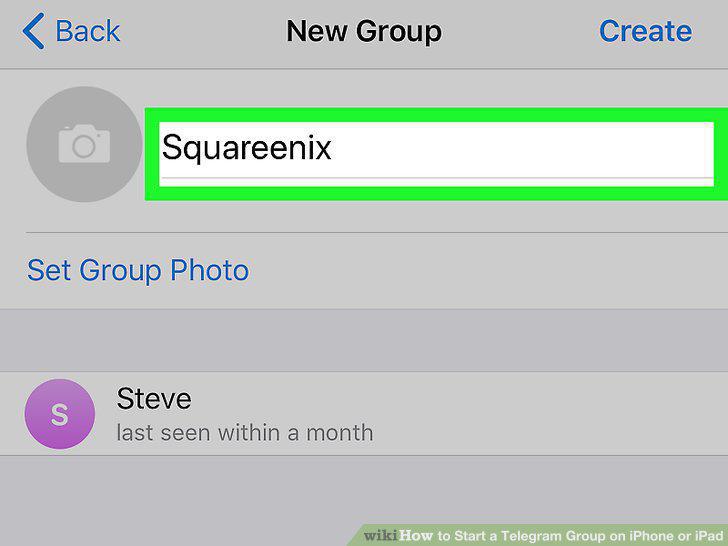
Type a name for the group.
7
Tap the camera icon to select a group photo.
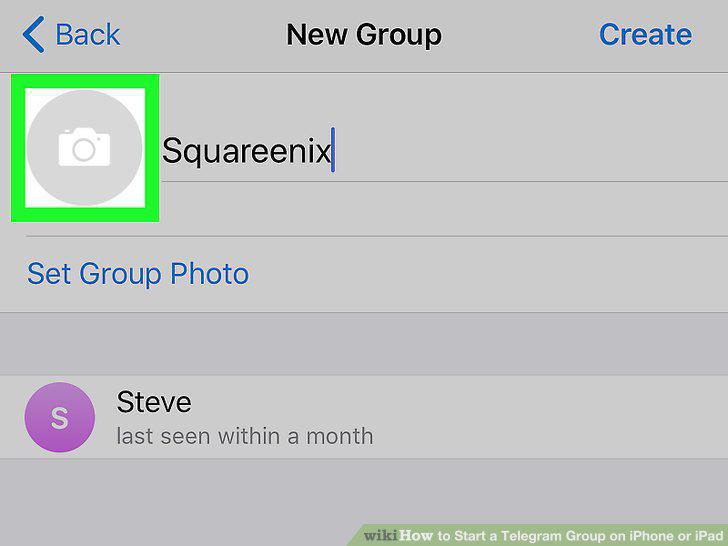
Tap the camera icon to select a group photo.
8
Tap Create.
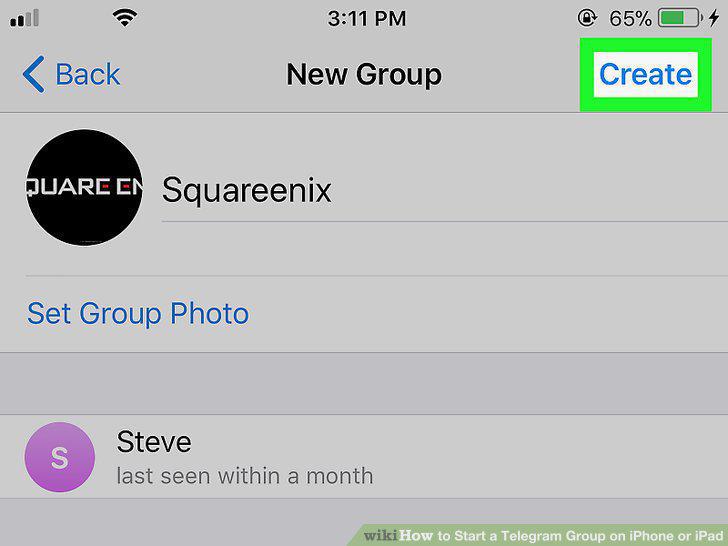
Tap Create.
Comments (0)
No comments yet. Be the first to share your thoughts!