How to Connect a Computer to a Hotspot
Turn on your mobile hotspot.. Click the icon.. Click the name of the hotspot.
Steps
1
Turn on your mobile hotspot.
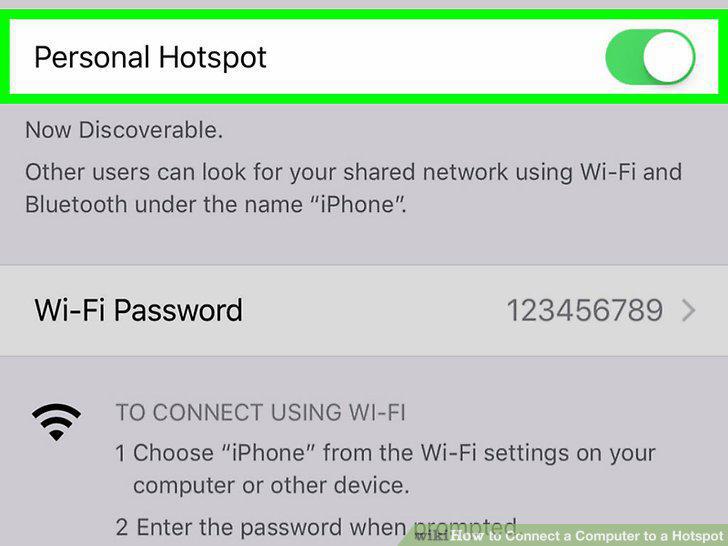
Turn on your mobile hotspot.
2
Click the icon.

Click the icon.
3
Click the name of the hotspot.
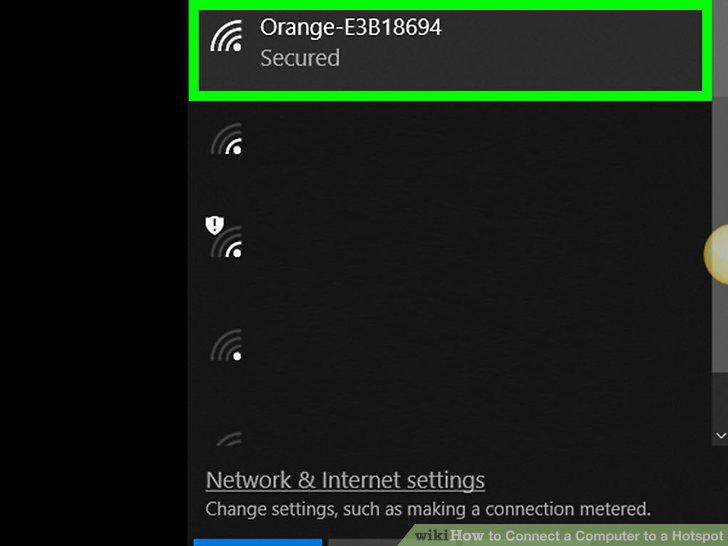
Click the name of the hotspot.
4
Click Connect.
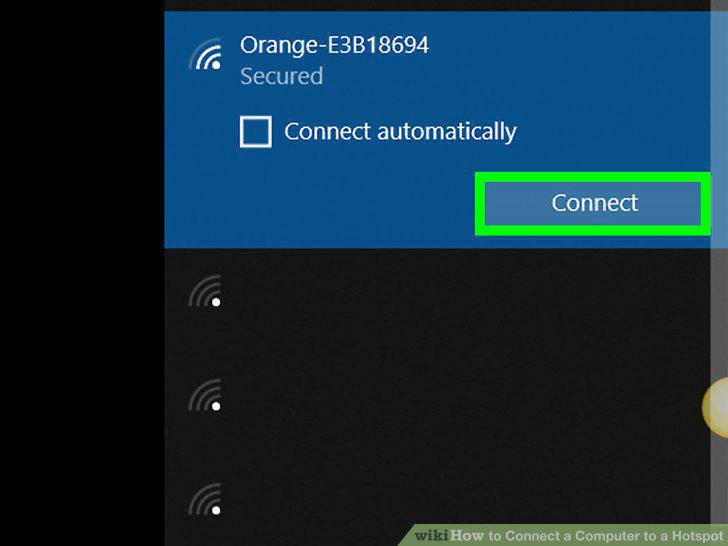
Click Connect.
5
Enter the security key and click Next.
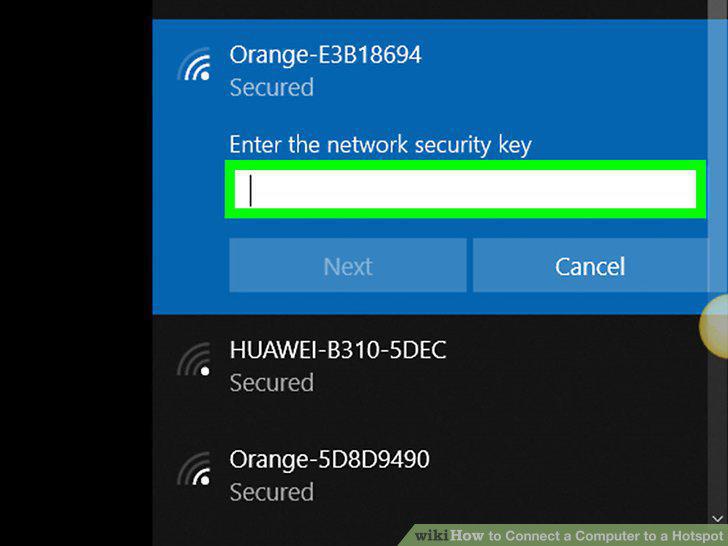
Enter the security key and click Next.
6
Turn on your mobile hotspot.
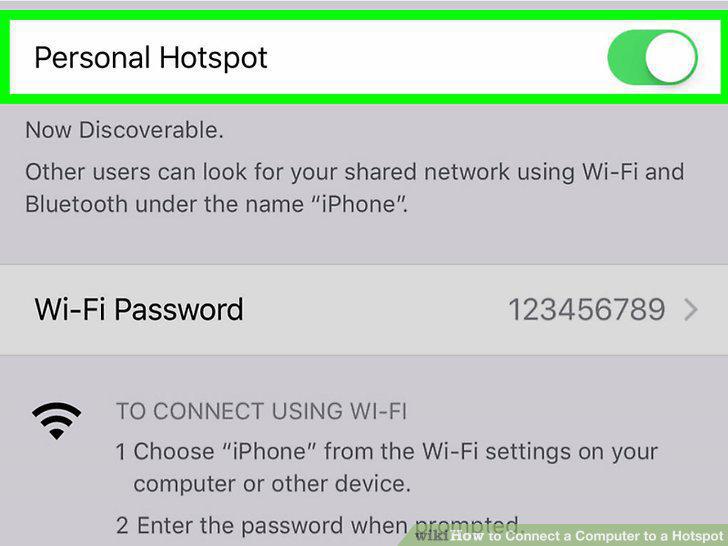
Turn on your mobile hotspot.
7
Click the button.
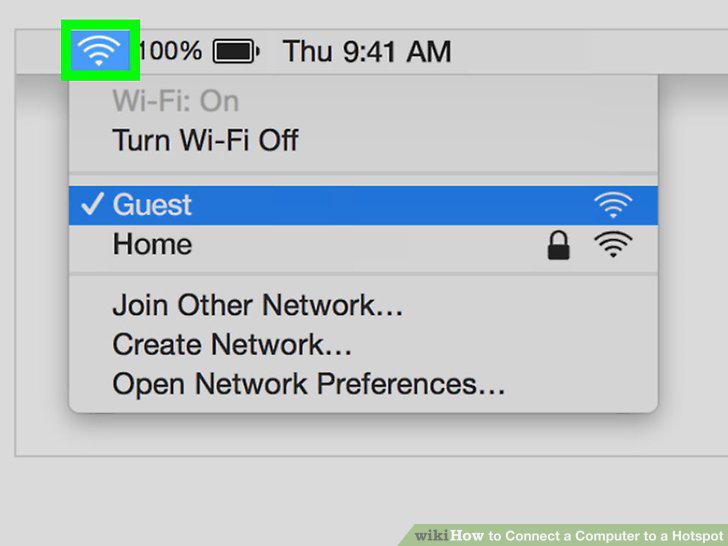
Click the button.
8
Click the hotspot you want to join.
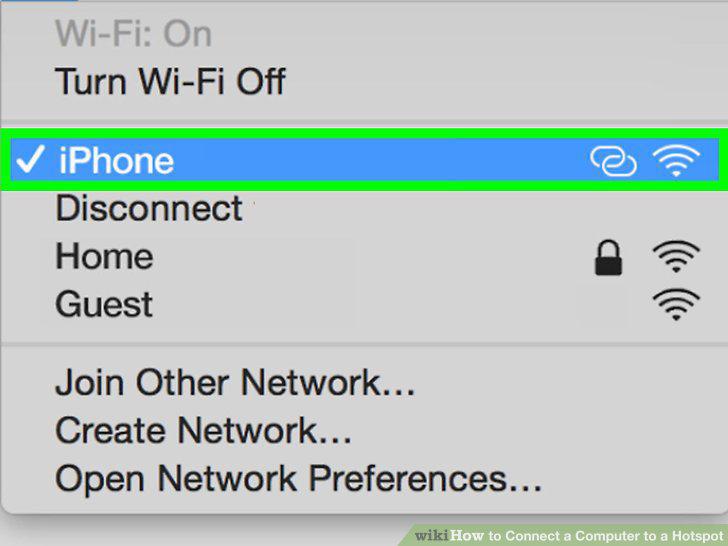
Click the hotspot you want to join.
9
Type the passcode and click Join.
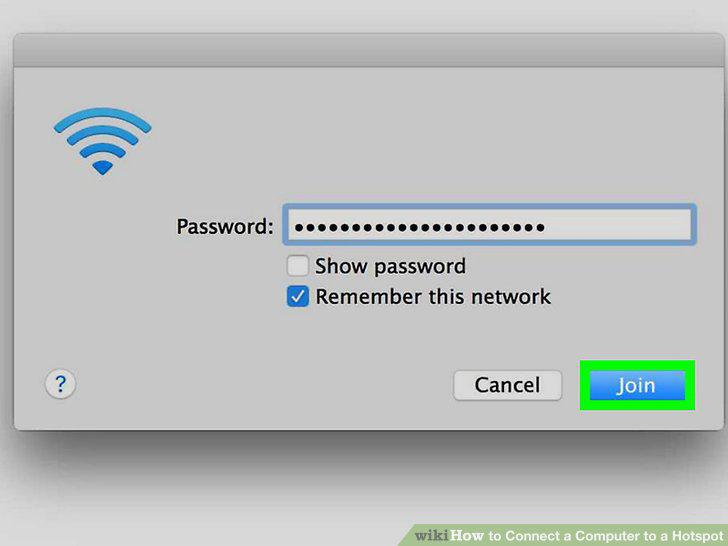
Type the passcode and click Join.
Comments (0)
No comments yet. Be the first to share your thoughts!