How to Change a Water Filter in a Kenmore Refrigerator
Get a new filter that fits in your refrigerator model.. Push or pull the tab on the filter compartment to open it.. Twist the filter counterclockwise and pull it out.
Steps
Get a new filter that fits in your refrigerator model.
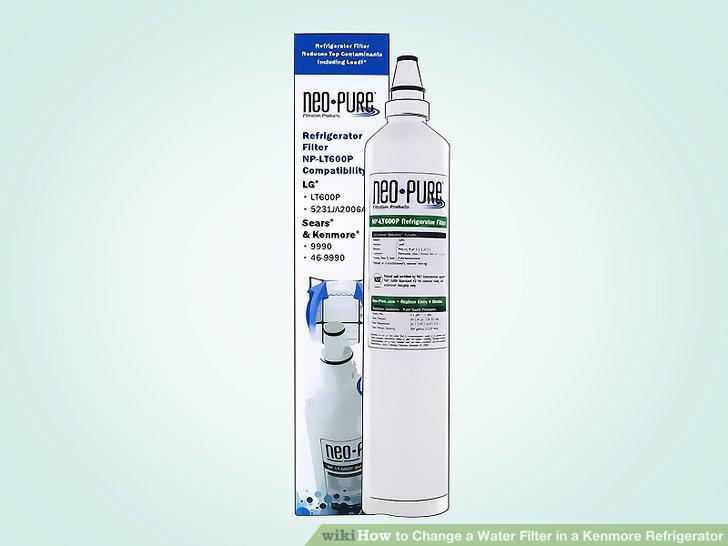
Get a new filter that fits in your refrigerator model.
Push or pull the tab on the filter compartment to open it.
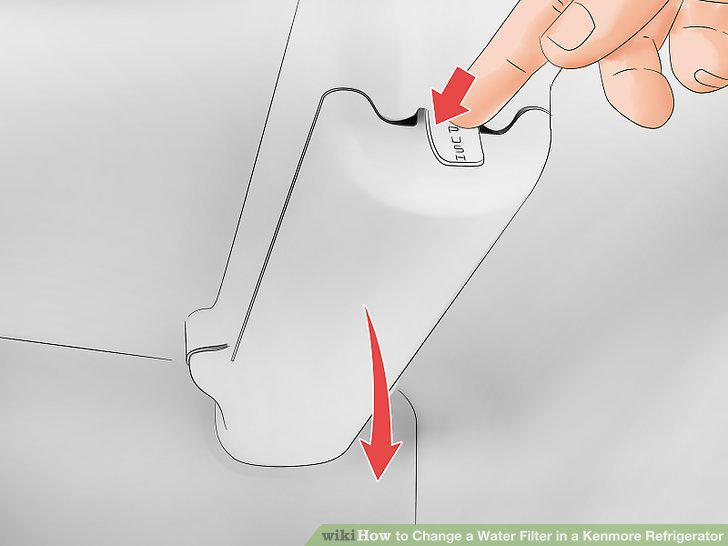
Push or pull the tab on the filter compartment to open it.
Twist the filter counterclockwise and pull it out.
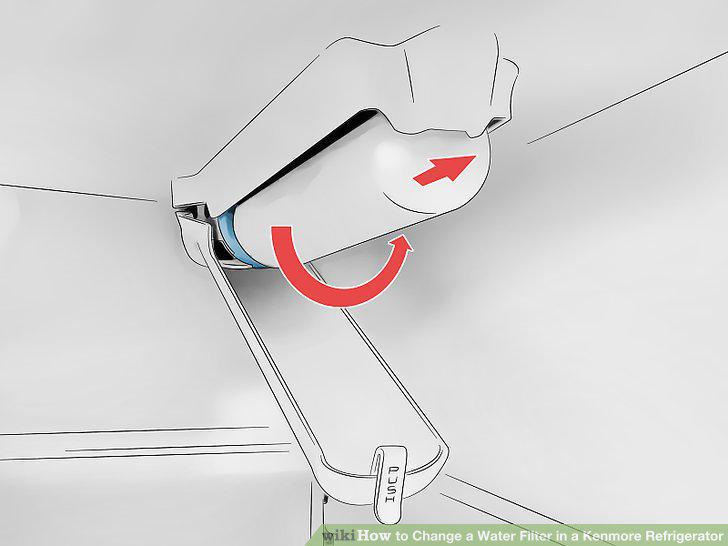
Twist the filter counterclockwise and pull it out.
Take the seal off the end of the new filter.
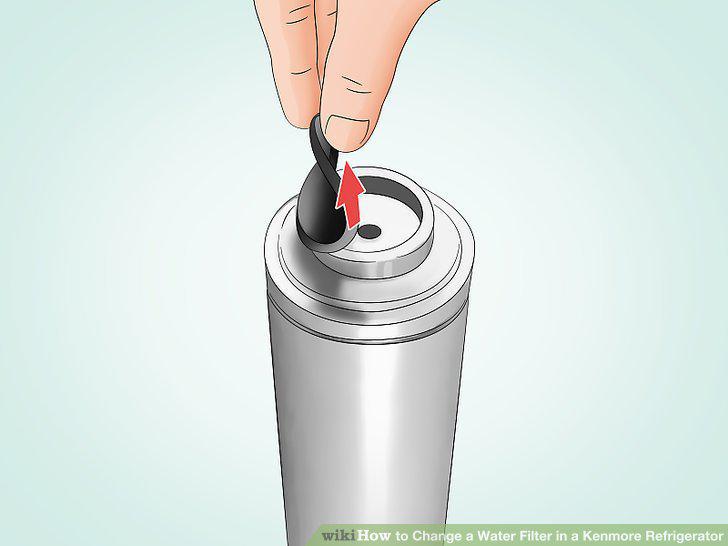
Take the seal off the end of the new filter.
Screw the new filter clockwise into the compartment.
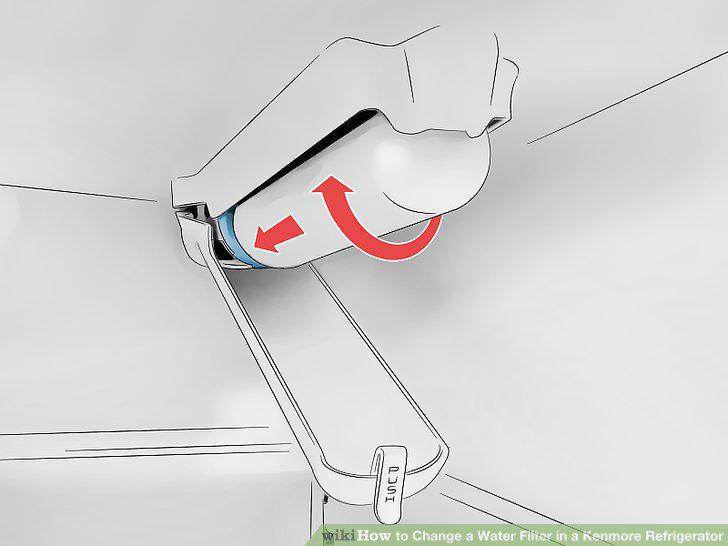
Screw the new filter clockwise into the compartment.
Press the "Filter Reset" button if the light above it is yellow or red.
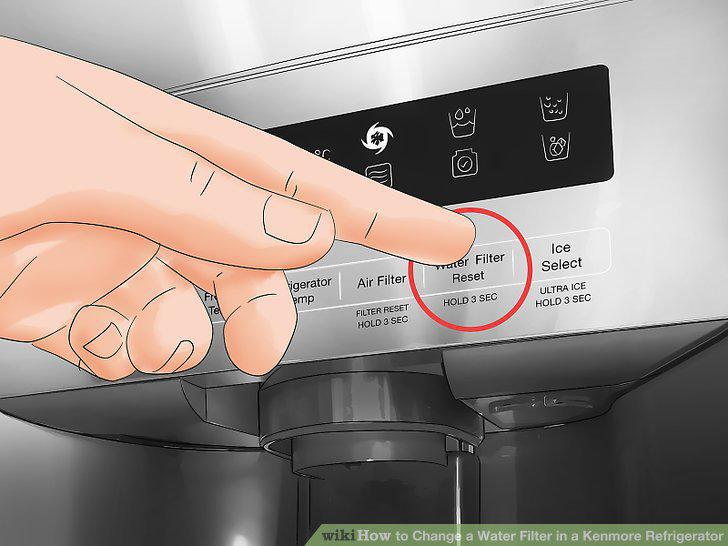
Press the "Filter Reset" button if the light above it is yellow or red.
Buy a new filter that fits your refrigerator model.
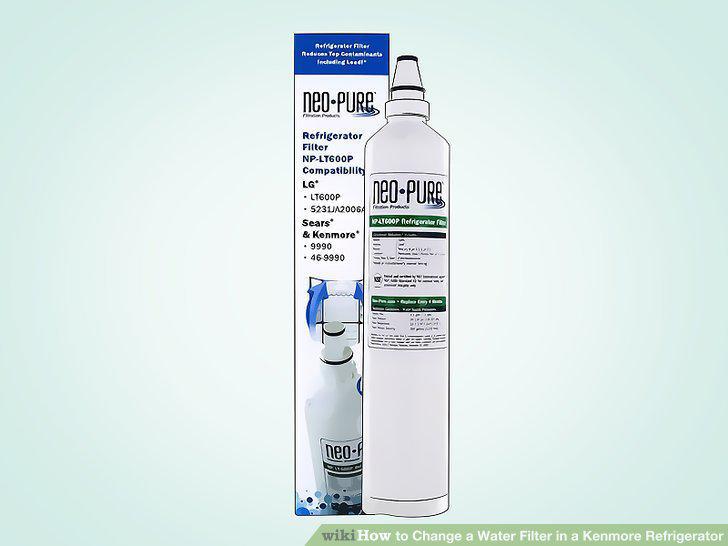
Buy a new filter that fits your refrigerator model.
Twist the dial on the bottom of the fridge counterclockwise to pull it out.
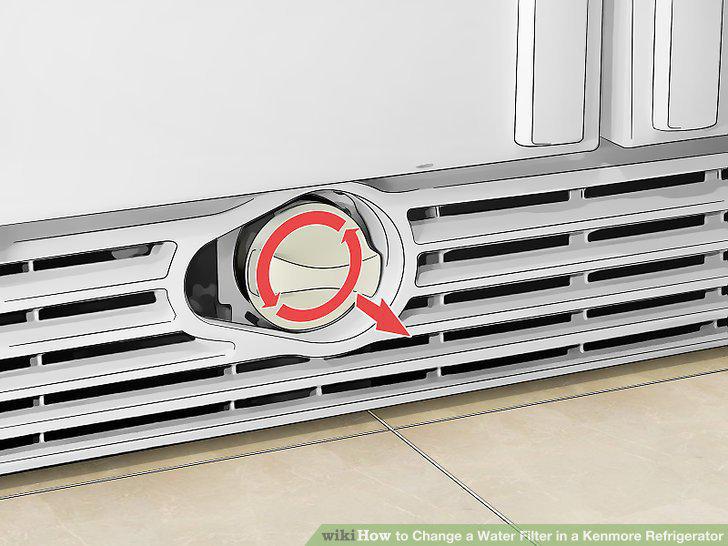
Twist the dial on the bottom of the fridge counterclockwise to pull it out.
Slide the dial handle onto the new filter.
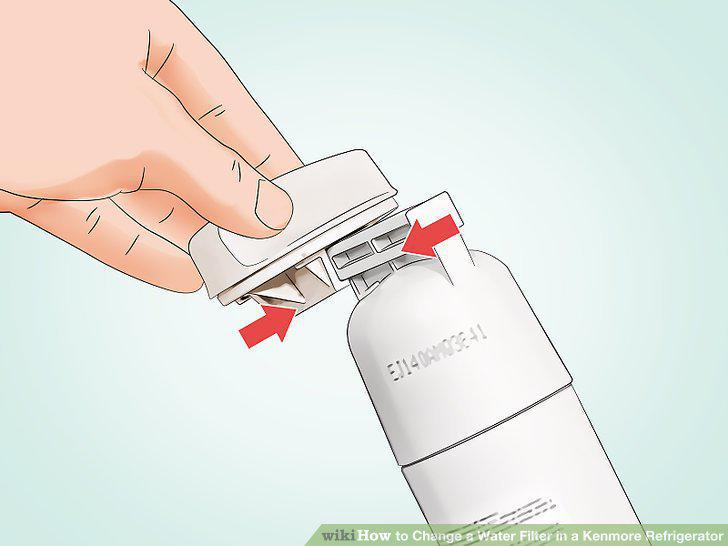
Slide the dial handle onto the new filter.
Feed the new filter back into your fridge and turn it clockwise.
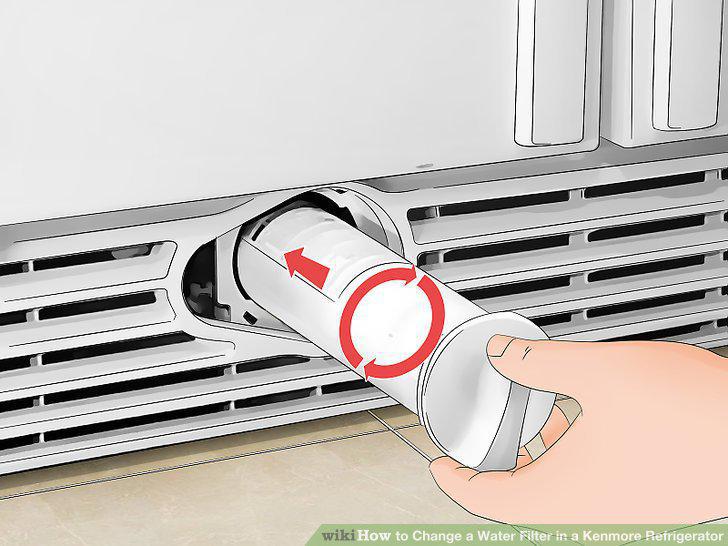
Feed the new filter back into your fridge and turn it clockwise.
Hold the "Filter Reset" button for 3 seconds if it has an orange or yellow light
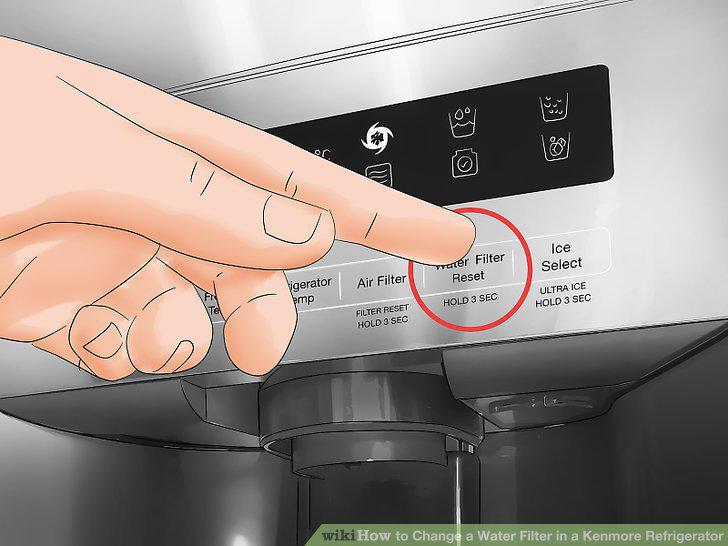
Hold the "Filter Reset" button for 3 seconds if it has an orange or yellow light.
Comments (0)
No comments yet. Be the first to share your thoughts!