How to Share Internet on Samsung Galaxy
Open your Galaxy's Settings app.. Tap Connections at the top of Settings.. Tap Mobile Hotspot and Tethering.
Steps
1
Open your Galaxy's Settings app.
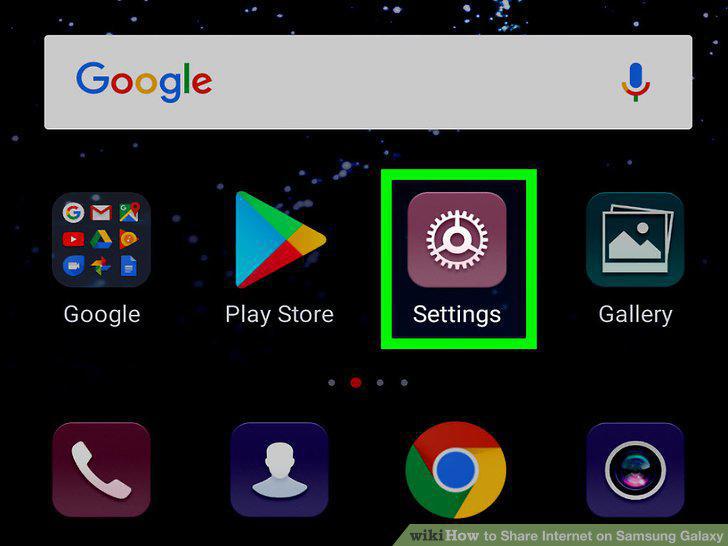
Open your Galaxy's Settings app.
2
Tap Connections at the top of Settings.
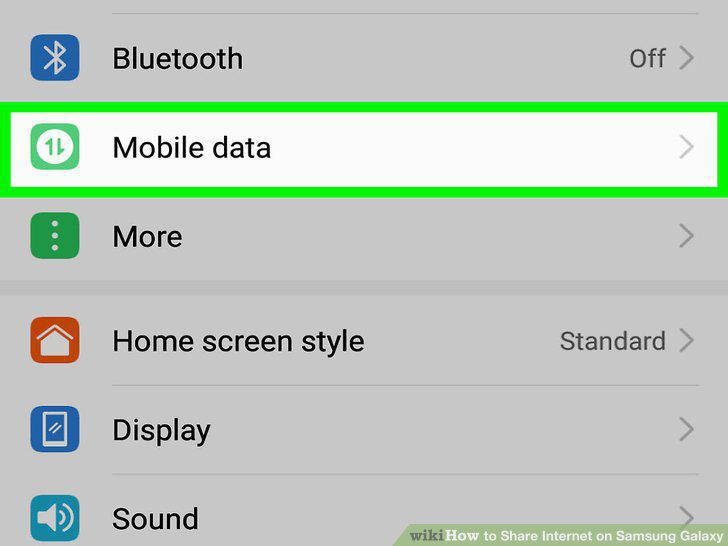
Tap Connections at the top of Settings.
3
Tap Mobile Hotspot and Tethering.
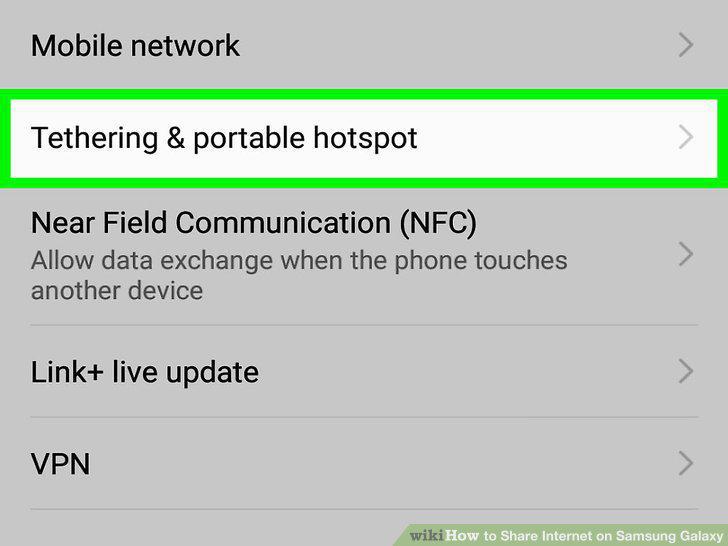
Tap Mobile Hotspot and Tethering.
4
Slide the Mobile Hotspot switch to for Wi-Fi sharing.
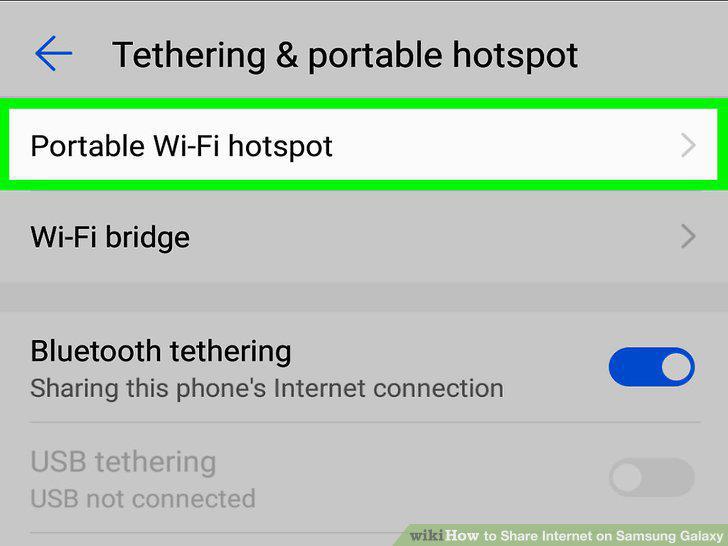
Slide the Mobile Hotspot switch to for Wi-Fi sharing.
5
Slide the Bluetooth tethering switch to for Bluetooth.
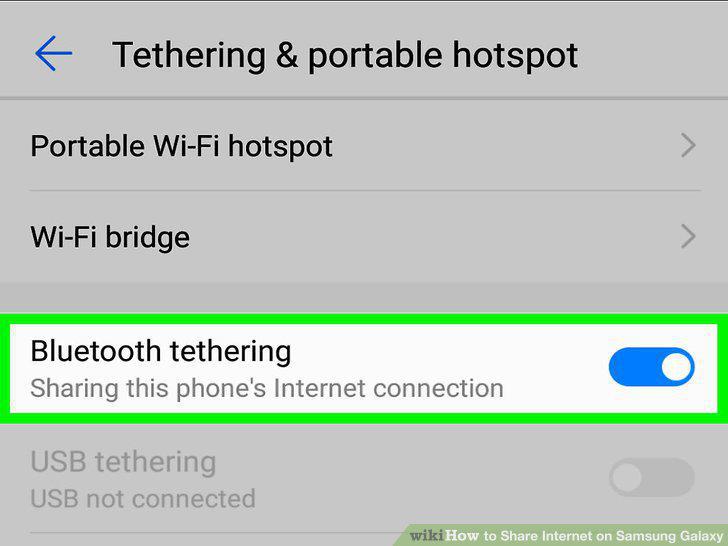
Slide the Bluetooth tethering switch to for Bluetooth.
6
Slide the USB tethering switch to .
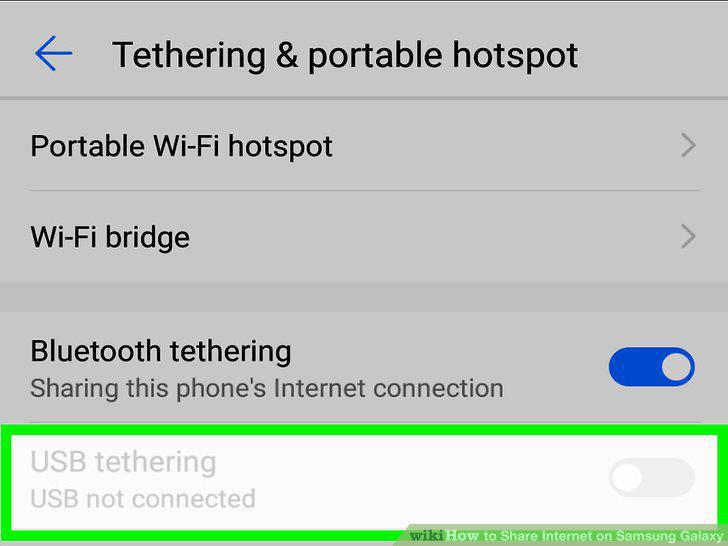
Slide the USB tethering switch to .
Comments (0)
No comments yet. Be the first to share your thoughts!